Leaderboard


Popular Content
Showing content with the highest reputation on 01/11/2022 in Posts
-
Information in this post no longer relevant with v1.1r1, information remains for clarity. There is a minor issue with the altimeter information in the initial release of the 650, that is being corrected for the next version. It's also separate from the altimeter temperature effects, and doesn't change anything in the first post on this thread. Let me explain the issue first: In real life, traditional ATC "primary" radar has no way to see how high an aircraft is, so a system called "secondary surveillance radar" or SSR sends a radar pulse to interrogate the aircraft transponder. The transponder provides a Mode A code such as "4651" and a Mode C response encoding the aircraft altitude. Modern SSR does loads more with Mode S but let's stick to the basics. Real Mode C altitude responses are fixed to 29.92inHg for the encoder pressure setting - it's basically always reporting a flight level, even at very low altitudes. To present that correctly, the controller radar display reads the 29.92 altitude, and converts it into whatever the sector pressure is. So if a controller tells you "Palm Springs Altimeter 3014", their radar display is converting the 29.92 into the correct altitude for 30.14. Now, in online flying this doesn't work. I could be flying on my own fixed weather, another pilot could be flying real world weather, and yet another on another sim with a slightly different weather source. To make this work, rather than sending the altitude relative to 29.92, the “xPilot” VATSim client sends the actual altitude displayed on your altimeter. If it's right for the pilot, it's right for the network. (I'm not talking about the altitude to draw the 3D aircraft model here, that's something else, I'm talking about what shows on the controller's display). The advanced systems in the 650 operate entirely separately from X-Plane. On the initial release version, the X-Plane stock cockpit altimeter is not synchronised with the Challenger 650 cockpit, so when, for example, the Vatsim client asks for the cockpit altitude to show the controller it's linked to the X-Plane cockpit values and not the Challenger 650. This will be addressed in a future release, but for the time being the keyboard binding "Baro pressure selection 2992" can at least set X-Plane to the standard pressure setting. It won't fix the issues in every case, but is a workaround until the product is updated. Sorry for the inconvenience to online pilots - the Challenger 650 is pushing the boundaries of what X-Plane can do, so it's only natural these previously unknown issues are exposed as more and more people enjoy the Challenger 650.4 points
-
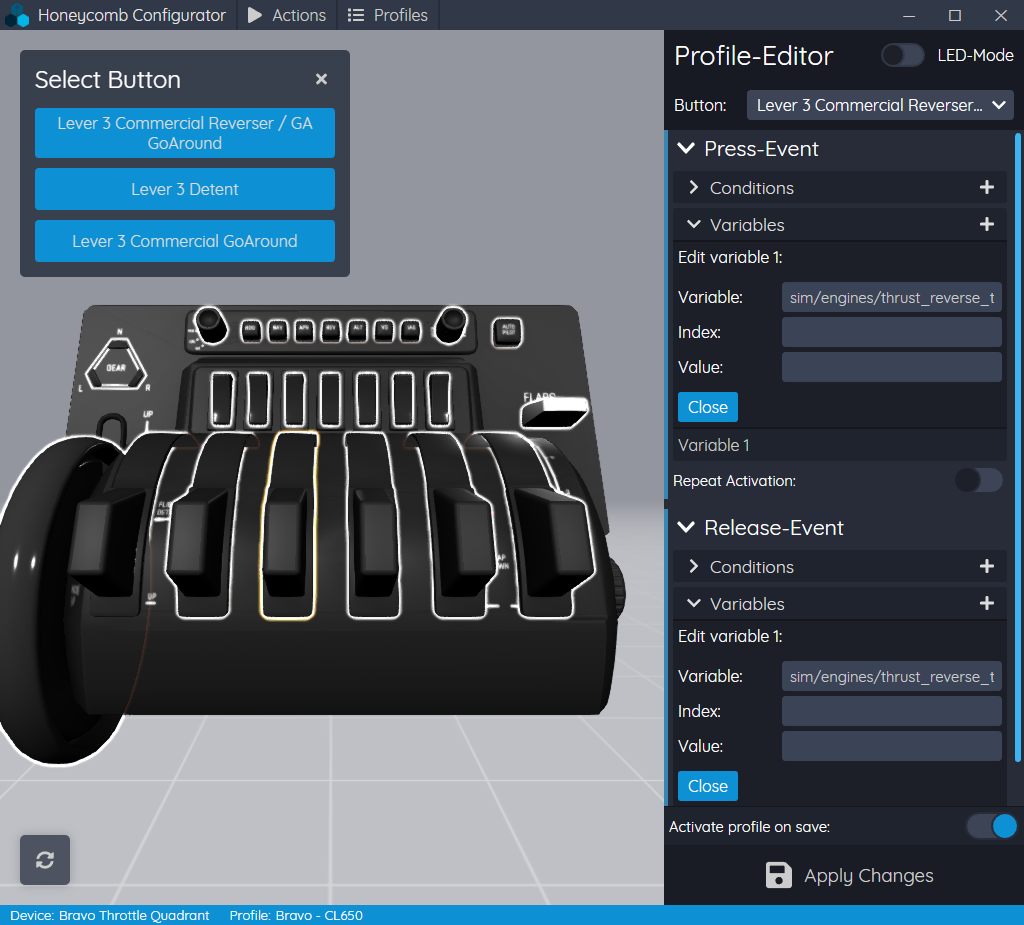
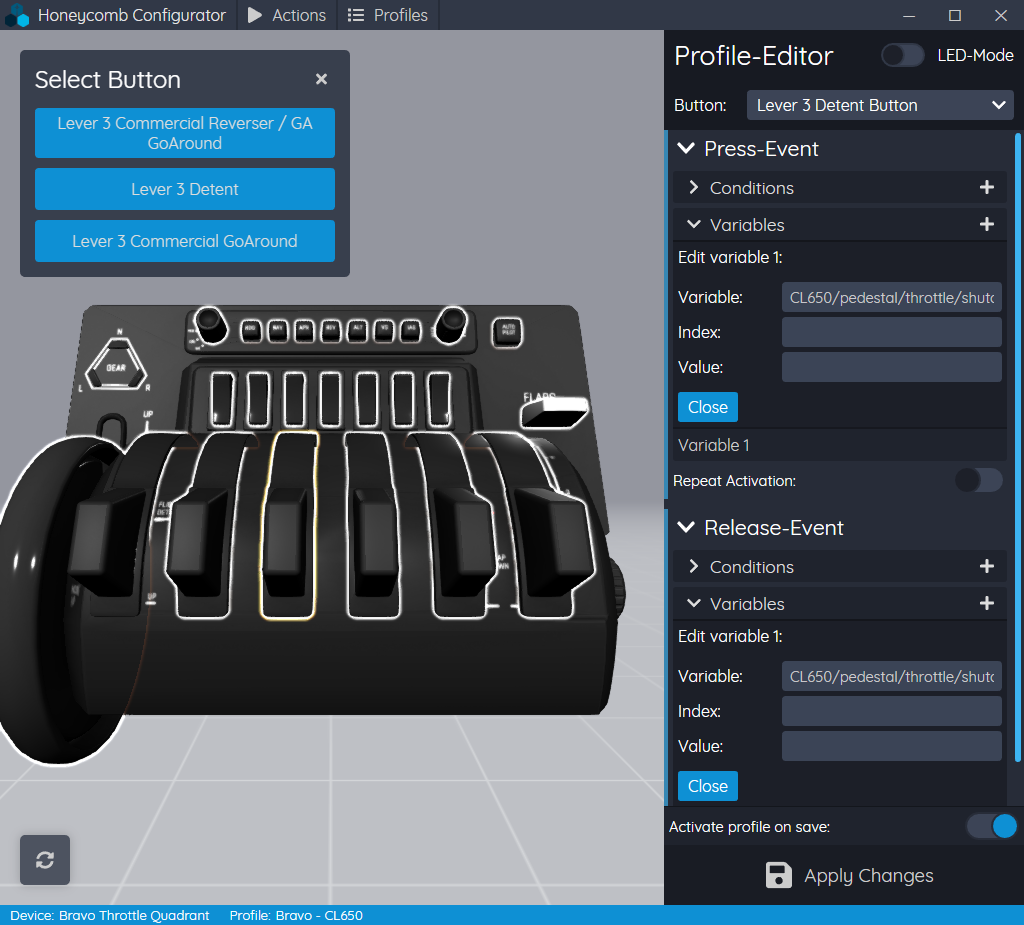
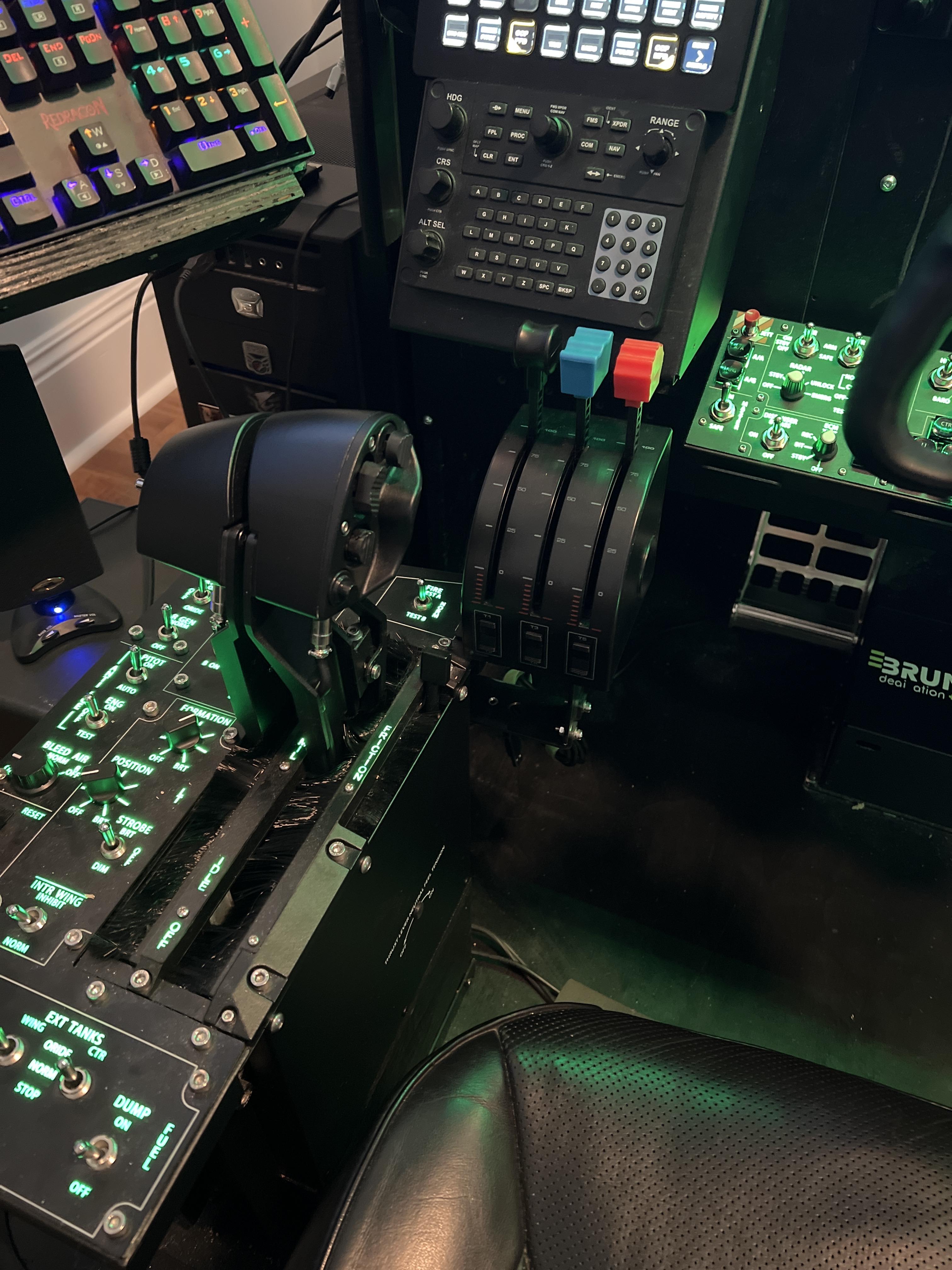
At the request of users in the discord, here are my bindings for the throttles and reversers on the Bravo. Use the Commercial handles and map the following in the Honeycomb Configurator: Lever 3 Commercial Reverser/GA GoAround -Press-Event -Variable 1: sim/engines/thrust_reverse_toggle_1 -Release-Event -Variable 1: sim/engines/thrust_reverse_toggle_1 Lever 3 Detent: -Press-Event -Variable 1: CL650/pedestal/throttle/shutoff_L_down -Release-Event -Variable1: CL650/pedestal/throttle/shutoff_L_up Lever 4 Commercial Reverser/GA GoAround -Press-Event -Variable 1: sim/engines/thrust_reverse_toggle_2 -Release-Event -Variable 1: sim/engines/thrust_reverse_toggle_2 Lever 4 Detent: -Press-Event -Variable 1: CL650/pedestal/throttle/shutoff_R_down -Release-Event -Variable 1: CL650/pedestal/throttle/shutoff_R_up Remember to activate the profile in the Honeycomb software before you load up, and use the plugin menu to load the profile once you're in the sim. I haven't checked the indicator lights yet to see if they work with defaults or not, and the autopilot seems to mostly work with the default bindings, but once I get a more complete profile I can post it here for other users.

 3 points
 -
https://www.smartcockpit.com/plane/BOMBARDIER/CHALLENGER 605.html A source for some stuff Best Steff3 points
-
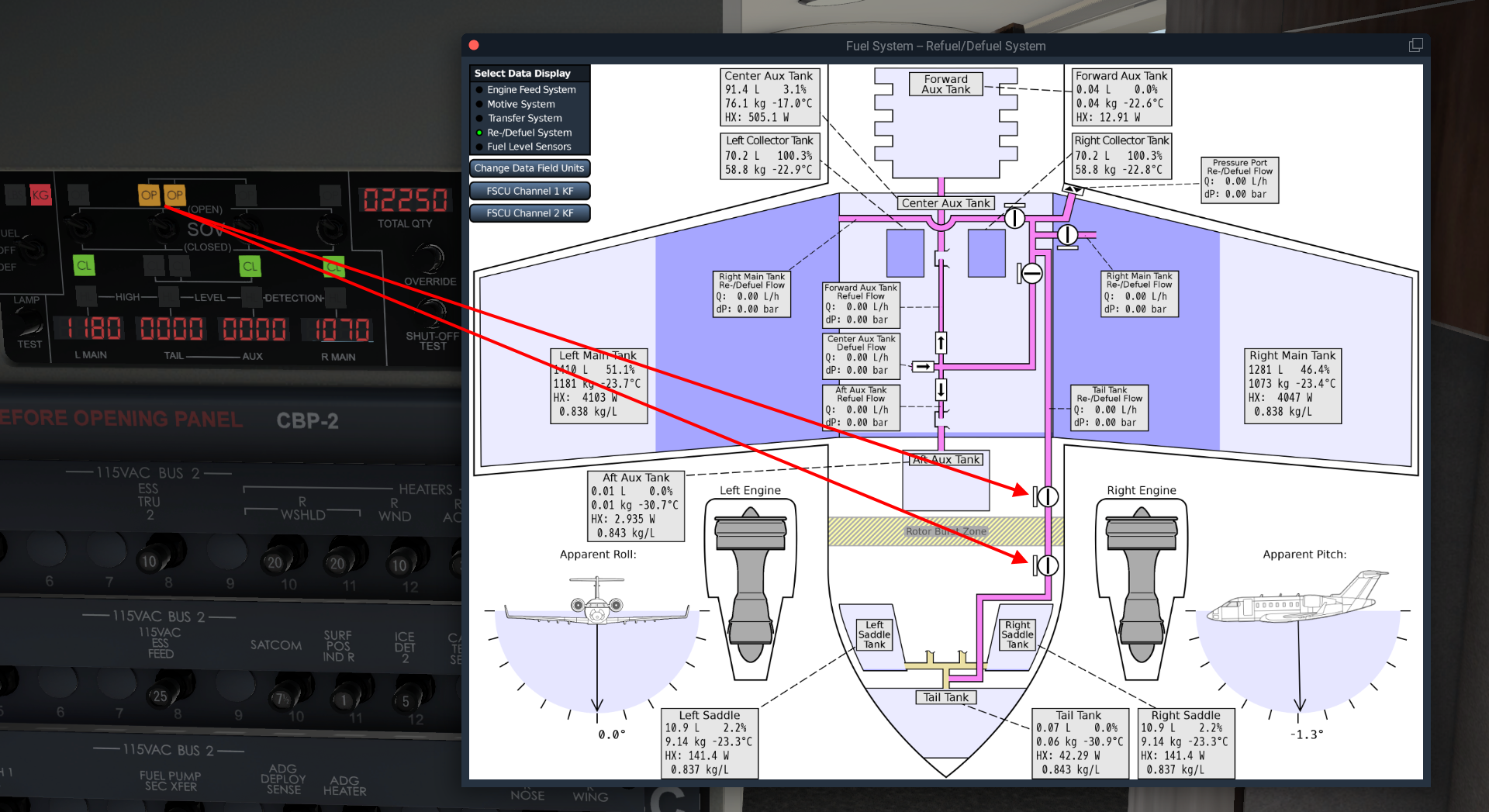
Reference material - https://www.smartcockpit.com/docs/CL605-FUEL_SYSTEM.pdf Page: 16 Fuel tanks are expected to be within 400 lbs / 181 kgs of each other on taxi / takeoff / landing OR 800 lbs / 362 kgs during flight, to avoid Fuel Imbalance EICAS message. First, orient yourself on the overhead panel, we'll be working in the 2nd row (or middle row) of the FUEL panel area. (Fuel.PNG) All three of these buttons should be extinguished under normal operations. Gravity XFLOW Press to begin the process, there's a 1 second delay after pushing the button for it to illuminate OPEN. This will allow fuel to flow freely between both main (wing-based) tanks. There is no EICAS notification that this is open/occurring. (gravity.png) To observe what's happening in the sim. You can go to the Challenger 650 menu -> Study -> Engines -> Fuel System... You'll notice that whatever Main Tank (either Left or Right) has more fuel that this will continue to consume, whereas the side with less fuel will not. Thus balancing the tanks. L (R) to AUX XFLOW Press the appropriate button to begin the process, there's a 1 second delay after pushing the button for it to illuminate ON. This will remove fuel from whatever side is select and transfer it to the auxiliary tank. Determine which tank has more weight in fuel Left side? Choose L to AUX (L to AUX.png) Right side? Choose R to AUX (R to AUX.png) There is a lock out mechanism that does not allow you to press the opposite button when one is already selected. Pressing L to AUX, for example, then pressing R to AUX, will no longer illuminate the L to AUX button. Pressing the R to AUX button again will resume the L to AUX transfer and the button will illuminate ON again. Once you're done balancing the tank, make sure to deselect the previously selected L (R) to AUX button. The aircraft will now suspend fuel consumption from the two main tanks and pull from the AUX tank until depleted. *Edit* Thanks! @airforce2 As long as a main tank is below 93% full, the aux tank feeds the main tank to maintain the level at 93%. Once a main drops to 93%, the main quantity will remain constant and the aux level will drop. It will appear that the engines are burning from the aux tank, but in reality the engines are burning from the mains and that fuel is being simultaneously replaced in the main tank from the aux tank ejector xfer pumps. To observe what's happening in the sim. You can go to the Challenger 650 menu -> Study -> Engines -> Fuel System... Note: The plane will display an EICAS warning message: FUEL XFLOW SOV OPEN if either button is ON for more than 50 seconds and the tanks are balanced within 100 lbs.

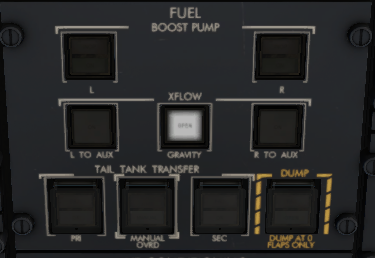
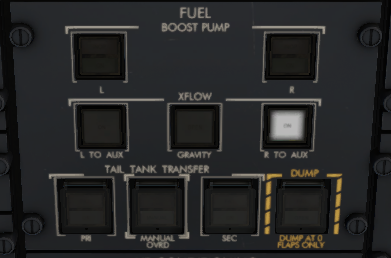
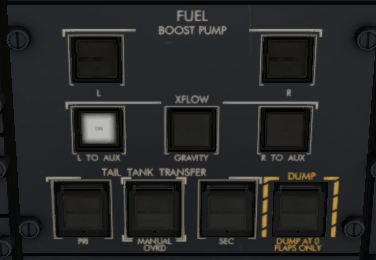 2 points
 -
Documents attached updated 20th December 2022. Latest versions are always available in ...\Aircraft\X-Aviation\CL650\Documentation directory. IMPORTANT: you must be signed in to download the PDFs below. Not a user yet? Head over to Sign Up. 1128340285_CL650FMSPrimer.pdf CL650 Operations Reference.pdf 1323904309_CL650ExpandedNormalProcedures.pdf CL650 Checklists.pdf CL650 Checklists - Printable.pdf CL650 Flexible Take-Off.pdf CL650 Shared Cockpit Quick Start Guide.pdf2 points
-
For some odd reason they got deleted by youtube...and I don´t have them anymore . I plan on redoing them with XP12 when that one comes out - there have been a lot of changes to our model since back then and also the new simulator platform warrants a better looking video, so might as well redo them then! Cheers, Jan2 points
-
I can see the same effect on my system. Will try and track down the issue further.2 points
-
Hi , for the time being, I’ve found the MMEL….all the other manuals are quite hard to find ( for free..) Cl600_EASA-MMEL_Rev01 2.pdf2 points
-
I've run a bunch of A B testing on Gizmo retail vs Gizmo dev branch and it looks like a bunch of this is on me. I'm seeing some pretty abysmal perf numbers out of retail. The good news is I'm seeing some significantly better numbers out of the dev branch... Will push harder to get you all something soon. Turns out Gizmo is NOT the issue. See last post in this thread.2 points
-
The Challenger 650 does not have FADEC, but there are engine controls and mechanical systems in place that affect how your lever position controls the engine. The most common issue seen reported with the simulation is the engines are not making "full power", or rather not achieving the rating on the N1 EICAS display. The reason for this is the engine has an N2 limit which varies based on total air temperature, which depends on aircraft speed and temperature. The TAT is shown on the PFD left side datablock, Don't climb at too low an indicated airspeed or mach, and keep an eye on the TAT. This chart shows what's going on, and will also included in the Operations Reference Document when possible. Keep i mind the chart shows Corrected N2, but gives you an idea of what is actually going on.1 point
-
I inadvertently initiated L engine shutdown (by releasing a agent bottle) inflight, flying with one engine after this mistake, I could not for the life of me relight the L engine and also could not turn on the APU, I was at FL 050. So I landed with one engine and parked the aircraft. How do I service the engine and make it good again using the FBO?1 point
-
Edit: SimBrief now has added MACH 0.74 and MACH 0.72 cruise profiles to their CL60 profile, so the discussion below is mostly irrelevant now. I've requested that SimBrief add an LRC cruise schedule to their CL60 profile if possible, to make it easier to plan range-topping missions such as London to New York westbound: https://forum.navigraph.com/t/cl60-cruise-schedules/7076 In the meantime, the most economical profile available is MACH 0.77. For those who have access to the actual fuel tables for the CL60, is there a way the LRC cruise could be expressed as a fuel factor relative to MACH 0.77 cruise, let's say over a ~3,500-3,600nm air distance? SimBrief's fuel factor will also apply to climb and descent, but over longer ranges this matters somewhat less. I guess, for planning purposes, we would have: a fuel factor that applies to a specific air distance we would scale said fuel factor based on actual air distance (either linearly or using another recommended method) Regards, Tim1 point
-
Resolved, fix will be in next update.1 point
-
I was able to modify the object file and create a VR config file which includes some teleport spots as well as the ability to properly control the yoke. I have not touched anything else as I think they will come with an update at some point and are not required as a needed item at the moment (ex. 3 way switches.). Just skip those items in the checklist and you'll be fine. Also, if you want to control any interior cabin lighting, you will have to do it outside of VR until they make some changes to allow for manipulation with the VR controllers.1 point
-
I was able to figure this out. I had loaded an incorrect profile from the Honeycomb configurator and ended up with a double bind. Once I removed that, it seems all is well with the key binding for the park brake!1 point
-
Thanks Ed, will check it out shortly and see what's happening there.1 point
-
Personal I do export it with LNM as fms at X-Plane/Output/FMS plans/ and load it in CL650 via IDX(index) > ROUTEMENU > DISK ROUTE LIST > navigate to correct with PREV & NEXT and pressing appropriate Left LSK The same you can do with every third party flight planner. Hope that this help you.1 point
-
Hi Robbietp1, Yes I read the messages. Thank you very much and looking forward to this! Cheers1 point
-
It's in the binds under the Captain Pedestal section. Search for sync.1 point
-
Thank you Graeme, appreciated.1 point
-
In Challenger_manuals a user upload complete manuals for 605 (quite similar to 650)1 point
-
Ok. In that case I was prob just to quick when I just wanted to test if it works. Guess the antenna had not picked up the satellite yet. I am on my wa to Insbruck right now. Following the checklist/gave the antenna time and everything works fine :-)1 point
-
It's being investigated with the help of the project consultant pilots. If the FMS should show VFR only airports, then I'm sure a solution will be possible. The concern is having a total worldwide set of every little airfield could be less useful, as real aircraft databases are often a smaller subset of the full thing to minimise "clutter".1 point
-
Yes, if you do not fly in Career Mode you will use the default XP11 weight and balance system.1 point
-
Many thanks for this info. Have nice flights. Frank1 point
-
Ah fuel pressure is required. Now I remember Toto mentioning that. Thank you Graeme!1 point
-
Also, SimBrief has now added MACH 0.74 and 0.72 cruise profiles. Yay!1 point
-
As I've learned recently, this is indeed intended behavior with very low TATs. To put it extremely simply, the maximum N2 the engines can achieve is limited with temperature, becoming less as TAT decreases. You can find a graph of the engine fuel control in the "Fuel Control Map" study menu. I believe there will be a graph put into the operations reference showing the maximum *corrected* N2 values for a given TAT. Make sure to keep an eye on the TAT during the climbout and keep the speed up to have an easier time accelerating once you reach cruise.1 point
-
It would be very low priority right now as it's a whole custom navdata system, and there have been no other requests. I think it's about €30/year for the Nav Data alone. I subscribe monthly for Nav Data and worldwide charts, which also work on the 650 MFD.1 point
-
Hi, I have been downloading this into X-Plane for my FMS for free and it has been working fine. Download the Coded Instrument Flight Procedures (CIFP) (faa.gov) ---download the current CIFP file (Coded Instrument Flight Procedures) and extract the files. Copy the FAACIFP18 file, paste it into the folder "X-Plane 11 / Custom Data " and rename the file (FAACIFP18) to earth_424.dat ----- Then I get all the airport and info and charts from here. Lookup Airport | SkyVector But when I go into the FMS on the 650 it reads "WORLD", and will not show me a current database. Can you tell me how I can use the FAA data? Thanks Chris1 point
-
At the moment this method of working is not supported - the Challenger 650 FMS has a complete navdata processor to avoid having to deal with limitations of the X-Plane navigation API, but the FAA CIFP data is not supported.1 point
-
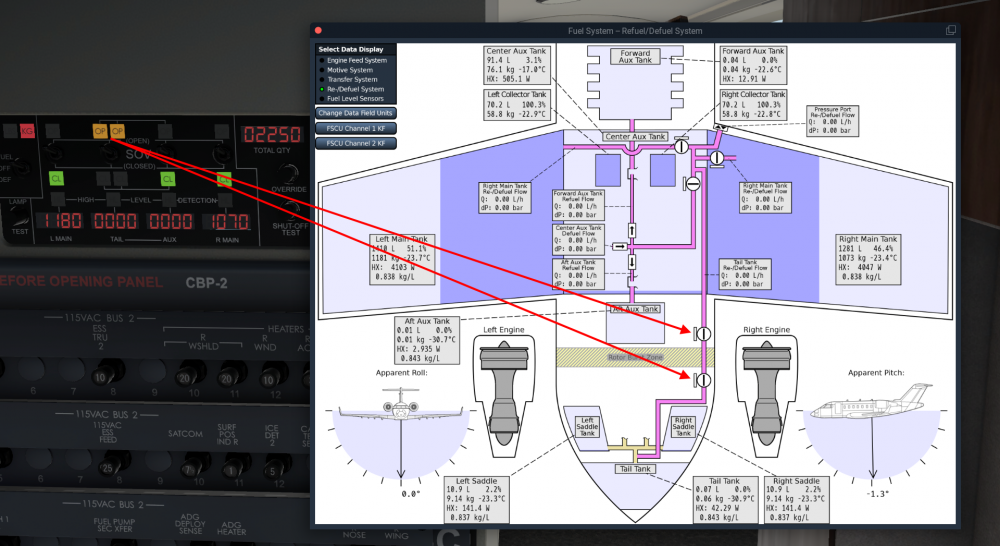
This is expected behaviour. The other shut off valves require fuel pressure to open them, with no fuel pressure they will remain in the closed position. The tail tanks are servo controlled, so will open with no fuel pressure. They will also time-out after 30 seconds and close if fuelling has not commenced, at which point a reset of tail and aux SOVs is required. Try opening the refuel truck 2D panel, then pressing Start. You can also read all about the refuel system on the Study, Engines, Fuel System screen, and select Refuel system at the top left.
 1 point
 -
That's very close to what I've been doing, what our SMEs recommended and avoids FCP inputs when hand flying - that's the reason why that procedure is described in the Takeoff section.1 point
-
I agree that a short one page on the UI of the checklist system would be very helpful.1 point
-
It makes screenshots and videos look better. When the time comes perhaps give the option at least. You do have a pilot in the TBM. It would look weird without one. Thank you!1 point
-
Agreed. A full manual that provides more insight to the location of buttons, sequence of checklist items, photographs, and a guide to various systems like the fueling system, etc. this provided documentation assumes the users are familiar with CL60 aircraft !1 point
-
I’m sure Hotstart will start getting calls from training providers. I hope their licence has entertainment and pro pricing points.1 point
-
It's work again, Thank you for your help1 point
-
Let's not be dramatic.1 point
-
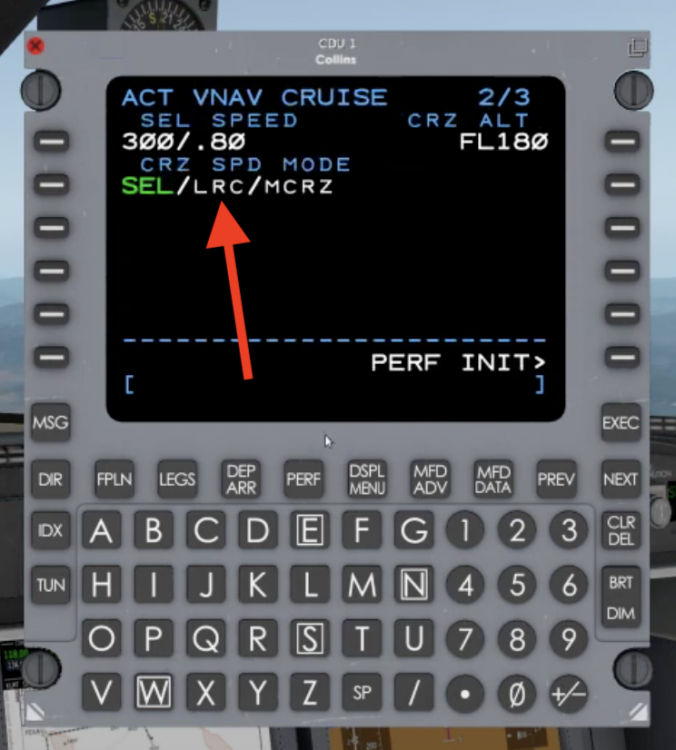
Took me forever to find out, but there it is:
 1 point
 -
The developer has told me the Challenger has Hydraulic Actuated Control Surfaces, and those Hydraulic Units gets their command from simple connection cables and pulleys between them and the Flight Controls. The Flight Control has no fancy ForceFeedback system for the pilot, just Springs, to make it heavier the more you displace from center. A side effect of that simplicity is that you will feel no need of increase force to move the controls across the entire envelope of speeds. Be it 100 knots, or 300 knots, they feel is the same. This makes the controls feels way more sensitive at higher speed, and is a realistic simulation of the real aircraft. Hope this helps explains how it all work.1 point
-
Arguably you could/should be asked to file your flight plan without TCAS in your equipment code, but disconnecting because you do not support TCAS is not exactly a good solution. Were I you, I would complain to VATSIM about this controller.1 point
-
I also would like to see a manual. I also would like to a cockpit guide for all the switches and buttons. When you use the checklist you have to know where everything is. jeffg1 point
-
I have a small thing to add... The switches of the refueling panel are so black, I cant see which position they are... Only when i look from near 90 deg from the side.1 point
-
Disable Vulcan in XPlane, in OpenGL the .acf file will open! Bruno1 point
-
Just to explain the issue clearly. In real life altimeters suffer from "errors". When it says 10000ft it doesn't mean you're 10000ft above the sea, it means in the conditions the altimeter was calibrated for, if the subscale (baro) was set perfectly, you'd be at 10000ft. On a cold day you could be at 9000 "real" ft, on a warm day 11000 "real" ft. But the altimeter would still show 10000ft. Now all real aircraft fly in the same real sky, so on a given day, one aircraft indicating 10000ft and another aircraft indicating 11000ft will pass each other safely. Even if their altimeters say 11000ft and 12000ft respectively. The Challenger 650 simulation includes these altimeter effects. Unfortunately when reading the information from X-Plane, online network clients read the "real" altitude (to draw the aircraft) and importantly (and unfortunately) show that to the controllers. This does not happen in real life, as controllers and transponders have no secret data from the world. This means online controllers will see an incorrect Flight Level reading when the Challenger 650 is doing an accurate simulation of real altimetry. To prevent any issues, the Challenger 650 simulation includes an option to disable accurate altimetry for flying on line. If you disconnect from the network, the Challenger will resume simulating altimetry effects, and as a result may climb or descend. It's the hope that in the future online networks will read two separate values, one "real" altitude to draw the various aircraft in the 3D world, and one "sensed" altitude, to downlink to controllers for the Transponder / SSR altitude. More information on altimeter errors https://skybrary.aero/articles/altimeter-temperature-error-correction
 1 point
 -
I have found if you click on the o2 mask can't seem to find a way to put it away in VR.1 point
-
The CG value in the FMS Takeoff perf page is for pilot information only. It does not need to be completed, and has no effect on the performance of the aircraft. The developers are investigating options to display load and balance information in a manner that best simulates the corporate pilot experience as it differs substantially from scheduled air transport.1 point
-
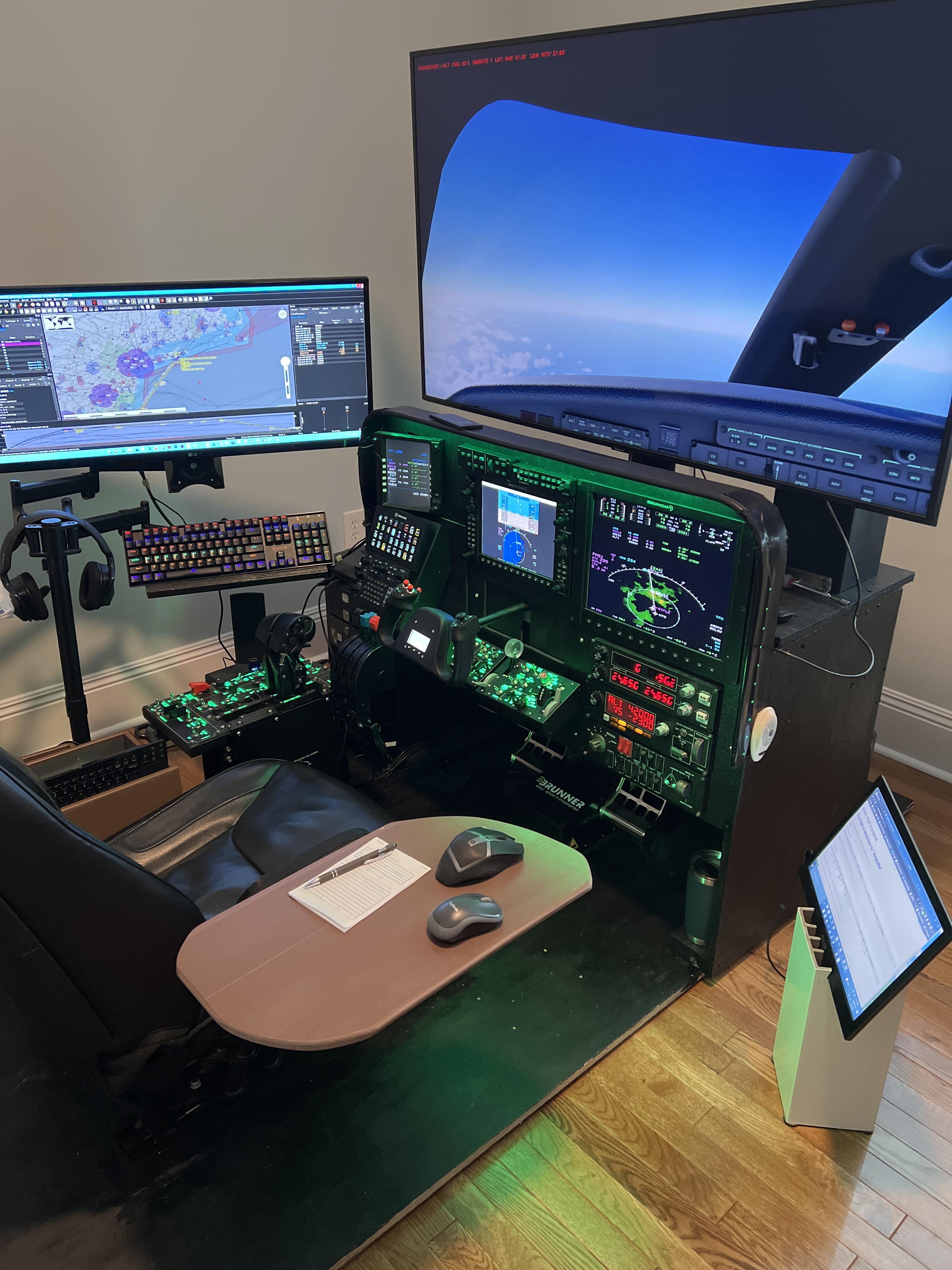
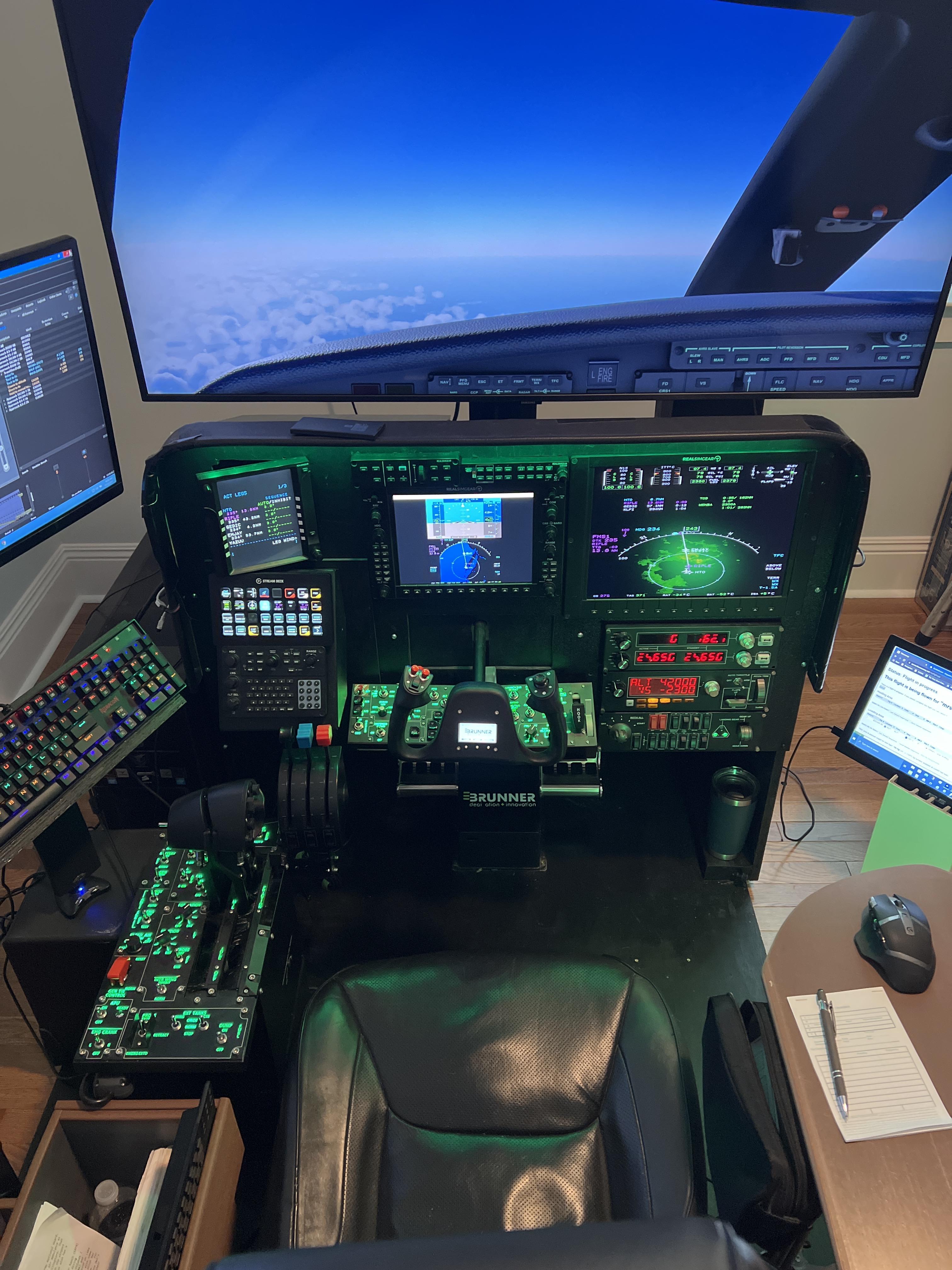
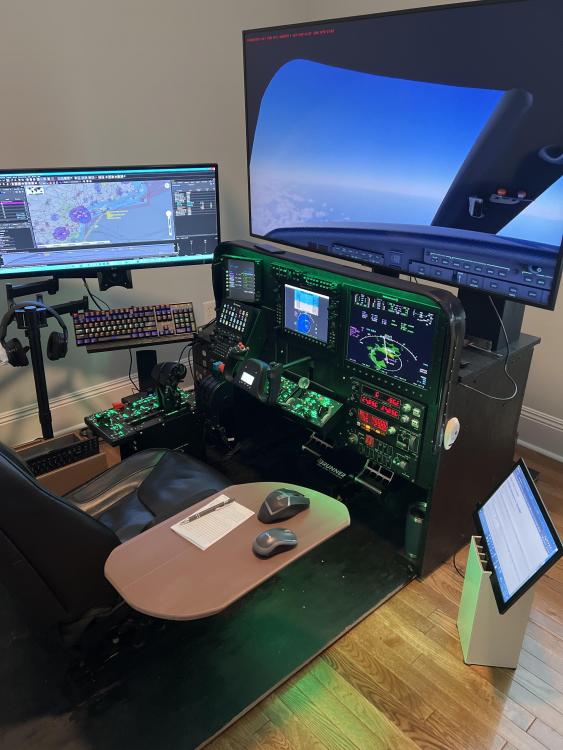
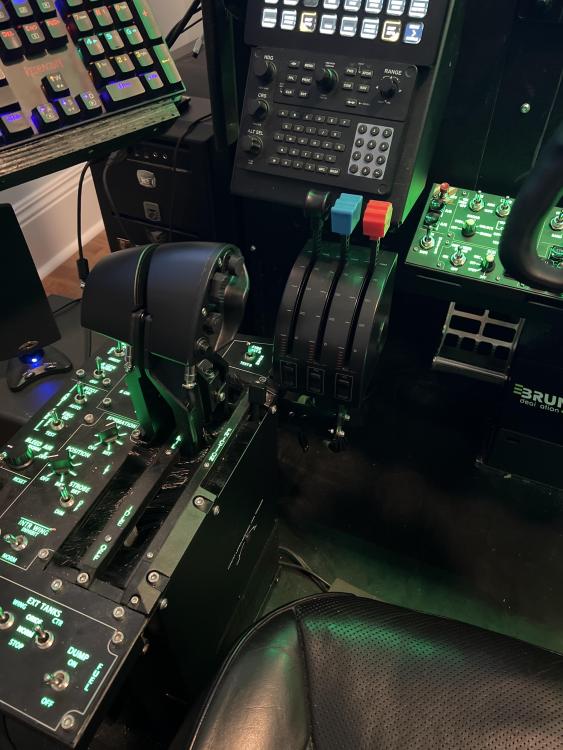
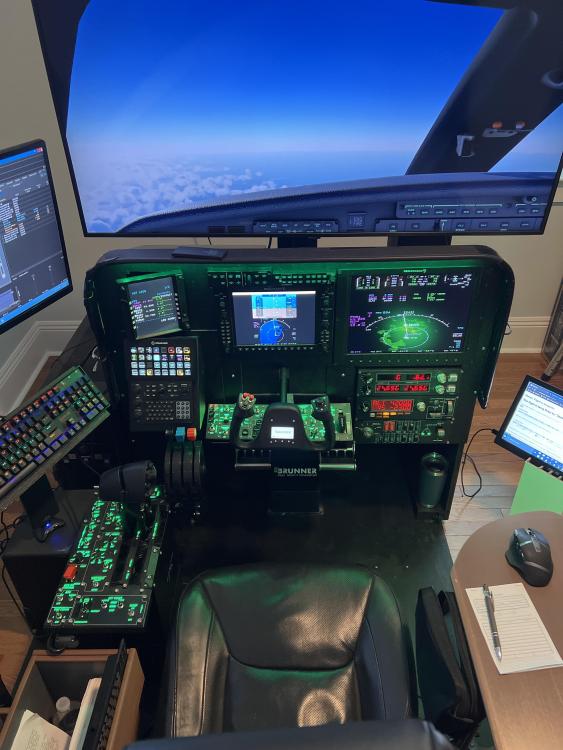
WOW! Just purchased the CL650 and she is a thing of beauty. It will take some time to get up to speed with all the systems but that's ok as it will be worth it. Type rating in a bird like this is a process. POINT of SUBJECT: I have the following Hardware - RSG G1000XFD, G100015MFD, GMA350, GFC700, GCU47X and GTN750, WinWing F/A18A HOTAS Throttle Quadrant/Startup, Combat and Takeoff panels, Stream Deck XL as well as Brunner MKII Yoke and Peddles and a few Saitek items My goal is map/bind as many functions as possible to all. I'm putting this out there hoping others with similar hardware may wish to share/collaborate. I also have a Discord for Brunner Hardware but you will need to PM me for this info. I'm thinking online Google sheets might be the way to go. Any suggestions please post. Thanks
 1 point
 -
Is it possible in the future to get a few improvements for us VR users such as the ability to teleport around the cabin (therefore being able to also close the doors) and maybe a way via the menus to interact with the refueler and cell phone for instance? Currently there's no way to do any of that in VR. I'm not fussed if the FBO doesn't work, but these are a bit important to be left out. The fire test switches also cannot be centered in VR to turn them off.1 point