Leaderboard



Popular Content
Showing content with the highest reputation since 04/25/2025 in all areas
-
I suppose I should demonstrate some form of life. I'll have to get with Jan on that as our radar (best I recall) had most of the features of the real thing. As far as "coming out soon", here's what I'll say....and this is overdue for sure....and I'm not going to convince anyone to believe me or not on the timing. It will get looked at and updated at some point. As sure as this is my 20th year actively involved in X-Plane work, it will continue to be so. A year and a half ago, things changed for me when Laminar announced its new store initiative in Montreal. I took a job with Laminar to completely rewrite its developer documentation. This was a "look to the future" for both myself and X-Plane, at the cost of 'now'. Laminar are looking to embrace a future generation of developers and we need to have better learning materials to engage this generation to develop for X-Plane, so I'm that guy....thats for Laminar. For myself, I needed more stability and a cushion, as the add-on market for X-Plane is still too thin to have any kind of long term security. Taking on this work with Laminar has allowed me to close out all other obligations and stay in the X-Plane ecosystem for the foreseeable future. The 'problem' for my customers and X-Aviation thus far, is that the initial phase or work to revamp and deploy the documentation was/is huge. New developer web site, new manual formats, a new, interactive PlaneMaker manual, lots and lots of rewriting, new illustrations...etc....and that has taken a good while to develop and received all my focus to get to what we call the "initial deployment" of the docs out the door. That initial deploy is not terribly far off. After the initial deployment, I will settle into a more regular time schedule that will afford me the time to get back to my own work. It has been my effort over the last year to try and achieve a point where I can only work on X-Plane endeavors between now and my retirment......and there have been personal hurdles along the way that are neither anyone's concern or business, but real to me just the same. It is my intention to crack open the MU2 and 737 again in early October, to resume work on my 'X-Aviation' things. I have discussed this with X-Aviation also. Between now and then I am focused on getting an initial deployment of the new docs out the door for Laminar. We will look at the IXEG radar early on for sure. I want to remain developing for X-Plane fully and it is my firm belief that this path i've taken was the required path to do so, and I apologize for the silence and delays. -tkyler24 points
-
zzz....oh man...just woke up after a 18 month hibernation! Seriously....Nothing is forgotten, only life has happened. Here's a quick summary: Spent last 18-24 months in a significant life transition as I approach and prepare for retirement. Lots of loose ends to tie up and leave in the past. I now work full time for Laminar, a big change...and I have been positioning myself to stay in X-Plane work exclusively for the future. I'm wrapping up a 2-year private contract for the BETA ALIA production aircraft (which will be in X-Plane). I'll complete that work next month. Gizmo based code in all my products is nearing end of life and had complicated the update process due to the volume of code to rewrite......however AI has enabled a path to relearn concepts & rewrite the code as its become "X-Plane SDK aware" in the last year...This reduces the effort drastically and is a major catalyst. No fees for future updates on the MU2 or IXEG when they eventually go out. Updates will always be free for existing customers. They've earned that. After ALIA delivery, I'll return to push an update to the MU2 with the Gizmo code-base....I won't get OCD....I'll just push what I have, which is a good amount. After MU2 update, I begin code rewrites to serve as my future code platform for the MU2, IXEG and the forth-coming 717. This is foundational and absolutely required to guarantee long term compatibility for these products. Those aircraft will be the only three products I will maintain into retirement and beyond. That's the highlights. This gap in work has been all about my focus and preparation to sustain myself after retirement, and stay within the X-Plane ecosphere in the process.14 points
-
9 points
-
Version 1.0.0
294 downloads
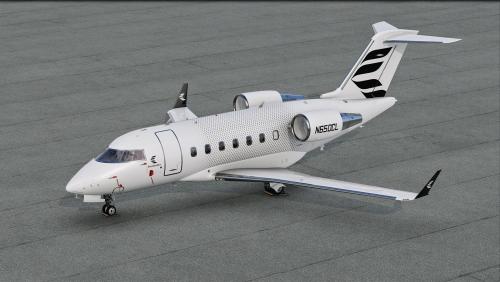
This is a livery for the Hot Start Challenger 650, inspired by the house livery displayed on Bombardier's website right now. To install, extract the zip file into the "liveries" folder. You can supply your own registration, N650CL is not printed on the cowlings. If you enjoy my work, consider supporting me on Patreon to cover some of the horrendous Adobe-costs ;).8 points -
Hello All, This will serve as an official announcement that we have released update version 1.9 for the CL650. All customers who have purchased the CL650 up till now have been sent an e-mail by X-Aviation with complete instructions on how to obtain your update. We have made this a very simple process! For those that purchase the CL650 from today forward, your purchased download will already be updated to version 1.9 for you. What if I didn't get the update e-mail? If you did not receive your update e-mail don't fret! X-Aviation has updated our system to allow all customers to update with ease, regardless of whether you received an e-mail for the update! Here's what to do: 1. Login to your X-Aviation account here: https://www.x-aviation.com/catalog/account_history.php 2. Find your original Challenger 650 download and re-download the file. It will download as the latest version! The following is a list of additions/fixes included: Release Highlights: Fixed various manipulators being reversed on the overhead Particle effect luminosity is incorrectly set in XP12 making them appear extremely bright Rewrote large portions of shared cockpit to allow for multi-crew, passengers, spectators and a much simpler setup process (documentation forthcoming) Engaging the yaw dampers requires holding the buttons down for a couple of seconds As we no longer utilize Gizmo, Mac ARM support is now complete and Mac users should stop running X-Plane through Rosetta if you don't have any other products which require Gizmo (the installer will point them out if you do). Improvements: 4536: Add support for rudder and steering control using only keyboard & mouse 4565: Add support for SayIntentions and custom ACARS service provider URLs 4569: Retune AP flap constants to avoid excessive altitude excursions 4573: Refactor pitch FMA mode to hold the commanded attitude more tightly 4577: Implement persistent logging of CB pop reason 4589: Add waypoint description codes introduced in ARINC 424-20 4590: Switch to reduced bank angle for hold path at FL316 not FL245 4593: Update world magnetic coefficients to 2025 4606: Implement gRPC API 4629: Workaround for weak X-Plane's aileron effectiveness at low airspeeds 4643: Switch to using nvcompress for DDS generation (better texture colors) 4649: Implement compressed normal maps for XP12 4600: Add support for new combined wheelbrake axis 4468: Stab/mach trim and yaw damper buttons must be held down to engage 4698: Expand shared cockpit to allow for multiple concurrent connections and easier setup Bugfixes: 4535: Typo in pressurization study screen tooltip 4538: Crash on XP11 when aviationweather.gov returns zero METARs for an airport 4537: Mouse yoke breaks on 3rd party airplanes if the CL650 was loaded previously 4539: Module boot time variation is producing doubled audio on startup from DCU and PSEU 4534: FAA obstacle database not decompressing correctly due to ZIP version change 4541: Remove IRU debug logging on release builds 4542: Typo in AFCS visualizer reads "Nm/s" when it should say "Nm" 4543: Deleting last leg of an airway in LEGS when preceding and following legs are discontinuities can crash 4545: AC AUTOXFER FAIL indications on MFD synoptic page should be driven directly by CAS trigger 4546: Recompute a vertical direct-to on mod exec 4547: On executing vertical direct-to, disable the NO VPATH-PILOT CMD suppression 4372: Sporadic and spurious NOT IN DATABASE messages 4551: Bad memory allocation in DCU wire-to-lamp definition parsing code 4556: CTD due to phys.c assertion in atmos_main for shared cockpit guest in X-Plane 11 4558: Harden netcode against ingesting values too large to represent as an FP16 4552: Various manipulators are reversed in latest stable release 4563: VTBS has overflowed the maximum number of SIDs (200) causing a crash when attempting to pick a SID in DEP/ARR DEPARTURE 4571: CTD due to assertion "abus_isval(tod_pause.time2tod)" failed 4574: NWS actuator shoudn't be feeding off the inboard brake hydraulic line 4582: Regression: fix for 0004495 broke AIRWAY INTERSECTION page's ability to automatically resolve the intersection 4583: earth_nav.dat parser needs to normalize whitespace before line splitting 4584: Fix heat damage on engine isn't fixing damage from engine fires 4585: DataRefTool crashes trying to immediately read our datarefs before their setup is completed 4592: FDR data incorrectly labels stick shaker signal as pilot-commanded AP disconnection signal 4595: MFD display reversion is erroneously triggering MFD XTLK flag 4607: Aircraft contrail particle effects are broken in XP12 4608: KLAX ORCKA5 produces spurious UNABLE FPLN ALT due to short leg sequence across discontinuity 4610: FCU clogged failure can cause crash due to incorrect meter_valve_rat clamping 4624: IF legs need to be stripped out when following an enroute transition that bypasses them 4493: Linux with AMD GPU without Zink is borked on latest beta build Object Fixes: Main Panels1.obj Dsus fastener positions fixed on right side panel. Object Fixes: Nose Gear Bay.obj Mesh added to fill in gaps around edges of opening. 4625: NOT ON INTERCEPT TRACK is coded completely wrong 4626: Increase XTALK FAIL message time delay to 10 seconds 4627: SBAS VPL should be ignored when flying an approach in RNP mode 4602: Anti-ice fluid on wings not visible from inside 4628: Refactor nose door implementation to properly route through relay K4GA 4631: Tie amber generator circles on the AC synoptic page to corresponding GEN OFF CAS messages 4632: Use tighter holding pattern radii at all altitudes 4636: PPOS flight plan disappears from PFDs 4 seconds after selecting PFD reversion 4638: phys subsystem still references rucsoundings 4639: Incorrect LPV vertical path construction 4640: Harden LTP and FPAP access functions to bad data 2452: FIX page symbology not showing on MFD when SEC FPLN showing on MFD 4650: NAV LTS breaker has the wrong rating 4651: Stop hard-depending on stock X-Plane commands existing 3938: Updating DIRECT-TO NEAREST AIRPORTS's MIN RWY does not require UPDATE AIRPORTS to be selected 4118: Existing waypoints should be dropped when changing flight plan via Direct-To NEAREST AIRPORTS 4369: XP11 version of ACF is missing instrument label and CB collar OBJs 4385: Updated hint images with all corrections to Jan 2024 4548: Change hint image loader to accept RGB formatted images 4503: Update "more info" links to use CL650/Study prefix 4434: Engaging AP while FLC is active should sync speed target to current speed 3141: Pressing Left LSK for RX fix (visual approach) should put pre-constructed PBD into scratchpad 4654: Pilot-defined waypoints do not properly initialize pbd.src field 4656: Stabilizer trim runaway failure cannot be interrupted by disengaging stabilizer trim 4657: Remove "CVR" failure from 24-Elec 4660: Failures.txt documentation mistakes 4570: Regression? When IF is not aligned with FAC, APPR LNV wrongly flies FAC 4661: Don't show CHECK LOC TUNING when on missed approach 4668: Attempting TTS on Arch Linux with no festival(1) binary present crashes X-Plane with SIGSEGV 4673: Along-track waypoint doesn't use the correct inbound course on direct-to leg 4674: Compute VDEV even when track angle error exceeds capture limit 4675: Retuned ISI attitude finding to produce less pitch error while in hold 4670: Avionics should default to inches of mercury rather than hPa 4684: Implement missing failures 4695: Retune XP12 cabin lighting 4696: Harden the AIRAC parser against invalid altitude constraints causing a crash 4710: Crash on XP12.4.1 due to hard limits on not querying datarefs from background threads 4711: FCC 1B/2A status study screens are mislabeled 4712: LDU channel label in failure description is incorrect 4715: X-Plane 12.4 requires instances to be created from pre-flightloop callbacks 4720: Triggering auto-FO checklists crashes on X-Plane 12.4.1 4722: X-Plane 12.4.1 breaks popup panels due to XPLMFindCommand being invoked from background thread 4778: Reloading while in a hold pattern will reset the hold pattern state and perform hold entry again, 4779: Implement a HOLD DEBUG screen, 4768: Regression: with a lot of crosswind at high altitude, hold pattern tracking gets confused on the outbound leg 4771: Add data ref to indicate shared cockpit role of user 4520: In shared cockpit throttle control is susceptible to jittering 4810: Readjust panel lighting levels to match XP12.3 and later changes 4140: Generator transfers trip off stab & mach trim Enjoy these latest updates, and stay tuned to the forum as we continually announce the latest happenings.7 points
-
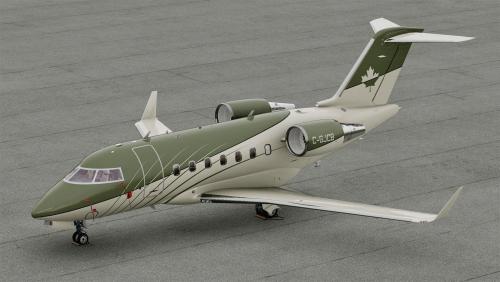
Version 1.0.0
184 downloads
This is a livery for the Hot Start Challenger 650. To install, extract the zip file into the "liveries" folder. You can supply your own registration, C-GJCB is not printed on the cowlings. If you enjoy my work, consider supporting me on Patreon to cover some of the horrendous Adobe-costs ;). You can find 8K versions of the liveries there.7 points -
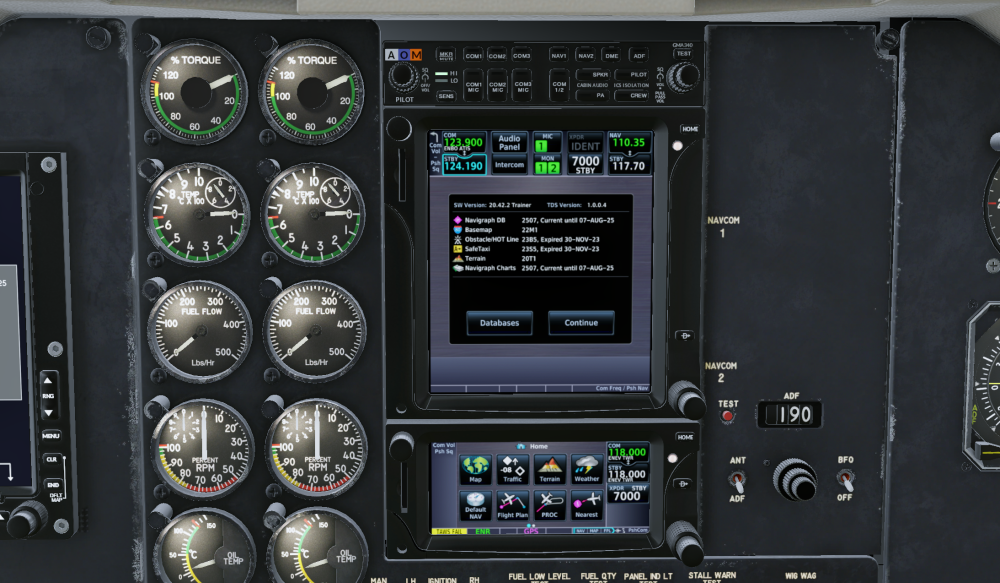
Sorry I didn't see this thread until now, but when the TDS was first released for XP I made this plugin that tricks the MU-2 into thinking RXP is present and loads the TDS. Fake RXP.zip
 7 points
 -
If you hear nothing from us, assume that the project is not abandoned but no work has been done on it that would warrant us sharing any progress info. If we abandon the project, we will announce this here - so if we don´t - you know it´s not abandoned.6 points
-
Model is finished. Textures are finished. Saso is doing his best to take care of minor issues with the 650, one of which is getting the weather radar added to it. Once he finishes those, he'll send me a new TBM build so I can start initial testing in X-Plane 12 with animations and making sure textures look good. To sum up, as of this post, all artwork is considered done.5 points
-
Version 1.3
80 downloads
This mod allows you to add pods on HotStart's Challenger. Some are fictional, some not. This is an early release, please do not hesitate if things are not working as it should. The readme file should be enough to install this properly. Are included: LocalEye (fictional) - the little sibling of the GlobalEye platform MVX - the pods used by Finnish Border Guard SLAR9000 - the pods used by Danish Air Force Artemis -the pods used by US Army Enjoy!5 points -
Really? If any feature warranted deploying an update, this would be it.5 points
-
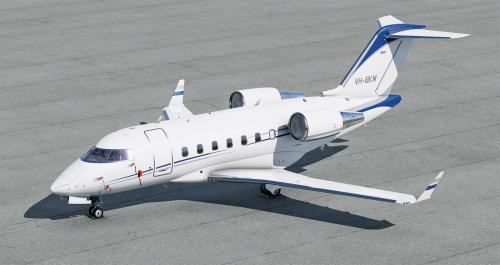
Version 1.0.0
196 downloads
This is a livery for the Hot Start Challenger 650, inspired VP-BKM. To install, extract the zip file into the "liveries" folder. You can supply your own registration, VP-BKM is not printed on the stabilizer. If you enjoy my work, consider supporting me on Patreon to cover some of the horrendous Adobe-costs ;).5 points -
This is absolutely NOT true. It's just their technical support team using canned responses to get rid of you. If you run the installer with --install_name="X-Plane 12.4.0-r2-9b69b91a" command line option then it will downgrade when you select "Update X-Plane."4 points
-
As much as I can understand the wish for some update to this feature or that - if someone wants "a flight model update" it makes me think he just wants an update because updates are cool (and perceived as additional value). Something that is fine does not need an update.4 points
-
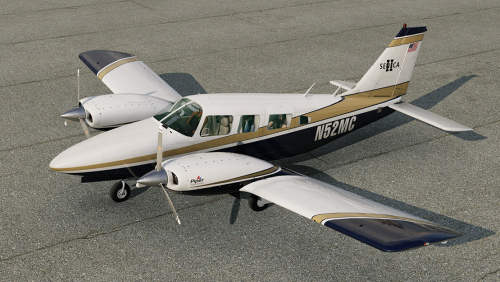
Version 1.0.0
70 downloads
This is a livery for the CIS Seneca II To install, extract the zip file into the "liveries" folder. If you enjoy my work, consider supporting me on Patreon to cover some of the horrendous Adobe-costs ;). You can find 8K versions of the liveries there.4 points -
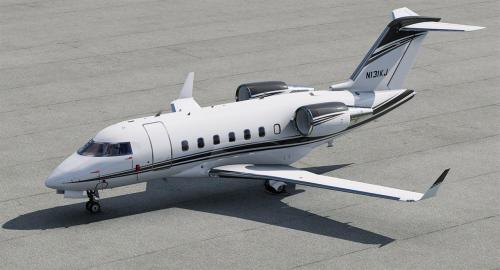
Version 1.0.0
327 downloads
This is a livery for the Hot Start Challenger 650. To install, extract the zip file into the "liveries" folder. You can supply your own registration, N131KJ is not printed on the cowlings. If you enjoy my work, consider supporting me on Patreon to cover some of the horrendous Adobe-costs ;). You can find 8K versions of the liveries there.4 points -
This will serve as an official announcement that we have released the version 2.2.2 update for the SR22 G1000 Series. All customers who have purchased the SR22 G1000 Series up till now have been sent an e-mail by X-Aviation with complete instructions on how to obtain your update. We have made this a very simple process! For those that purchase the SR22 G1000 Series from today forward, your purchased download will already be updated to version 2.2.2 for you. What if I didn't get the update e-mail? If you did not receive your update e-mail don't fret! X-Aviation has updated our system to allow all customers to update with ease, regardless of whether you received an e-mail for the update! Here's what to do: 1. Login to your X-Aviation account here: https://www.x-aviation.com/catalog/account_history.php 2. Find your original SR22 G1000 Series download and re-download the file. It will download as the latest version! The following is a list of additions/fixes included: Bug Fixes and Improvements: X-Plane 12.4 / 12.4.1 adjustments and updated dataref usage Latest physics engine Spark plugs will revert to clean status when wear/maintenance system is disabled (previously whatever state they were in before when disabling was kept) Fuel lines are primed by default when persistent systems are turned off Disabled fuel sloshing on ground Expedite priming process until fuel flow registers during engine start Adjusted turbocharger bearing drag and fluctuations near idle (SR22TN) Tuned fuselage Cd for more accurate speeds in pattern environment (SR22) Adjust positive fuel flow with low boost and engine off Replacement of deprecated datarefs Updated libraries and dependencies Adjusted prop disc behavior FMOD Volume adjustments and minor sound tuning Fix error where certain degraded networks lead to stuck loading of aircraft As always, thanks for being a customer with X-Aviation. We appreciate your feedback and support! Enjoy these latest updates, and stay tuned to the forum as we continually announce the latest happenings.3 points
-
We can't INSTANTLY come out with an update when a new version of X-Plane comes out. As much as we want to, it's unreasonable to expect that from anyone. In the X-Plane world, many developers always recommend to keep 2 installations of X-Plane. A stable version and a beta. Regarding the Challenger update...we're currently on beta 3 within 1 week. That beta is in the hands of our testers. 3 beta's in 1 week is quite fast. There are only 2 of us on the Hot Start team. We can't work on two products at the same time, so while the Challenger is getting updated, we're going to ask people to continue to be patient for the TBM. If you expect an update in the next week or two, all I can tell you is the update will be out when it's done. We want it out as much as you do. But it doesn't make sense to put out an update that isn't ready. Whatever you think about the situation is entirely your opinion. It will have no influence on how fast the updates get done.3 points
-
It's not worth doing. Laminar can instruct you on how to downgrade if you contact them. We hope to have an update out on our end within the next week or two.3 points
-
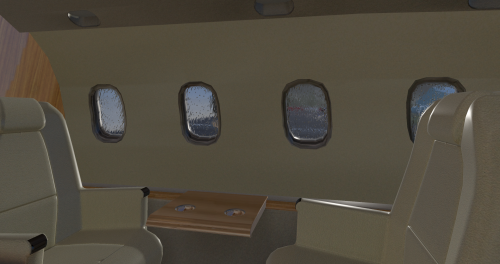
Version 2.3.0
15,131 downloads
ATTENTION: To use this aircraft, you must own a X-Aviation product, to get Gizmo plugin. If you don't own one, please don't download this aircraft! P.180 Avanti II for X-Plane 11 - CURRENT VERSION: 2.3.0 (uploaded at: February 25th, 2020) If you want to support P.180 Avanti development, please donate here: PAYPAL v2.3.0 Main Features Compatible only with EXPERIMENTAL FLIGHT MODEL (11.40+), capable of flying up to M.67 at altitude. Terrain Radar operation via PFD/MFD buttons. Tablet for aircraft loading (engines must be off and the aircraft stationary), and access to AVITAB. Librain Support. See Change Log for more! If you don't have Gizmo already installed in your X-Plane copy, there is an version of Gizmo in the folder extra files. Put the Gizmo.plugin folder in you X-Plane 11/Resources/plugins folder. If you already have Gizmo, DO NOT SUBSTITUTE the existing one with this. MIGHT BREAK OTHER GIZMO ADDONS!!! If you find reflections too high, in the extra files folders are textures to change that. Copy the low reflections texture into the objects folder, and replace the existing one! v2.2.0.VR NOW VR COMPATIBLE with the help of SimVRLabs! OFFICIAL SUPPORT: Official Bug tracker: https://bitbucket.org/iliastselios/p180_avanti/issues?status=new&status=open Support Forums: DESCRIPTION: As you might already know this aircraft is based on X-Plane's default P.180 Avanti , originally designed for X-Plane 8, was included in X-Plane 9, and from that point has been overhauled to Avanti II version. This is aircraft is totally FREE! It is a "return" to the X-Plane community that supported us those last 4 years that we exist as a development team! This aircraft main features are: High quality visuals, cockpit all new 3D model and textures, including PBR materials. Simulated: a. startup and shutdown procedures b. engine controls and operations c. autopilot controls and operations d. partially operation of the electrical, pneumatic, hydraulic, fuel systems. Emulation of Proline 21 avionics suite. Currently there is only one layout that will allow you to operate the aircraft in all scenarios. Many improvements will come in the future. Installation in the 3D cockpit of the default X-Plane 11 FMC. Improved flight characteristics. Internal custom lighting. Of course Avanti development is not stopping here! Actually the overall development will be continuous, and the aircraft will always be in beta stage. Updates and upgrades will be available frequently! Main planned future upgrades are: Adding more functionallity to Proline 21 avionics suite, heading from an emulation to a simulation. Custom NAV maps. Custom FMC. Fully simulation of all systems. New 3D model from ground up. Improved flight model. Avanti EVO. Special thanks to: Austin Meyer for giving his permission to use parts of the Avanti on this project and X-Plane by Laminar Research that gave us this magnificent simulator! The team that originally developed Avanti for X-Plane, Robert Pearson (aerodynamics), Massimo Durando (cockpit & 3D cockpit), and Javier rollon (External Model. JRollonPlanes www.jrollon.com) for his fantastic 3D work. @Hueyman for the propeller 3D model and the prop disc images. Ben Russell of Gizmo64 for his support and that made available to us that powerful tool (aka Gizmo), and Cameron Son of X-Aviation for the support. And of course X-Plane community for the interest in that project and patient to wait to be realized!3 points -
I will be the one to bring it up, is the tbm900 still being worked on for release to x-plane 12, and can we get any kind of update on its progress?3 points
-
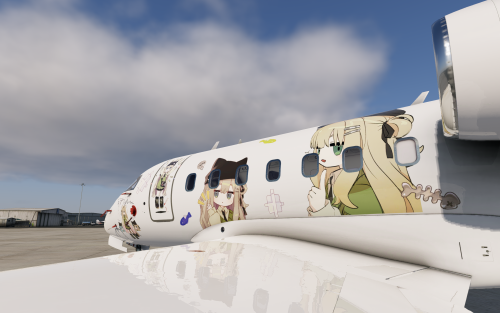
Version 1.0.0
23 downloads
Disclaimer / Preface This livery is not 100% originally created by me. I redesigned and rearranged the decals on the fuselage, and all decals used were sourced from publicly available materials online. This livery was created purely out of my appreciation for the character and is shared online for non-commercial purposes. If this work infringes upon any rights, please feel free to contact me and I will remove it immediately. I really love Kipfel’s character design and felt that she deserved to be brought into the world of X-Plane, so I created this livery. I’m not particularly skilled at design, so there may be details that don’t appeal to everyone — I hope you don’t mind❤️ Kipfel (Japanese: キプフェル) is a catgirl virtual avatar designed for VRChat, created by the modeler かめ山 (kameyama) under their original 3D model circle 「もち山金魚」 (MOCHIYAMA KINGYO). Kipfel is a laid-back catgirl who loves eating fish-shaped cookies. Her name is derived from a pastry called Kipferl, a crescent-shaped baked good whose form resembles Kipfel’s tail.3 points -
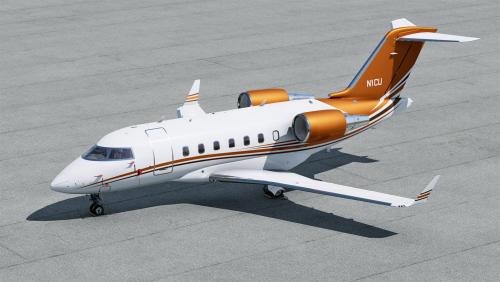
Version 1.0.0
176 downloads
This is a livery for the Hot Start Challenger 650, inspired by N1CU. To install, extract the zip file into the "liveries" folder. You can supply your own registration, N1CU is not printed on the cowlings. If you enjoy my work, consider supporting me on Patreon to cover some of the horrendous Adobe-costs ;).3 points -
Apologies for the late reply. I'm working on a large update for the DC3. I'll make a note of this and address it.3 points
-
Still no new for the XP12 and specifically 12.3.1 upgrade ? at least now we can expect the new real weather wx radar ;-) For turbine fan, in addition of the XP12 EPIC1000 and PC12, a Piper M500 XP12 should be released rather soon3 points
-
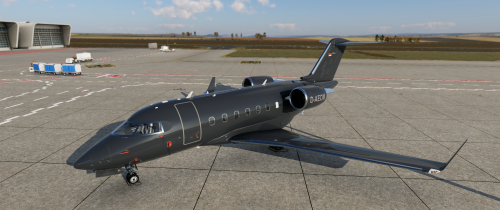
Version 1.0.0
32 downloads
This is a replica of the livery of the D-AEOM aircraft. The registration is freely selectable. A corresponding configuration and font file is included. https://www.jetphotos.com/registration/D-AEOM3 points -
Tkyler, Appreciate the update on your activities with Laminar. That is good news for everyone using XP. Look forward to your future work with the B737! Thanks! Rich Boll3 points
-
Man, its a shame this project never materialized into what it was supposed to become. I used to love flying the ixeg in xp11 and had high hopes it would be completed. Every now and then I check back on this forum to see if anything has changed and unfortunately still nothing. Xp12 is looking seriously good these days, I just wish the ixeg 737 was up to par because it has huge potential.3 points
-
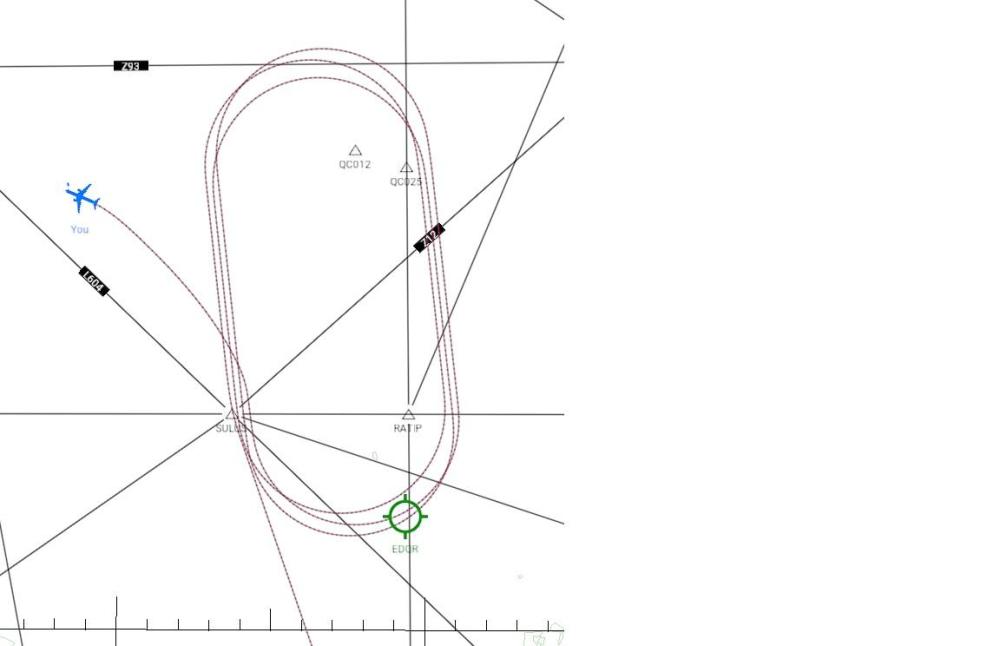
Quite some time ago, but tried it as shown in your video and good enough for me
 3 points
 -
It's not dead at all!. Before I say this, a bit of disclosure. I AM NOT involved with IXEG, and I will not discuss or mention details/plans I will let official channels do so. I met Tom at FSExpo this past year in PVD and had a good hour long discussion with him about (mostly) the 737 we all love. NO IT'S NOT DEAD. He discussed details with me that if he wishes to share one day he can, but it's not my story to tell. But it's a VERY interesting story at that!. You folks would not believe the dark side of developing that happens. Like many of you, I too have been frustrated with the 737, but after talking to Tom at Expo, I can say I heard it from the horses mouth, THE 737 IS STILL BEING WORKED ON!!! Again I won't discuss what Tom discussed with me about what's being worked on. ALso @tkyler I would like to thank you again for you time at expo, was an absolute pleasure meeting and talking!3 points
-
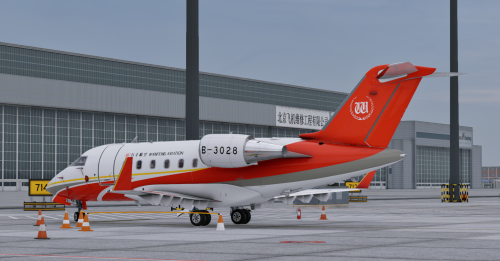
Version 1.1.0
84 downloads
Wanfeng General Aviation/Suzhou Aviation B-3028 livert pack for Hot Start Cl6503 points -
First time I’ve tried it in XP12. Plane is ok for me in XP 12.2 beta 6. I have yet to do a long flight but I’ll report back, but so far sounds are great, controls are great, loading/fuel worlds, RXP 530 works. Lighting seems perfect so far. I’ll try some other loacations. Only things that seem amiss are to do with the aircon and possibly the de-icing but I haven’t used it in years so that might just be me. I must say, given that it is absolutely flyable and without literally any graphical glitches for me in 12.2, I cannot for the life of me understand why it hasn’t been updated. Like, how long would it reasonably take to slap a compatibility update on this thing? I’d pay for it. Others would also pay if this thread is anything to go by. It’s a unique plane in X-Plane both aesthetically and in terms of the airlines that still use it and it genuinely sucks that we still don’t have it ‘officially’. Thanks *oh I guess technically the windshield is ‘dirty’ or has permanent rain drops on it but that’s minor to the point that I don’t even know if I can be bothered fixing it.3 points
-
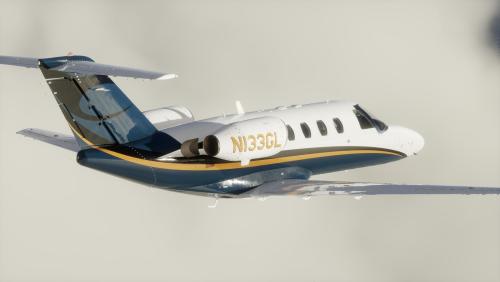
Version 1.0.0
99 downloads
Livery recreating N133GL, the first CitationJet ever delivered with MSN 525-0001, it is currently operated out of Little Rock (KLIT)3 points -
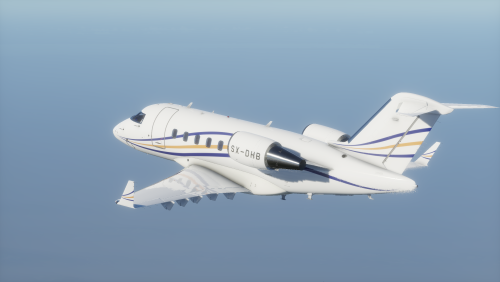
Version 1.0.0
107 downloads
Livery recreating SX-DHB, a Challenger 605 currently flown by the greek operator GainJet Aviation.3 points -
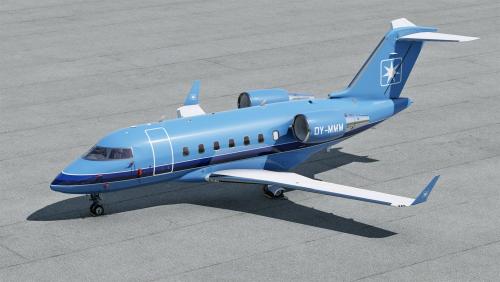
Version 1.0.0
83 downloads
This is a livery for the Hot Start Challenger 650, inspired by OY-MMM. To install, extract the zip file into the "liveries" folder. You can supply your own registration, OY-MMM is not printed on the cowlings. If you enjoy my work, consider supporting me on Patreon to cover some of the horrendous Adobe-costs ;).3 points -
https://support.x-aviation.com/knowledgebase.php?article=72 points
-
Once Laminar Research releases its new documentation for users and devs, I believe you can expect renewed activity on the IXEG.2 points
-
Coop updated the changelog yesterday - this is fixed in v1.1, which is currently in testing... so hopefully will be in our hands quite soon! https://c.leco.mp/EoWMWWqLdRbZfU2 points
-
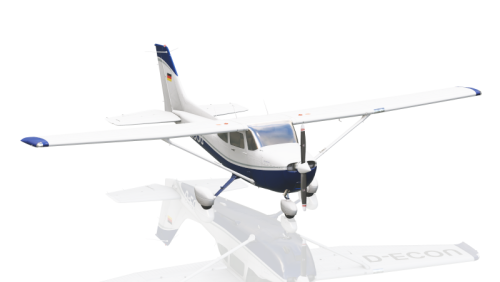
Version 1.0.0
17 downloads
This is a livery for the default C172, inspired by D-ECOU. This also works if you have the REP, of course. To install, extract the zip file into the "liveries" folder. If you enjoy my work, consider supporting me on Patreon (8K versions are available there as well) to cover some of the horrendous Adobe-costs ;).2 points -
Now that the final version of XP12 has been released, is there any timeline for the CL650 weather radar to be implemented?2 points
-
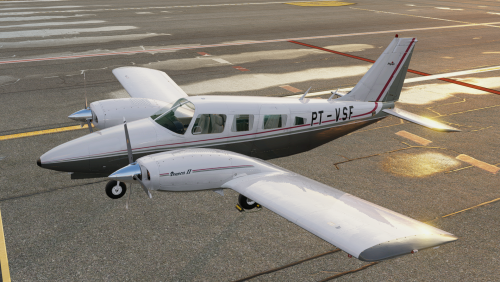
Version 2.0
21 downloads
Hello everyone, I'm here to leave this contribution for the community. I don't have experience with Photoshop, so I learned the basics and made this aircraft. Sorry! There aren't many Brazilian liveries for this one.2 points -
Version 1.0.0
33 downloads
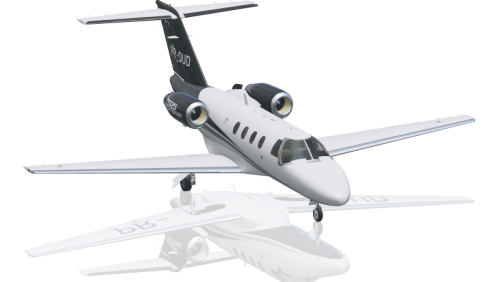
This is an 8K-livery for the TorqueSim CJ525 To install, extract the zip file into the "liveries" folder. This also works without the winglets, the extra file just gets ignored. If you enjoy my work, consider supporting me on Patreon to cover some of the horrendous Adobe-costs ;).2 points -
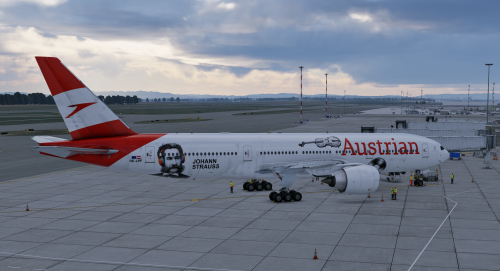
Version 1.0.0
72 downloads
This is a 4K-livery for the FlightFactor Boeing 777V2, inspired by https://www.jetphotos.com/photo/11716706 To install, extract the zip file into the "liveries" folder. If you enjoy my work, consider supporting me on Patreon to cover some of the horrendous Adobe-costs and get 8K versions ;).2 points -
Because it has shrunk (and was publicly stated so quite a while ago).2 points
-
YES! I FINALLY found the fix in the net after HOURS of search. Now I can normally exit the game and go to the settings menu WITHOUT to kill the process... Here is the solution written:https://forums.x-plane.org/forums/topic/325851-xp-1213-4-on-linux-freeze-not-ctd-on-exit/#comment-2864294 and here https://forums.x-plane.org/forums/topic/326955-x-plane-12-hangs-on-exit-linux/ I only needed to run sudo ln -s /bin/true /usr/bin/pulseaudio I am still learning linux but I think its an symbol link creation... Linux wizardry that I want to learn and thats an very good thread to start learning some things hehe Thanky to you all for trying to help me. Have an nice flight :-) EDIT: So naturally I can now access the CL650 settings :-)2 points
-
@Cameron Hello! How are you? Several of us are waiting for an update on this metal bird. Is there any way to find out about Take Command!'s future plans and its updates for X-plane 12? Thank you very much.2 points
-
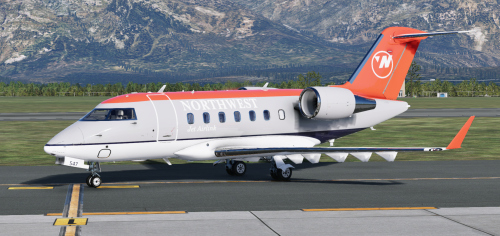
Version 1.1.0
31 downloads
A tribute to my favorite no longer extant Airline and my favorite livery of theirs2 points -
No, you will not be able to do this on your own. To be clear, you should also not expect a weather radar to be available in X-Plane 11. This is going to be a feature for X-Plane 12 once available.2 points
-
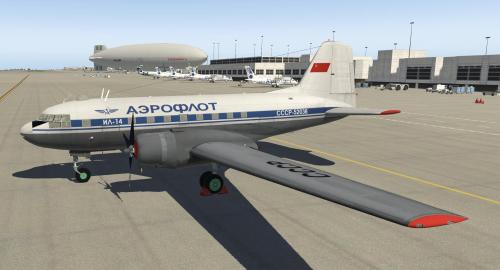
Version 11.0.2
1,683 downloads
This is a conversion from v9.60 to v11.41 of the Ilyushin IL-14 made by Andrey Kozyaruk (Felis, felisleopard@gmail.com) and Alexaner Babichev (Asso). This plane has a fully functional 3D cockpit, interiors, static elements, working doors and complex avionics. It comes with 7 additional liveries and the paintkit. The original plane has been released as freeware to the public domain. Here follows the text of the original license file that comes with the plane where there is no restriction to update the plane to the latest release of X-Plane: This pack contains model IL14P for X-Plane9.30 simulator This model is freeware and can be distribute by any way with notice auothor's name Comonents in directories /plugins/ и /Custom Avionics/ are free and ditributes under the GPL license and can be used in every way you want, in case of all autority and licks are reserved. See for plugin updates on http://code.google.com/p/sasl/ Autor of model, phisics and gauges - Andrey Kozyaruk (Felis) felisleopard@gmail.com Autor of plugin and its standard components - Alexaner Babichev (Asso) Enjoy.2 points