Leaderboard


Popular Content
Showing content with the highest reputation since 05/03/2026 in all areas
-
Version 1.0.0
25 downloads
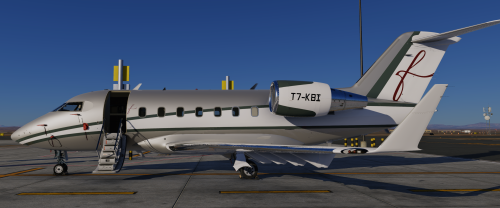
This livery is inspired by the real Challenger 605 T7-KBI operated by FalconLuxe at OMDW. This one is my first livery to be uploaded so feel free to point out any issues in my dms on Discord "#beriev_be200"2 points -
Made up stories from a dramatic streamer. Nothing new.2 points
-
I have to agree with the above statements. I have several planes rotting in the hanger because of updates promised and never delivered. The Challenger 650 desperately needs the weather radar to function and properly. It appears that the plane was made for X-Plane 11 originally and changed to woke with X-plane 12. Laminar Research has made giant strides is the improvement of the Flight Simulator and I truly believe it should the plane developer to bring that experience to their customers. Laminar has created a real time weather with cloud condition for your flight route. The Weather Radar is not just a color changing screen to look at, but critical flight data to avoid dangerous weather ahead. Would you really get on a commercial flight knowing the plane did not have radar heading into sever weather. Yes, this aircraft is very much in need of updates. Not become complacent with your thinking I'm good and so is my plane. Since the CL650 has no Weather Radar maybe a price reduction to $70 US Dollars is needed. Laminar is working overtime on their planes. UPDATE NEEDED: The cabin switch (Mics Lts) on the overhead panel does nothing. What is this switch for? The anti ice switch for the Wing works backwards. To move the switch down you must direct the switch up. Therefore, to move the switch up you need to direct the switch down.2 points
-
I looked at the Log.txt file and was able to resolve, thanks for your reply.1 point
-
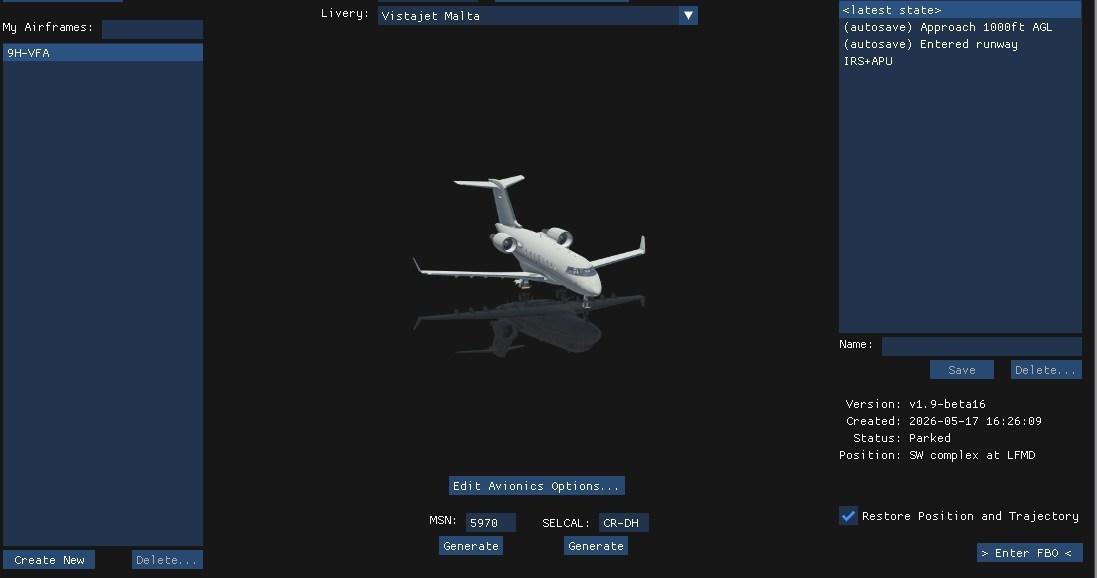
Create a (Or more) situation of your choice, IRS aligned, APU running, pax on board, some fuel, doors closed ....... You can now start from here . Just untick restore position and trajectory to start from any place.
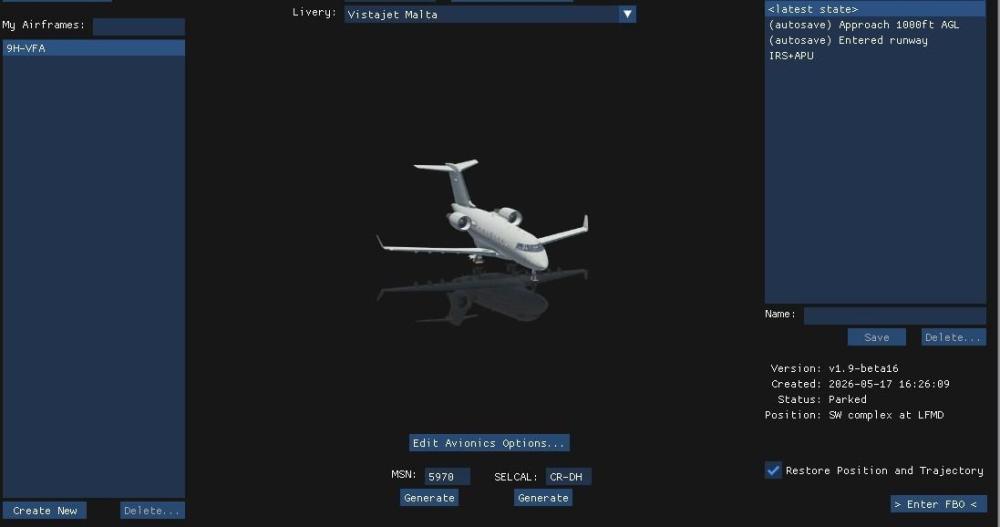 1 point
 -
To get rid of raindrop marks on windscreen, got to the aircraft folder, you will need to do this for all 3 variants, Normall Aircraft/X-Aviation/Saab 340. Objects folder, find the " Rain.obj " file, open with a text editor. Delete everything after, IDX10 41082 41080 41082 41083 41084 41085 41086 41084 41086 41087, thats the last row, so should be # wiper2 down, delete and than save. Youll have clean glass1 point
-
View File Falcon Luxe T7-KBI Hotstart Challenger 650 This livery is inspired by the real Challenger 605 T7-KBI operated by FalconLuxe at OMDW. This one is my first livery to be uploaded so feel free to point out any issues in my dms on Discord "#beriev_be200" Submitter Nicolas1222 Submitted 05/21/2026 Category Hot Start Challenger 6501 point
-
So whats going to need fixing for xp12. After saving plane as Xp12 and updating engine to xp12 ver. New things would break. 1. Engines will need reworking, as now engines are affected by load, Had to tweak starter to get R engine to start but shuts down on load.Idle tweak i think 2. Weight and balance will need Passenger and cargo added in plane maker. Working on it. 3. All lighting will need make over, no lighting works after dark, not even instruments. 4. All the rain textures will need tweaking, and yes its a simple fix to get rid of them. Let you know what to do when im happy. Once i get engines working will take for test flight, and if ok from developer ill list changes in planemaker, but it will be on you, no support from developer. 5. Also need to test navigation as well. 6. Also will have to check pressurization, being lots of changes, thats why xp12 updates take so long Missing all the good turboprops1 point
-
I believe I found the problem: my pedal had a faulty potentiometer for the right brake, which was causing slight brake commands without my input. I read that in version 1.9 any small movement in the rudder above 290 knots causes the yaw damper to disengage, the aircraft starts to oscillate its wings until it becomes uncontrollable, the autopilot disengages, and the aircraft dives. I bought a new pedal and apparently the problem was solved. Anyway, thank you for your attention.1 point
-
I use ASXP for weather on XP11.1 point
-
If possible, I would like a link to revert to the previous version of XP11 because I had a great product and now it's full of terrible bugs.1 point
-
That was it !!! I modified this to point to an absolute path (/etc/ssl/ca-bundle.pem), created that symlink and was finally able to activate v1.9. Thank you very much! So anyway, for openSUSE users this worked: (any other NON-Debian distros you just have to find out where your CA certs are located) sudo ln -s /etc/ssl/ca-bundle.pem /etc/ssl/certs/ca-certificates.crt1 point
-

Version 1.0.0
13 downloads
Copyright Cygames and relevant artists. Non-Profit, Do not sell. UmaMusume is a famous anime based on real racing horse stories.1 point -
Using your logic, as long as you do not charge for the x-plane 12 TBM update the promise is not broken. If your argument is correct, Hot Start has an infinite amount of time to release the update. There is an implied promise that the update will be released in a reasonable period of time. A year might be considered reasonable, 3 1/2 years is not. X-plane 12 was released on 12/17/2022. On 12/20/2022 one of the principals at Hot Start published a live stream of the TBM actually flying in X-plane 12. In that stream he said the update was going to be a lot of work, it migh take a month or two. It is very likely that stream had a positive effect on the TBM sales. In the 3 1/2 years since that stream there has not been one single piece of concrete evidence that any work at all has been done on the update (a couple of photos on discord is not concrete evidence).1 point
-
Thanks for your reply1 point
-
Here is a quote from an administrator at the Hot Start Discord server: "XP11 is long past EOL, it’s time to move on" X-Aviation sold me the TBM with the promise " Purchase today, X-Plane 12 update will be free!" That line is still on the X-Aviation website. If the underlying software, x-plane 11, is "EOL" so is the TBM. You guys made a commercial promise that you did not deliver on. Shameful!1 point
-
Thanks for the report and for attaching the log. The cause is almost certainly a dataref that recent X-Plane 12.4.x updates renamed or removed. Your log has a couple of those rename warnings logged at startup, unrelated to the DC-3. The v2 of the DC3 code predate those renames, and we have not patched the legacy version against the latest sim changes. We do have a new DC-3 in the works. Right now our engineering effort is going there rather than back into legacy v2. Apologies for the inconvenience in the meantime.1 point
-
Thanks. A fix will be in the next update. You can use the exterior panel for the time being.1 point
-
Passing 290 kts? With the Yaw Damper? This means you have Yaw input being detected by the sim. Check your hardware calibration, and for axis noise. Also if you’re feet are resting on the pedals.1 point
-
I gotta tell ya, I love that image. Good thing we didn't know then what we know now.1 point
-
@jrsaez82 I know its been a long time since i've messed with the MU-2, but I expect to come back around to it within the next 2 months and start pointing it to the future. I'll make an announcement and explain the timings and future at that time. There is a lot of really good and positive developments going on behind the scenes at Laminar, which I'm involved in....and for the better. Quite a bit has changed with regards to the flight model and electrical system models and I fully suspect that Philipp may have put some type of criteria on enabling the various AP modes based on more advanced "amp flow" and voltage models that he implemented well after I coded these systems up....so its absolutely incumbent upon me to find out what those are and bring this thing up to speed. As silent as i've been here, I honestly have never been more involved with X-Plane than I am today....and I am fortunately being able to contribute to overcoming the impediments that have historically caused delay headaches for devs forever, including me. We've been asking the questions internally, "what slows devs down and makes it hard to update and test" and are engineering solutions for that....something that has been sorely needed for a long time.1 point
-
1 point
-
Has there been any announcement on when the weather radar will be available to use in the Challenger 650?1 point
-
In my experience, a lack of updates indicates product end of life and has very little to do with code stability unless the code is quite basic, which it is not in this case.1 point
-
It doesn't warrant an update? I think it absolutely does. Other aircraft have had an operational weather radar for some time now, but it's been missing from the CL650 - one of the most expensive aircraft addons available. I rarely fly the CL650 now because it is missing Wx Radar. It's a great aircraft, but incomplete since it's missing critical functionality. I routinely receive updates for other expensive aircraft addons ive purchased, but not a single update has been released for the CL650 and I've owned it for 5 months now.1 point
-
The suggestion is just to have the full 22K engines, with options to derate to 20k and 18.5k1 point
-

Version 1.0.0
546 downloads
Boeing has four Challenger 650s for corporate use. N541BA, N543BA, N544BA, and N547BA. The aircraft all wear a very similar livery, presented here. There are a few minor differences to accommodate the texturing on the Hot Start CL650.1 point -
I'm seeing this come up a few times in the threads and getting locked because 'defuelling is unrealistic'. So before this gets locked too, I want to expand, and make it clear, I am talking about 'non-persistent' mode. What is realistic about the failure scenario management? You're not going to practice any of that in an aeroplane. You give us the massive in-depth capability to run failure scenarios, and then lock us out of the ability to control the weight of the aeroplane. If I want to do a V1 cut at 5 ton fuel, I should be able to do it. If I want to do V1 cut, with 1 ton of fuel, I should be able to do it. "Unrealistic' is not an excuse here. There should be no lock on the weight of the aeroplane in non-persistence mode, that is the mode you would use to quickly bounce between failure scenarios. Please give us the ability to directly control such a basic function as how much fuel is on the plane in this mode. At the very least at least make it load with min fuel instead of over 2 hours on aboard.1 point
-
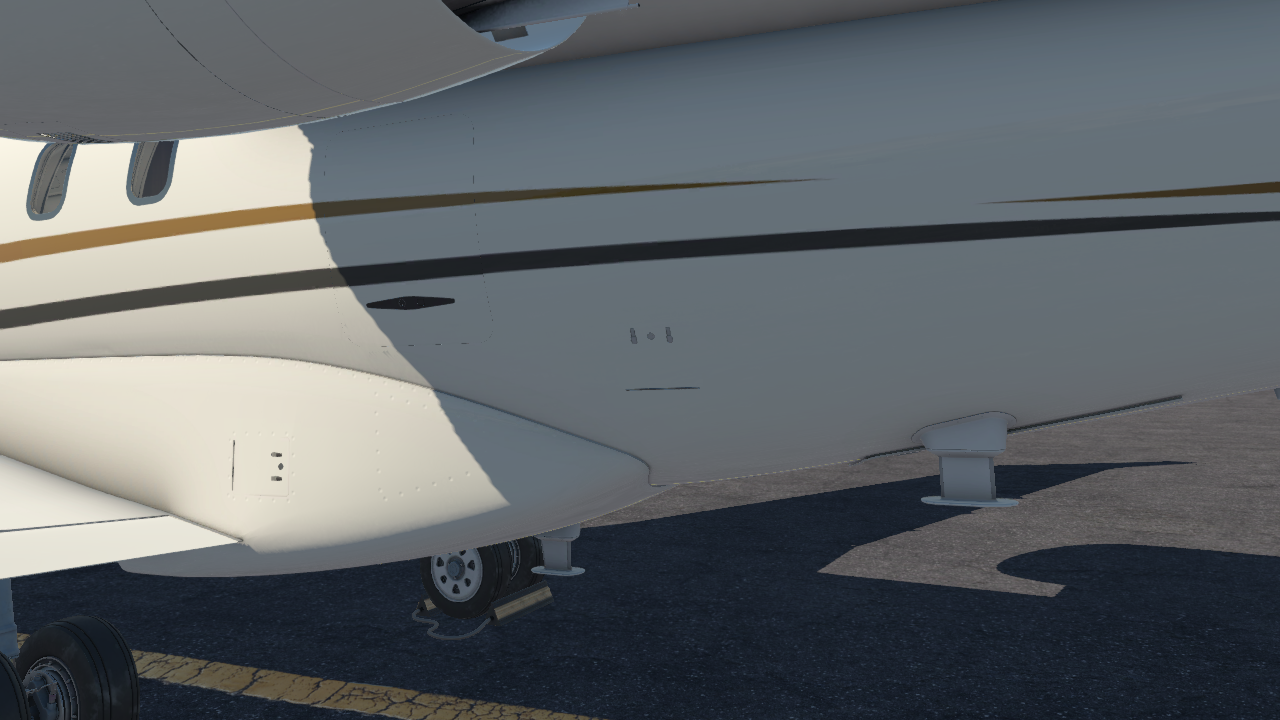
When the APU encounters a fault, you'll need to hop out of the plane and reset the APU ECU to clear the fault. Go to the tail of the aircraft near the cargo door, pop the latches and pull the little door open under the left engine nacelle: Inside you'll find a panel with 3 buttons. Push the "RESET" button, close it up and you should be good:
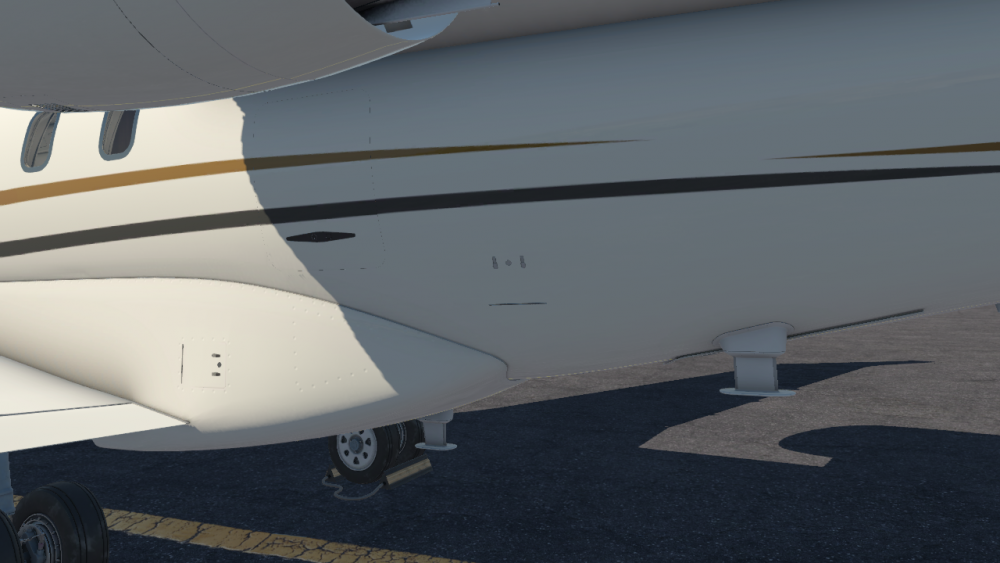
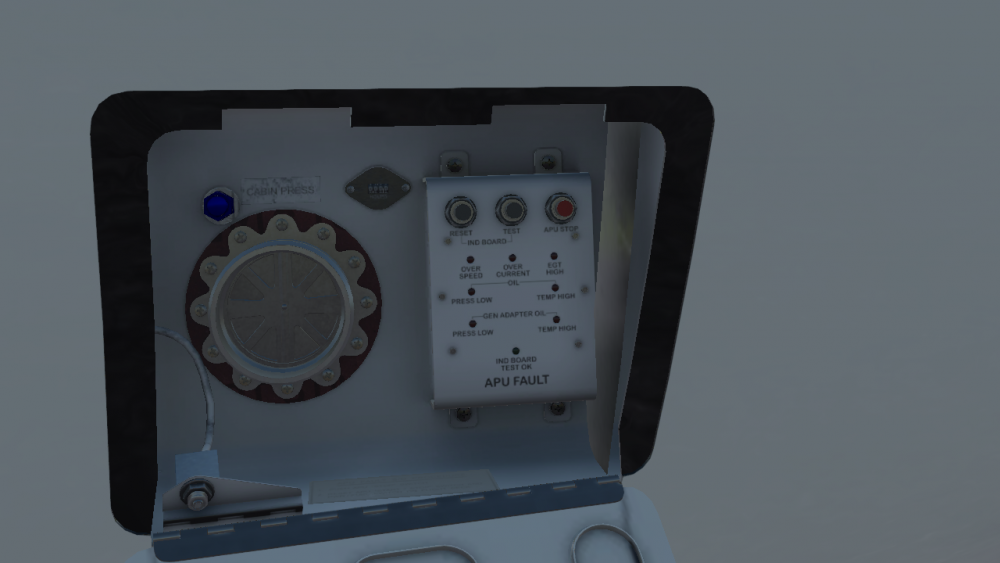 1 point
 -
-1 points
-
Thanks!-1 points
-
Sometimes that's what's required to keep a stable product. Luckily, the 650 is very stable and doesn't need such frequent updates. Lack of updates isn't really a differentiator in this case.-1 points
-
You know, since as long as I can remember, aircraft that I usually fly, have offered an ability to "shorten" or even completely eliminate in some lengthy procedures, the wait time, like the alignment time of the IRS. I find it VERY annoying to request a simbrief download and then have to twiddle my thumbs for 10 minutes. Realism you say... well F realism, at the very least you could offer an option to make this the time it actually takes, and given any other simbrief download I've seen that time is virtually instantaneous. SO, if you have customers that get their yaya's by staring at a screen for 5 or 10 minutes then more power to them... me, I just want to load the damn plan and simulate what I actually care about, you know... FLYING.-2 points