Litjan
-
Posts
5,719 -
Joined
-
Last visited
-
Days Won
424
Content Type
Profiles
Forums
Latest X-Plane & Community News
Events
Downloads
Store
Everything posted by Litjan
-

How to fly GPS approach with vertical profile?
Litjan replied to Chris Tweney's topic in Flight Procedures and Techniques
Not quite yet - we will revisit this part of the approach in VNAV later on - once that is done and we declare it "good" I will invite all feedback... Jan -
Hi Rodeo, the FMS (and we don´t have that quite down yet) - will eventually command the approach speed as entered in the FMS (Vref+5). Usually it will try to target the speeds associated with waypoints - and in the case of the intermediate approach waypoint (where the plane starts going down) this is mostly 180kts or so. After that the plane will try to slow down to Vref+5 (heeding minium speeds as dictated by lack of flaps). Jan
-
How to fly GPS approach with vertical profile?
Litjan replied to Chris Tweney's topic in Flight Procedures and Techniques
Correct - in VNAV the speed is determind and set by the FMC - use an alternative pitch mode like V/S or FL CHG to use MCP SPD. Jan -
How to fly GPS approach with vertical profile?
Litjan replied to Chris Tweney's topic in Flight Procedures and Techniques
Airlines´ procedures for this may vary, but this is how we do it: Use LNAV and VNAV (if desired) to get to the intermediate descent point (usually ca. 10NM for runway, 3000´ AAE). Then set the MCP altitude to a HIGHER altitude (we don´t set it to MDA, because it´s really easy to forget and the plane would level off, screwing up your approach). When coming up on the intermediate descent point (in LNAV and ALT HOLD), turn down the V/S wheel to get onto the "virtual glideslope" - refer to the vertical deviation indication (just like a glideslope) to stay on the vertical profile. Once ca. 1000 feet below missed-approach altitude, set the MCP to missed approach altitude (to have it ready in case of a go-around). When approaching the MDA, click on the SPEED button to disengage autothrottle (we rarely disconnect it, as eveyone seems to be doing in their youtube vids - it would not be able to save you when you get too slow, if you completely disconnect it). When pushing SPEED button, the A/T will revert to ARM (dormant, bur ready to help if you need it for go-around). Now align the hardware throttles and gain control of the thrust levers. At MDA disconnect the autopilot and complete the landing manually. If airport not in sight, hit TOGA buttons for go-around (careful, AP will disengage!!) Jan -
Exactly right - it´s a "precalculation" feature - this way you can read off what your final weight would be (although most pilots SHOULD be able to do this calculation in their head...) and more importantly, the FMC can calculate the path with the "final" weight already, and warn you if you can´t make cruise altitude, for example. Important: ERASE THE PLAN (delete) afterwards, or your FMC will not calculate GW accurately as fuel burns off... Jan
-
mgeiss has it right - don´t arm the A/T until lining up (for this very reason - it has happened in real life, too!)... To cancel the modes, FD´s off then on SHOULD work... if it doesn´t please post so in the support section! Thanks, Jan
-
Known issue, will be fixed! Jan
- 1 reply
-
- 1
-

-
Prepare FMC for next flight
Litjan replied to ephendi's topic in 737-300 Aircraft Systems and Operation
It is not fixed yet - but will hopefully be with next update - for now, click on "reboot gizmo" button (right side popout menu) Jan -
Hi, yes, this was removed last second (after I did the tutorial) due to some issues... we will hopefully get it back, but it´s also easy to just use a text editor to make your COROUTE... Jan
-
probably plugin conflict (soundmaxx, JARdesign, etc.) Remove all except gizmo and reboot x-plane to test. Please let me know if that helps? Jan
-
I think someone said something about setting something in the XPUIPC interface that makes this go away... sorry, can´t remember exactly what it was? Jan
-
Still feels good reading that, though...
-
Everything is worth a try... I have the issue (although its really minute) on my beefy laptop, but not on my (slightly less capable) desktop. So it´s not purely a matter of raw computing power... Jan
-
Hi Philip, fortunately I get these weird sound "cracks" on my laptop as well - so there is a chance we will track them down. Working on it! Jan
-
Aircraft sliding on the ground in light wind
Litjan replied to tri2322's topic in General Discussion
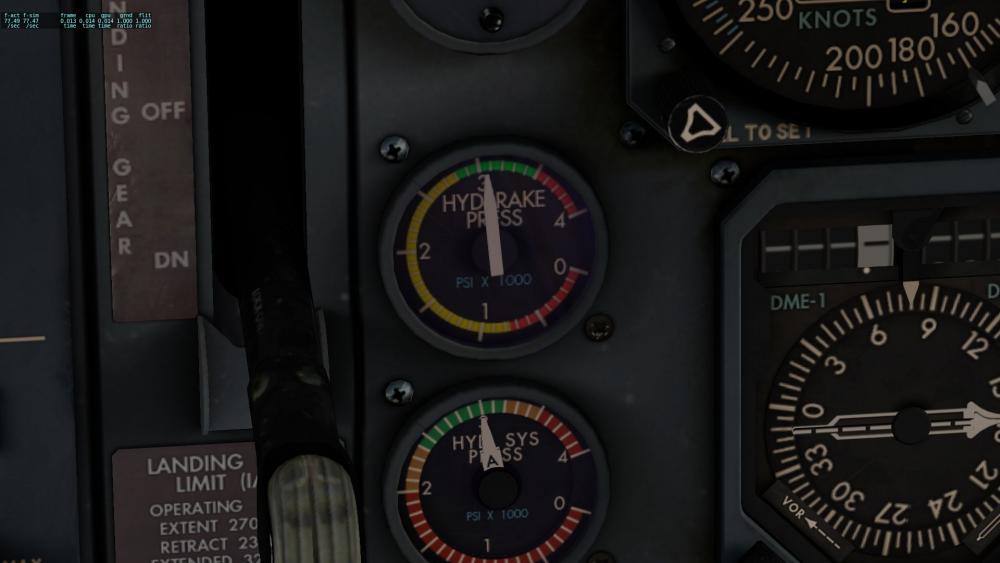
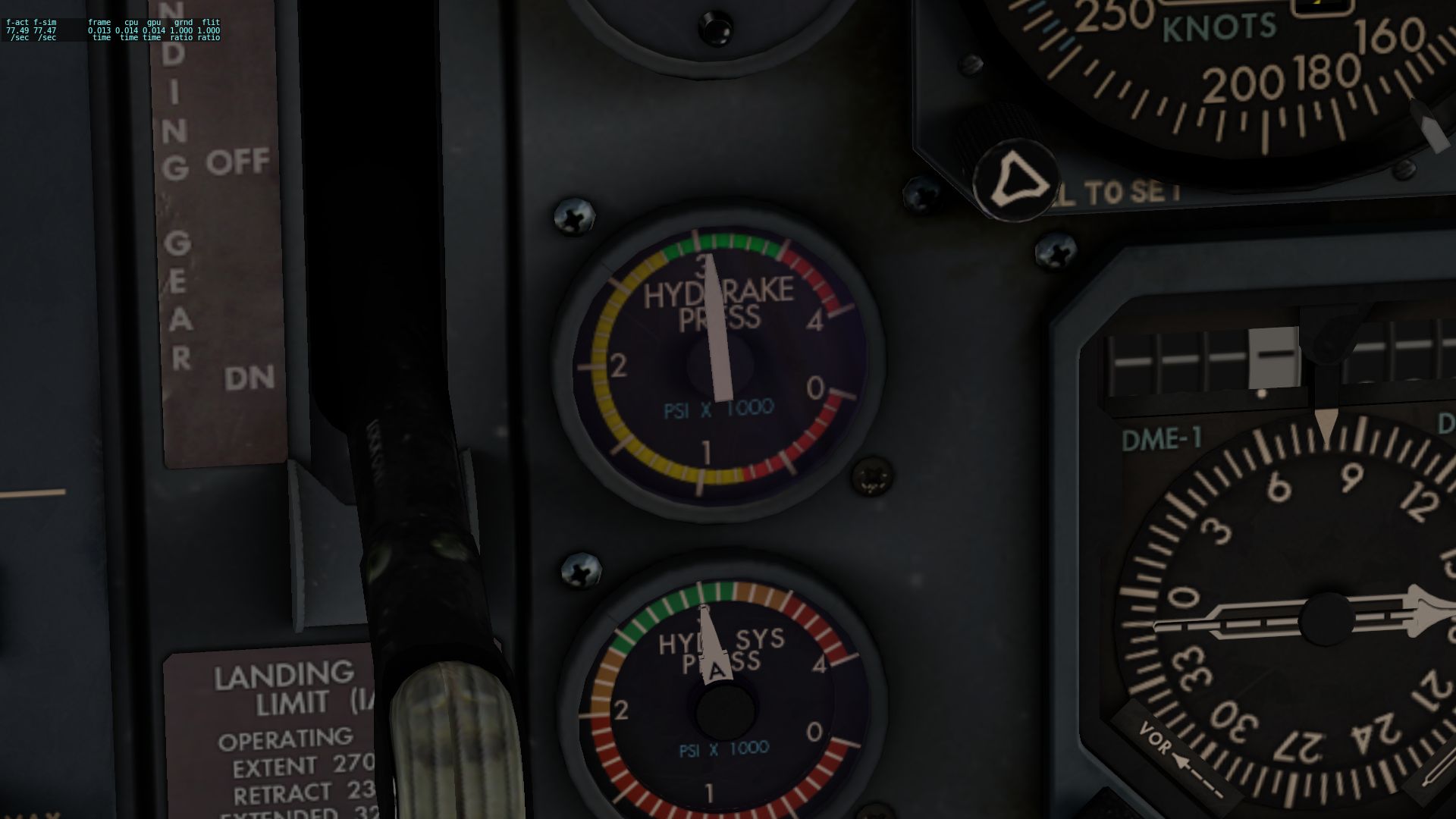
Well, if you followed procedures, your hyd pumps should be all on LOOOONG before starting any engines ;-) I checked with Tom, and he said that the accu initializes with 3000psi (full load). You may deplete it doing various stuff (pumping brakes) and it will likely not refill when you repos the plane - do a full gizmo reboot to recharge it. Good luck, Jan -
And DONT enter PLAN fuel, as I see many doing... It disables the automatic function of calculating actual weight form ZFW+ fuel on board! Jan
-
Speed brake always needed furing descent [VNAV]
Litjan replied to cmbaviator's topic in General Discussion
Hi, all of this is correct - no wind calcs yet, so you need speedbrakes in a strong tailwind situation... This WILL be fixed and also the DES NOW button. Thanks for the report and your patience, Jan- 1 reply
-
- 3
-
-
correct, will be fixed...eventually ;-) For now just do like cmbaviator said! Thanks, Jan
-
check the custom commands for this plane - have to map it, its not default in X-plane. Read docs on how-to. Jan
-
Yep, that would be the outcome... we really can´t take credit for it, though - Laminar Research can ;-) Cheers, Jan
-
Try to disable ALL plugins, reload X-Plane and let me know? The "heartbeat" framerate graph is normal - we do some calcs every two seconds... might spread that out more later. Jan
-
use the hotfix 1.01 and then you should be able to use the old XPUIPC again. Jan
-
Aircraft sliding on the ground in light wind
Litjan replied to tri2322's topic in General Discussion
Ok, will look into init pressure of the accumulator - if you move, start the APU and use that to power the hyd systems... for now. Jan -
check out tutorial #3
- 1 reply
-
- 2
-
-
Aircraft sliding on the ground in light wind
Litjan replied to tri2322's topic in General Discussion
Please check the pressure in the accumulator - it is this gauge: If this is depleted (by pressing the brake pedals with no hydraulic supply running), the parking brake will not work anymore (just like in the real aircraft) Please be aware that the top indicator works only if the battery is on - the lower one (not relevant in this case) also needs AC power to work... Jan