Coop
-
Posts
1,693 -
Joined
-
Last visited
-
Days Won
67
Content Type
Profiles
Forums
Latest X-Plane & Community News
Events
Downloads
Store
Everything posted by Coop
-
Just released an hour ago
-
Perfect, thanks for confirming
-
Hi Lennard, The G5 is on NAV1/GPS1, so that would be the GNS530, not the GNS430. The G5 doesn't connect to the NAV2/GPS2.
-
Hi, The config file should now be located in the aircraft's main directory, next to the acf files. It is called g5.cfg. It is the same format, just with many additional items, as the old acfConfig.cfg file, so if you are migrating from a V1 aircraft to V2, you can rename and move acfConfig.cfg to g5.cfg. This file is automatically generated on aircraft load if it isn't there already (just quit the same and make the modifications necessary).
-
We've found the cause that affects some people and we have a fix that will come into the next update.
-

G5 in shipped 172SP not allowing proper setting of CDI heading
Coop replied to OC60's topic in G5 Instruments
Currently the knob functions as you described initially, its on our radar to update with the latest Garmin button-ology. -
Re-download the G5 installer from X-Aviation and re-run, and you should be set.
-
The Pocket Rocket is not the same as the RSG G5 (or AFM G5), it doesn't currently have mb/hPa for the altimeter.
-
I'm not sure if it would be solved for you. This issue with the PR seems much more significant than what we've seen with other AMD users on the aircraft.
-
All TS aircraft use acfutils, the PR is currently on a different version than the SR20/22s though.
-
With the C172 G1000 for some reason, X-Plane decided to implement the G1000 in a totally different mechanism than is used with all 3rd party and other X-Plane aircraft, and so that aircraft doesn't have the proper rendering callbacks. With the G5 2.0 update, which the store should be releasing the update to later this week, there is now a setting in the g5.cfg file called "g5_draw2d" and setting that value to 1 will then switch the G5 to render with the working callback for that aircraft specifically.
-
Hi Julian, The Islander installers will automatically install the G5 version when ran. If you run the G5 aircraft installer after this, it would overwrite the custom configurations. To fix this, just run the Islander installer again, and do not run the aircraft installer for the Islander. This should get everything working properly.
-
acfutils.dll is a dependency of our plugin. Our plugin (and thus all custom aircraft functions) just won't load if this file isn't there. I'm not sure why it isn't affecting your other aircraft, it is an odd AMD bug. This has already been reported to their driver team. The best course of action would be to not run with Vulkan if you can't get any success when running with the latest AMD drivers.
-
Hola. Aquí está la guía de integración para la G500. RealSimGear G500 Integration Guide.pdf
- 1 reply
-
- 1
-

-
Can you check if there is a folder in the X-Plane folder titled "X-Aviation"? It seems that the install is preventing some files from being written, including the Gizmo64 plugin (which activates the G500).
-
Yes, it is in the current public beta, which has been stable, so should roll out to everyone soon.
-
Can you send your log.txt file after loading the C172 G500, as well as a screenshot of the error regarding the "products.ini" file?
-
Regarding the RXP GTNs, yes we are reading the data by default, but it does require configuring the RXP units to broadcast the proper information. You can copy the files in the X-Aviation/Cessna 172SP G500 folder (RealityXP... files, there are 4 of them) to the aircraft you want to use the GTNs with. No, the map resolution is based on system resource load and X-Plane terrain files. The parser only runs in the background, grabbing the terrain levels based on available system resources. Seems you've figured out #3, but you can also drag from the bottom edge of the popups as well.
-
Hi Jon, When you run the main installer, there should be a "G500 Aircraft Installer" located in the root of your X-Plane folder. Run that and select the aircraft you wish to use it with.
-
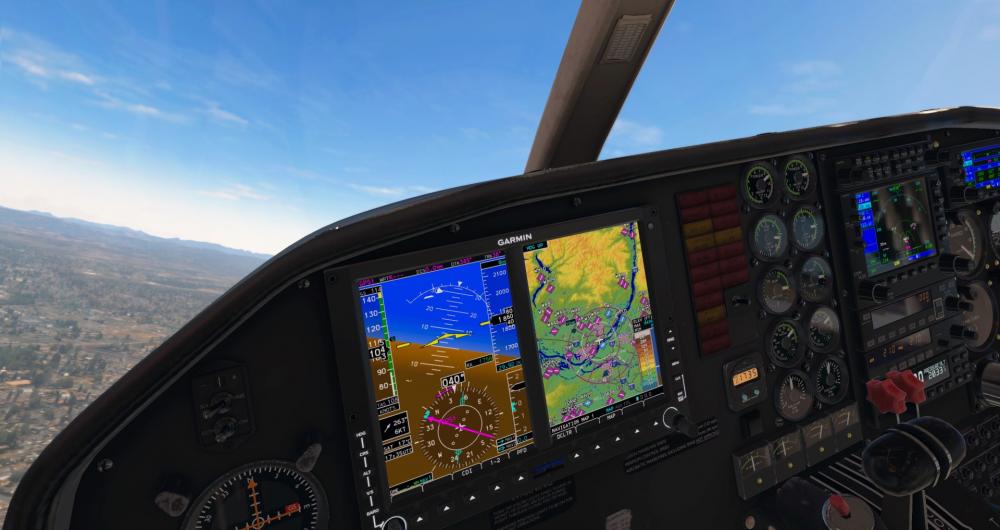
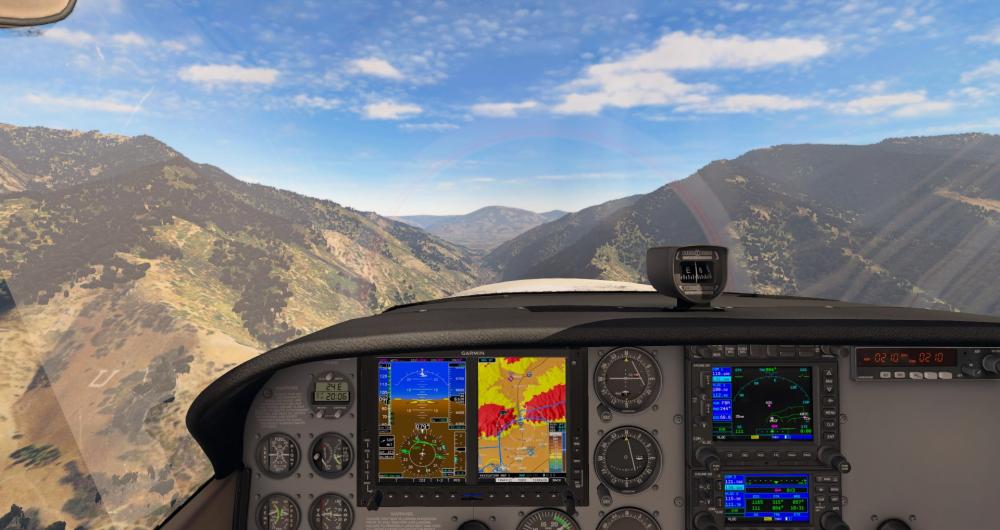
RealSimGear and X-Aviation are excited to announce that the RealSimGear G500 for X-Plane will be released this Friday, September 24! The RealSimGear G500 is a standalone gauge for X-Plane, meaning it can be added to essentially any aircraft as 2D popups by anyone. It can also be detached into its own window, or used with the RealSimGear G500 hardware (coming soon). For developers, the G500 can be integrated into the 3D cockpit of X-Plane aircraft! See below for more information. The G500 is built on top of RealSimGear’s navigator system, first shown in the RealSimGear Entegra, available in the TorqueSim SR20 and SR22, Entegra Editions. This is just the start for RealSimGear avionics! Highlighted Features Include: Accurate avionics with detailed menus and configurability. An integration into default Cessna 172 is included, ready to fly, with the download! Already integrated into the TorqueSim BN-2B Islander and BN-2T Turbine Islander - and more integrations are coming! Detailed map views showing the flight plan, terrain, traffic, airspace, airports, airways, highways, cities, and more! Unparalleled custom avionics for X-Plane. Waypoint information page, able to retrieve detailed information about airports, VORs, and more, right from the G500! Integration with the RealityXP GTN and GNS avionics for even more accurate behavior! Helicopter configuration, with flipped displays for right-sided mounting. Learn more about the RealSimGear G500 at X-Aviation! The G500 is available now for a price of $49.95!

-
This will be in v2.0, shipping next week
-
Its just the default reverse command for X-Plane. There isn't a custom one.
-
No, the Ovation is not turbo charged, so as you get up higher in altitudes, the Ovations performance will quickly diminish while the Acclaim will keep producing higher power. At 8000ft this wouldn't be too noticeable, higher up it would be much more apparent.
-
Automatic Display of G1000 PFD and MFD on new Flight?
Coop replied to MasterDiver69's topic in G1000 SR22 Series
It looks like its just not there, since there hasn't been any manual changes to generate a file. Attached is a file you can drop in that folder so you can mess with the settings without needing to trigger a file generation event. popups.cfg -
Automatic Display of G1000 PFD and MFD on new Flight?
Coop replied to MasterDiver69's topic in G1000 SR22 Series
Can you share your log.txt file?