All Activity
- Past hour
-

IXEG-737 Lighting Bug
Litjan replied to NoahARKKKK's topic in 737-300 Aircraft Systems and Operation
Thanks for reporting back. This is the common problem, people install shady add-ons in an attempt to "improve" X-Plane to their liking, but really this is like inviting a total stranger to sleep in your house...and then later on you wonder why all of the silver cutlery is missing . There are unfortunately a million dubious hacks/plugins and add-ons out there that will happily change files or art-controls that are not supposed to be messed with - and Laminar (and sometimes add-on devs like us) have to deal with the fallout when suddenly "hey, my X-Plane does not work anymore, I did not do anything, I swear!!" - Today
-

IXEG-737 Lighting Bug
NoahARKKKK replied to NoahARKKKK's topic in 737-300 Aircraft Systems and Operation
Alright nevermind I just verified the integrity of the files and it fixed it. I don't know why I didn't try that first but, alright then. -
IXEG-737 Lighting Bug
NoahARKKKK replied to NoahARKKKK's topic in 737-300 Aircraft Systems and Operation
I'm running on a normal instance of X-Plane no software or add-ons that alter any of the lighting, I had something that changed bitmaps and skycolor but I had a backup of those folders and they're the vanilla files now. The only thing that I've changed that has anything to do with lights is a lights1000 file replacement for improved night lighting or something like that. - Yesterday
-
Every time I quit XP12 (Windows) from the main menu after using the SR22, the program will not quit to desktop, as normal. I have to stop it using Windows Task Manager every time (says XP12 is not responding). XP12 notices this failed quit attempt next time I load it, asking me if I want to load in safe mode. I have several other 3rd party AC, and this only happens with the SR22. What do you suggest please?
-

Mac OS Macbook Pro M4 No buttons in cockpit clickable
Cameron replied to SamF2005's topic in Bug Reports
You'll need to post a log.txt file. -
 kogu joined the community
 -
 tiarusanto joined the community
 -
 malcolmt16 joined the community
 -
@alstr My workaround was disabling the WASD controls in the CL60 menu and assign the XP key bindings "Move camera forward/left/... fast" (or something like this) to the WASD keys. Walkaround mode still works for me, but I have not encountered that issue again.
-
 ose291 joined the community
 -
IXEG-737 Lighting Bug
Litjan replied to NoahARKKKK's topic in 737-300 Aircraft Systems and Operation
Have you switched the dim/bright switch to dim? Also, are you running a standard X-Plane installation, or have you installed other third-party software that may change light brightness? -
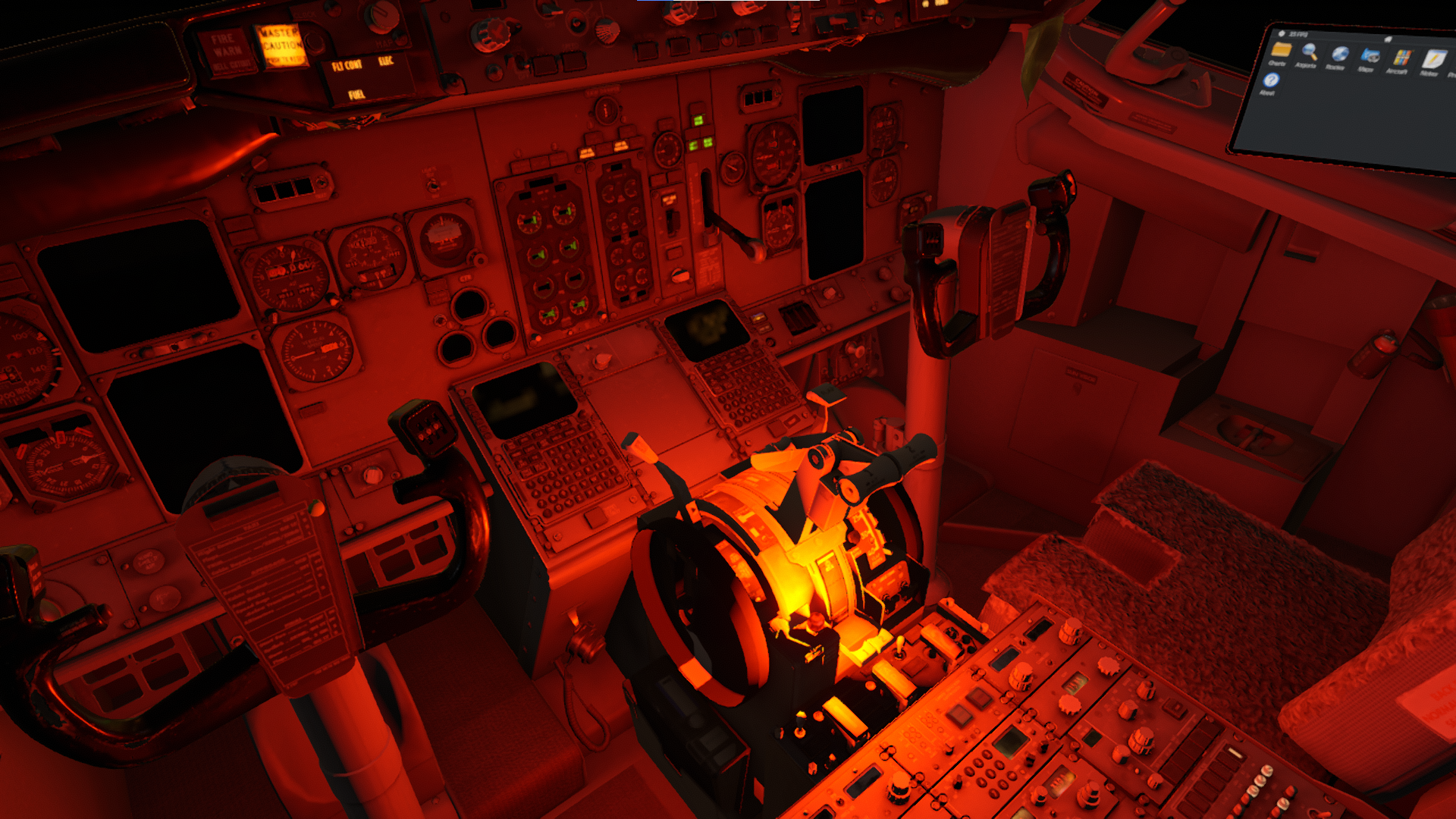
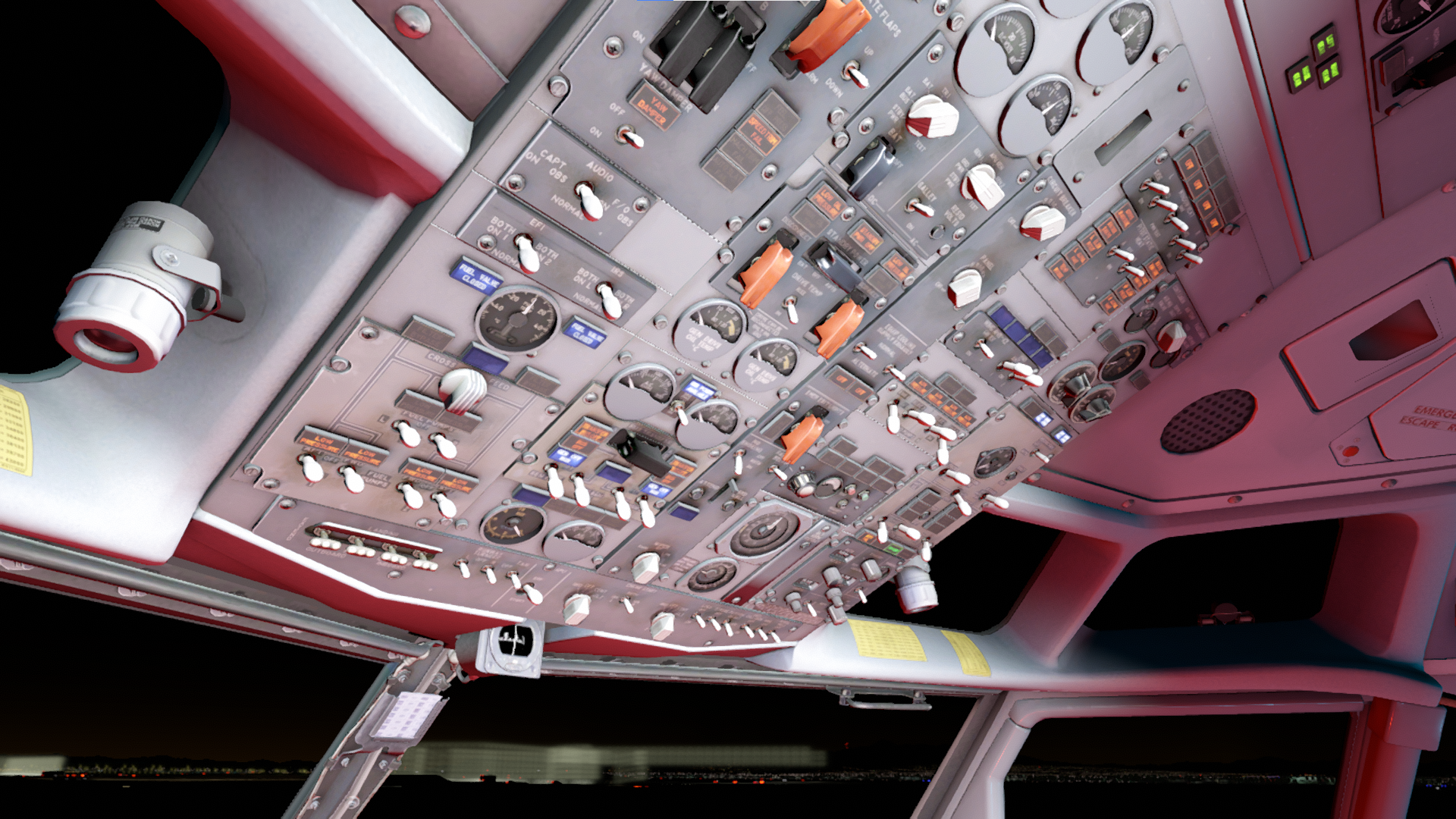
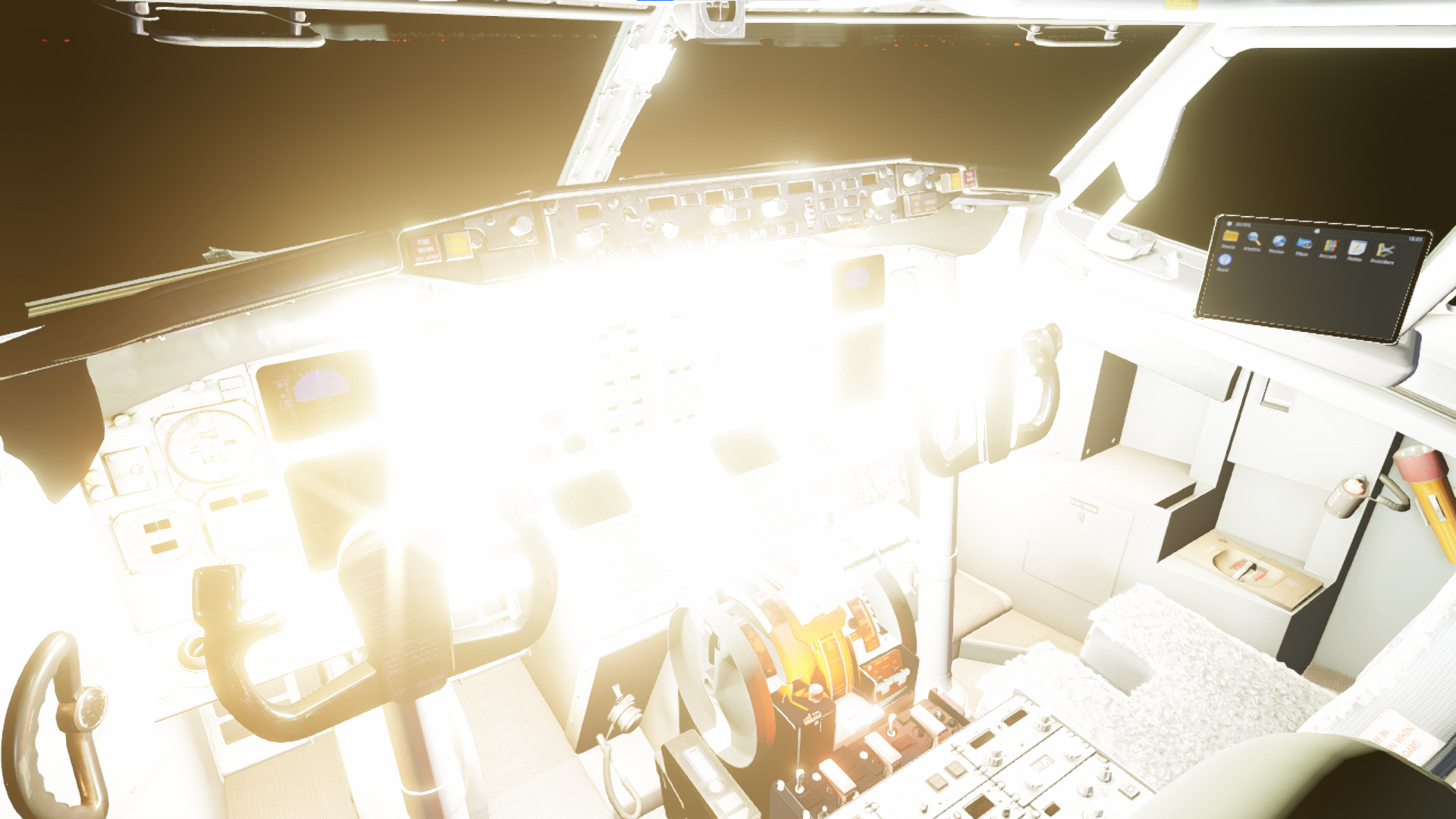
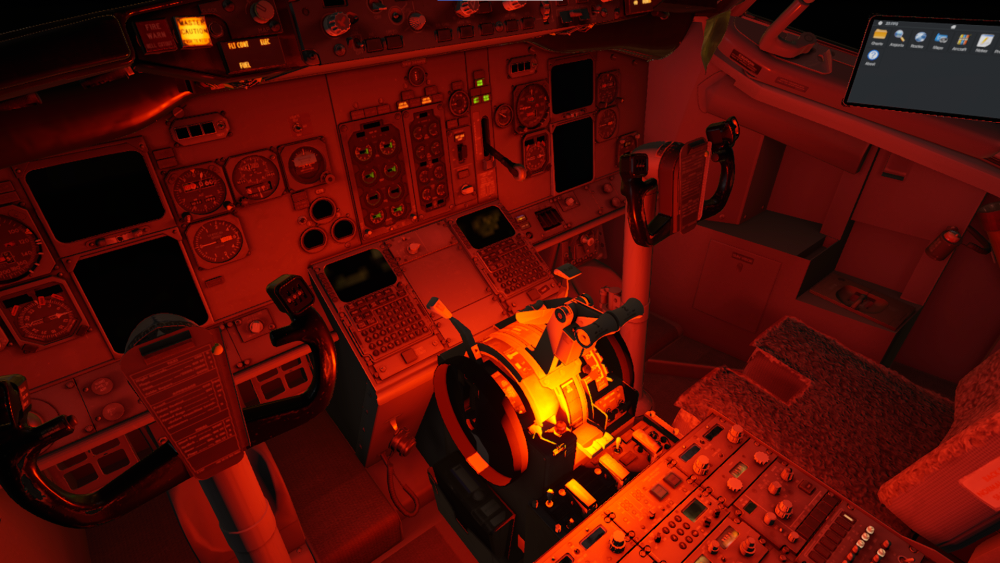
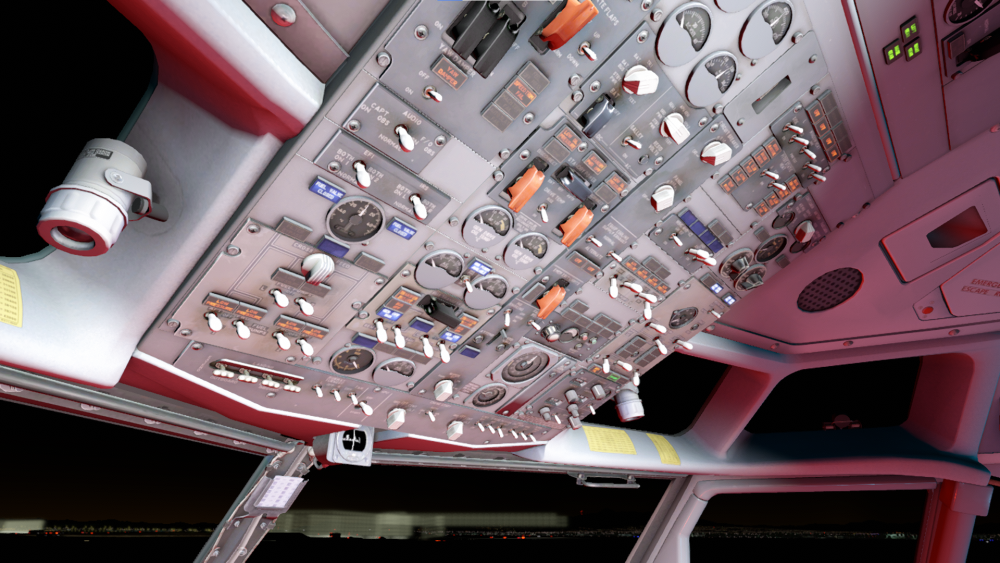
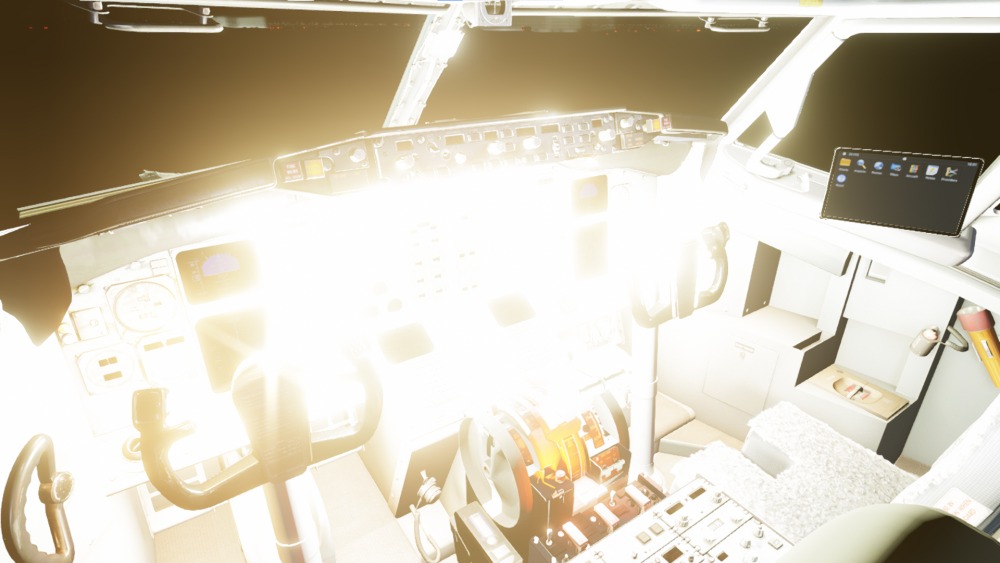
After a new fresh installation of the IXEG-737 Classic Plus on X-Plane 12, the lights are very bright. The images provided are in order of this process. On cold and dark all lights are off, then the battery is turned on (1st Photo) the the parking brake light is very bright, then the emergency lights are set to armed (2nd photo) with flood, panel, and dome lights all off, then the ground power is connected and turned on (3rd photo) and there is this super bright light emitting from the fuel gauge area. I removed and uninstalled the aircraft to perform another install but it still persists, how can I fix this??
-
 poptartsh joined the community
 - Last week
-

Mac OS Macbook Pro M4 No buttons in cockpit clickable
SamF2005 replied to SamF2005's topic in Bug Reports
Running gin rosetta, still does not work. -
Thanks a lot! I was having the same problem, it works now.
-
Looks like I was red lining the engines.
-
I bought this today and really like the look of it. The only problem is I haven't been able to get beyond a 1 mile radius of the airport yet... I've followed the checklist exactly, getting everything set up and ready for takeoff. Shortly after I take off though the left engine loses torque and fails, followed by the right. I have enough fuel, battery power, etc. What stupid thing am I doing wrong? replay_compressed.mov
-
Hi I need some help with datarefs. VOR/LOC and Glide Slope Captured are shown in the PFD. Can someone help me with the respective datarefs ? Thanks Joachim
-
 I just bought this plane from x-aviation.com. I'm running it with Mac OS X and Rosetta. I managed to start the engines, but I can't control the throttle and propeller with my Thrustmaster HOTAS Warthog throttle. I've only encountered this problem with this plane. Has anyone else experienced this issue?
 -
 Evanderson joined the community
 -
 zym joined the community
 -

X-Aviation Installer Fails on Windows for LEC DC-3 V2
Goran_M replied to jimvanzino's topic in Help!?!
Do you have a firewall running? -
Hi all, What real world performance hit does windows 11 take when enabling Hyper-V? My PC is used for various things, flight sim is just one. Looking to use the PC for virtual machines and know that there can be a performance hit, as enabling Hyper-V creates a layer that windows sits on top off. It'll affect all 'games' and AI reckons a 5-15% performance hit depending on what you're doing at the time. I would expect X-plane to be on the higher end? Anyone have any experience of this? Thanks
-
Unfortunately I don´t have a cure for this ready - the sounds are done with the OpenAL and on some systems they don´t seem to work right :-/
-
 SnailS joined the community
 -
 blurgg joined the community
 -
 ToDD joined the community
 -

Fail to pass IXEG 737-300 level-2 check
Patrick89 replied to Patrick89's topic in Gizmo Soft Crashes
Thank you, @Litjan! Even though I got that solved, I still suffer a problem many others have already had, according to google research: My sounds are partly broken: Some functions sound weird, for example stall warning test or take-off config warning or give me no sound at all, for example the gear handle. My XP sounds are reduced by the IXEG 737. I already tried changing the IXEG sounds when bumping to the left of the screen, I deactivated all plugins apart from X-Aviation and Gizmo, re-installed, checked, whether my system and X Plane sounds match and so on... ...what else can I do? Best regards! Patrick -
Thanks everyone. I just changed the libradio.plugin file and now it works!
-

Crash Cessna CitiationJet 525 by TorqueSim
Pivot replied to Jean-Luc Camembert's topic in General Discussion
Check the support forum, fix is in. -
I was flying this plane perfectly fine under XP12, but recently (after the latest XP updates) I can't load it. A few moments after launching it on XP12, it crashes to the desktop. This is the only plane that gives me this problem. I'm on Mac OS X. I've attached the log.txt file. If anyone can help, I'd be very grateful. Log.txt
-
-
@Pils That is brilliant. I think other problems above may be related to 12.4.0, but quite what they could be, I have no idea! I would not have thought Xchecklist, mentioned above, would be a cause, but I haven't tested it, and will leave it for a few days while others see what they have found. A perfect example is the librain problem with the 525. FlyJSim had already done something about that with the Q4XP
-
No LOC and GS when on ILS APP on IXEG B733
Litjan replied to rafaromanosp's topic in General Discussion
Thanks for reporting back...I really don´t know how a livery could affect the nav-radios. There is also the chance that you have the "disable downwind ILS" function enabled and if the wind shifts, the ILS signal will turn off for the downwind runway... -
Yes, it'll be in the next update (ETA unknown). It won't. Everything about the plane itself is compatible (bugs not withstanding). It's only Gizmo that isn't.