



Litjan
-
Posts
5,720 -
Joined
-
Last visited
-
Days Won
424
Content Type
Profiles
Forums
Latest X-Plane & Community News
Events
Downloads
Store
Everything posted by Litjan
-
Hi Rob, the option will not appear if you do not have the avitab plugin in your X-Plane plugin folder. Doublecheck that you have it and that it is enabled. Cheers, Jan
-
That is correct - the cockpit manipulators take precedence. The workaround for now - as cumbersome as it may be - is to hold down your right mousebutton and move the view until the window is not in front of a cockpit manipulator (or the avitab) anymore. I will talk to Tom about it, maybe there is an easy solution to have the menu have "priority". However: Once the menu appears (this is also true for all "secondary" menus when using the pop-out option), you can drag it wherever you like and it will remember that position. So if you don´t like it in the middle of your screen, just drag it to the bottom left corner, for example. Cheers, Jan
-
Its on the list. Although I must say that some of the "entitlement" posts I read about the need for a Vrconfig.txt did not exactly push it way up. We are only human, after all. Jan
-
He is just posting these to show that he is indeed a great simulator pilot. I can not assess his skills enough to confirm or deny this. This in turn proves that the problems he has with the IXEG are not his fault, but because the update 1.3 is genuinely defective. I do not believe so. I have resorted to taking note of his bug reports - and once I can confirm them on my end or get more reports of the same kind - will set about fixing those with the utmost dedication and tireless tenacity. Jan
-
Confirmed, we will fix those. Doors are coming as well! Thanks for the feedback, Jan
-
Ha, you found it! There were quite a few 3D objects on this plane with a UV map problem (I don´t understand to this day what a UV map is) - but they would show up in certain lighting conditions...there still are a few, and I am making a list for Tom to fix them. You are seeing one of the flap drives, it is bleeding through... we will fix it soon. Thanks, Jan
-
Thanks for the confirmation, axmiha! Cheers, Jan
-
Ha, finally! I have the same problem (it works the first time, but not when I try again) - and Tom has been totally unable to reproduce it. We compared all of our scripts (byte count), I sent him videos, we screenshared...it doesn´t happen on his system. So thanks for confirming I am not crazy! We will certainly keep investigating. Maybe some crazy peripheral interfering (I run a full HOTAS thrustmaster setup)... For now I just pretend the ground power source is bad and is missing a pin or something...I can live with the GEN bus off (transfer bus still works), until I start the APU. AND it only happens after some other source has powered the bus (I call it the bus-virginity-problem)... Cheers, Jan
-
Wow again - and we are working on adding more datarefs for sure! Cheers, Jan
-

Take Command! IXEG 737 Classic v1.3 Update Released!
Litjan replied to Cameron's topic in General Discussion
Thanks for the feedback - afair the TOGA command is the default TOGA command from X-Plane... I will doublecheck. Cheers, Jan -
Go to the X-Plane Joystick or Keyboar menu and assign a button to this function (you can use the search box to find it): ixeg/733 toggle main menu ON/OFF Cheers, Jan
-
I just checked, you are correct - direction is reversed! Good find! Cheers, Jan
-
Not sure what is causing it - maybe someone from the XPUIPC team can shed some light onto it? Cheers, Jan
-
Nicely done!
-
Make sure the autothrottle is not controlling them - you cant move them while it has control over them. Jan
-
Wow, I think you broke the record for a "loaded" X-Plane. I am not sure if there is a plugin that you don´t have installed? I can´t see anything clearly that points to crashing, but I am sure it is some sort of incompatibility with either a plugin, lua memory exhaustion or memory overflow in general. The only advice I can give is to stop all your other plugins, then run the IXEG and see if it still crashes. It it doesn´t, add the plugins back in batches until you can indentify the one that causes the problem. Viele Grüße, Jan
-
So you are saying that everything works, except the rudders in the cockpit move the wrong way? I will doublecheck... Thanks for the report, Jan
-
Take Command! IXEG 737 Classic v1.3 Update Released!
Litjan replied to Cameron's topic in General Discussion
That is definitely on the list for a future update! Cheers, Jan -
Ok, try to post a little bit longer video of how it doesn´t work (when climbing straight ahead and turning on the autopilot), please. Try to catch the point where it starts to accelerate and you can´t stop it from going too fast and then everything goes downhill. Thanks, Jan
-
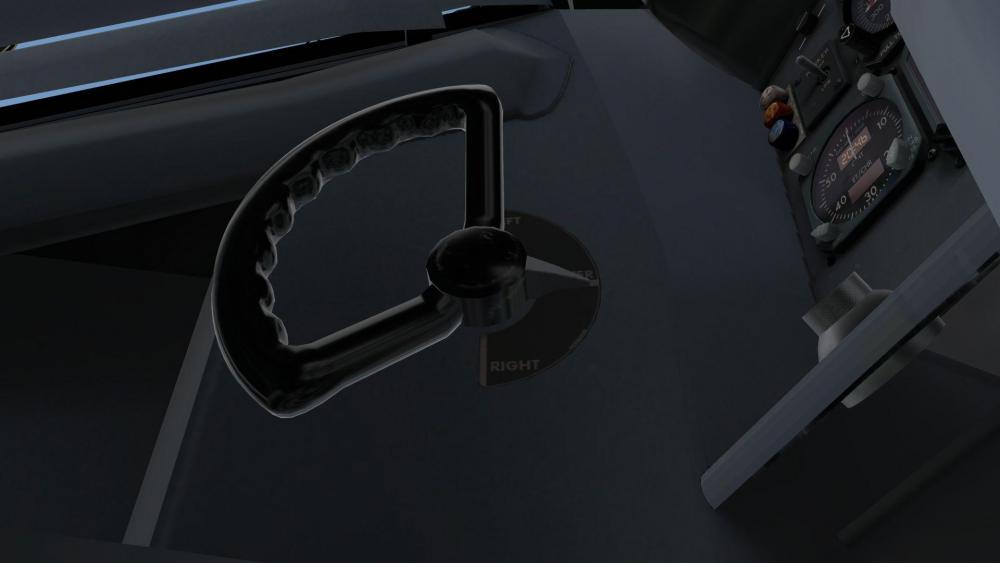
Oh, and look, the tiller is perfectly centered for me! Just kidding - we will adjust eventually ;-) Jan
-
Just tried on my end but could not reproduce the problem... Cheers, Jan
-
Ah, thanks for this info - I wonder how that happened, I really didn´t change anything on the nosegear... I will see if I can make this modification in our .acf file for the next update! Edit: I think any user could also make this modification in planemaker, if you don´t want to wait. The entry is in "Standard" "Landing Gear" - and then change the first gear to "2 lateral". Cheers, Jan
-
Take Command! IXEG 737 Classic v1.3 Update Released!
Litjan replied to Cameron's topic in General Discussion
Try the stable version of Gizmo, Robert. Thanks for sending the log! Cheers, Jan -
Yes, good observation! I think this will be addressed when Tom gets to work on the front galley and doors... Cheers, Jan
-
Hi Chi, I am still not sure what you mean with the "control square" - are you flying with a mouse? When you click into the square to fly with the mouse, it disappears and now your mousemovement will control the flight controls. You can not engage the autopilot while you have them deflected. Could that be part of the problem? Cheers, Jan


