



Cameron
-
Posts
10,098 -
Joined
-
Days Won
484
Content Type
Profiles
Forums
Latest X-Plane & Community News
Events
Downloads
Store
Everything posted by Cameron
-
How many support tickets have you actually submitted? 3 weeks puts you just around the time we had a support delay banner in place on our website due to out of country travel. Delays were expected, but assuming you kept your cool like everyone else you should have received a reply by now.
-
Not so much lucky, but when you dumped your preferences you also dumped your X-Plane rendering settings, which defaulted your slider back down. There's no need to go through the extra work of resetting everything.
-
The blinking issue is directly related to the reflections slider setting in X-Plane. There is no need to dump preferences. Instead, simply lower the reflection setting. A fix is being worked on in the interim.
-
Announcing the TorqueSim Pocket Rocket Release!
Cameron replied to Cameron's topic in General Discussion
I don't personally know the answer to that and I'm sure Coop will respond, but when you swap an entire engine out for a PT6 there's pretty much entirely different characteristics at play anyhow. -
Happy to help!
-
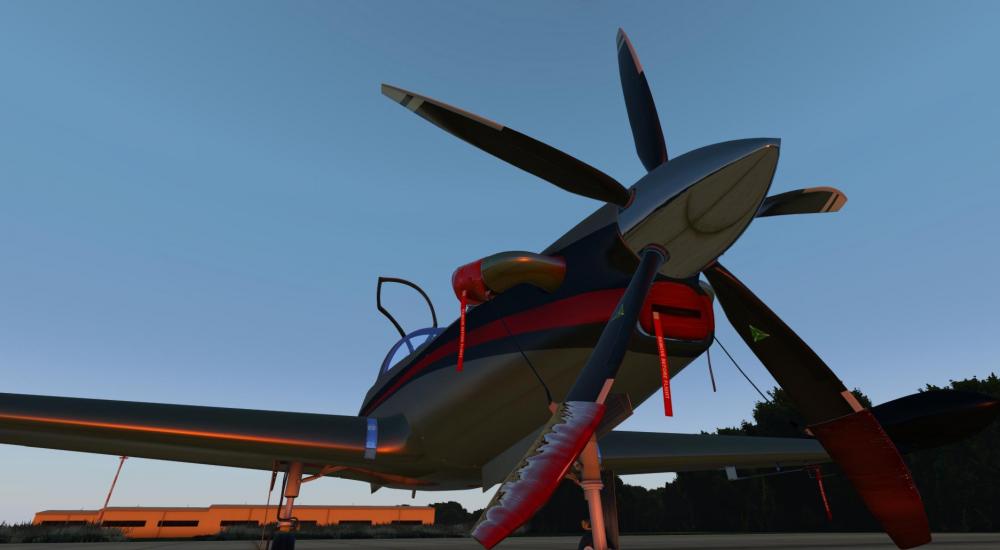
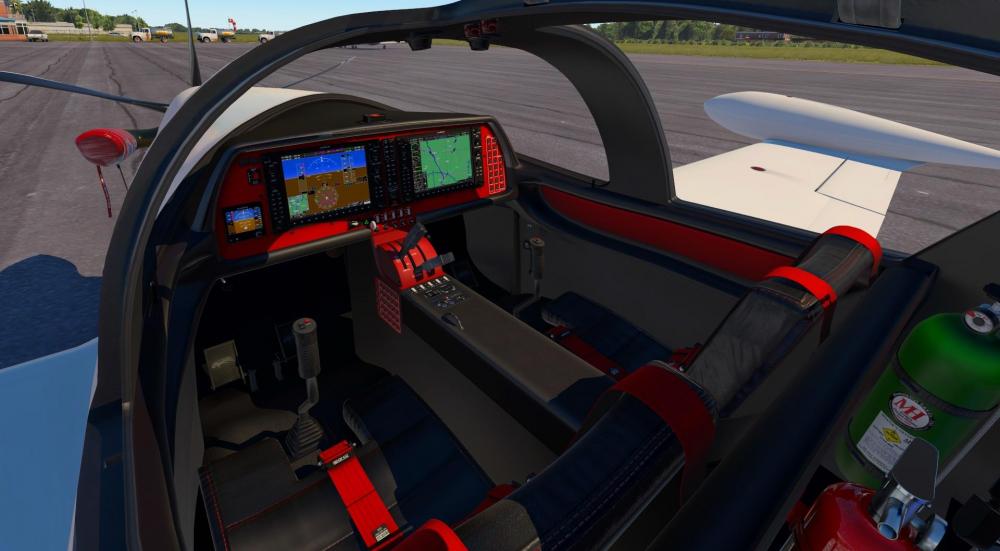
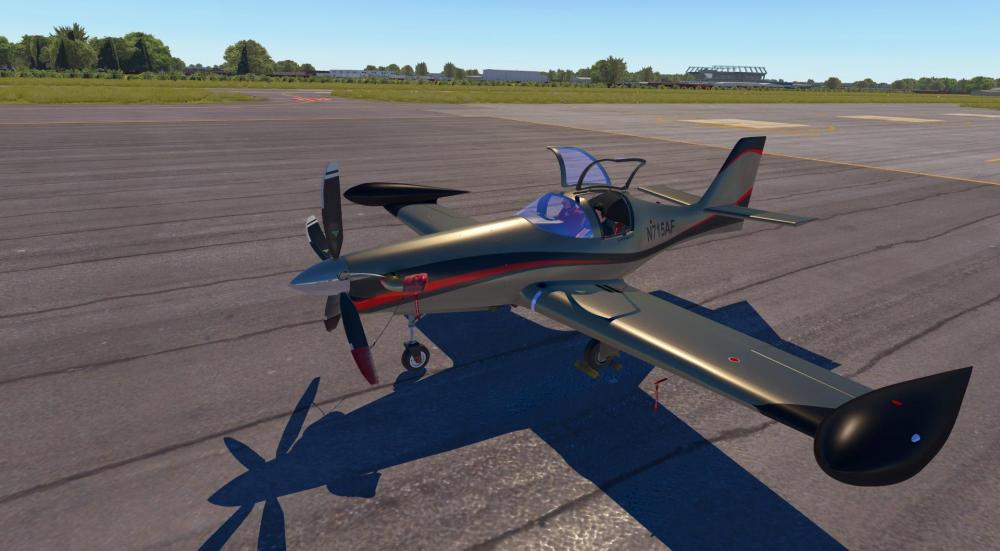
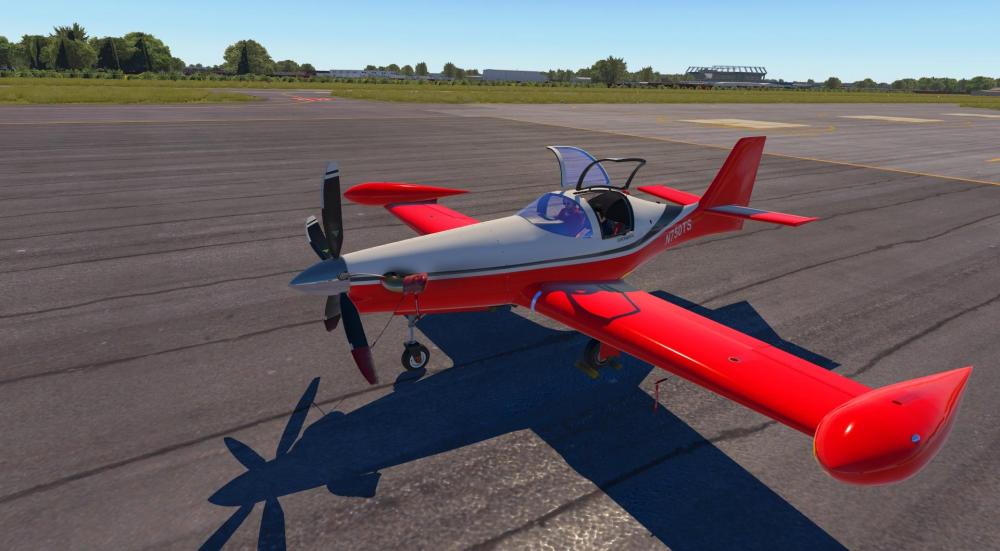
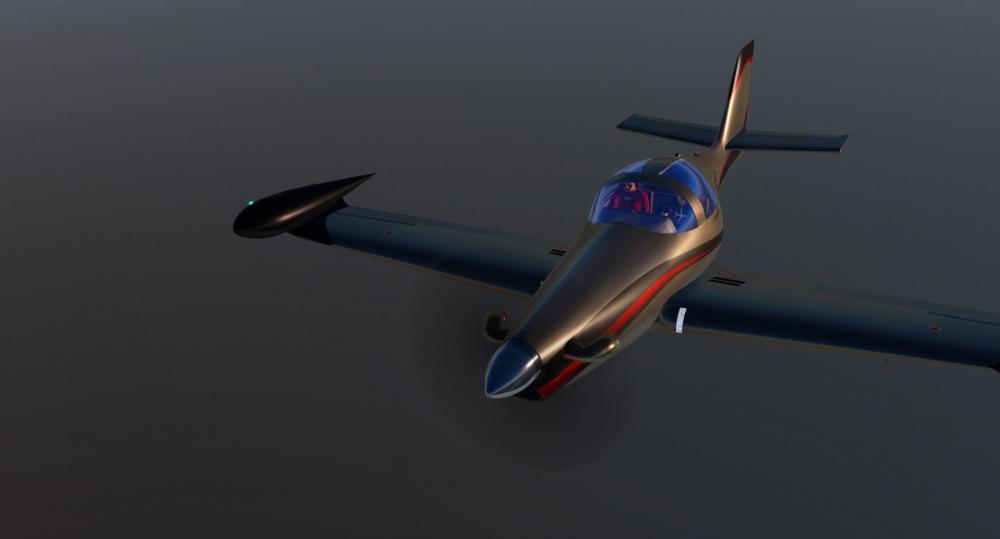
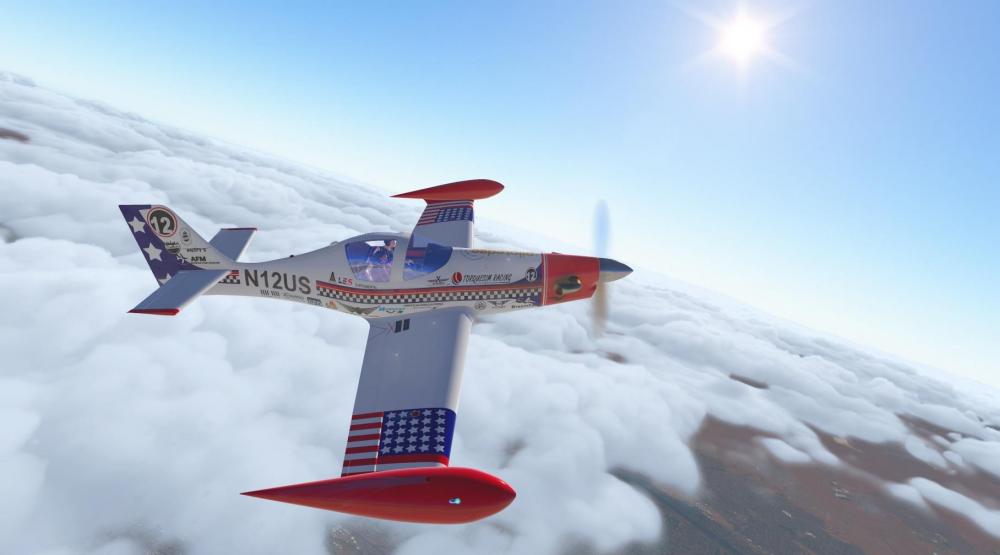
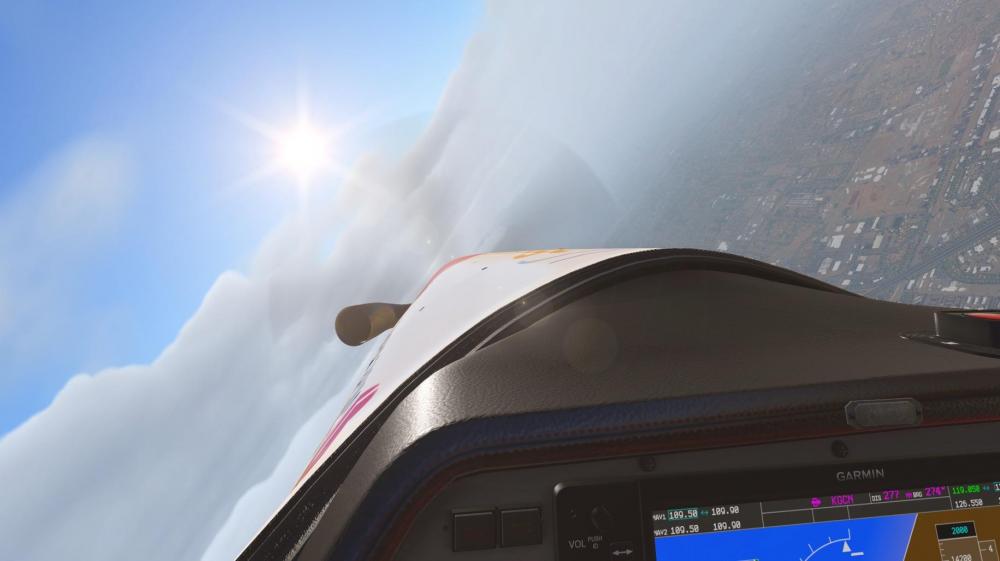
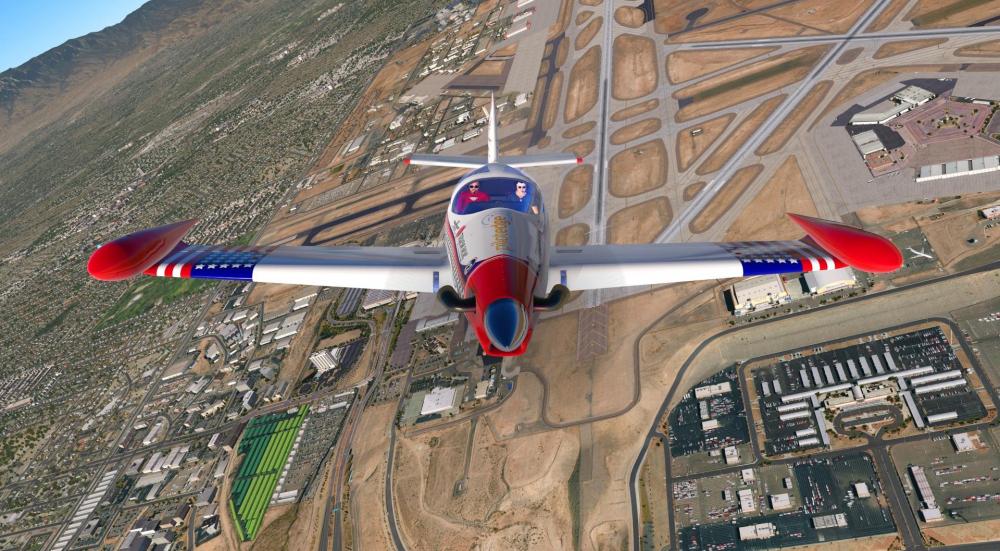
TorqueSim and X-Aviation are excited to announce the release of the Pocket Rocket will be this Saturday! The Pocket Rocket is a lightweight, PT6 powered beast! We have modeled two variants: a retractable-tricycle configuration and a fixed tailwheel version. Both have empty weights of near 1,000 pounds and are equipped with the 715 ESHP PT6A-28 engine. With the equipped Oxygen system, you can take this plane to FL250 and cruise for hours! In the retract version, cruise speeds of up to Mach 0.6 can be reached! Features: Retractable Tricycle Gear Variant and Fixed Tailwheel Variants Highly detailed 3D model Full PBR 4K Texturing Custom Systems, including: Fully custom electrical system Custom engine start system Custom fuel manager Custom lighting Customized G1000 with: Custom Engine parameter sidebars Custom annunciators Integrated checklists Synthetic Vision - licensed from HotStart Custom G5 Backup Attitude Indicator (PFD only) Custom Tail Number config utility High-fidelity FMOD sound pack Maintenance and Failure simulation Custom Load Manager Persistent systems Fully custom C++ Plugin using the X-Plane SDK Includes 11 liveries, a Blank Livery & Paint-kit The Pocket Rocket will be available starting midnight Saturday morning (Eastern Time Zone) exclusively on X-Aviation. The price will be announced soon. We'll see you this weekend!



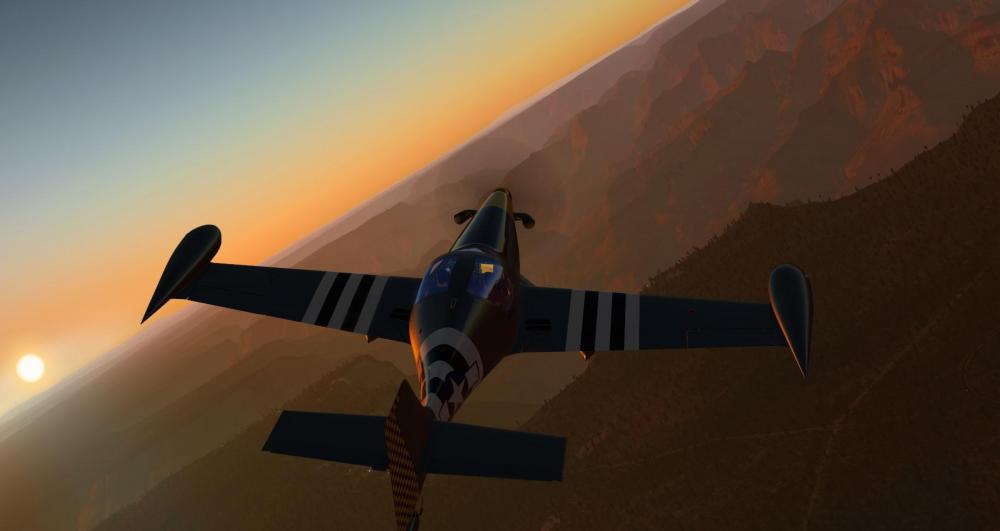
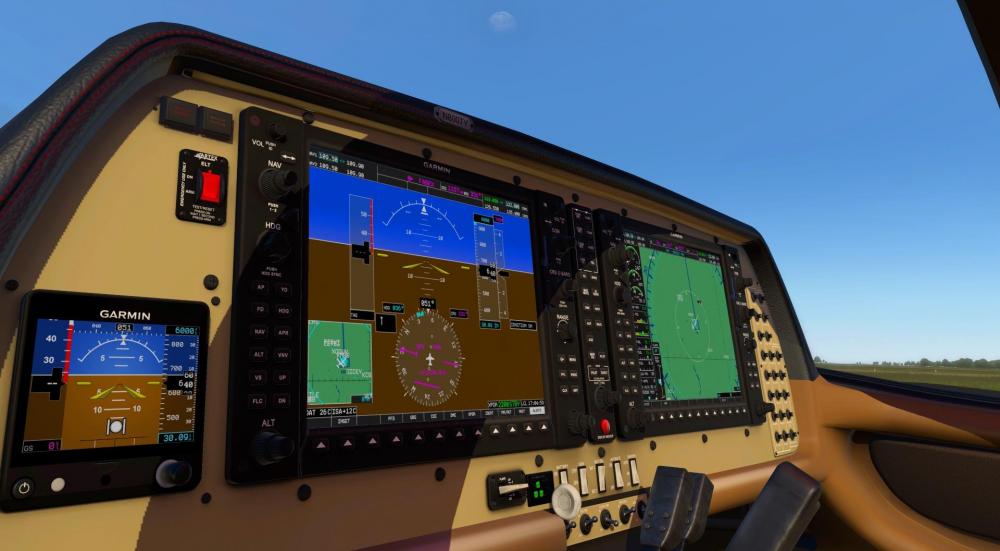
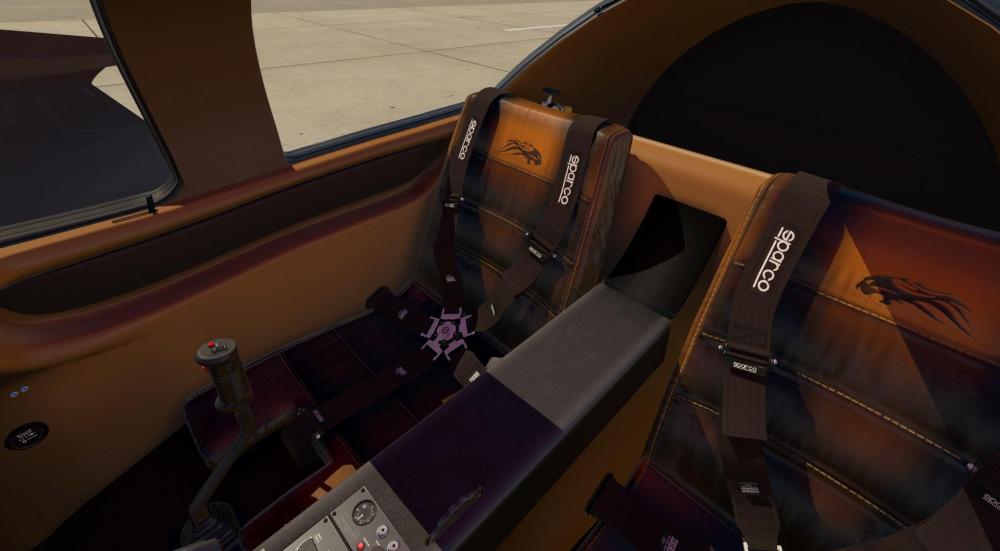
-
X-Plane/Resources/Plugins/SilverLining/SMP_Doc.pdf
-
Unable to download component TBM 900: File not found
Cameron replied to Mario Donick's topic in TBM 900
This issue was a Linux only one. Please re-download the installer from the server and try again! -
Is X-Plane running in the background? You can't be running X-Plane during an update.
-
For majority of the customers reporting the issue to us, this was solved. There are a very few reporting otherwise which we cannot replicate ourselves (whereas before we could replicate the issue). If you are still affected I am sorry for your frustration.
-
Hello All, This will serve as a formal forum announcement that we have released the version 1.1.7 update for the TBM 900. All customers who have purchased the TBM 900 up till now have been sent an e-mail by X-Aviation with complete instructions on how to obtain your update. We have made this a very simple process! For those that purchase the TBM 900 from today forward, your purchased download will already be updated to version 1.1.7 for you. What if I didn't get the update e-mail? If you did not receive your update e-mail don't fret! X-Aviation has updated our system to allow all customers to update with ease, regardless of whether you received an e-mail for the update! Here's what to do: 1. Login to your X-Aviation account here: https://www.x-aviation.com/catalog/account_history.php 2. Find your original TBM 900 download and re-download the file. It will download as the latest version! The following is a list of additions/fixes included: What's New / Changed: Improvements / New Features: Implemented waypoint VNAV constraint entry via the keypad numerical keys. Dropped WXR resolution to get more performance and more realistic "grainy" radar look. Implemented rain, ice and HUD rendering in VR. All sidebar drawer buttons are now available in Plugins menu for enhanced VR usability. All windows can now be opened natively in VR. Reorganized plugins menu to make it more logical. Bugfixes: Rain effect compute shader would misbehave when camera was far away from aircraft. Legacy rain effect would misbehave when sim was paused. Fixed crash when using multiple monitors on Windows. Fixed deadlock in synthetic vision code causing the terrain not to update and sim to hang when SVS is toggled. Handle the case when minimums are set to 10,000 ft and the number goes outside the PFD box. Missing tire_skid_speed_mtr_sec broke XP11.26 compatibility. Fixed dark outline around windshield due to bad stencil masking in normal vector computation. Copyright on MFD should show build year. Build OpenGPWS with Garmin audio, not Honeywell. Don't allow overflowing the approach minimums value. Disable all GL arrays before starting effects rendering to avoid crashes when arrays are left enabled by external code. Refined gear brake failure messages. Added check for O2 refill to only allow it to be done when the tank isn't full. Fuselage & gear leg repair buttons shouldn't be available when the parts are ok. Fuel caps shouldn't be auto-closed when the user reopens the payload manager after leaving them open. Added crash sound when the aircraft falls on the tail or nose. Moved headset audio source position to right seat cushion to match visual model. As always, thanks for being a customer with X-Aviation. We appreciate your feedback and support! Enjoy these latest updates, and stay tuned to the forum as we continually announce the latest happenings.
-
Announcing New SkyMaxx Pro & FSGRW Co-operation!
Cameron replied to Cameron's topic in General Discussion
You need the 64 bit version for the new features! -
There are plenty of topics with discussion on this here in the forum. Be sure to use the search function.
-
We don't use this for distribution or updates.
-
That's not what's happening here.
-
Looking at the history of your older posts here and the responses you received it seemed nothing but respectful. You're pretty out of line here. All kinds of dumb accusations over nothing, really. Honestly not even sure why you came here to start something out of previous positive reactions. Topic closed.
-
Uh. What? All kinds of non-sensical talk full of conspiracy. Too much Vegemite, mate? Do you not realize we have hundreds of thousands of customers in 10 years of business who would laugh at this from own experience? Way to resurrect a many month old, solved, irrelevant topic too!
-
Your log says that license data could not be saved. Something is blocking it from happening. Can you check the folder permissions for X-Plane/X-Aviation?
-
Depends on your dealer. Often times they are flown to you or your general area from the factory.
-
The fix is also not one that will come from Gizmo. Saso simply gave insight on that licensing is done via that method, but it's not where the fix will come from. It's the side that interacts with Gizmo within the TBM plugin. Gizmo has been around for ages, and @sundog as well as many other developers have made many products that all interact just fine cohesively without any issues. Since you're an active Discord user I'm sure you're aware you can further live chat with Saso about this there @Jakob Ludwig
-
I'm sorry you are disappointed. I refer you again to Saso's response.
-
Machine IDs can only get locked if you lock them yourself. As described when you do this, this is an irreversible action and why we force you to type "FREEZE" when you do this.
-
I think the last sentence in Saso's post above is what you need to focus on.
-
Gizmo is a part of the TBM install and is managed by the installer. The error indicates X-Plane is either still running or did not properly shut down and unload plugins when you last quit it. If that's the case you will want to restart your computer and run the install again.
-
Hello All, This will serve as a formal forum announcement that we have released the version 1.1.6 update for the TBM 900. All customers who have purchased the TBM 900 up till now have been sent an e-mail by X-Aviation with complete instructions on how to obtain your update. We have made this a very simple process! For those that purchase the TBM 900 from today forward, your purchased download will already be updated to version 1.1.6 for you. What if I didn't get the update e-mail? If you did not receive your update e-mail don't fret! X-Aviation has updated our system to allow all customers to update with ease, regardless of whether you received an e-mail for the update! Here's what to do: 1. Login to your X-Aviation account here: https://www.x-aviation.com/catalog/account_history.php 2. Find your original TBM 900 download and re-download the file. It will download as the latest version! The following is a list of additions/fixes included: What's New / Changed: Improvements / New Features: Implemented new LOC guidance code to work around the need to set CDI to front course. Implemented YD phaseout with airspeed. Added multi-threaded rendering support for synthetic vision. SYN VIS should now be much cheaper on performance. New rain effects using async compute. Available only on Windows & Linux. Mac gets the old rain effect. Implemented the "Vertical track" audio message. Made SYN VIS horizon headings more readable by adding darker outline. Redesigned steering force control logic to better handle centering forces. Bugfixes: Steering had a confusing delay on it, which made for difficult directional control. Turning on NAV or STROBE lights should disable red wingtip beacons. Overspeed should come on at 269 KIAS and turn off at 268 KIAS. Reverse numbers should be 27-35 trq, 1850 rpm, Ng 85%. Gear manual extension rates were incorrect. WXR-related crash during resumption of previously interrupted flight. "FMS LFE" should be automatic upon FPL entry on the ground. Pushing Go-Around should put the HSI back into GPS mode. Replaced aural_warn_test and gear_warn recordings with cleaner samples. Implemented OVERSPEED aural message. Force the avionics_on dataref to 1. When we had the A/P override set, unset it if the CDI mode changes. SYN VIS north horizon heading should be 360 and sub-100 headings shouldn't have a leading '0'. SYN VIS airport loading could fail sporadically, resulting in missing runways. SYN VIS old method of computing airport label placement was broken. AIRAC cycle 1904 was mislabeled as 1304. Make sure GL_BLEND is enabled, because in X-Plane windowing context it sometimes isn't. Bezel drawing didn't work in popped-out windows due to X-Plane swapping in a different OpenGL context. X-Plane 11.32r2 seems to have broken our Vertex Array Object processing, so we have to work around that. As always, thanks for being a customer with X-Aviation. We appreciate your feedback and support! Enjoy these latest updates, and stay tuned to the forum as we continually announce the latest happenings.


