Goran_M
-
Posts
5,646 -
Joined
-
Days Won
231
Content Type
Profiles
Forums
Latest X-Plane & Community News
Events
Downloads
Store
Everything posted by Goran_M
-
The power lever issue has been fixed and will be available soon. For now, left side moves the power lever forward and backward. Right side moves it left-right. The clickspots for some of the switches have been moved from the base of the switch to the tip of the switch.
-
Please post log.txt
-
Is the tool bar visible on the left? (Maintenance Manager, etc)
-
While we sympatyhize with your situation, we can't help you unless you post your log file. First question. Is it activated?
-
The power lever is made for VR compatibility, and is split down the middle. The left side is to move the power lever forward and backward, the right side is to move it left to right. I'll be changing the cursors for that for the next update, which will be out very soon.
-
That's a mistake on my end. I'll change the cursor type in the next update, but it should work as it did in the VR mod that was made before. Left side of the power lever should be forward-backward and right side should be left-right.
-
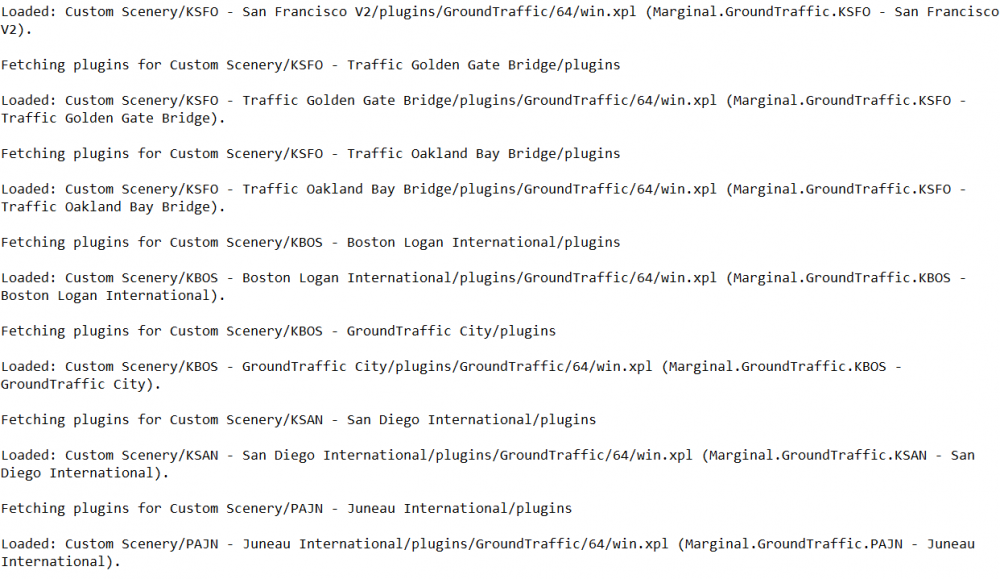
It's this section of your log file that has me raising my eyebrows. If you start at a different airport, does it still crash? Can you try at an airport that doesn't run with Groundtraffic. We've had a few of these errors pop up on some PC's, and Toto has had a discussion with Laminar about it. It only happens on Windows builds, so I'm trying to narrow it down to see what else could be contributing to it.
-
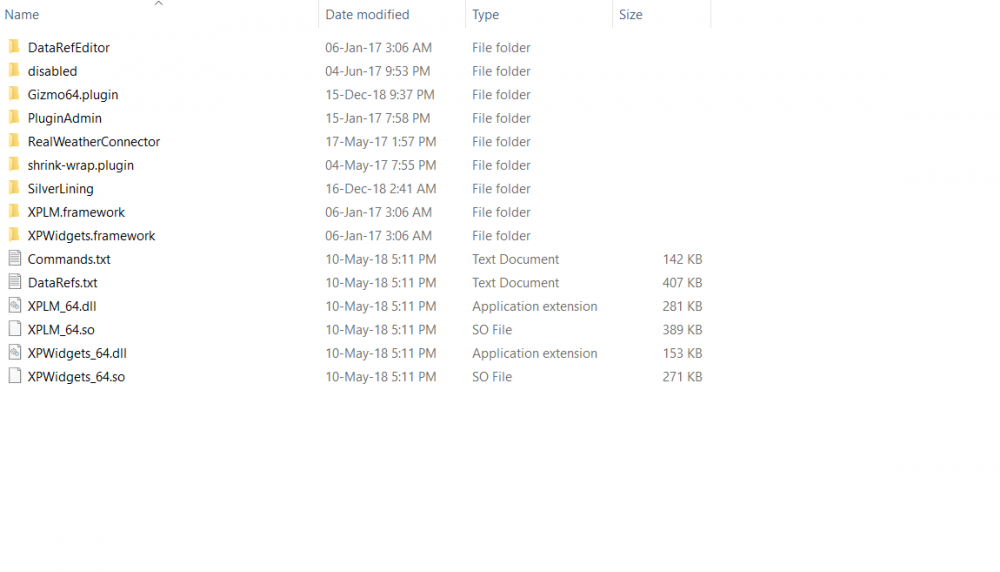
I should have clarified. Don't remove any of the standalone files from the plugins folder. Just remove the folders. For example. I have 9 folders in my folder. I would remove 8 of them (leaving Gizmo). The other files can stay. You could also leave the folders prefixed with "XP"
-
You still have groundtraffic installed.
-
Deleting the airframe should fix the beacon light issue.
-
You probably misinterpreted what Cameron was saying. Here is what he said: "I can see us creating a removal of the pilot in maintenance mode. Maybe something else option wise in the future, but for right now we have bigger fish to fry." That was posted over a month ago, when we did have many issues to address. The pilots were definitely not anywhere near the top of the priorities list. Lately, over the last week or 2, it has been a lot easier for me, so I did what Cameron hinted to. (Removal of the pilot in maintenance mode or some other option in the future.)
-

Does the C23 work in X-Plane 11?
Goran_M replied to BeachAV8R's topic in Beechcraft Sundowner C23 (no longer in use)
I can take a look and run a few quick circuits. No guarantees, though. -
Can you try removing all your plugins, except Gizmo, from the Resources/plugins folder, and see if the problem persists. Don't delete them. Just move them to another folder. Please report back if the problem goes away.
-
Can you confirm if the TBM performed better prior to installing Skymaxx?
-
Go to your graphics settings and make sure HDR is enabled.
-
If you don't have the TBM tool tray on the left in windowed mode, then the plugins are not loading. I'll take a look at your log.
-
It's possible X-Plane is loading the sky and cloud textures. Maybe try to turn down graphics options in Skymaxx.
-
I don't think Skymaxx is causing this. What happens when you turn AI off?
-
Wow. Haven't seen that one before. @skiselkov , all yours, buddy
-
@sundog
-
Can you show me what you're seeing with the splash screen?
-
Failures via Instructor Operating Station IOS ?
Goran_M replied to CDNCAVOK's topic in General Discussion
@skiselkov -
The SD card is for anyone with an autorouter account. https://www.autorouter.aero/ It's free to join, and once you join, you can directly download and bring up charts on the MFD by entering your autorouter email and password on the "SD Card". This will only give you European charts. The TBM also has the ability to download charts directly from the FAA, but with the release of the new navdata, there was a bug in that, so it won't work. A fix will be in the next update. The next update will also have dedicated navigraph navdata.
-
You're welcome!
-
You'll find your settings in the upper right corner of the sim among the other icons.