-
Posts
5,618 -
Joined
-
Days Won
225
Content Type
Profiles
Forums
Latest X-Plane & Community News
Events
Downloads
Store
Everything posted by Goran_M
-
I could give you a few at first to make sure they work, then I could give you the rest if they DO work. Do you want any in particular?
-
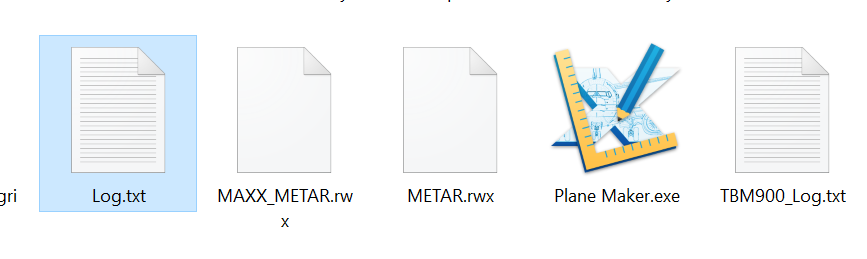
In the thread I referred you to, Rob points out that you can still have TCAS traffic, but you just cannot have visual aircraft in the virtual skies. I don't know how IVAO works, but this can be set in LiveTraffic. I imagine IVAO has something like this. My point with XEnviro is that in a rare case, everything can point to the aircraft being at fault. Jim and Ben Russell went through the Saab code and Gizmo code 2 or 3 times to see if it was something on our end, and nothing was found. Andrey didn't believe it was XEnviro at all, because, like many others, he noticed the crash only happened with the Saab. Until I finally convinced him to PLEASE take a look, and that I had a handful of people willing to spend some time debugging. He reluctantly agreed, and within 15 minutes, he found the beginnings of the problem. Anyway, I digress. In the world of an unregulated add on community, anything is possible. Could it be a bug in the TBM? Unlikely, but definitely possible. We can't go and buy up all the payware add ons that are available, install them and start testing. That would be unreasonable of anyone to ask. All we can do is go through log files and try to find the problems. Most of the time, it's a process of elimination, hence why we ask people to move plugins out of the X-Plane install. Removing plugins and KEEPING them removed is, we understand, NOT the solution. It's a way of helping us understand what the problem could be. (Don't tempt Saso with MCAS. He could code a better version of it in half the time) Most of our support depends on that golden file called "log.txt". The other part of our support depends on the customer performing a few tasks to help us in fixing the problem...if we can fix it. Sometimes it's Windows (I've seen crashes disappear after people have done a simple "Scandisk") and sometimes it's the actual sim itself (Remember the Gizmo vs SASL problem plaguing SASL users? That was fixed in 1 X-Plane update by Ben Supnik). The debugging isn't necessary. We know something is causing the exception error, and we are 99% sure (I won't say 100% yet) that it's AI Traffic. I've run the TBM without an exception handler CTD when using default AI traffic. And this is what leads us to believe that it's something in the other Traffic add on code. I've seen streamers fly the TBM with traffic on PilotEdge without issue. Saso is still trying to figure out what is causing this, but when X-Plane throws up a message that says "Something has reinstalled our exception handler..." it's hard to know what to do with it. We need to know what that something is before we can nail it, otherwise, we're just chasing a black cat in a dark room hoping to get lucky.
-
I think I remember this was due to outdated OpenGL drivers. Can you confirm you have the latest GPU drivers and if not, update as necessary.
-
I cannot do anything more to help you without seeing a log file. We have only seen this type of crash happen with some kind of AI traffic running, so yours would be a unique case. I understand this does not happen with other add ons, but not all add ons are created equal. Regarding your last statement, that the problem is clearly with the TBM. Even WE don't know that the problem lies with the TBM. Another example of an isolated problem is the one with the Saab and XEnviro. X-Plane was always crashing when these two were running. We had people just like yourself complaining that it's the Saab. After years of us telling everyone it is not the Saab's fault, Andrey at XEnviro finally looked into it and found it was indeed XEnviro causing the crash. And ONLY when run with the Saab. Weird, I know. And we think it's how the weather radar interacts with XEnviro. But this has since been fixed. Bottom line, when the log throws up a line that says "Something has reinstalled our exception handler..." without telling us what the something is, it's then down to a process of elimination. With the exception of your case, we have narrowed it down to AI, and particularly, LiveTraffic. If you don't have any traffic running at all, and STILL getting this error, I'm afraid its back to square 1. THIS is why a log file helps.
-
I'll respond with this. (Please read the whole thread. Your fix is in there...assuming you have LiveTraffic installed.) Like I said, it's not the TBM causing the exception handler crash. In all the cases we've seen, it's a problem with LiveTraffic and the way the TBM TCAS is reading LiveTraffic AI. We don't think this crash happens with default AI running because we've seen streamers have no problems when running default AI. And if you think this problem doesn't frustrate us as well, then you would be wrong.
-
It doesn't appear to be theTBM crashing the sim. It was SPAD leading up to it and then PilotEdge causing X-Plane to crash.
-
Can I get a invite for the hot start discord
Goran_M replied to mike10's topic in General Discussion
https://discord.gg/z98kFF -
I always said that Saso's coding is some kind of voodoo magic. There is a lot of code in the G1000 built on top of the default version, and he always liked to add his own touch to things that may have inconsistencies.
-
2 questions. Are you running the latest version of the TBM? I can see some issues that MIGHT suggest you are running an older version, which could be causing the crash. Can you try another airport? It looks like you have some scenery errors in the area you are in, and the TBM uses a terrain radar that may be having trouble reading the surrounding scenery.
-
Definitely revert back to non beta. Beta's are a work in progress, and it'd be like chasing a moving target if we fix something, and then they come out with another build that breaks it again.
-
As Rob said, we need the whole log.
-
We don't really use anything special with regards to ATC software like PilotEdge or Vatsim. The TBM will work fine on those. I'm guessing it's something to do with some kind of configuration with xPilot. Just as a precaution, make sure your MIC is set to "MICRO" and not MASK. MASK is used when you have your oxygen mask on.
-
Please see this post http://forums.x-pilot.com/forums/topic/15201-no-sound/?do=findComment&comment=134853
-
That's not possible, as the files we have are not tied to the DRM. The sound file sizes are correct. They are very small sound files, as you can see in my version in the image below. Something I just noticed by looking back at your log, I saw your nvidia drivers were seriously outdated, which is why I suggested you update your nvidia drivers, but after going through it a little more thoroughly this time, I found that the log file you posted was from a sim session where you had the Toliss Airbus loaded. I'll need you to load the TBM, let it finish loading, and then shut the sim down, and then immediately copy that log file out and post it here, so I can see what is going on.
-
Please update your GPU drivers. Nvidia drivers actually contain HD sound drivers. I'm guessing this will fix your problem. If the problem persists, please post back.
-
Can you post a log.txt file, please
-
The scenery errors can be ignored. As long as it doesn't crash, you're fine.
-
We need a full log.txt file. Also, may I suggest also contacting the developers of the other plugins you are using and sending them the same information. These lines are too vague for us to find out exactly what is causing the problem, as they don't state the nature of the problem 2019-10-12 20:30:05 TBM900[except.c:282]: Something reinstalled our exception handler, replaced it with 0000000000000000 2019-10-12 20:30:06 TBM900[except.c:282]: Something reinstalled our exception handler, replaced it with 0000000000000000 2019-10-12 20:30:07 TBM900[except.c:282]: Something reinstalled our exception handler, replaced it with 0000000000000000 2019-10-12 20:30:08 TBM900[except.c:282]: Something reinstalled our exception handler, replaced it with 0000000000000000 2019-10-12 20:30:09 TBM900[except.c:282]: Something reinstalled our exception handler, replaced it with 0000000000000000 and whereas I understand this problem doesn't occur with other add ons, the TBM is extremely complex, and is designed to run without crashing X-Plane in its default state, and no plugins installed. Introducing 3rd party plugins can cause starnge results with any 3rd party aircraft. If the developers of the other plugins can come back to you with some information for us on what to fix in the TBM, then we will definitely do so. For now, all we know is that any 3rd party traffic plugin, unless configured correctly (you can still run livetraffic, but after making an adjustment) will cause this crash.
-
This is definitely an audio issue, but it seems as though you are missing specific files in the TBM. Have you tried reinstalling?
-
Make sure you have the latest version. 8 months is quite a while, and I think we pumped out 1 or 2 updates since then. One of which was the FAA address for charts has been changed. Also make sure you're looking for charts in the US. Charts outside of the US won't be displayed. The exception is Europe, but you must have an aerorouters account. The X-Plane navdata should work with the G1000.
-
We can't help but to blame other software. The TBM runs flawlessly on most peoples setups. There are a handful of people who are experiencing this particular problem, and it is down to a conflict between the TBM and a slightly buggy plugin. Other aircraft don't have this issue because other aircraft either don't use a TCAS or use a very basic version of one. The TCAS in the TBM is very complex. In your case, even without a log file, I'm going to ask, are you running LiveTraffic or any other kind of traffic plugin? If the answer is yes, then the problem is easily diagnosed, and a fix is easily implemented on the users end.
-
As long as you have a ticket number, you will be seen to. It looks like a complex situation, but hold tight.
- 1 reply
-
- tbm
- activations
-
(and 1 more)
Tagged with:
-
From what is known, it appears to be a bug with LiveTraffic. All the TBM is doing is reading the TCAS data and displaying it on screen.
-
Please read this thread.