

Leaderboard

Popular Content
Showing content with the highest reputation since 06/01/2022 in X-Plane Flight Sim News
-
 HotStart and X-Aviation have released v1.5.2 of the Take Command!: Challenger 650. You can find info about the update here in the forums.2 points
 -
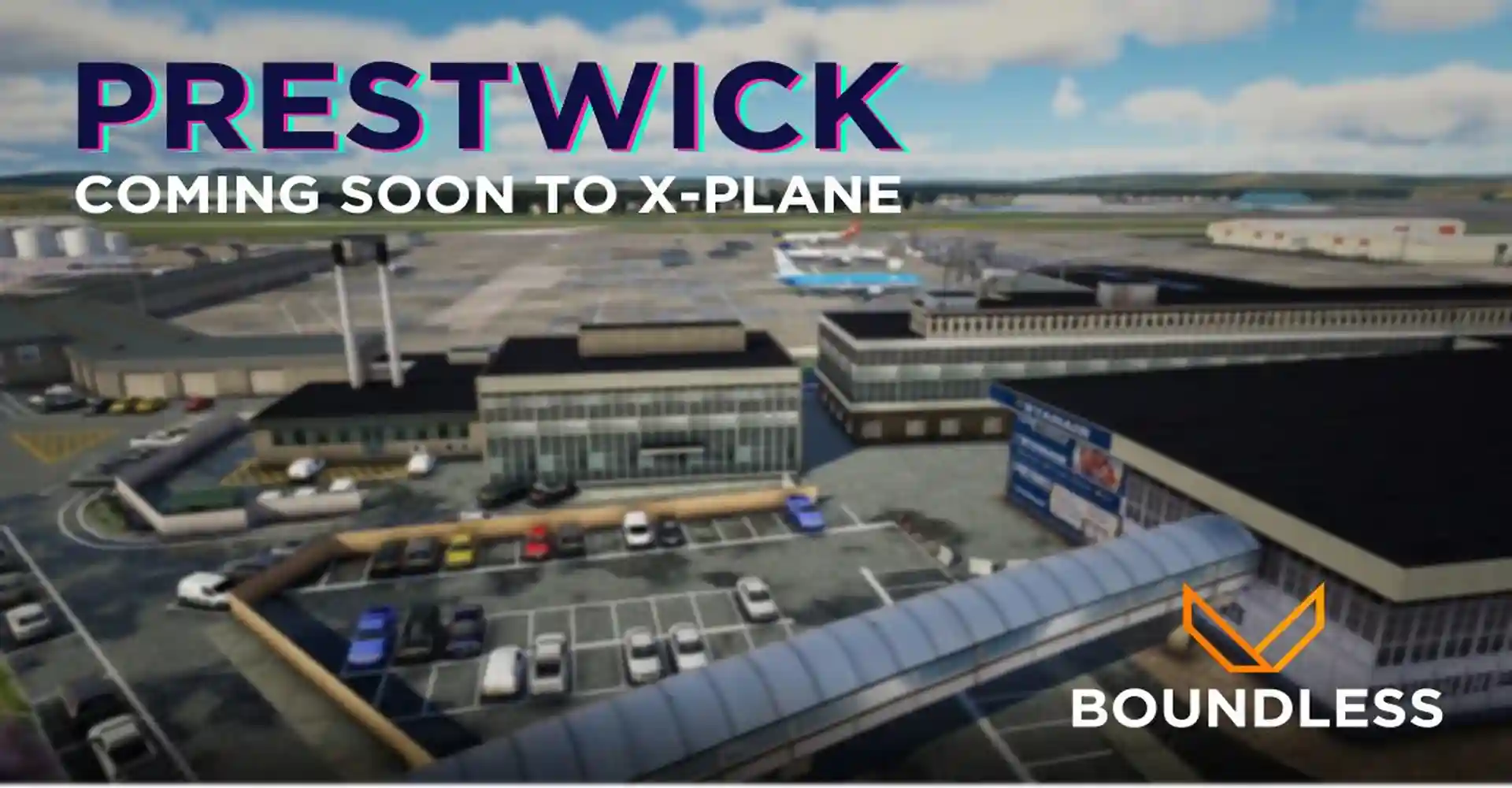 Boundless has announced the development of Glasgow Prestwick Airport (EGPK) for X-Plane 11 and 12. As the second busiest airport in Glasgow, Scotland, it serves an average of 445,211 passengers annually. Prestwick Airport officially opened in 1935, though it had operated as an airfield since the early 1910s. Passenger facilities were added in 1938 and later upgraded to accommodate jet aircraft. During World War II, the RAF used Prestwick as a trans-Atlantic gateway for US Army personnel and as a training base for RAF pilots. After the war, Prestwick began commercial operations, including a transatlantic route to New York. The main runway was extended in 1960 from 2,100 meters to its current length of 3,000 meters. In the early 1990s, the airport faced significant challenges until Canadian entrepreneur Matthew Hudson took over, constructing a railway station that made it the first Scottish airport with direct rail access. Ryanair began operating at Prestwick in 1994, gradually expanding routes to destinations like Dublin, London Stansted, and Paris-Beauvais. Ownership of the airport changed several times, with the Stagecoach Group taking over in 1998, followed by Infratil in 2001, which revamped the terminal in 2005. The Scottish government acquired the airport for a nominal sum in 2013. Today, Ryanair serves Prestwick with flights to destinations such as Alicante, Faro, Lanzarote, Málaga, and Tenerife-South. Currently, there is no information on the release date, pricing, or features of the Boundless rendition of Prestwick Airport.2 points
 -
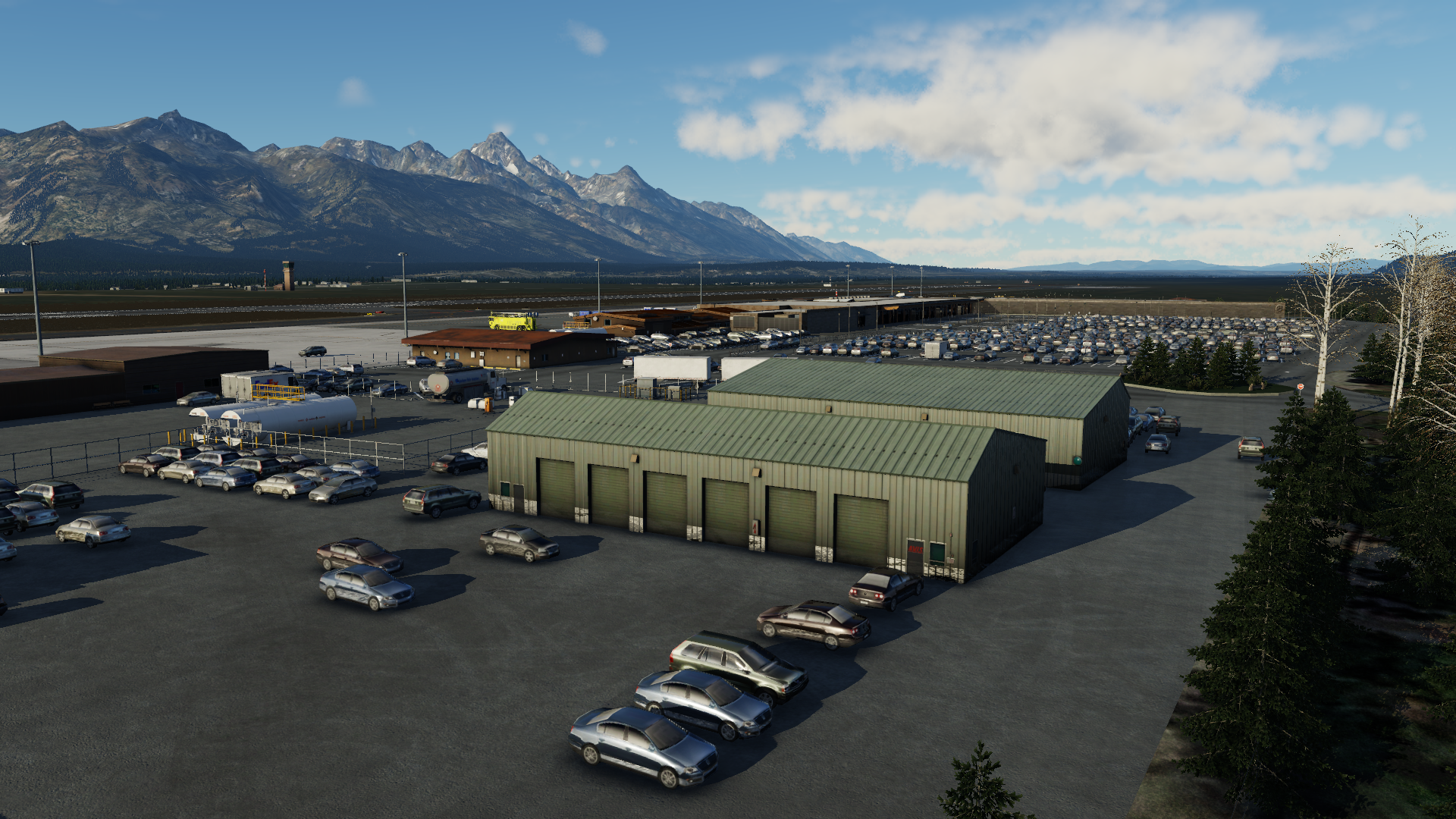 Axonos has recently released their rendition of Jackson Hole Airport for X-Plane 12, emphasizing its unique location in the Rocky Mountains and its status as the only commercial airport within a National Park in the United States. The airport, originally established in the 1930s and later extended in 1959, has become a crucial hub for accessing nearby ski resorts and sees substantial traffic, accommodating over 450,000 passengers annually. Axonos' depiction of Jackson Hole Airport includes several noteworthy features: - Correction of 500 square kilometers of high-resolution orthophoto for enhanced VFR (Visual Flight Rules) flights. - Detailed apron and buildings featuring PBR (Physically Based Rendering) textures. - Custom ground vehicles tailored specifically for Jackson Hole. - High-resolution and detailed ground textures. - Implementation of full SAM (Scenery Animation Manager) marshallers and seasons. - Compatibility with World Traffic 3 and Just Flight Traffic Global. - Hand-placed trees and houses surrounding the airport area. - Updated textures and signs optimized for X-Plane 12. The airport scenery is available for purchase at Axonos' store for $22.99.2 points
 -
 ADSimulations, known for their CRJ-700, has published their CRJ-900. The CRJ-900 is an extended variant of the CRJ series. The aircraft features "basic systems" but will contain "deeper systems" in subsequent updates. The feature list includes: Realistic Mode Control Panel Crisp Displays Accurate PFD MFD is fully functional, with all of its modes containing decent functionality Tablet/EFB Skunkcraft Updater Configurable cabin and cockpit lighting environment FMOD sounds Realistic flight model High-resolution textures A plethora of liveries including American, Delta, Scandinavian and more. VR compatibility. and more! If you're interested in purchasing the ADSimulations CRJ-900, you can do so on the X-Plane.org store for $49.95. CRJ-700 customers can get the CRJ-900 for 30% off. Please find the discount coupon in the original CRJ-700 invoice at the store.2 points
 -
 Hot Start has released an update for their popular Challenger 650 aircraft, bringing it to version 1.7. The update includes several new features, bug fixes, and improvements. Here are some of the highlights: Two-Pilot Shared Cockpit: The update implements a two-pilot shared cockpit feature, allowing multiple users to fly together in the same aircraft. A quick start guide is provided to assist users in setting up and using this feature. X-Plane 12 Support: The Challenger 650 now fully supports X-Plane 12 on all platforms. Users can enjoy the enhanced features and performance of the latest version of X-Plane. VHF COM Frequency Format: The update ensures that the VHF COM frequency formats now require the leading '1' digit to be entered. However, omitting the decimal point is still allowed. Descent Advisory: If the flight plan does not contain suitable descent constraints for the FMS to anchor a descent, the FMS will provide a green "DES" circle on the flight plan and a "DES ADVISORY" in the MFD VNAV window. This is an estimated point for starting the descent to reach 1,500 ft AGL at 10 nm from the destination airport. Removal of Custom Atmospheric Model on X-Plane 12: The custom CL650 atmospheric model has been removed for X-Plane 12, as X-Plane 12 now implements temperature effects on altimetry natively. Temperature effects are always enabled in X-Plane 12. MIC Selector Audio: Even if the monitoring pushbutton is deselected, the MIC selector will enable audio for the selected radio. Users will still hear the audio from the radio if the MIC selector is set to that radio. HUD Improvements: The HUD FMAs (Flight Mode Annunciators) will no longer display the speed target for FLC or the FPM target for VS, as the real HUD does not show them. Display of Secondary Flight Plan: When the CDU is on SEC FPLN (Secondary Flight Plan) pages or related paths, the on-side PFD (Primary Flight Display) and MFD (Multi-Function Display) will show the secondary flight plan on their map displays only. These updates and improvements enhance the functionality and realism of the Challenger 650 aircraft in X-Plane 11 and X-Plane 12. Users can download the update from X-Aviation to enjoy the latest features and fixes.1 point
 -
 Laminar Research has previewed the upcoming X-Plane 12.1.0 update on their blog, currently in private testing and set for a public beta release soon. This update will bring several enhancements, including graphical improvements, flight model tweaks, and weather upgrades. Originally intended as a graphics-focused update, it also includes new aircraft systems, an improved flight model, enhancements to the weather and ATC systems, and the introduction of a physics-based camera that moves with the aircraft. Key graphical improvements include cloud shadows on water, bloom lighting effects, adaptive sharpening for better contrast, softer ground shadows, MSAA enhancements, improved CPU performance, and refined water opacity and turbidity. A new screenshot utility with depth of field and exposure controls is also included, alongside new particle effects such as sparks from pavement collisions, ground spray, and visibility effects during helicopter and powered lift operations. The update significantly upgrades aircraft systems, particularly the G1000 simulation, which now features ADS-B simulation, stormscope and traffic map pages, METAR flags, NDB and VOR pages, WAAS/Test Satellite Constellation, and improved plugin interoperability. Glass avionics will now be integrated via plugins, facilitating easier implementation by developers. The flight model will include a manual flap system, dial-a-flap functionality, electric clutches for helicopters, and single-lever control for turboprops, where applicable. The weather system will utilize a new server, improving METAR parsing for more realistic representation, and reducing blockiness in cloud visuals. Finally, the update introduces a physics-based camera system that adjusts based on aircraft acceleration, though this may arrive in version 12.1.0 or a subsequent update. An official release date for the update has not yet been announced.1 point
 -
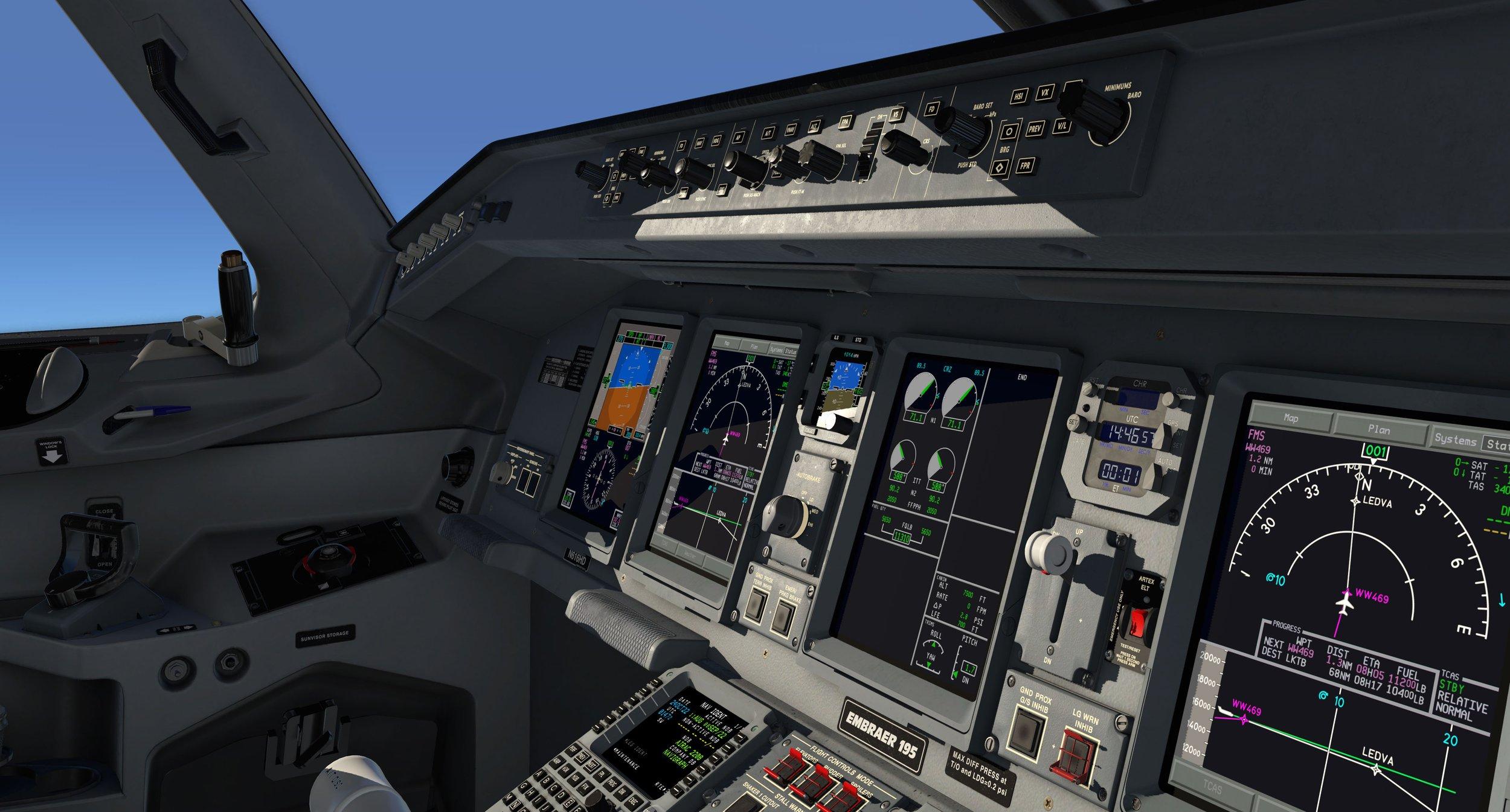 X-Crafts, renowned for their Embraer aircraft lineup in X-Plane, has rolled out a comprehensive update for their E-Jet series, focusing primarily on enhancing the autopilot and flight management systems while addressing various minor but persistent issues. This update precedes a larger feature overhaul slated for 2024, as hinted in their recent post on the X-Plane.org forums. The update, encompassing nearly 100 changes, introduces significant improvements: - Enhanced functionality in the autopilot and FMS systems to align more closely with real-world aircraft operations. Notable additions include refined FLCH behavior during climb and descent phases, and updated approach procedures featuring X and Y designations for precise approach tracking. - Optimization efforts to enhance overall performance, such as reducing CPU load by adjusting the frequency of fuel predictions on the FMS progress page from every frame to every 5 seconds. - Quality-of-life enhancements, including persisting settings for the localizer and ground speed selectors post-autopilot disconnection. - Preparatory changes for forthcoming updates, including improvements to the EICAS speed brake indications in anticipation of a steep approach mode implementation. X-Crafts is also offering a limited-time discount for current owners of V2.5 E-jets, valid until May 10th, 2024. This offer provides a 15% discount on the complete E-Jets collection, available for purchase on the X-Crafts website.1 point
 -
 ORBX, a renowned flight simulation software developer, has unveiled their latest release, "Landmarks Brisbane," designed specifically for X-Plane 12. This remarkable add-on package offers virtual pilots an opportunity to explore the vibrant Australian city of Brisbane with unprecedented realism and attention to detail. "Landmarks Brisbane" showcases over 100 of the city's most iconic buildings and landmarks in exquisite detail. From the majestic Story Bridge to the enchanting Wheel of Brisbane and the captivating Queensland Cultural Centre, each structure has been meticulously recreated to capture its unique essence. The use of high-resolution textures, custom-designed autogen, and meticulously crafted night lighting further enhances the immersive experience, bringing the city to life like never before. Employing cutting-edge 3D modeling and texturing techniques, ORBX has ensured that Brisbane is portrayed with utmost accuracy and authenticity. Every architectural detail and characteristic of the city has been captured, allowing virtual pilots to navigate the cityscape with a remarkable sense of realism. The inclusion of custom-designed Heliports adds an extra layer of versatility and excitement to the experience. "Landmarks Brisbane" is now available for purchase on ORBX's official website, catering to X-Plane 12 enthusiasts. By immersing themselves in this meticulously crafted virtual rendition of Brisbane, flight simulators can explore the city's iconic landmarks and revel in the beauty of this Australian metropolis.1 point
 -
 Colimata has recently released the third version of their Concorde add-on, specifically designed for X-Plane 12 (not compatible with X-Plane 11). This release marks a significant upgrade in terms of visual enhancements, flight model accuracy, and overall functionality. The Concorde, an iconic supersonic passenger aircraft operated by British Airways and Air France from 1976 to 2003, holds a remarkable place in aviation history. Initially developed as a joint venture between the British and French governments in the 1960s, the Concorde showcased a sleek delta-wing design and achieved impressive speeds of up to Mach 2, twice the speed of sound. Its groundbreaking capabilities allowed it to complete transatlantic flights, such as from London to New York, in just over three hours. The Colimata Concorde for X-Plane 12 offers an incredibly detailed and realistic simulation of this legendary aircraft. The 3D cockpit provides an immersive experience, featuring front, center, roof, side, and engineering panels. With 4K texturing and over 1000 clickable regions, the cockpit delivers a high level of interactivity. Additionally, the cockpit incorporates more than 700 custom lights, including warning lamps, night lighting, and exterior lights. The aircraft offers both PRO and STANDARD complexity settings to suit different user preferences. The external model of the Colimata Concorde is equally impressive, with meticulous attention to detail. It accurately represents the aircraft's exterior features, including moving engine parts, opening doors, and service panels. Notably, the engine cowl doors can be opened, and the primary and secondary nozzles are animated, providing a realistic visual experience. The external model utilizes PBR (Physically Based Rendering) technology, ensuring visually stunning 4K textures. The flight model of the Colimata Concorde has been refined to provide an authentic experience during takeoff, landing, and both subsonic and supersonic flight phases. The simulation also incorporates realistic thrust behavior and trim fuel pumping, along with automatic fuel trimming facilitated by the Virtual Engineer feature. Immersive sound design further enhances the Concorde experience, utilizing FMOD 3D sound technology. The add-on includes dozens of sound effects, audio advice from Copilot, Engineer, and Pilot, and various sound spaces, creating a captivating audio environment. The volumes are adjustable to suit individual preferences. With full VR compatibility, the Colimata Concorde allows users to experience the aircraft in virtual reality, providing a heightened sense of immersion. The add-on offers extensive graphical user interface (GUI) functionality, enabling route loading, flight preparation, aircraft management, and interaction with the virtual flight engineer. The GUI is fully scalable and can be popped out for convenience. A dedicated Checklists window and Quick Access GUI further streamline the user experience. The package includes additional features such as a 3D passenger cabin, two liveries, and access to a wide selection of free liveries. A comprehensive set of manuals, including installation and setup, essential guides, full manual, cold and dark startup guide, and navigation tutorial, assist users in mastering the intricacies of the Concorde simulation.1 point
 -
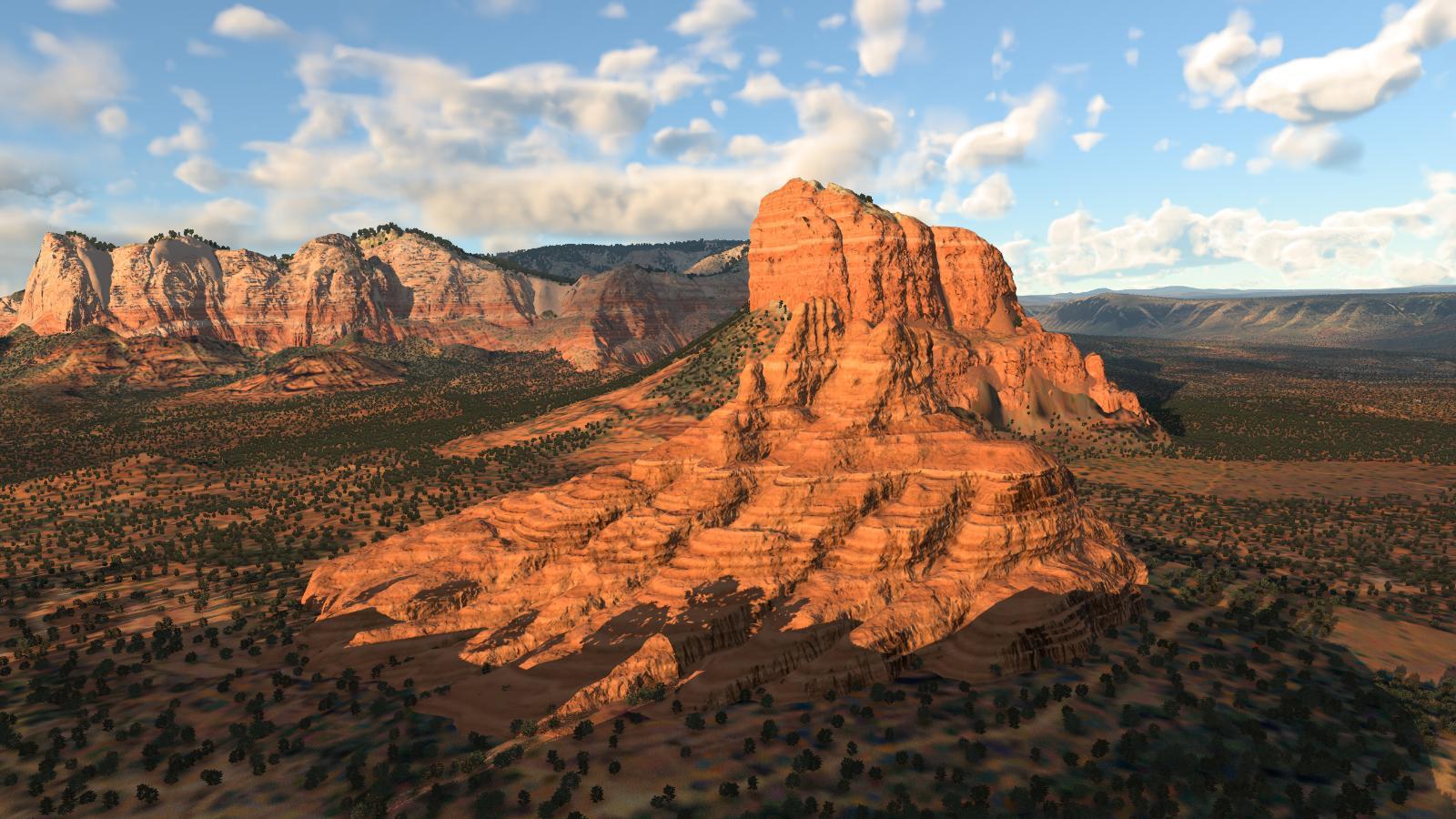 X-Codr has updated their Sedona Airport (KSEZ) scenery, ensuring compatibility with X-Plane 12 and introducing several new features to enhance the airport and its surroundings. The update includes improved textures, animated 3D grass and people, as well as hand-sculpted 3D rock formations in the surrounding valley. The revamp also incorporates detailed 3D interiors for most "feature buildings," providing a realistic and immersive experience. The scenery utilizes X-Plane 12's photometric PBR rendering engine, resulting in high-quality normal maps and realistic ground textures. Additionally, the airport features subtle grunge overlays, adding a natural and lifelike feel to the environment. The Sedona Airport scenery offers a living airport experience, with randomly wandering cars that occasionally drive up to the gate and park on the apron. It also includes animated 3D people, trees, grass, and shrubs, utilizing X-Plane 12's new forest system. The surroundings of Sedona Airport are enhanced with generic, regionally appropriate autogen for the surrounding valley, handcrafted rock formations, and low-poly landmarks. The scenery incorporates custom Ortho4XP Mesh and UHD Mesh V4 overlays. X-Codr has optimized the scenery for excellent performance, ensuring VR readiness and achieving a constant 60 fps on high-end systems with near-max settings. The updated Sedona Airport (KSEZ) scenery is available for purchase on the X-Plane.Org Store for $21.95. Existing owners of the X-Plane 11 version are eligible for a free update. The scenery requires at least 3GB of free disk space for installation.1 point
 -
 X-Works has recently released their A330-900neo modification for the Laminar Research A330-300 in X-Plane 12. This mod brings the newest variant of the A330 to the simulator, and the development team has worked diligently to bring this modification to users. During the development process, X-Works has provided sneak peeks and modeling updates to showcase the progress of the A330-900neo. However, it's important to note that X-Works has issued a warning regarding the latest X-Plane 12 beta update. They advise users on Windows not to update to beta 7 as it breaks the A330-300 and, consequently, their mod as well. Users interested in using the modification should wait for a fix to be released by Laminar Research. The X-Works A330-900neo mod offers various features and enhancements, including fully remade wings, engines, and fairings, custom wing flex, custom reverse, custom flaps/slats, custom speedbrake, and custom gear door animations. To obtain this modification, you can visit X-Plane.to to download it for free. The installation process involves duplicating the default Laminar Research A330 folder and replacing the files with the new ones when prompted. If you're looking to download liveries for this aircraft, X-Works provides a selection of liveries on their Discord server.1 point
 -
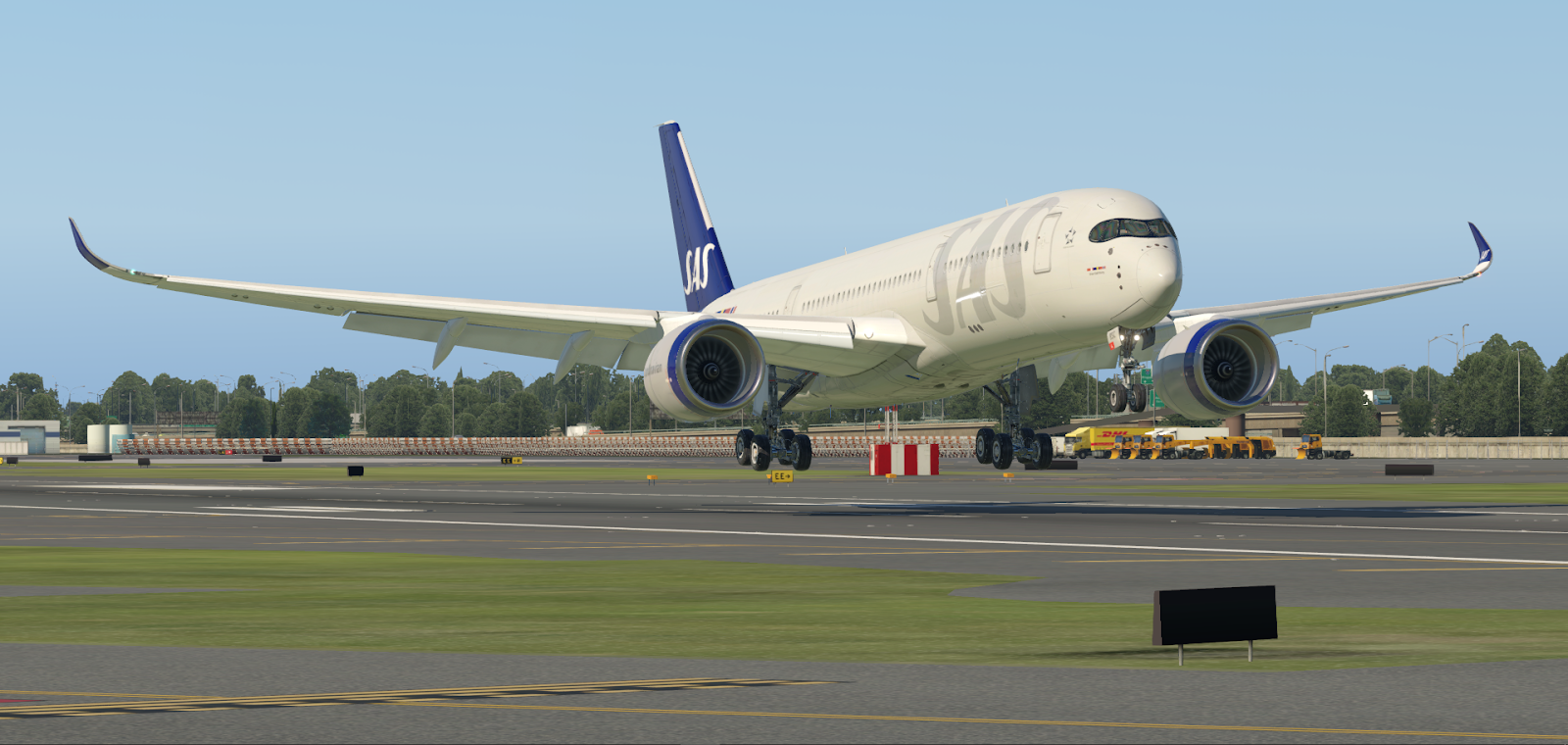 FlightFactor has recently released a compatibility update for their highly detailed A350 Advanced aircraft, making it compatible with X-Plane 12. This update primarily focuses on ensuring the aircraft works smoothly with the SimBrief flight plan downloader. It is important to note that the A350 Advanced is currently in the beta stage for X-Plane 12. While this update may not introduce any significant new features to the aircraft, it is not surprising considering the recent updates for FlightFactor's 767 and 757 models. Unfortunately, there is still no news available regarding the progress of their upcoming 787 aircraft. However, it is worth keeping an eye out for possible sneak peeks in the future. For existing owners of the A350, the beta version can be obtained from the X-Updater, a tool provided by FlightFactor. To use the aircraft in X-Plane 12, make sure to enable the "BETA" option in the updater. If you haven't purchased the A350 yet, you can find it on the X-Plane Store.1 point
 -
 SimHeaven has recently launched their highly regarded X-World America scenery for X-Plane 12. This comprehensive package, available for download, occupies a size of 7.4 GB and expands to 13.8 GB when extracted. The announcement was made through a post on their website, where they highlighted the following: The X-World series, which includes popular sceneries like X-Europe, X-America, and more, continues its success in X-Plane 12. Unlike traditional autogen rules, SimHeaven adopts a different approach by utilizing OSM (OpenStreetMap) data along with Microsoft building footprints to accurately place objects in the scenery. This meticulous method results in a more realistic and immersive look and feel, enhancing the overall visual experience for users. SimHeaven's X-World America scenery offers a vast coverage of the American continent, enriching the virtual flying experience with detailed and accurate representations of various locations. By incorporating real-world data, the scenery provides a heightened level of authenticity, capturing the essence of the American landscape.1 point
 -
 Geo Reality Design has recently launched version 2 of its Global Forests addon for X-Plane 12, aimed at enhancing the immersive experience of the simulator by revamping and enriching X-Plane's vegetation. Global Forests 2 covers three major regions: Europe, North America, and Asia-Oceania. This updated version seamlessly integrates with Ortho4XP, terrain, and X-Plane 12's seasonal variations, offering a comprehensive solution for enhancing the environment. The Global Forests v2 addon employs over 400 .for files, which leverage various tree types, vegetation, and density data. By utilizing real-world information, such as vegetation height and density derived from global map data, the addon creates a vibrant and dynamic world, appealing particularly to bush pilots and users who seek a heightened level of realism. The addon's ability to provide a living world feel based on real-world data adds a new dimension to the simulation experience. Global Forests v2 is available for purchase on the X-Plane.ORG store for $15.00. For a more in-depth look at the addon and to see additional footage, viewers can check out the video available on Geo Reality Design's YouTube page.1 point
 -
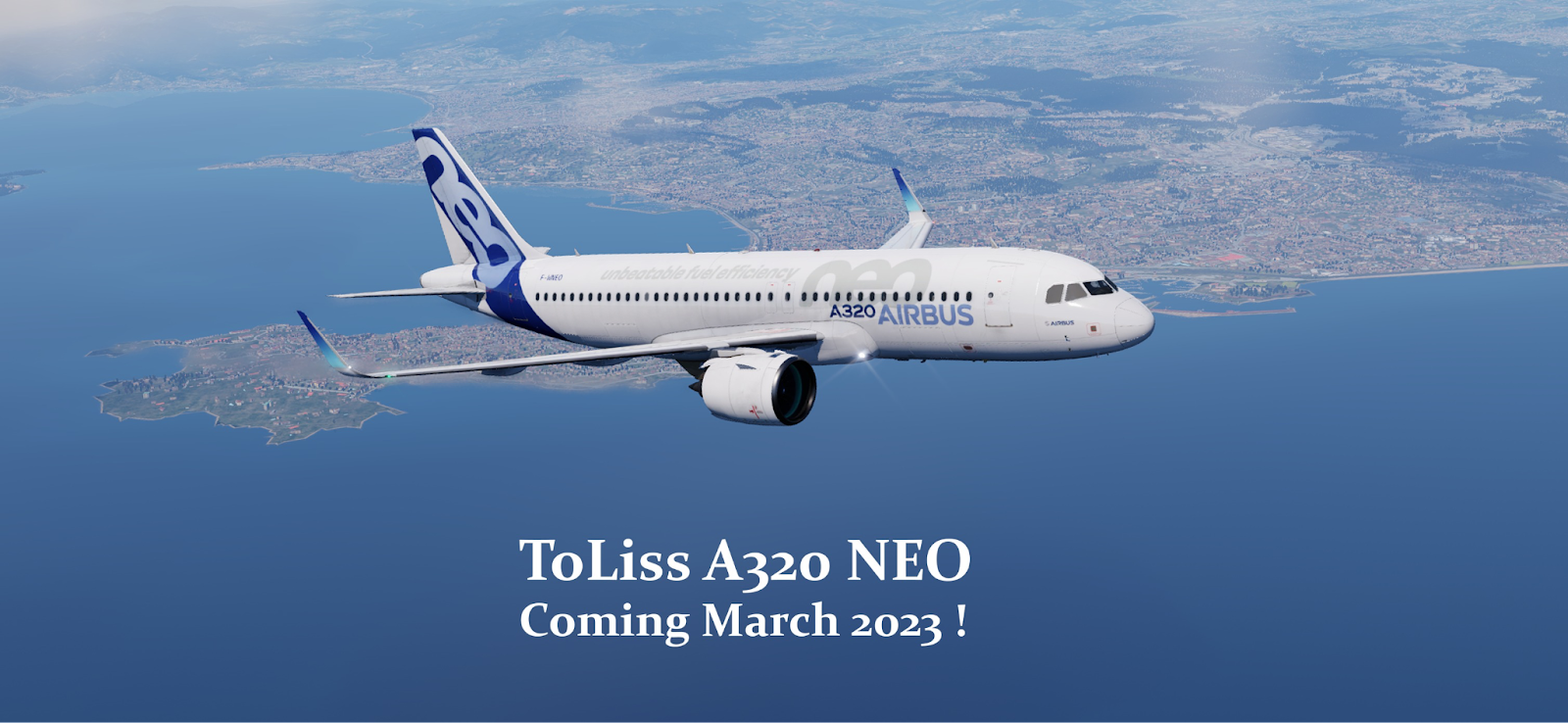 ToLiss, the renowned developer of Airbus aircraft for X-Plane, has recently announced their next project, the A320 NEO. This upcoming addition to their impressive lineup, which already includes the A319, A321, and A340, has generated excitement within the flight simulation community. While limited information has been released thus far, ToLiss provided a teaser picture showcasing the completed exterior modeling of the aircraft, including the distinctive new engines that set the NEO apart from other A320 variants. The details surrounding the A320 NEO's cockpit remain undisclosed. It is unclear whether ToLiss will introduce a completely new cockpit design or utilize elements from their existing A321 and A319 models. Additionally, the availability of both CFM Leap and PW1000G engine options in ToLiss' NEO is yet to be confirmed. Although an exact release date has not been announced, it is anticipated that the A320 NEO will be available sometime in March of this year, eagerly awaited by aviation enthusiasts and virtual pilots alike.1 point
 -
 Enhanced Skyscapes developer Biological Nanobot has published an update for the X-Plane 11 program. The "visual solution for X-Plane 11" replaces the default sky and clouds with realistic shader-based sky and fully volumetric clouds. It's fully compatible with weather injection add-ons, including but not limited to Active Sky XP and FS Global Real Weather. The update brings some hefty changes to the program, detailed below: Improved sky colors with brighter sunsets, sunrises, and depiction of Earth's shadow New sky color options for different ozone levels Added smooth weather transitions Clouds are now affected by ambient lighting at night. Users can now disable the custom sky of Enhanced Skyscapes. Added an option to limit the number of cloud layers to save performance Added an option to control cloud update intervals Added a command to reload presets Added commands for adjusting various parameters live. Improved visibility depiction Implemented a workaround for an X-Plane 11 bug requiring to reload weather for clouds to show up when using the default weather engine Shadow circle no longer shows up while in OpenGL mode. Fixed OpenGL coordinate shifts that cause clouds to move abruptly Fixed a bug that caused clouds to look flat when the camera is below a cloud layer Fixed black circle artifacts around the horizon Linux version1 point
 -
 Laminar Research has posted a new trailer showcasing the default Cirrus SR22 in X-Plane 12. The video showcases FMOD sounds, including the aircraft and environment, and the visuals of the world as depicted in X-Plane 12's new lighting engine. You can watch the video from YouTube here:1 point
 -
 Laminar Research has released X-Plane 10.45 RC-1 to the wild. As per their release, "X-Plane 10.45 is a “small” patch for us in that it doesn’t contain major changes to the code, but it contains a number of features you might like." Changes include: An update to the global airports. The global airports won’t conflict with custom scenery – new exclusion technology prevents overlapping buildings. Nav data has been significantly updated – lots of bug fixes are in 10.45. The GPS data for the G430 now contains IAFs, so you can fly GPS approaches with proper transitions. Proper prop torque for aircraft that opt in.1 point