

_svg.png.5cb3bdf06cd666599edf50d1ee7b3a52.png)

Pils
-
Posts
2,375 -
Joined
-
Days Won
57
Content Type
Profiles
Forums
Latest X-Plane & Community News
Events
Downloads
Store
Everything posted by Pils
-

Updated TorqueSim SR22 G1000 2.1.1 and X-plane-12 crashed on start up
Pils replied to OscarB52's topic in G1000 SR22 Series
You’ll need to reinstall the same, launch it in XP again, and then post your log. https://support.torquesim.com/hc/en-us/articles/360057635413-How-to-find-the-X-Plane-log-txt-file -
Writing to datarefs directly isn’t really the best way to achieve hardware integration, in my opinion, but if that’s what you need I don’t know which is the correct one for altitude window.
-
You need to use Rosetta to run X-Plane in order to use the IXEG, see below for instructions.
-
Unfortunately this is not the right log.
-
This can be ignored.
-
https://support.torquesim.com/hc/en-us/articles/360057635413-How-to-find-the-X-Plane-log-txt-file
-
Windows will often default to 150% on high DPI monitors.
-
Some examples: https://github.com/mauer/xmidictrl/blob/main/resources/examples/B733_XMidiCtrl.toml
-
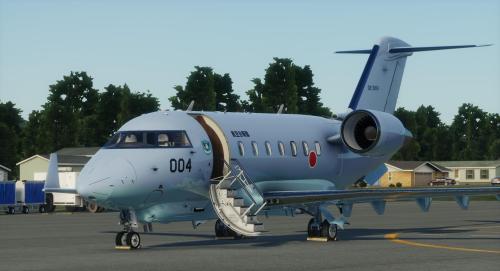 This?
This? -
Please upload Log.txt
-
Where you installed X-Plane to.
-
Maybe the install went awry, maybe you’re using an old beta installer, but regardless this message usually means the “X-Aviation” directory doesn’t exist in X-Plane’s install path root.
-
It’s not the first time and won’t be the last.
-
Well done in using the study windows and identifying the underlying issue! You’re correct, horizontal performance data for the WAAS system is unavailable at the moment due to a fault at the FAA data service we use. I expect it’ll be resolved when business opens again in USA. For now treat it as an exercise for the sim pilot into what would a real pilot do in a WAAS outage scenario.
-
There is nothing new for onboard weather radar in this release.
-
HotStart Challenger 650 v1.5.2 Released
Pils commented on Cameron's X-Plane flight sim news in Aircraft
There is not. What you do is: 1. Start a flight in career mode 2. Create a new airframe 3. Run through the checklists until "all check lists done and verified and systems armed and ready for a flight" 4. Save the state through the airframe manager window Then, next time you want to start "on runway threshold" you would: 1. Start a flight in career mode 2. Select the aforementioned airframe and saved state from the airframe manager, unchecking the "restore position" checkbox 3. Fly! Any future questions please use the appropriate support forum: https://forums.x-pilot.com/forums/forum/266-challenger-650/ -
Which arrival/approach specifically? Can you record a video, e.g. with OBS Studio, and upload it, e.g. to YouTube? That would help.
-
Ok. Thanks for checking. I guess this misbehaviour got carried over to 1.8 by accident. There'll be another update coming at some point "soon".
-
What version are you using?
-
You could analyse the FDR files in \Output\CL650\FDR after every flight to build a log. Or use X-Plane's built-in logbook. Or, better, use an external flight tracker like Volanta.
- 1 reply
-
- 2
-

-

-
Reset after Glitching/ Discord Invite HotStart Challenger 650
Pils replied to mtmurat's topic in Technical Support
https://discord.gg/tCver5En You can try deleting the CL650 directory in Output. This’ll remove all airframes and settings. (However this doesn’t happen when uninstalling so not sure what’s happening there.) You seem to be using the 2D panel display feature of XP. I recommend against this, this is not the intended use of the pop ups. Each secondary display should be set to Unused in XP graphics settings, and then each popup turned into an external window for placement by the default OS window manager (or some third party tool such as Sizer4 on Windows). -
If you want to start over create a new airframe. Every airframe will restore its last state by default, it’s persistent. If you want it to be in a different state you have to put the plane in that state and save it for later use.
-
https://discord.gg/RwH3JBpT
-
https://discord.gg/RwH3JBpT
