All Activity
- Past hour
-
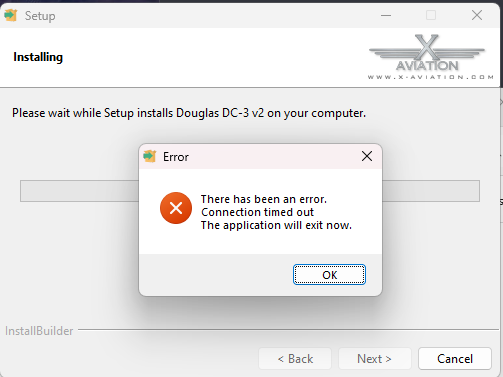
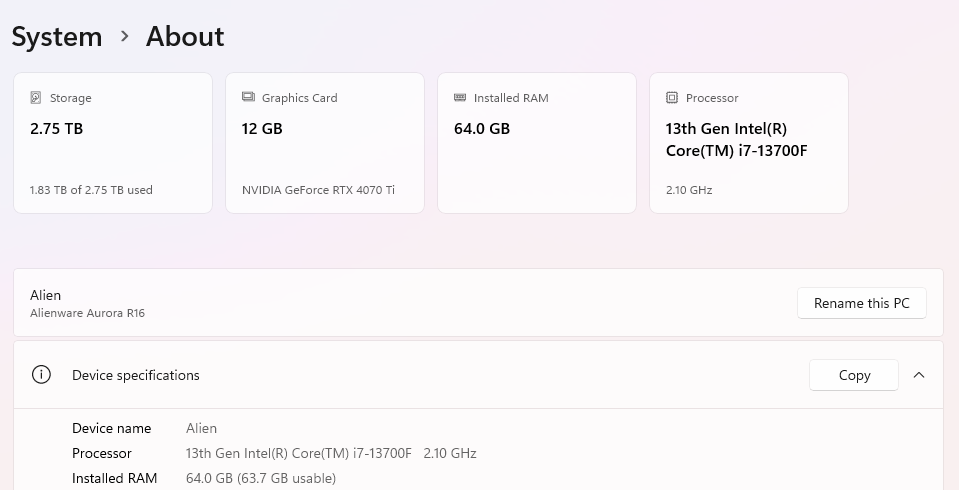
Hello Everyone, I am new to this forum but have been flying X-Plane since the original release way back on DVD's.. I purchased the LEC DC-3 V2 today but cannot get the X-Aviation installer to complete and am looking for some help. I've put in a support ticket on X-Aviation as well but thought I would ask the community if anyone else is having an issue. I have tried several times now but the installer for the LEC DC-3 will not complete on my system. I have tired re-downloading the installer, turning off any third-party programs running (Razor App), turning off all of my firewall stuff in Windows Defender, and using a different directory for the download. I am selecting the X-Plane main folder each time as per the installer instructions and my internet service is solid. Attached is the error message I get and my system info if that helps. Thanks in advance for any help I can get! Jim
- Today
-
 jimvanzino joined the community
 -
Trying to fly the SR22 Entgra after update to 12.4. Uninstalled inclded with the X-aviation download and reinstalled the aircraft today. Same results. I've attached the log for your veiwing. It appears to be a fault with an embedded plugin with the aircraft. Loading G:\X-Plane 12/Aircraft/X-Aviation/SR22 Series Entegra/TorqueSim SR22 Entegra/plugins/sr_systavi/resources/airspace/france.txt --=={This application has crashed!}==-- Log.txt
-
 Krzy joined the community
 - Yesterday
-

Fail to pass IXEG 737-300 level-2 check
Patrick89 replied to Patrick89's topic in Gizmo Soft Crashes
Okay, case closed :-) Somehow there was an X-Aviation folder in my plugin folder. I did a 2nd XP12 install, installed the 733 and noticed, there should be no x-aviation folder within the plugins folder. I deleted it and it worked :-) Day saved! Regards Patrick -
I will be the one to bring it up, is the tbm900 still being worked on for release to x-plane 12, and can we get any kind of update on its progress?
-
It's usually triggered by alt-tab'ing out of the sim while pressing keys. You need to reload the aircraft (from the Developer menu) to "cure" it.
-
I have noticed on a number of occasions that walkaround goes into a weird state where it is constantly moving and you can't stop it. Moreover, the directions seem to get inverted, to the point that whatever you're looking at you're actually moving away from. Take a look at the attached video. That's not me walking drunk; that's the sim going crazy, with me just spinning the camera around trying to find some semblence of control (thankfully walls do stop you). You can see I immediately backed out of the FBO on entry, because of it moving in the opposite direction. It's a battle to get any kind of control, and the only solution I've found is restarting the whole sim. When I reach the FBO exit to main menu, you can see the camera keeps moving. X-Camera is disabled. This admittedly may be a Laminar camera bug, but thought I'd see. It seems to randomly trigger when leaving the captain seat. 80% of the time walkaround is fine, but this does happen every few flights. walkaround_compressed.mp4
-
It works fine on all aircraft instead of CL650, works on the Mu2 as long as the "Throttle 5" is selected
-
Fail to pass IXEG 737-300 level-2 check
Patrick89 replied to Patrick89's topic in Gizmo Soft Crashes
Addition: I restarted XP 12 and deactivated every single plugin apart from Gizmo and X-A Validation, did not work as well. -
Worked great. Thanks for posting.
-
 yael.mart_21 joined the community
 -
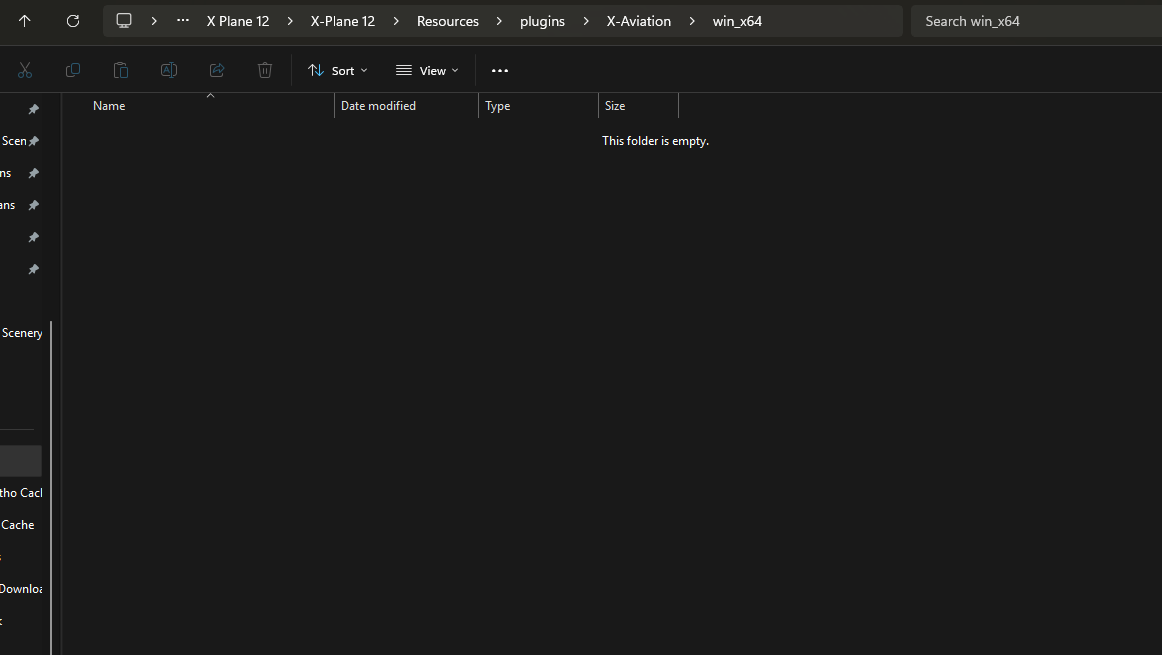
Hi folks! At first: I have read all available posts to this topic but nothing has provided a solution for me :-( I bought the IXEG 733 today (XP 12, Win 10 Pro), installed it via the installer, ran XP12, entered my credentials but the flight controls are not working nor are the displays showing anything and moreover my sounds got muted. I already... ...did a clean 737-300 install ...restarted my PC ...changed my X-Aviation account PW ...gave XP12 admin rights ...gave write rights to the whole XP12 folder ...nothing works :-( Is it normal that there is no file in my resources/plugins/X-aviation/win64 folder? I attached my log and some more information. Thank you in advance for your help :-) Log.txt
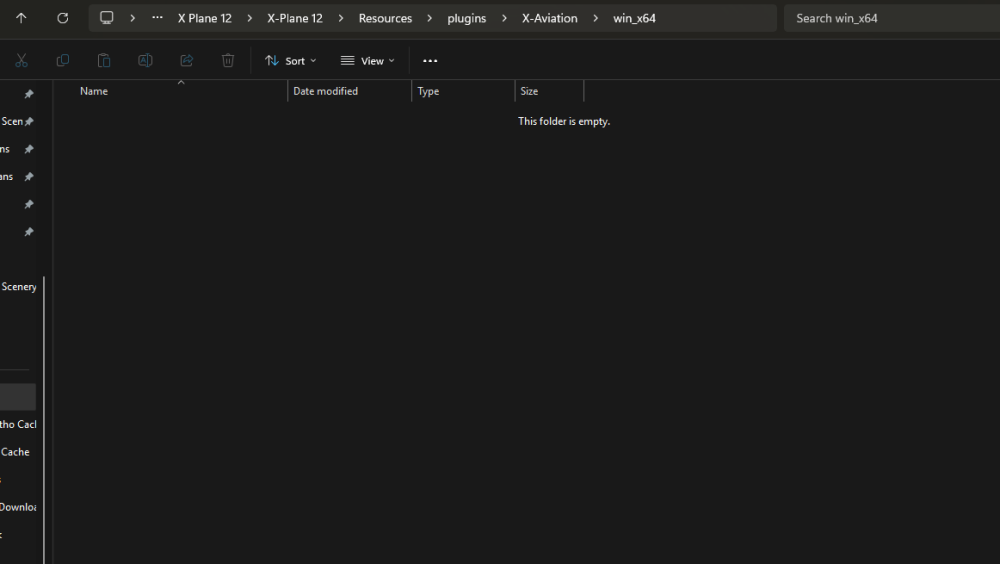
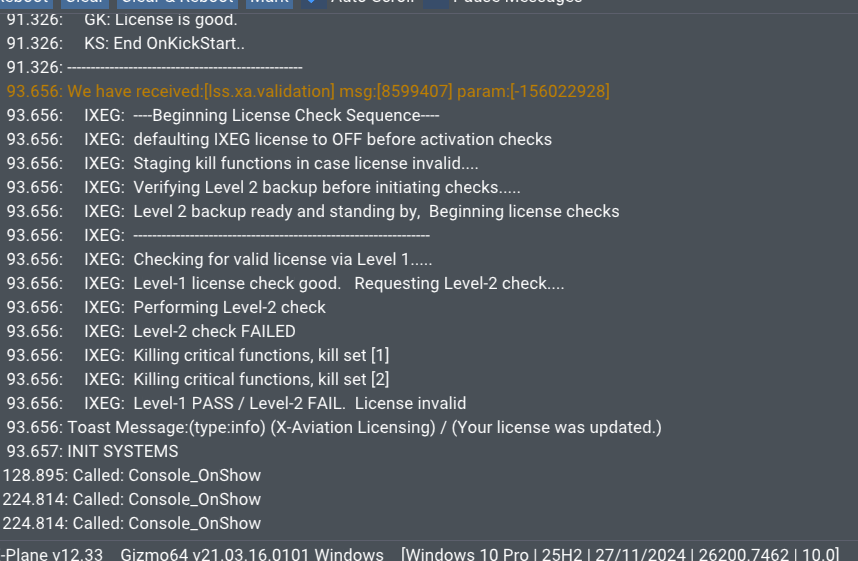
-
Patrick89 joined the community
-
 Voyager15 joined the community
 -
 charliechan1947 joined the community
 -
 Kray_0 joined the community
 -
 goldenchamp joined the community
 -
 pedamikki joined the community
 -

Airasia Butuh Bantuan? Tim Call Center Kami Siap ..
Croome replied to Croome's topic in General Discussion
Cara Menghubungi Customer Service AirAsiaA, Hubungi di nomor 0814-13.5.55472. Atau melalui nomor WhatsApp/CS: +62814)13-55547.2. Jelaskan Masalahnya Terkait Penerbangan Anda, Layanan Bantuan 24/7. Live MOVE...siap -
Cara Menghubungi Customer Service AirAsiaA, Hubungi di nomor 0814-13.5.55472. Atau melalui nomor WhatsApp/CS: +62814)13-55547.2. Menjelaskan penjelasan Terkait Penerbangan Anda, Layanan Bantuan 24/7. PINDAHKAN LANGSUNG...
-
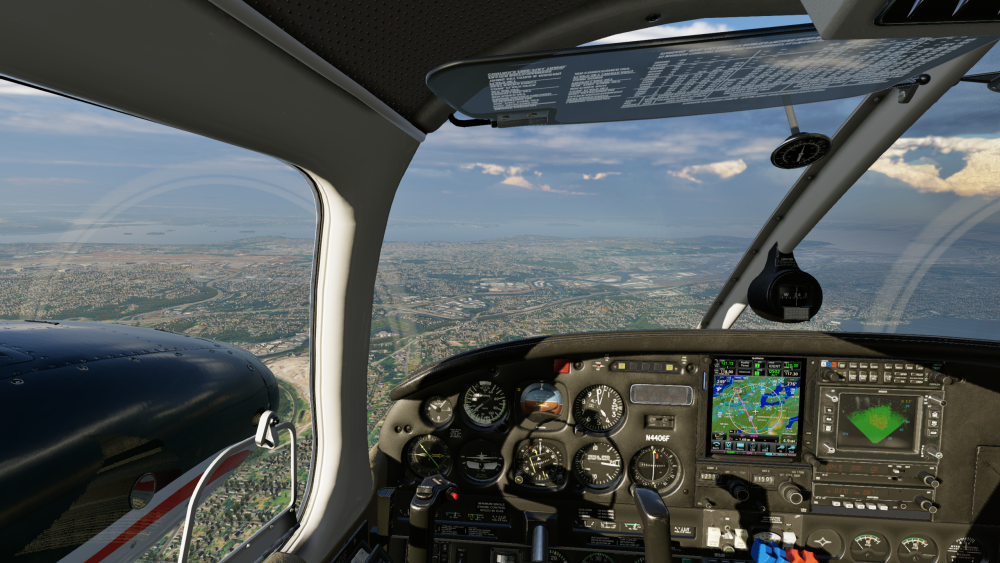
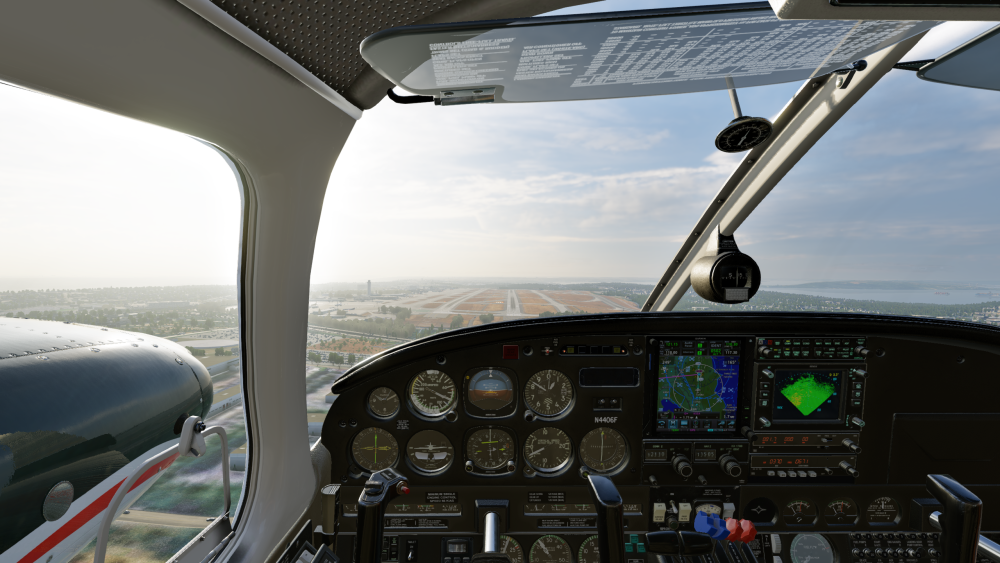
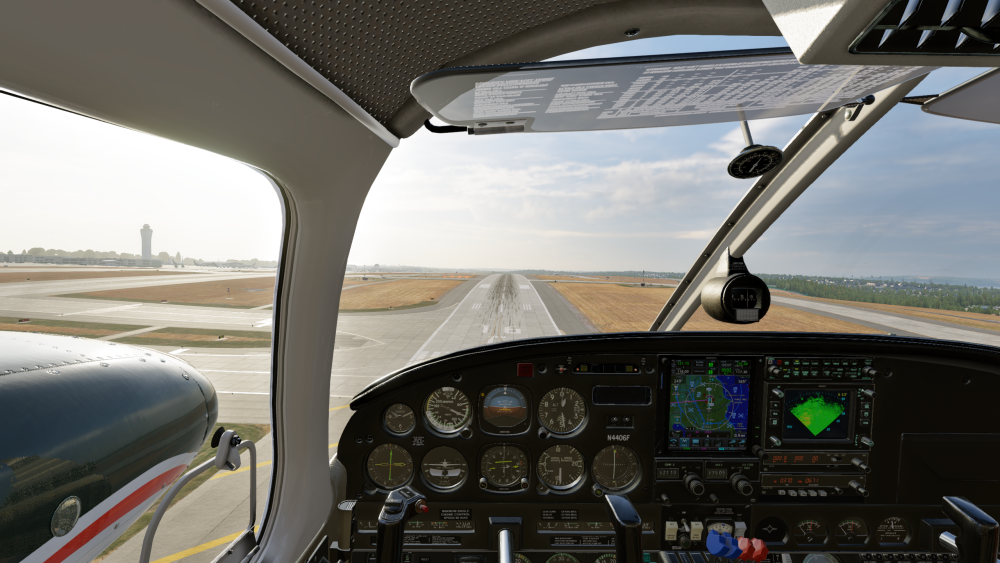
-
Anda dapat menghubungi Call Center AirAsia Indonesia di 0814 1355 5472,Layanan CS online 24 jam Reschedule dan Refund tiket...siap
-
Anda dapat menghubungi Call Center AirAsia Indonesia di 0814 1355 5472,Layanan CS online 24 jam Reschedule dan Refund tiket...
-
Airasia Butuh Bantuan? Tim Call Center Kami Siap ..
Croome replied to Croome's topic in General Discussion
Cara Menghubungi Customer Service AirAsiaA, Hubungi di nomor 0814-13.5.55472. Atau melalui nomor WhatsApp/CS: +62814)13-55547.2. Jelaskan Masalahnya Terkait Penerbangan Anda, Layanan Bantuan 24/7. Live MOVE...siap -
Cara Menghubungi Customer Service AirAsiaA, Hubungi di nomor 0814-13.5.55472. Atau melalui nomor WhatsApp/CS: +62814)13-55547.2. Menjelaskan penjelasan Terkait Penerbangan Anda, Layanan Bantuan 24/7. PINDAHKAN LANGSUNG...
-
 maxM joined the community
 -
Same here Also no response from company support for about 4 days
-
Unfortunately any time that X-Plane does the "loading flight" screen it resets the livery to whatever you selected on the initial flight configuration. You could consider reporting that as a bug to LR. *shrug* I would sometimes do this so I wrote a script to maintain the time at which I paused the sim when resuming. https://github.com/pilsnerish/FlyWithLua-Scripts/blob/main/PauseResume.lua
- 1 reply
-
- 2
-

- Last week
-
What do you mean? You can't click the buttons at the bottom, or the close top left?
-
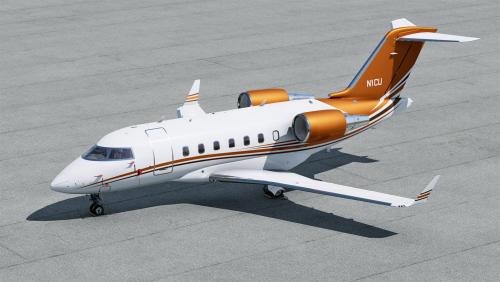 Best Chally Livery out there
 -
Y'all are in luck, had the same problem and found the solution on their Discord. IT WORKS! telephono — 10:00 AM I think you'll need to replace the libradio.plugin plugin inside the aircraft's plugin folder with the latest release: https://codeberg.org/skiselkov/libradio/releases Codeberg.org libradio Radio systems and navaid simulation library for X-Plane
-
 Hi, I also have this problem now, is there anyway to solve it?
 -
Yeah me too
-
Been doing many de-icings these days, it is an amazing feature! When I say to Vatsim that I first need to de-ice, they go -huh? I think no other sim aircraft has this feature, well done guys