All Activity
- Past hour
-
 Team-Lufthansa-Collector joined the community
 - Today
-
 finflemdog joined the community
 -
Thanks....I guess Zibo will be 737 of choice on Linux.
-
I completed half a flight today without issue but had to stop before I could finish it. I created a manual save but also left the game paused with the monitor turned off. When I came back to it, several hours later, I first tried to pick it up from the paused state, but the plane had seemingly lost its current position and I couldn't set POS INIT again. I reloaded the save instead, but then the route on the PFD had disappeared, as had my location on the Navigraph charts, even though the FMS route was still correctly populated and I could see my location in AviTab and Navigraph Charts externally. I reloaded again, and this time, I had the route back. Everything proceeded normally until a 'MAIN BATT OFF' warning popped up, despite the battery still being on. Landed, then tried to get out of the seat, but the camera was stuck in free move mode and it refused to snap to the corridor and go into walking mode. When I tried to set my position via the menu it put me inside the overhead panel, then back to where I was. I thought I'd try reloading a recent save to see if that would fix things again, but I couldn't reload the last autosave as the button was greyed out. Presumably because it was the 'current state' (technically slightly earlier), but even when I reloaded the aircraft I still couldn't pick up from that. I reloaded an earlier save, it warned me about loading the position/trajectory, so not fully understanding what the alternative was, I tried loading without, and it put me below the earth with alarms going off. I'm assuming most of this relates to or stems from leaving the flight part way through. It was all a bit weird. Not really expecting a fix, just reporting my findings. (Side note, started a new flight, then got caught up in the left hand side of the stairs and couldn't get out without changing position from the menu).
-
 Foxy Owl joined the community
 -
 Mandox joined the community
 -
Yes, of course, all in good time.
-
 russianairways joined the community
 -
Are there any planes to update the challenger 650 to have weather radar? Seems everything is simulated, it would be disappointing not to have the weather radar.
-
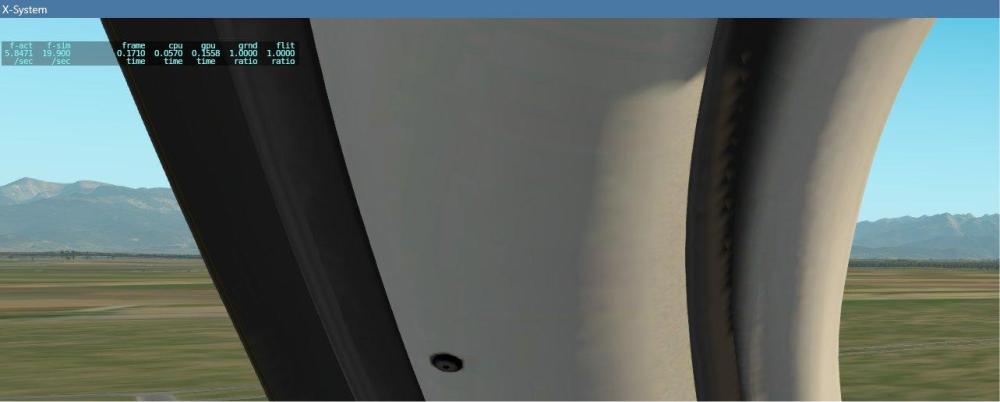
this is the indication when it happens
-
-
 BOGDFANN joined the community
 -
 Impreza joined the community
 -
What frame rate are you seeing as this happens?
-
I get this CAS msg now every time I use anti ice of any level. Is this a general wear situation that maintenance should fix or am I missing something? If not mistaken there is also a speed limit of around 120 kts, correct?
-
 SINO8877 joined the community
 -
any help???
-
Because they are fed from different static sources, and the standby altimeter is not corrected by the air data computer, but essentially works like the one in a Cessna would. A discrepancy of even 150 feet is perfectly normal, especially at higher speeds.
-
Hi team, I was wondering why there is a distinct difference in Baro pressure reading between the active and backup altimeter.

-
A known issue. I think with Macs only.
-
 lightyear_bigspeed joined the community
 - Yesterday
-
@Cameron
-
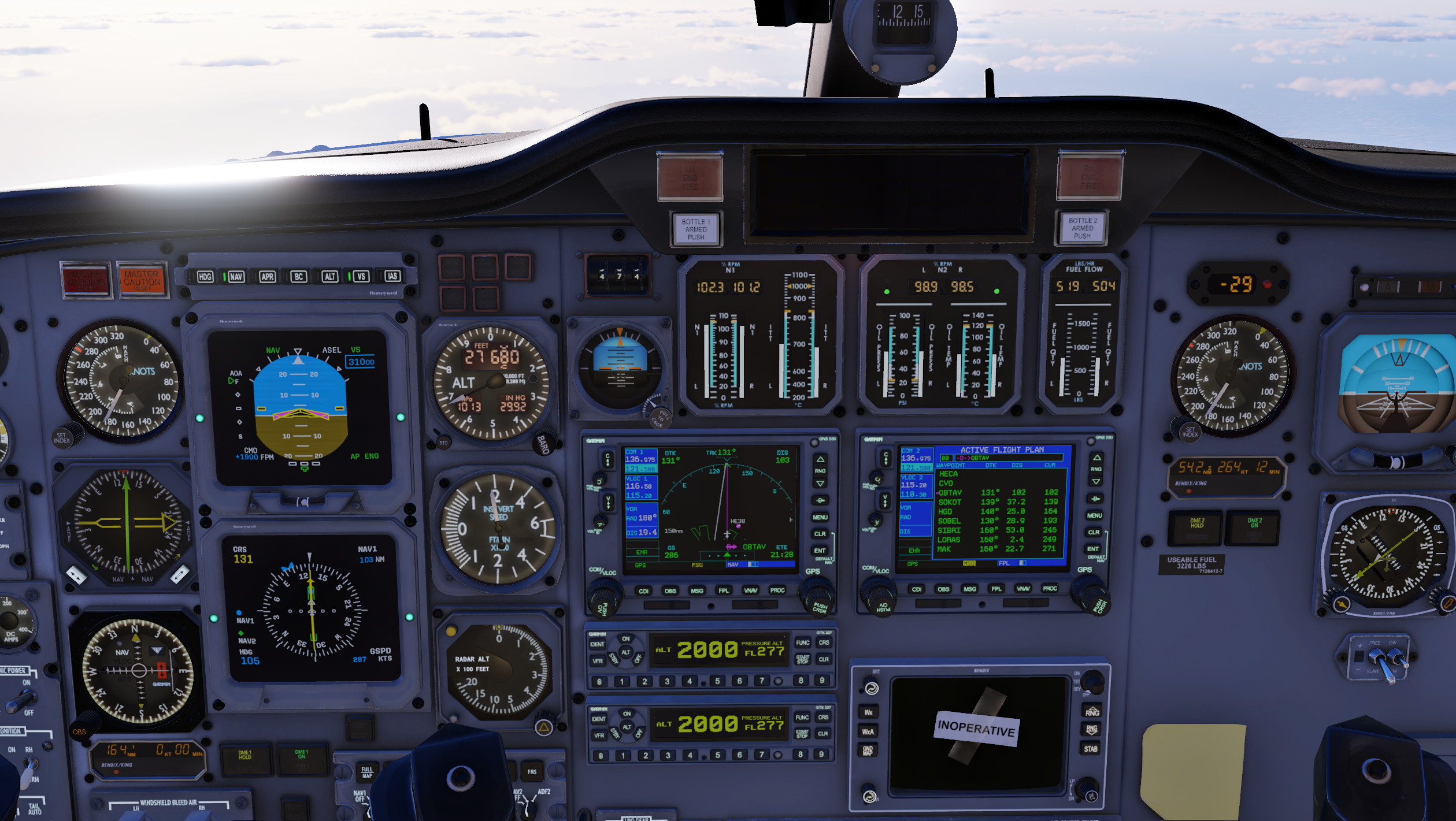
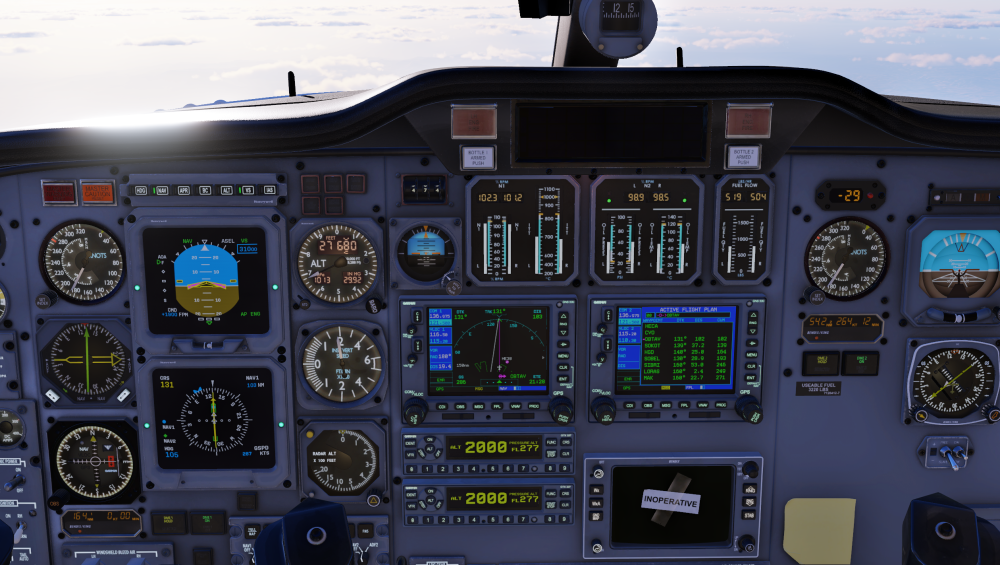
I have experienced the same issue in multiple flights, Nor VOR Recognition and DME are working in the GNS 530, I have to trust in the Bendix/King for DME Lectures. In the image NAV 1 is set to 116.50 HGD VOR Egypt Hurghada NAV 2 is set Cairo 115.2 CVO Egypt. Also. another problem I have encountered is on VOR or ILS Approach in the type of tear drop when it has to make the 180 turn if its right side the airplane turns left side, this by using the GNS 530 and activating the approach phase.
-
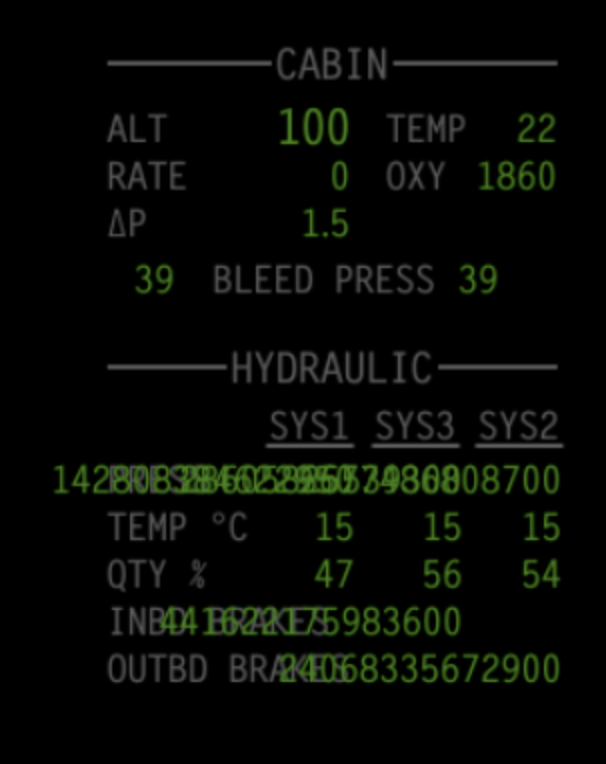
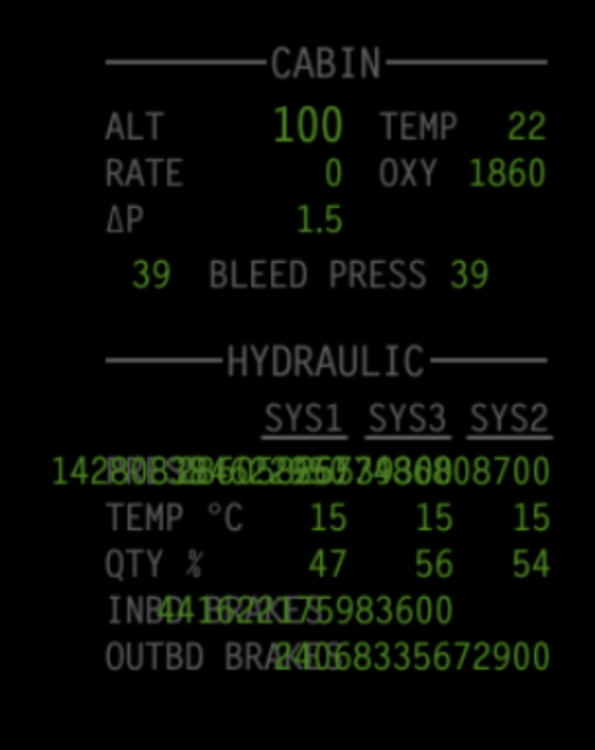
I noticed the values in this section looked odd. Obviously they are too long for the space provided, but they seem to be references rather than actual values?
-
There is no weather radar simulation in the add-on.
-
I have started flying the Challenger 650 again after a year or so, and have been unable to get the ground terrain and weather radar to function. I have tried different setups without luck. I have also noticed that the PFD and MFD nav rose seem connected. If I change one side it also changes the other side.
-

Tamarack Active Winglet mod for the TorqueSim CitationJet 525
Jeffory commented on PilotFidi's file in Business Aviation
 I wonder if @PilotFidi can get permission to redistribute the corrected files in the distribution.
 -
Tamarack Active Winglet mod for the TorqueSim CitationJet 525
Jeffory commented on PilotFidi's file in Business Aviation
For what it's worth, you can change it in Planemaker in the Bodies window. -
Sorry I am not very good at interpreting my log.txt's. I would really appreciate if somebody could look at the attached log and give me a lead on why I can't get the autopilot to function...heading, GPS nav etc. Many thanks, Neil Log.txt
- Last week
-
Yepp, I watched your video and it went well flying that this way
-
Let's not make an assumption. (It's a plugin.) Post your Log.txt from a crash and we'll look at it.
-
Thank you, here is the direct link if anyone finds this in future: https://www.ncei.noaa.gov/products/world-magnetic-model
-
may i ask where the DataRefToolis located? i have this same issue but i do not have this tool when i installed the c650 but i keep crashin aswell due to this aircraft.
-
No, the FMS "knows" the correct holding entry and flies it automatically, too. I am no expert on holdings, though, I can not remember the last time I had to fly one. If you have to fly a holding with the IXEG, I would enter the holding fix on the fix page and then also enter the inbound radial - that way you have a pretty good depiction on the map. You could also do some quick math and calculate how far the plane flies at holding speed in one minute (usually about 4 nautical miles) and then draw a circle around the fix - that way you have a rough idea of when to turn inbound again (if you forget to start the timer on the outbound leg). When flying a holding pattern, the important aspect is to fly in the area that ATC keeps "clear" for the holding aircraft, the holding area. That is why there are certain speed limits for holding patterns, they keep the planes within the holding area.