All Activity
- Past hour
-
 JonasHH joined the community
 -
It looks like an easy fix, but it would require testing, and I want to bundle it with your other forum post fix. I'll discuss this with Ilias and Cameron and we'll organize something.
-
Hi Bodo, yes, this is a shortcoming of the current model, the wings are "mirrored"...not ideal. It is on the list for improvements, but no ETA on those. For now it is what it is .
- Today
-
The very first thing I noticed is you have X-Plane 12 installed in your Program Files folder. This will cause unpredictable problems. Even Laminar recommend you install X-Plane anywhere outside of Program Files, like the root of a hard drive/partition. The reason being, Windows restricts writing to the Program Files folder. This is why the G5 can't save its config file, and it lets me know in the log (Access is denied). As for the crash, I'll investigate this, but as far as what I can see, the crash is caused by a threading violation in the bundled libradio plugin. It's calling XPLMRegisterFlightLoopCallback from a background thread, which the latest release of X-Plane now enforces more strictly. I'll take a look and see what I can do with it. It may be worth trying the C23 again, after it's moved. I've seen X-Plane do some weird corrections when moved out of the Program Files folder.
-
 jetstream120 joined the community
 -
@Goran_M It seems like you are offering support for this plane now. Can the fix mentioned above be deployed?
-
Here is the complete log file... Log.txt
-
This has always been the case since day one of the transition.
-
 tyrosine_ray joined the community
 -

IXEG 737 Classic for X-Plane 12 Announcement
Splash replied to Cameron's topic in General Discussion
I believe there's new youtube video from Q8 Pilot discussing any progress on the IXEG, enjoy. - Yesterday
-
 Bergnan joined the community
 -
 IvanK joined the community
 -
 Chris2996 joined the community
 -
 JB Yeah You know Me joined the community
 -
 itsalexjones joined the community
 -
 flightjack joined the community
 -
Hello, after changing PCs and using a new Windows activation key, my Challenger 65 is locked. Can you do anything about it? THANKS. roberto67
-
 ColinBai joined the community
 -
Pils is correct, this seems to be a Zink internal bug: 2026-02-28 20:54:19 CL650[xplane.c:3010]: BOOT: fscu_init 0:01:56.101 E/Zink: Plugin Challenger 650 by Hot Start tried to allocate 64.00 b but failed because the system is out of memory. Detailed memory diagnostics [...] 0:01:56.101 I/GFX/VK: Budget information: 0:01:56.101 I/GFX/VK: Heap 0: budget: 10.02 gb (10757341184 bytes), usage: 822.84 mb (862810112 bytes) 0:01:56.101 I/GFX/VK: Heap 1: budget: 15.21 gb (16335620096 bytes), usage: 259.52 mb (272125952 bytes) 0:01:56.101 I/GFX/VK: Heap 2: budget: 171.20 mb (179516211 bytes), usage: 214.00 mb (224395264 bytes) We asked X-Plane for 64 bytes of memory on the GPU during fuel system computer unit (fscu) initialization - probably to create some small scratch buffer, idk - and X-Plane, despite having literal gigabytes free, told us no. That's not on us, that's on X-Plane. It then initiated sim shutdown and finally blamed us for its own screwup. Classy...
-
Ok, no more answers. I can't redownlaod the product (I won't receive the confirmation email, or get it too late, for the two factor authentication). Opened a support ticket, but don't get any answer. Absolutely no support, plus the unabilitly to have access to the products you've paid for, I guess I won't spend any single cent anymore on products offered on this platform. Good bye.
-
To me it looks like a sim VRAM allocation bug. Maybe worth reporting to Laminar. Try running without Zink enabled.
- Last week
-
Log.txt
-
Hello, Recently my sim started crashing when loading CL650. It's saying that is because XPLM_PLUGIN_XPLANE. It did not happened before. Thanks for the help
-
I have no earthly idea why it decided to work this morning. thanks for your efforts to help!
-

No Sound and Stuck Fuel Tank Selector
Goran_M replied to lawson-stone's topic in Beechcraft Sundowner C23 v2
Honestly, I have no idea. But I have a feeling the new log file will tell us. Can you post another one and I'll take another look. Make sure it's a fresh one from the crash. -

No Sound and Stuck Fuel Tank Selector
lawson-stone replied to lawson-stone's topic in Beechcraft Sundowner C23 v2
Rosetta install was successful but XP12 still crashes to the desktop. -
No Sound and Stuck Fuel Tank Selector
lawson-stone replied to lawson-stone's topic in Beechcraft Sundowner C23 v2
Thank you, I'll try it. What I don't understand is why it has run just fine for so long before now. -
Hello there, I noticed that some available repaints unsing two wing textures similar to the left and right engine. As I wanted to paint a different left wing texture because of the reg on botton I noticed that there is only a common 733-wing.xxx texture which will be used. Is this a bug or intented? I cheched the objects folder and saw that there is a "B733_rightwing.dds" next to "B733_Wings.dds". Is there a possibility to differ the wing textures due to painting a reg on the left one?
-
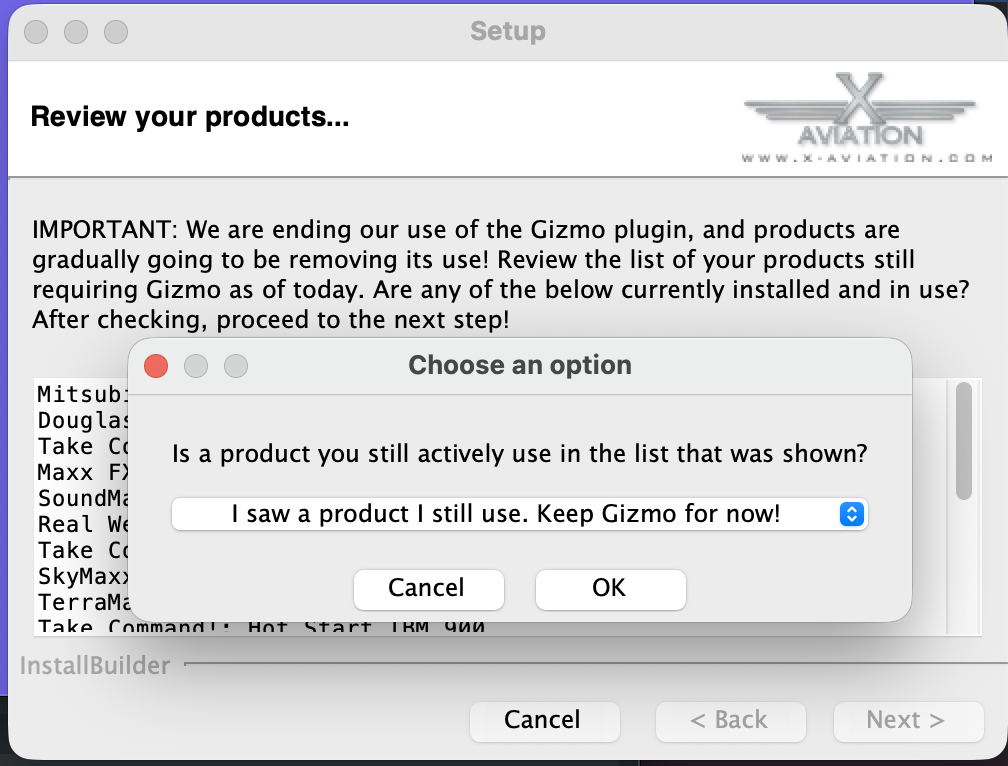
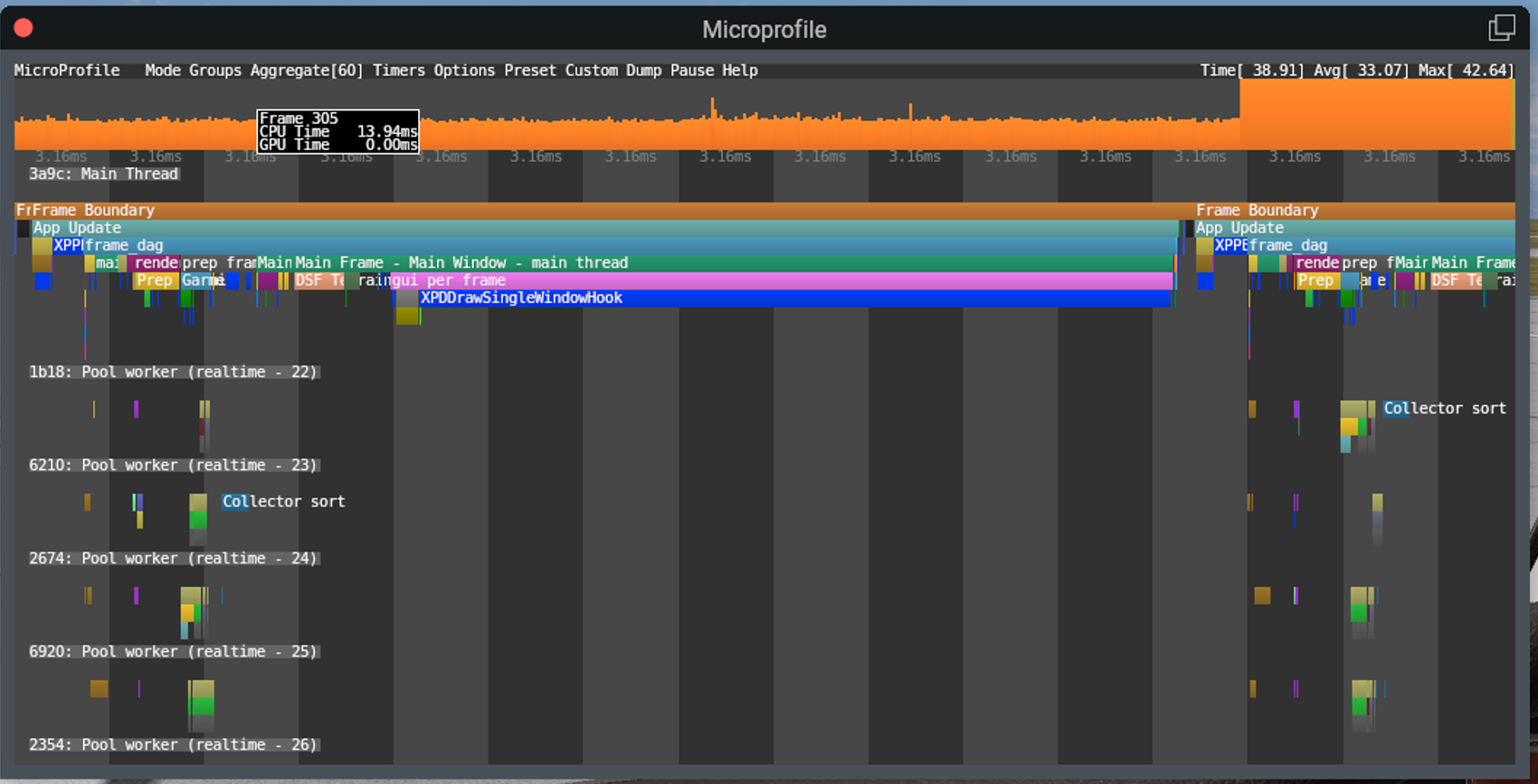
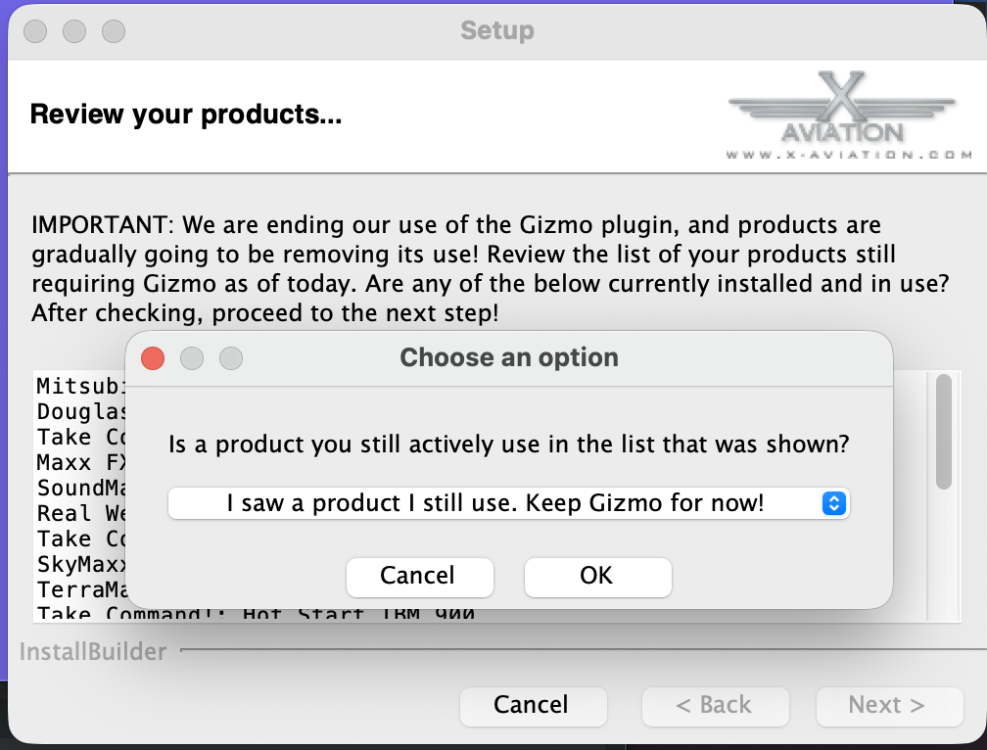
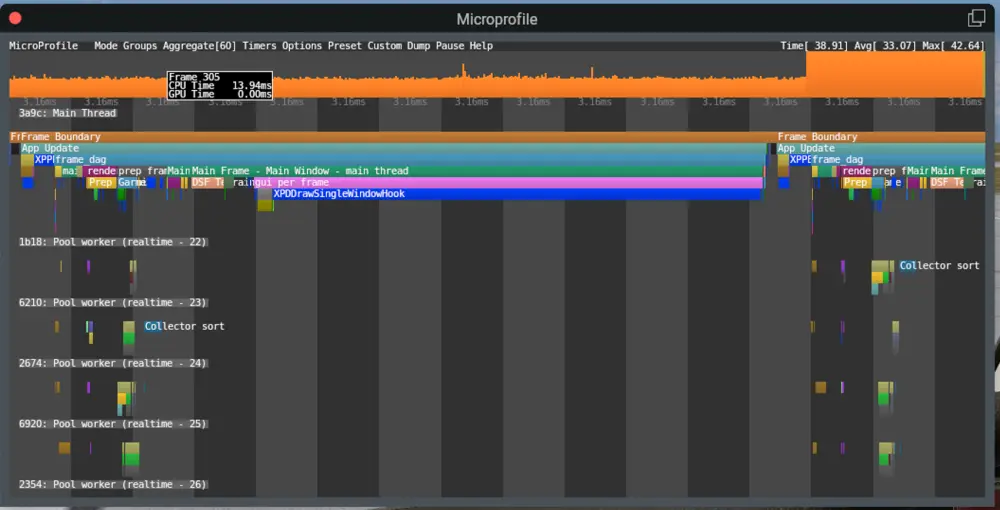
Hi there, I've owned several products from the X-Aviation store for a few years and have recently installed some again since Gizmo is now on the way out. I have some observations and feedback regarding the user experience of the newer plugin. With the IXEG having not received an update in a number of years, it's understandable that it still depends on Gizmo. However, the installer of the CitationJet 525 (downloaded the latest installer as of 27th Feb 2026) automatically removes Gizmo which isn't a great user experience as any updates that run through the installer will knock out Gizmo, requiring manual intervention every time. Process: Install IXEG 737 Verify that Gizmo64.plugin exists under Resources\plugins Install C525 Observe that Resources\plugins\Gizmo64.plugin is automatically removed (no prompt or confirmation) Can this behaviour be removed from the installer or at least have the user prompted as to whether they wish to remove Gizmo64? The second point around the X-Aviation plugin is that it comes with a massive performance hit when the activation window is opened. Here's a screenshot from X-Plane's microprofiler which shows that an overwhelming majority of the frame time is spent on XPDDrawSingleWindowHook. This reduces my FPS from 120FPS to a whopping ~25FPS The obvious solution is to close the activation window once all is activated. However, as Gizmo64 was quite a problematic plugin in that it would cause problems for many SASL and XLua based aircraft, I thought it best to raise this too in case there's any downstream impact later into the flight. I've never seen a plugin cause such a reduction in FPS by drawing a UI.
-
All Circuit Breakers are in? Reset all Failures? With Avionics on, a preselected HDG Mode should stay on. I think, you have a mismatch in your Keyboard or Joystick Settings. I use the Bravo Quadrant and the AP Command for the Push Button is "Servos Toggle". It looks like there is a conflict with the Settings. Start with a complete new Joystick Profile, assign it to the Moo and reset the Settings in this Profile for Joystick and Keyboard to Default. It's always a good Idea, to leave the Default XP Joystick Profile untouched or only assigned with a few Basic Settings for the Flight Controls and copy them to a new Profile. It's a bunch of work but you will have a clean Profile for any Plane and a changing for one Plane did not effect others.
-
@Jabari Checking in to see if you still want this resolved.
-
No Sound and Stuck Fuel Tank Selector
Goran_M replied to lawson-stone's topic in Beechcraft Sundowner C23 v2
Your log confirms what Cameron mentioned. The Sundowner C23 v2 uses Gizmo for its systems. Gizmo64 is an x86_64 binary, and your M2 Mac needs Rosetta to run it. Without it, Gizmo64 fails to load entirely, and that's why you're getting no sound and non-functional cockpit controls like the fuel selector. The aircraft shell loads, but none of the underlying logic is running. Regarding the crash when trying to run X-Plane under Rosetta, try the following: 1. Open Terminal (Applications > Utilities > Terminal) 2. Paste this command and hit Enter: softwareupdate --install-rosetta 3. Let it complete, even if your Mac says Rosetta is already installed. This forces a clean install. 4. Right-click on X-Plane 12.app, select "Get Info", and check the box for "Open using Rosetta" 5. Launch X-Plane That's the cleanest solution I can suggest for the time being. Running X-Plane under Rosetta has no negative effect on X-Plane itself or any other add-ons. If X-Plane still crashes under Rosetta after that, the crash would be on Laminar's end rather than ours, and I'd recommend reporting it to them through their bug reporter. But in most cases, step 1 resolves the issue when Rosetta wasn't properly installed to begin with. I'll be looking at converting the code to run natively under ARM in the near future, which will eliminate the Rosetta requirement altogether. -
No Sound and Stuck Fuel Tank Selector
lawson-stone replied to lawson-stone's topic in Beechcraft Sundowner C23 v2
I apologize for that! Here is the file. Log.txt -
Trying to simply fly HDG mode. Standby is stuck on at all times. If I hit HDG mode it flashes "ON" but immediately turns off. If I hold STANDBY all lights in the AP select panel light up. If I hit AP button (with TURN knob in the center detent), only the YD ENGAGE lamp lights. I also tried hitting HDG before engaging AP with no luck. I guess next step is uninstall and re-install?