All Activity
- Past hour
-
 KeyAviation94 joined the community
 -
 BSmall25 joined the community
 - Today
-
 tzi_tiz joined the community
 -
Sent, thanks for looking into it.
-
I'll send a download URL via PM. Too much PII in there to post publicly.
-
Please provide Log.txt
-
Thanks. However it’s not new, unfortunately.
-
Hi, in the process of migrating from XP11 fto XP12. CL650 (v1.8) installed and generally working it seems, but the displays (PFD, ND, CDUs etc...) don't work in the 3D cockpit. But if I pop them up/out, those pop-ups/outs do work correctly. Enabling/disabling Zink bridge doesn't make a difference. NVIDIA RTX5080, driver 576.88 XP in windowed mode. License successfully updated. Never had this prob in XP11. Any idea? Best regards, Daniel
-
 Paulberger4444 joined the community
 -
 pauloibm joined the community
 -
-
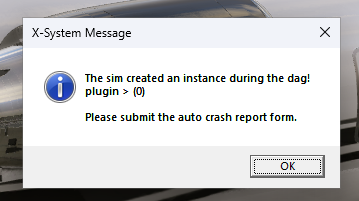
Bug submitted to LR but thought y'all should know if this is a new bug in the new 12.3.3 update.
-
https://www.x-plane.com/x-plane-bug-report-form/
-
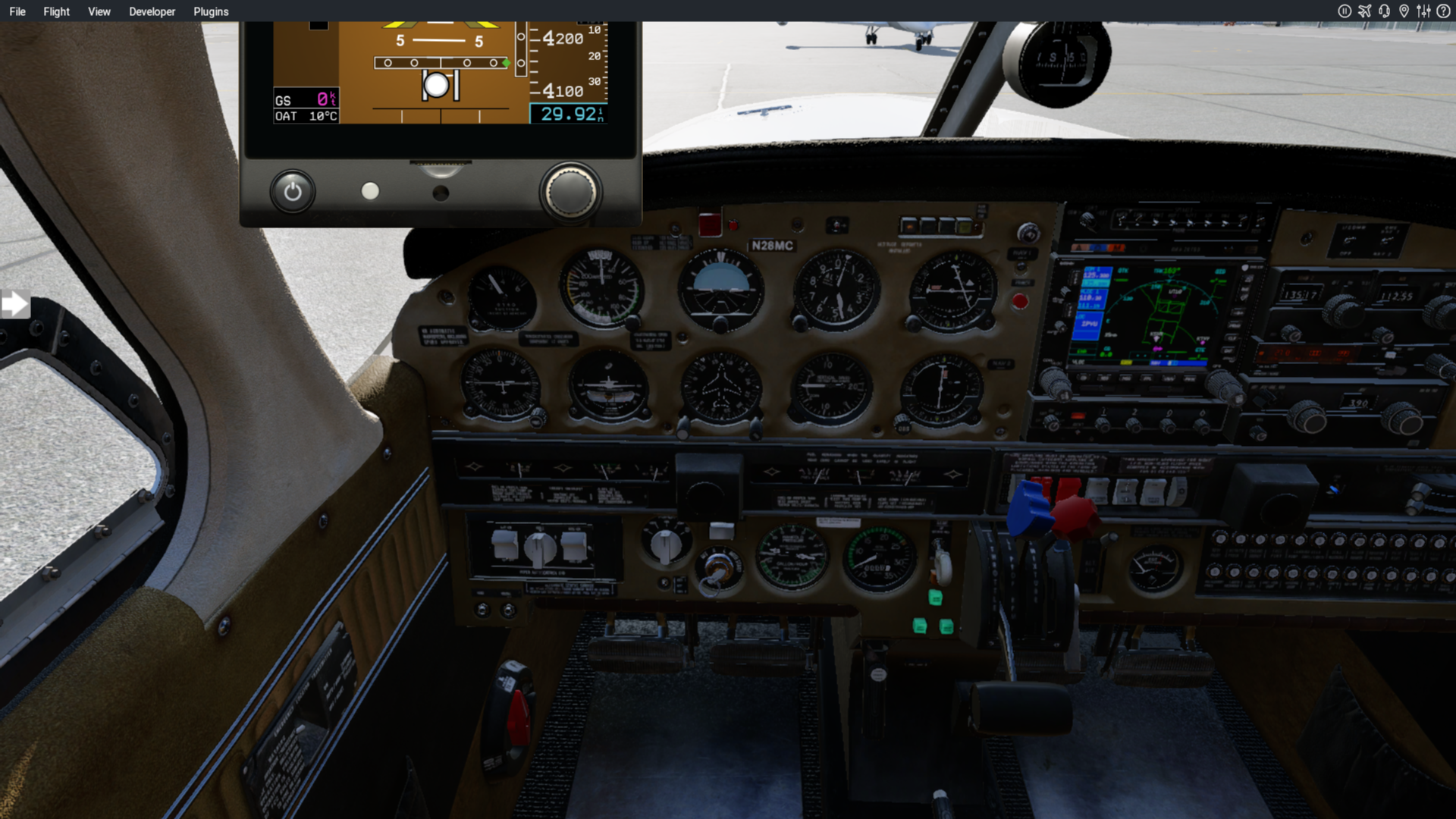
You can grab the bottom bezel of the G5 popup and drag it around or even resize it as you desire. Actual 3D panel integration would require the aircraft author to have integrated it in their 3D model.
-
 177MAxim771 joined the community
 -
 pampita joined the community
 -
I've experienced some weird behavior as well. Couldn't finish a 7 hr atlantic crossing but decided to just re-do the flight. When I deleted all the autosaves and unchecked save position and trajectory the aircraft loaded on the ground totally bugged out, engines on, yoke and nose wheel locked sideways. I think the new XP update messed a lot of stuff up.
-
Log.txt Never had this problem before the new update.
-

How do I get support for X-Aviation Activation not working
dleuen replied to dleuen's topic in CitationJet 525
I should have known lol. I feel like this machine id is blocked or something. Because like I mentioned I dual booted into linux and was able to activate. And on the linux install it has a different machine id. Here is the log. Log.txt -
 rezaoinel joined the community
 -

How do I get support for X-Aviation Activation not working
Pils replied to dleuen's topic in CitationJet 525
And the Log.txt, sorry -
How do I get support for X-Aviation Activation not working
dleuen replied to dleuen's topic in CitationJet 525
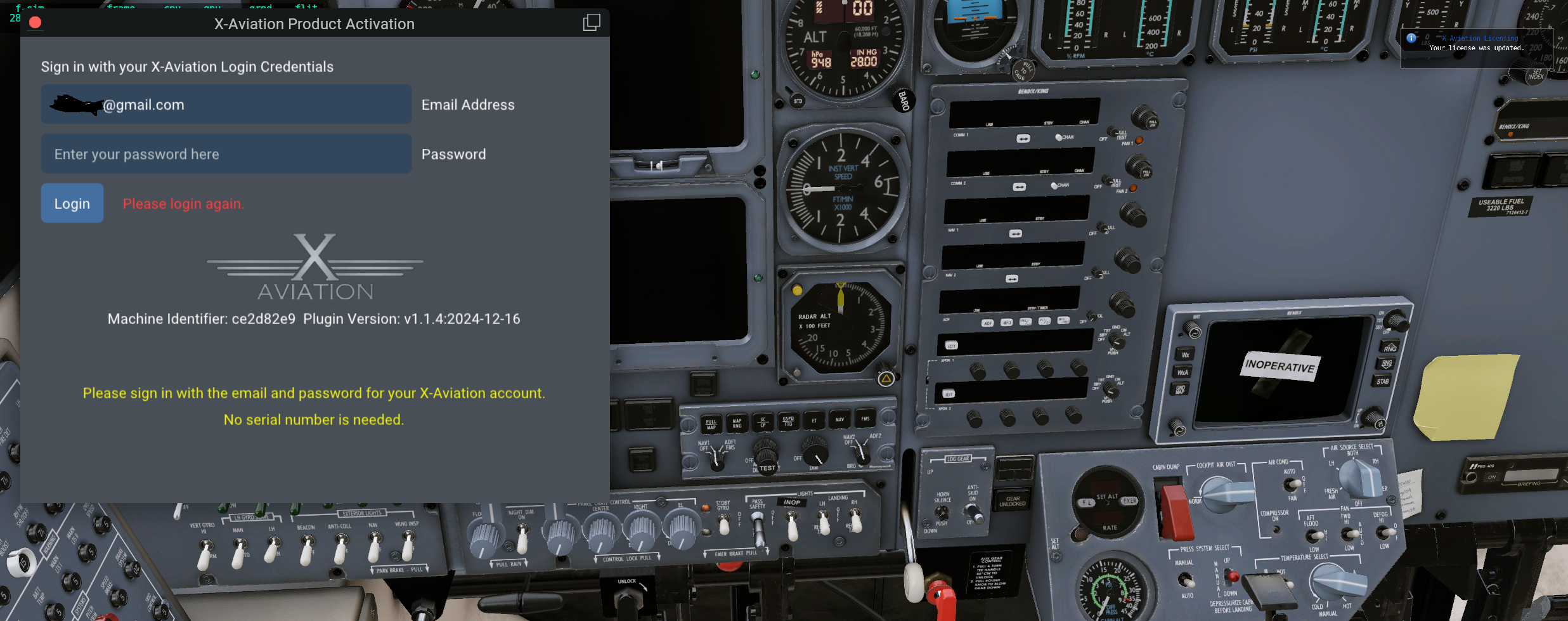
Thanks. I did post screenshot and log to the ticket but here is the screenshot. I've now re-installed X-Plane and still got the same error. This is what I get after entering the correct password and clicking Login. I've verified that anti-virus hasn't quarantined the plugin also. I'm running out of ideas of what to try.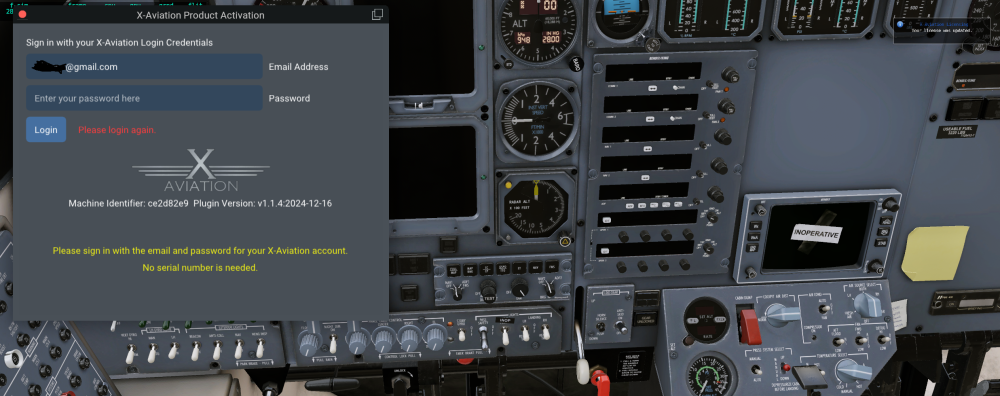
-
How do I get support for X-Aviation Activation not working
Pils replied to dleuen's topic in CitationJet 525
May help if you provide a screenshot. - Yesterday
-
 egc joined the community
 -
How do I get support for X-Aviation Activation not working
dleuen replied to dleuen's topic in CitationJet 525
Well I booted into Linux and did an install there and that did work. So it could be something on my side but without any help I don't know what needs to be fixed. The error message is not very descriptive and I don't see anything in the log that is helpful either. -
 Pedro Cordeiro joined the community
 -
How do I get support for X-Aviation Activation not working
dleuen replied to dleuen's topic in CitationJet 525
Yes this is on Windows. I have filled out the Activation window with the C525 and have re-installed it twice. I haven't tried re-installing all of X-Plane 12 yet. I would prefer not to. Its not a matter of wrong credentials because if I intentionally put in the wrong email or password I get a message saying that, not the "Please login again" message. -

How do I get support for X-Aviation Activation not working
diamonddriller replied to dleuen's topic in CitationJet 525
At this time, there are two activation systems in use by X-Aviation. The older (and still the prevalent one) is with Gizmo, but the newer version is diferent. Are you on a Mac or PC? Have you filled in the new activation window that appears with the C525 - maybe a silly question..... -
I opened a ticket in October about getting a message "Please login again" on the X-Aviation activation dialog which pops up every time I start X-Plane. I thought it was just an annoyance because the CL650 was still working. But now I tried my C525 and it is not working at all and I am unable to activate it. The ticket was closed without any resolution in October but I've re-opened it and am not getting any response. Has anyone seen this error before or know how to resolve it? Is there any other way to get support? Its extremely annoying to have such expensive add-ons have such poor licensing support. The ticket number is 1367 in case anyone from support monitors these forums. I hope this is just an oversight and not the standard mode of business.
-
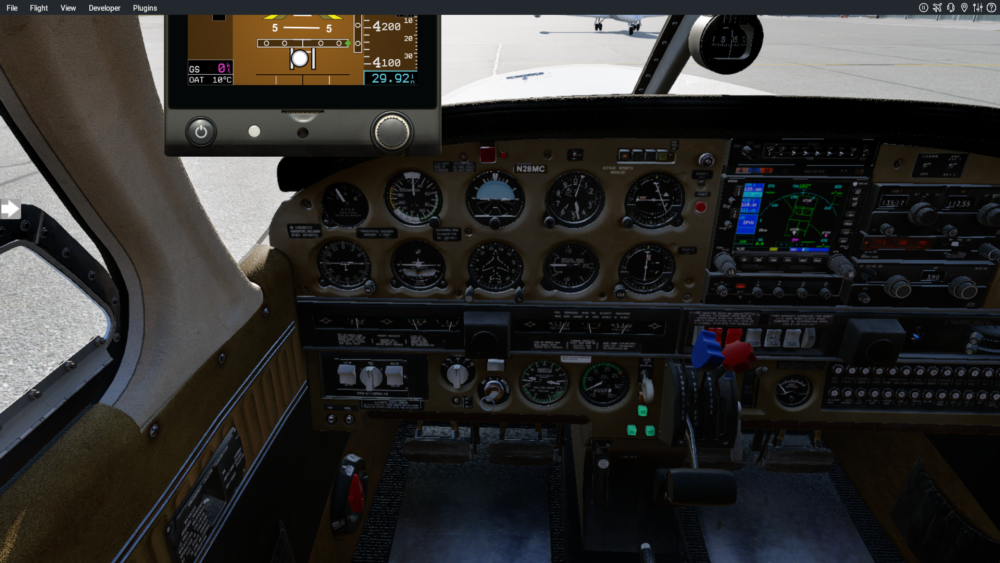
G5s in Just Flight PA-28R Turbo Arrow III/IV (X-Plane 12) Hey guys, I just purchased the X0Aviation G5 Instrument Xplane add on. I have a few issues. I have PA-28R Turbo Arrow III/IV (X-Plane 12) and I can't see how to make them show on the 3D panel. all I see is pop up options and all the popup options get cut off on the top of the screen so I can't even use those. Any more instructions on how to make them show up in the panel? X-Plane 2025.12.11 - 11.13.20.01.mp4
-
We need the script in order to help you diagnose the problem. Post it here.
-
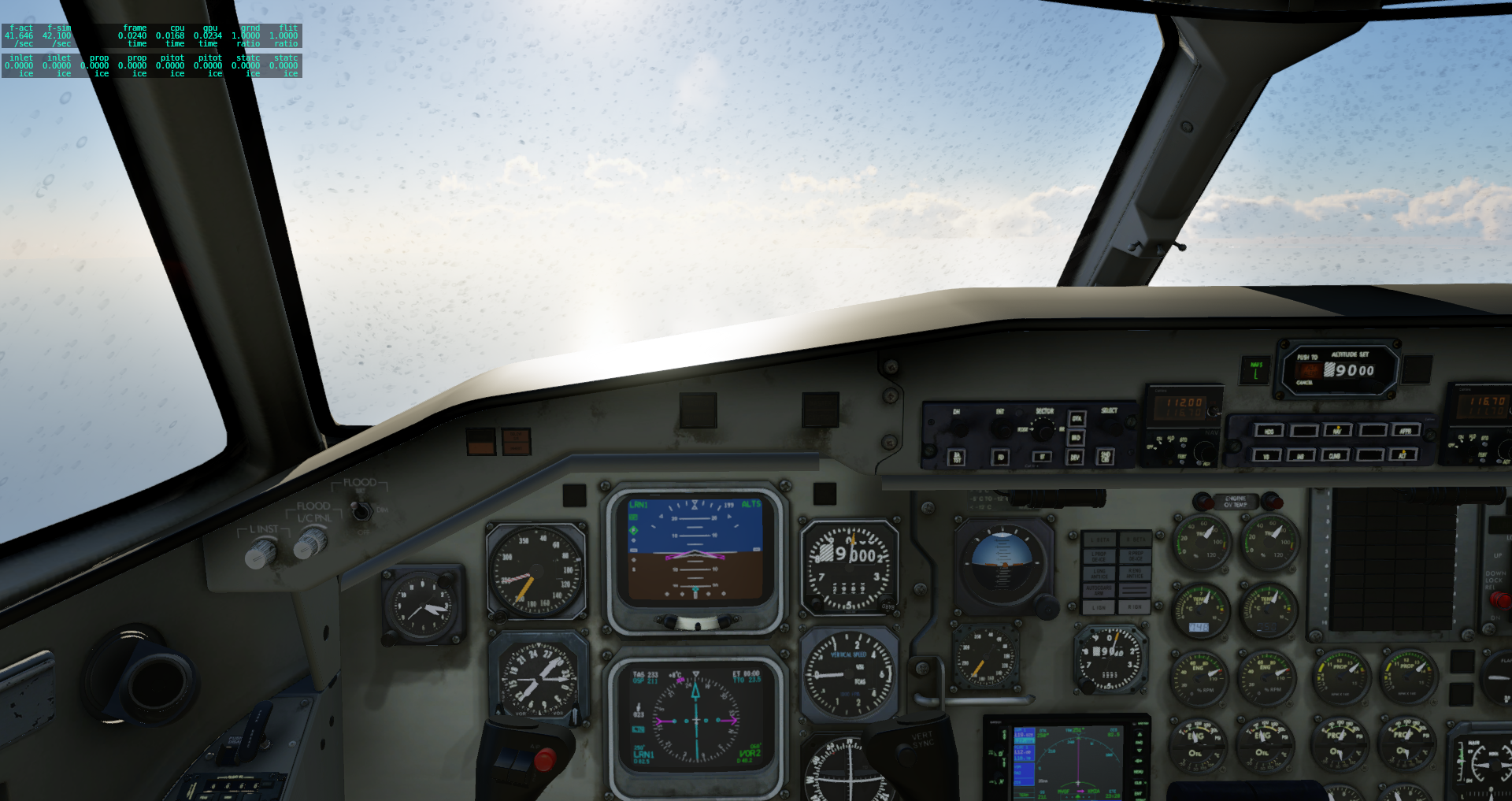
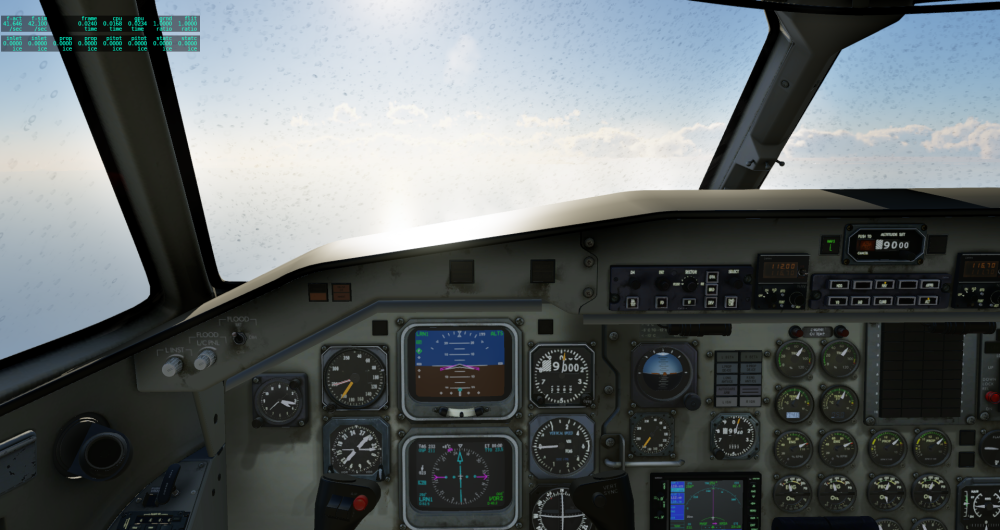
Hi, the plane fly good in XP12 but how I could clean this dirty windshield?
-
Any third party plugin in your Resources/Plugins folder move to a Temp folder and then follow his steps as he noted. Once the DA40 is working copy back your plugins from the Temp folder
- Last week
-

HotStart Challenger 650 Popout Panel combinations
JoeC replied to Tebro's topic in Plugins and Utilities
Edited to add: disregard the question below, but I'll leave this in case it helps others. After creating a Combination 2 and quitting and restarting X-Plane, Combination 2 is now an option for a keyboard shortcut target. ----- Great add on! Is it possible to set a keyboard shortcut to any combinations other than CL650:panel_combination:Combination 1? I can add multiple combinations to access via the Challenger 650 -> Panel Combinations menu, but only Combination 1 shows up as a keyboard shortcut option. Thanks! -
No, the dev doesn’t give dates.