All Activity
- Past hour
-
Yes. Likely Steam updated your X-Plane to a version that is not compatible (yet).
-
Is this how it is in real life? I find the relaxed tone at odds with the urgency of the situation, but that's just based off having heard the warnings in other aircraft. terrain.mp4
-
I am not sure why is that when I try to run the CL650 on X12 it crashes. I was from my system 3 days when it was running smoothly. I certaintly can run it on X11 but not on X12. Does anyone have any idea why? Can it be the lates Steam update? If it is, are there any ways to remove the update? It is an expensive module and reaching out to the seller is complicated. The crash takes me to the beginning and no notifications appears as to why it crashed. It just returns to the play screen in Steam. Please assist.
- Today
-
Well, it might be because development is difficult, and also because Laminar has been modifying the famous SDK, which they have completed, I believe, but it is also true that I had never expected a development to come out before, not even when I worked in a paid capacity. Maybe we are waiting for X-Plane 13 to come out, and since there was no longer a promise to release a version for the 13, we are left with that, with the unfulfilled promise of a magnificent plane that unfortunately we will no longer be able to fly except in bad versions like the MSFS one. But it flies! and it is accessible. I also fly it, sometimes, returning to XP11.
-
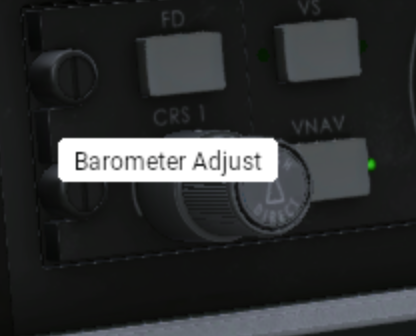
Having flown the Toliss A319 recently, which has no tooltips, I just want to say how much I appreciate the tooltips provided in the Challenger. I noticed this small error a while ago but have never reported it. Chances are you already know. If you hover the outer selector on the CRS knob it says barometer.
-
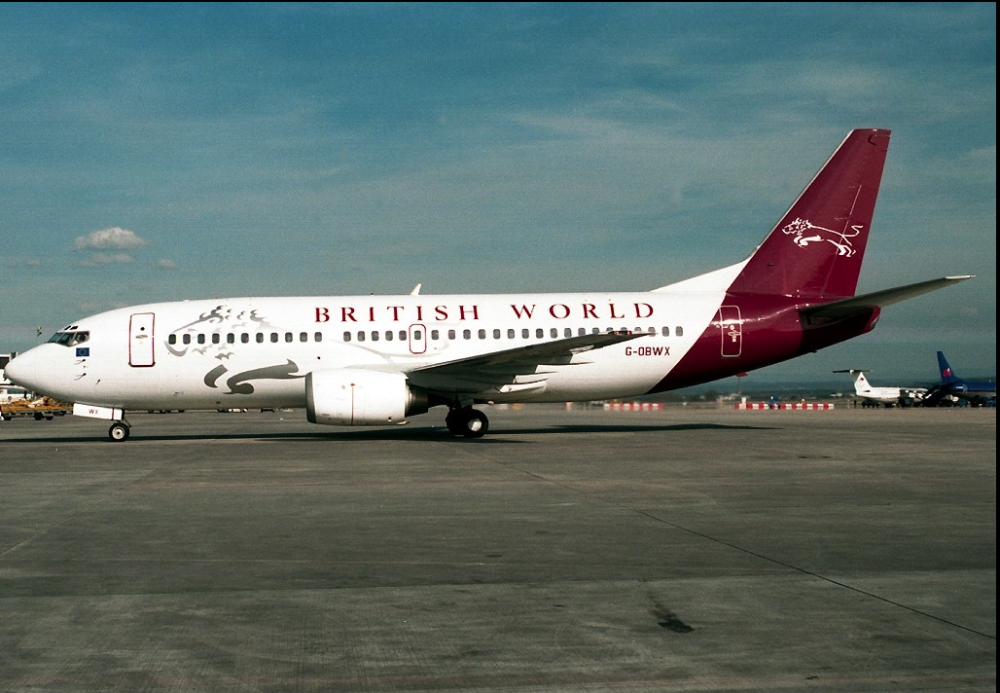
Please, that would look awesome on IXEG
-
 fav025 joined the community
 - Yesterday
-
 Maxi_330 joined the community
 -
 DS1804 joined the community
 -
 Kristoffiee joined the community
 - Last week
-
 biscuitwhopper9901 joined the community
 -

IXEG 737 Classic for X-Plane 12 Announcement
Vanadeo replied to Cameron's topic in General Discussion
Welp Felis 74 and this bird are the only two aircraft I have interest in, regarding XP-12 .. So far incredibly after all these updates, IXEG still flies sweet.. I've made a little tweak to the startup sounds.. Personally the main update for me would be FMC.. The sounds are pretty sweet as they are for now. Whilst I am capable of doing manual holds I would prefer it to be taken care of xD. Meanwhile I have found a plugin that automatically does it. Do I love this addon?, yeah.. Do I think it's a "Broken promise"?.. I don't remember being promised owt, If that's my ignorance, then fair play xD.. All I know is I paid 80 quid for 737 simulation that lasts indefinitely that appears to do (to the best of it's ability) what a real 737 does.. I could rent a sim down south for 2 hours that might do a better job for nearly 300 quid. IXEG 73 is a gorgeous plane and I hope I get few more years out of her. I'd be grateful for any future developent. I always think to what I got when I was a Kid, back end of 90s lol. I have moaned in the past, but I since grown out of that crap.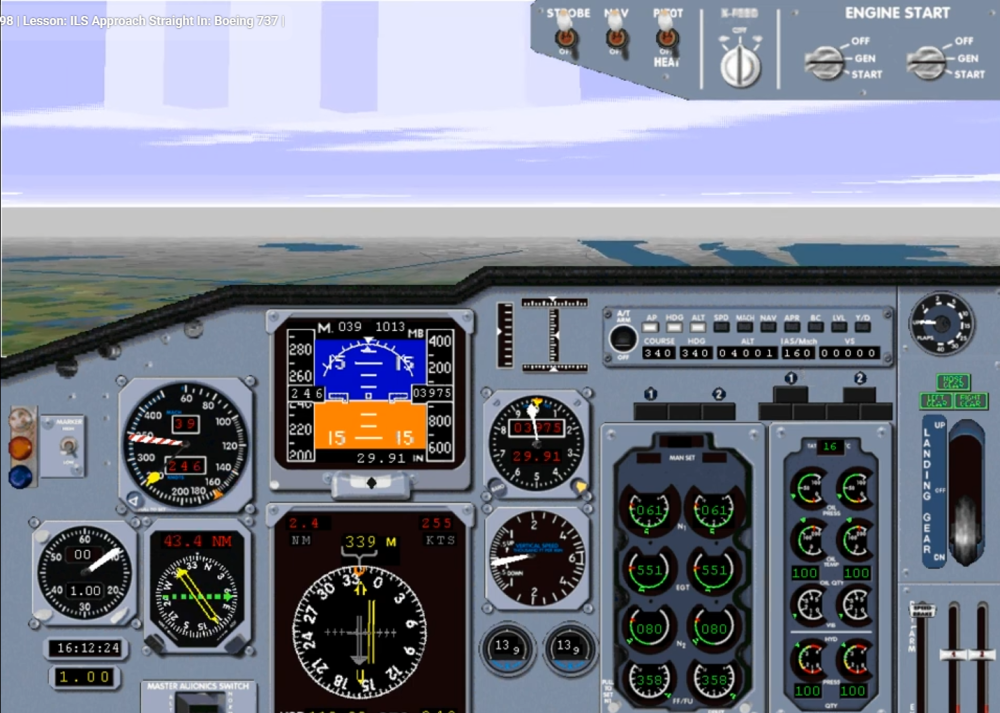
-
 dffsfdsfdsd joined the community
 -
 MyriamWharf joined the community
 -
 jarvischrys joined the community
 -
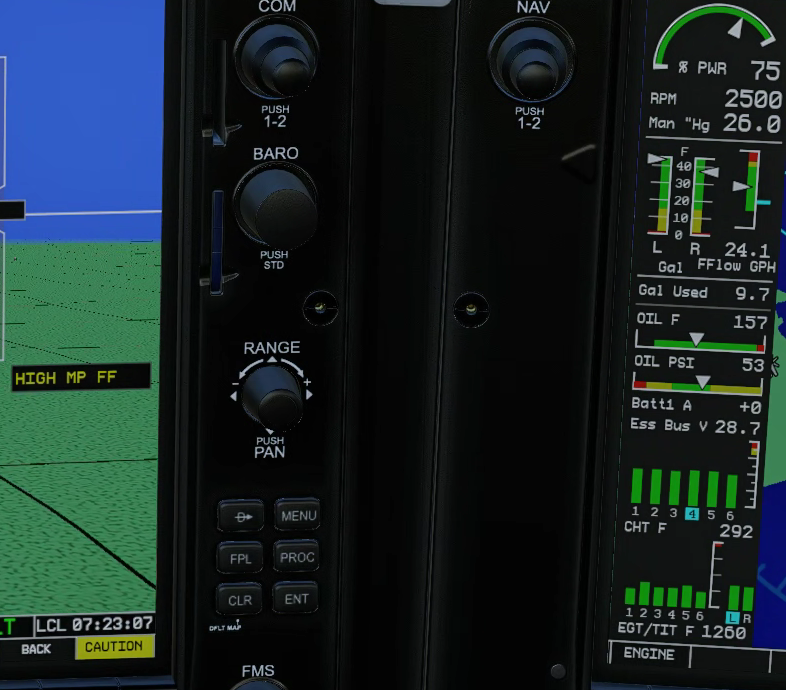
It's been a while since I've flown the SR22, but with the new update, I figured I'd give it a try. 1 - The CAPS cover and pin can both be removed with no problem. The pin can not be replaced, the cover can be replaced no issue. If I hover mouse over the pin in the center console. the pointer goes 'live', but clicking does nothing. If I go into the dataref tool, and toggle afm/sr/caps/pin, the pin gets removed/replaced fine, just with the mouse click it does not work. 2 - Any power setting over 26", I'm getting a high MP/FF alert. That seems very low. A bug? Or more likely, am I doing something wrong? Thanks, GolfCharlieTango
-
 Dougg joined the community
 -
Hello, please help me with steps to install latest scenery version windows, X-Plane 12, Nimbus KORD V4.0 XP12 is (installed) I want to install Latest version KORD V4.1 XP12. I do not get the message >"Agree to Auto-Replace" or "Overwrite” when I drop it into Custom Scenery where V4.0 is, I also tried to drop it into V4.0 folder but both ways I never get the above message. I am new to this, hoping you can hook me up with proper way to do this update. Thanks, Doug
-
This will serve as an official announcement that we have released the version 2.2.2 update for the SR20 G1000. All customers who have purchased the SR20 G1000 up till now have been sent an e-mail by X-Aviation with complete instructions on how to obtain your update. We have made this a very simple process! For those that purchase the SR20 G1000 Series from today forward, your purchased download will already be updated to version 2.2.2 for you. What if I didn't get the update e-mail? If you did not receive your update e-mail don't fret! X-Aviation has updated our system to allow all customers to update with ease, regardless of whether you received an e-mail for the update! Here's what to do: 1. Login to your X-Aviation account here: https://www.x-aviation.com/catalog/account_history.php 2. Find your original SR20 G1000 download and re-download the file. It will download as the latest version! The following is a list of additions/fixes included: Bug Fixes and Improvements: X-Plane 12.4 / 12.4.1 adjustments and updated dataref usage Latest physics engine Spark plugs will revert to clean status when wear/maintenance system is disabled (previously whatever state they were in before when disabling was kept) Fuel lines are primed by default when persistent systems are turned off Disabled fuel sloshing on ground Expedite priming process until fuel flow registers during engine start Adjust positive fuel flow with low boost and engine off Replacement of deprecated datarefs Updated libraries and dependencies Adjusted prop disc behavior FMOD Volume adjustments and minor sound tuning Fix error where certain degraded networks lead to stuck loading of aircraft As always, thanks for being a customer with X-Aviation. We appreciate your feedback and support! Enjoy these latest updates, and stay tuned to the forum as we continually announce the latest happenings.
-
We aren't even anywhere close to knowing this.
-
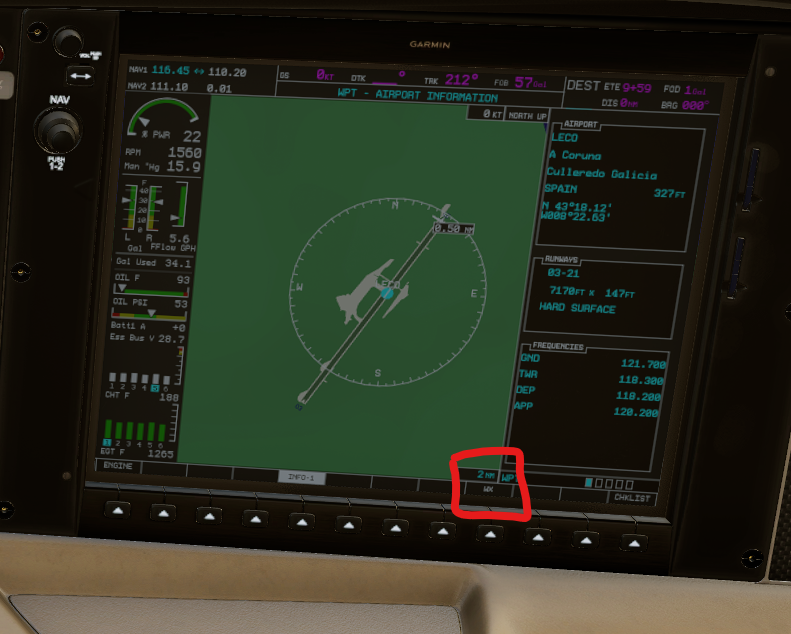
Hi there I just updated to the newest version V2.2.2. When I set the Garmin-map to the following screen (see screenshot) to get airport-informations, the WX-key doesn't work. When I press on it, nothing happens. It works perfectly in the default SR22. I would appreciate any help. Many thanks.
-
- 1
-

-
https://discord.gg/Seaj6hXUNp
-

Can I get a invite for the hot start discord
Anatoly_1381 replied to mike10's topic in General Discussion
Hello, Could we get a new link to the discord please? -
Oh god, I gotta brace my broke self for this, but what is a rough estimate for the price of the Boeing 717?
-
-
This will serve as an official announcement that we have released the version 2.2.2 update for the SR22 G1000 Series. All customers who have purchased the SR22 G1000 Series up till now have been sent an e-mail by X-Aviation with complete instructions on how to obtain your update. We have made this a very simple process! For those that purchase the SR22 G1000 Series from today forward, your purchased download will already be updated to version 2.2.2 for you. What if I didn't get the update e-mail? If you did not receive your update e-mail don't fret! X-Aviation has updated our system to allow all customers to update with ease, regardless of whether you received an e-mail for the update! Here's what to do: 1. Login to your X-Aviation account here: https://www.x-aviation.com/catalog/account_history.php 2. Find your original SR22 G1000 Series download and re-download the file. It will download as the latest version! The following is a list of additions/fixes included: Bug Fixes and Improvements: X-Plane 12.4 / 12.4.1 adjustments and updated dataref usage Latest physics engine Spark plugs will revert to clean status when wear/maintenance system is disabled (previously whatever state they were in before when disabling was kept) Fuel lines are primed by default when persistent systems are turned off Disabled fuel sloshing on ground Expedite priming process until fuel flow registers during engine start Adjusted turbocharger bearing drag and fluctuations near idle (SR22TN) Tuned fuselage Cd for more accurate speeds in pattern environment (SR22) Adjust positive fuel flow with low boost and engine off Replacement of deprecated datarefs Updated libraries and dependencies Adjusted prop disc behavior FMOD Volume adjustments and minor sound tuning Fix error where certain degraded networks lead to stuck loading of aircraft As always, thanks for being a customer with X-Aviation. We appreciate your feedback and support! Enjoy these latest updates, and stay tuned to the forum as we continually announce the latest happenings.
-
- 3
-

-
Thanks for the link, my English isn't very good, so I don't understand some things very well. The crashes are now fixed for me. Dieter Swada
-
They did. Sorry that the support person you got was unaware. We'll be closing this topic now. You can continue to followup with Laminar.
-

TorqueSim Sr22 crash on X-Plane 12.4.1
sakis.tosounidis replied to jjovin's topic in G1000 SR22 Series
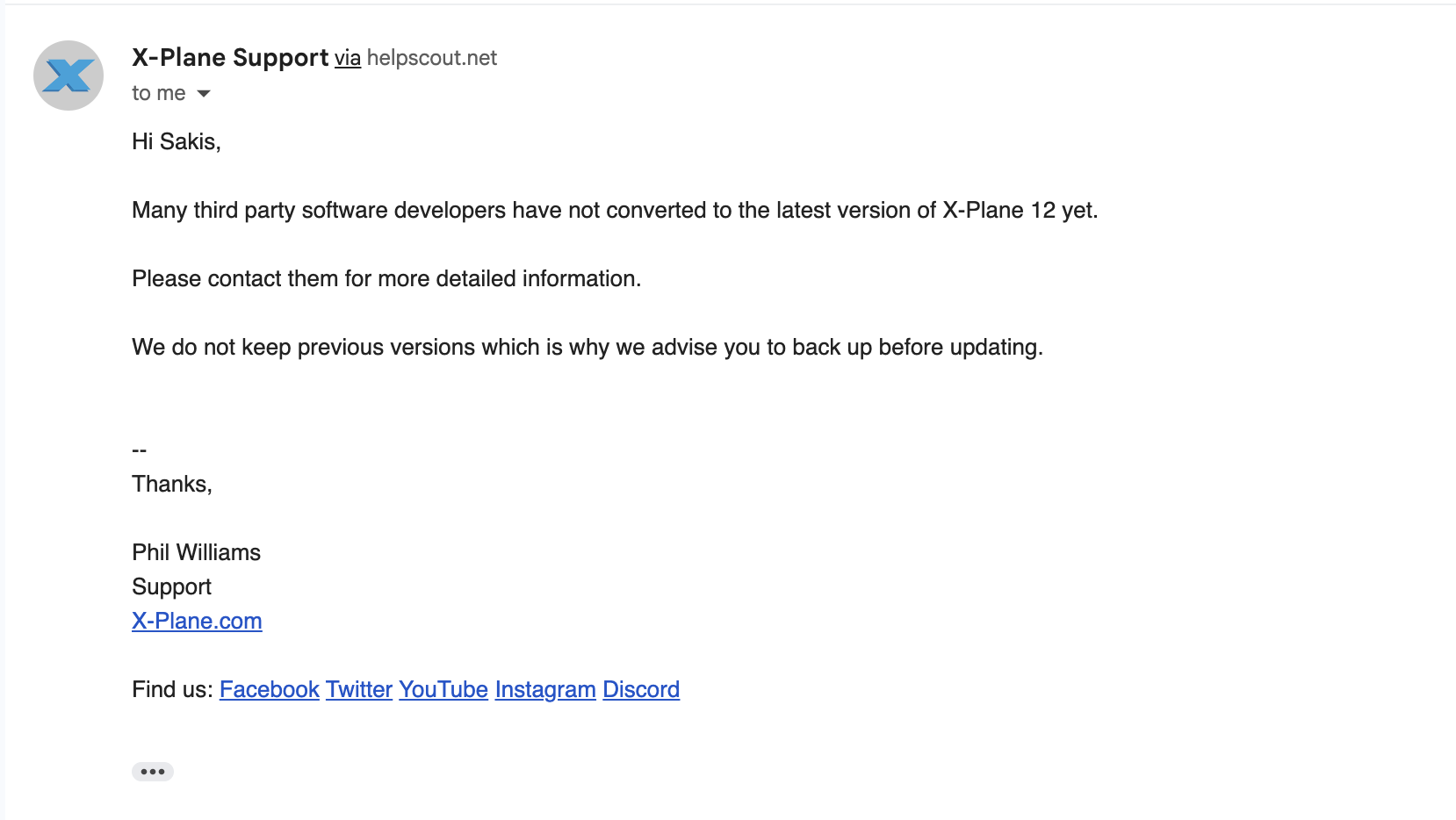
Here is a screenshot from the answer from x-plane support . as you can see they did NOT make it possible to downgrade, as you told me... so please tell me if I am not understanding something right .... but as far as i can see, there is no way to get version 12.4.0. So what do you suggest I should do ??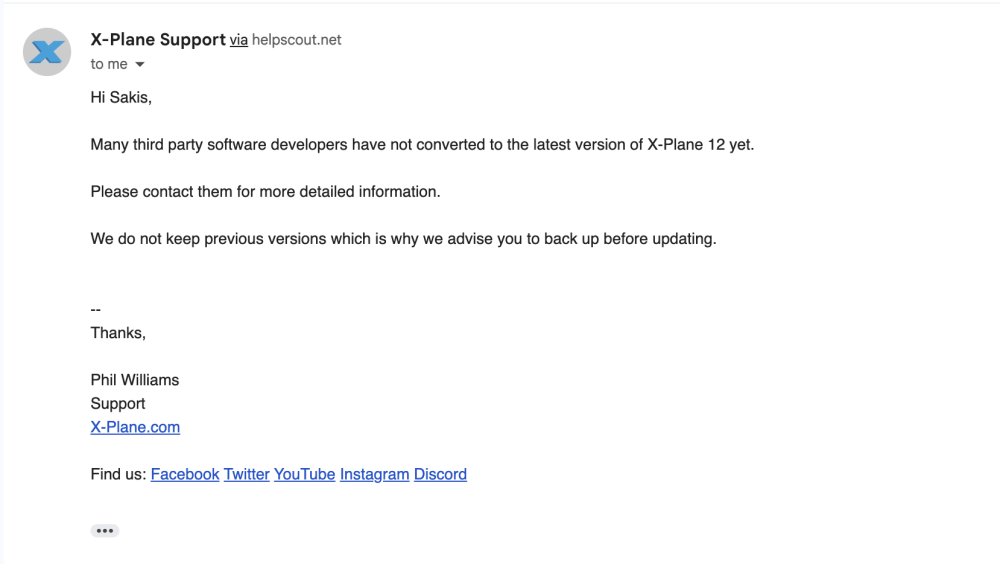
-
-
I don't have a link to give you, so no. Laminar has made it possible to downgrade due to this issue with numerous aircraft. You can contact them if you need assistance with their program.
-
I too am having issues with a crash on startup. Any advice?
-
TorqueSim Sr22 crash on X-Plane 12.4.1
sakis.tosounidis replied to jjovin's topic in G1000 SR22 Series
could you help us (YOUR customers!) out with that ? A link for example ? Because I couldnt find anything about downgrading to 12.4.0 for example .... - Earlier
-
Yes you can. Contact Laminar for assistance if you're unsure how to do so.