All Activity
- Today
-
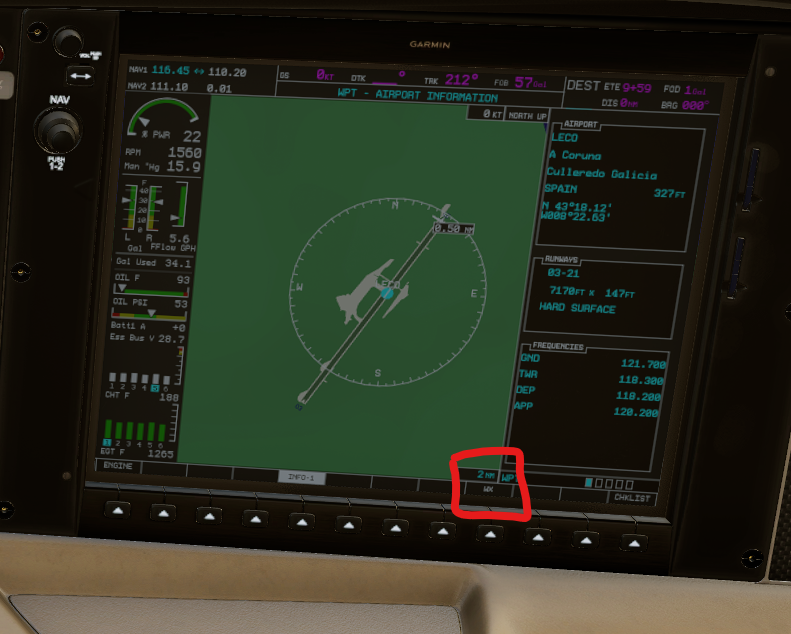
Hi there I just updated to the newest version V2.2.2. When I set the Garmin-map to the following screen (see screenshot) to get airport-informations, the WX-key doesn't work. When I press on it, nothing happens. It works perfectly in the default SR22. I would appreciate any help. Many thanks.
-
https://discord.gg/Seaj6hXUNp
-
 ZuzZUz joined the community
 -
 Kober joined the community
 -

Can I get a invite for the hot start discord
Anatoly_1381 replied to mike10's topic in General Discussion
Hello, Could we get a new link to the discord please? -
 dadsib joined the community
 -
 717glazer joined the community
 -
Oh god, I gotta brace my broke self for this, but what is a rough estimate for the price of the Boeing 717?
- Yesterday
-
 BEACHMANJRR joined the community
 -
 flyingtej joined the community
 -
 hddenator joined the community
 -
 matheus123 joined the community
 -
 jangjang joined the community
 - Last week
-
-
This will serve as an official announcement that we have released the version 2.2.2 update for the SR22 G1000 Series. All customers who have purchased the SR22 G1000 Series up till now have been sent an e-mail by X-Aviation with complete instructions on how to obtain your update. We have made this a very simple process! For those that purchase the SR22 G1000 Series from today forward, your purchased download will already be updated to version 2.2.2 for you. What if I didn't get the update e-mail? If you did not receive your update e-mail don't fret! X-Aviation has updated our system to allow all customers to update with ease, regardless of whether you received an e-mail for the update! Here's what to do: 1. Login to your X-Aviation account here: https://www.x-aviation.com/catalog/account_history.php 2. Find your original SR22 G1000 Series download and re-download the file. It will download as the latest version! The following is a list of additions/fixes included: Bug Fixes and Improvements: X-Plane 12.4 / 12.4.1 adjustments and updated dataref usage Latest physics engine Spark plugs will revert to clean status when wear/maintenance system is disabled (previously whatever state they were in before when disabling was kept) Fuel lines are primed by default when persistent systems are turned off Disabled fuel sloshing on ground Expedite priming process until fuel flow registers during engine start Adjusted turbocharger bearing drag and fluctuations near idle (SR22TN) Tuned fuselage Cd for more accurate speeds in pattern environment (SR22) Adjust positive fuel flow with low boost and engine off Replacement of deprecated datarefs Updated libraries and dependencies Adjusted prop disc behavior FMOD Volume adjustments and minor sound tuning Fix error where certain degraded networks lead to stuck loading of aircraft As always, thanks for being a customer with X-Aviation. We appreciate your feedback and support! Enjoy these latest updates, and stay tuned to the forum as we continually announce the latest happenings.
-
- 3
-

-
Thanks for the link, my English isn't very good, so I don't understand some things very well. The crashes are now fixed for me. Dieter Swada
-
They did. Sorry that the support person you got was unaware. We'll be closing this topic now. You can continue to followup with Laminar.
-

TorqueSim Sr22 crash on X-Plane 12.4.1
sakis.tosounidis replied to jjovin's topic in G1000 SR22 Series
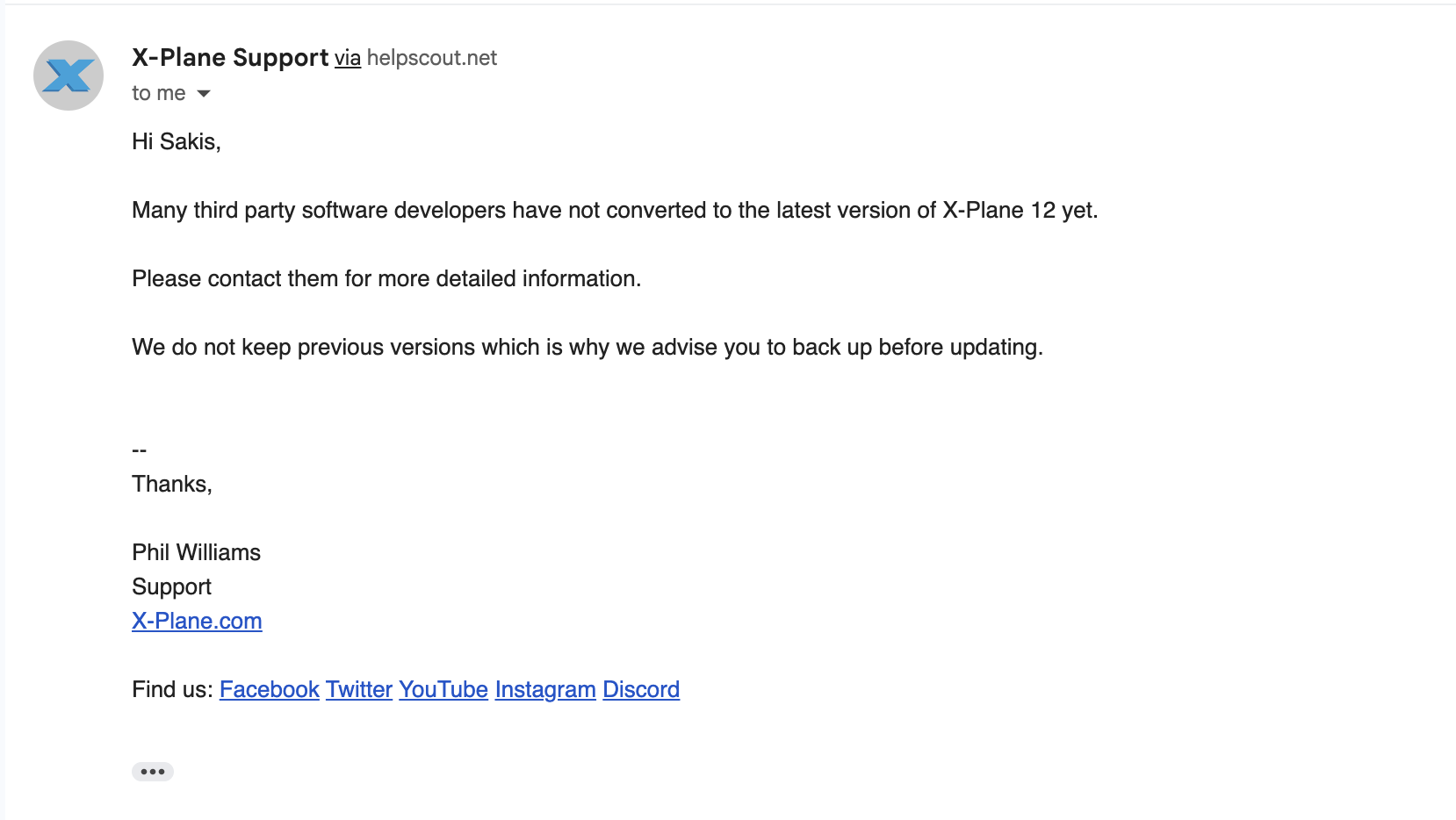
Here is a screenshot from the answer from x-plane support . as you can see they did NOT make it possible to downgrade, as you told me... so please tell me if I am not understanding something right .... but as far as i can see, there is no way to get version 12.4.0. So what do you suggest I should do ??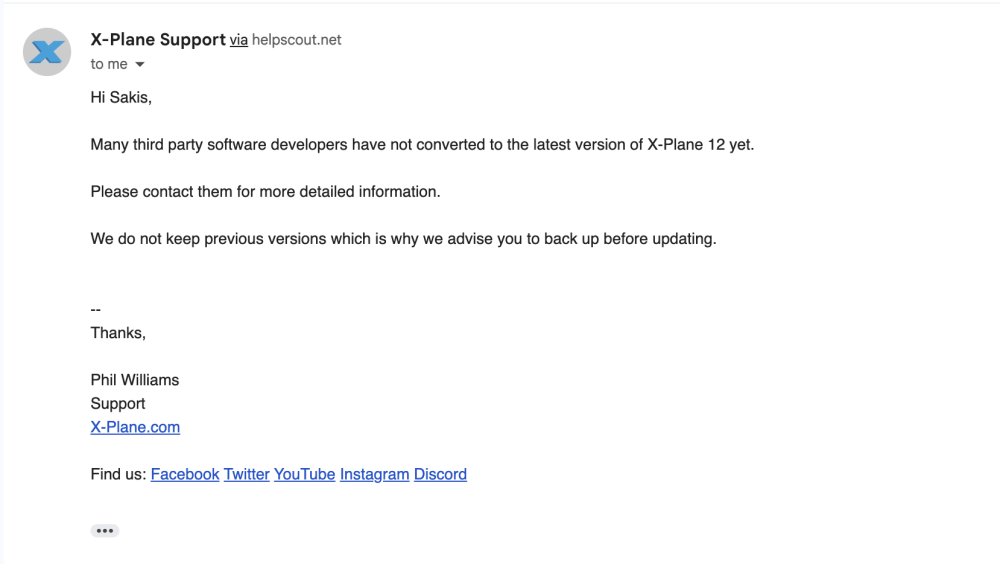
-
-
I don't have a link to give you, so no. Laminar has made it possible to downgrade due to this issue with numerous aircraft. You can contact them if you need assistance with their program.
-
I too am having issues with a crash on startup. Any advice?
-
TorqueSim Sr22 crash on X-Plane 12.4.1
sakis.tosounidis replied to jjovin's topic in G1000 SR22 Series
could you help us (YOUR customers!) out with that ? A link for example ? Because I couldnt find anything about downgrading to 12.4.0 for example .... -
Yes you can. Contact Laminar for assistance if you're unsure how to do so.
-
TorqueSim Sr22 crash on X-Plane 12.4.1
sakis.tosounidis replied to jjovin's topic in G1000 SR22 Series
Hi, although i have now read about the problem with xplane 12.4.1 i wanted to post this, mainly because I am disappointed. There is no hint about possibility for CTD in the x-aviation page when buying the SR22 G1000. There is also no answer about a timeline for an update, nothing at all. Only a link to https://support.x-aviation.com/knowledgebase.php?article=7 where there is mentioned the incompatibility with xplane 12.4.1. BUT there is no possibility to downgrade. So ? Now you have my money and I have i piece of software that just crashes without any statement when to expect a solution. Not very nice from you ..... -
Seriously? Did you just bother not to read or click anything from the response above?
-
Hi, i experienced the same problem, exactly as it was described. Any solution?
-
Loading LES_Sundowner.acf also terminates XP12.4 on the desktop for me. Dieter Swada Log.txt
-
Yes. https://discord.gg/kq8bNNrw8
-

IXEG 737 Classic for X-Plane 12 Announcement
mjrhealth replied to Cameron's topic in General Discussion
In a nut shell. Project was nearly dropped completely. Some developers allowed continuation of project just with less people. Developer all spent time helping laminar. With less people its getting a complete FMS update to use XP nav data and fix nagging nav issues, its also getting a complete sound update to FMOD. Wont happen in a hurry with less people. Yes I read a lot -

IXEG 737 Classic for X-Plane 12 Announcement
SeaHawk14 replied to Cameron's topic in General Discussion
I see, fair enough. I'm really rooting for IXEG 737 Classic here but there hasn't been much progress or hint of progress in a while. I hope your assumption is right. -
Will there be a 1.9 version for that aircraft? BTW, does anyone have an invitation for their discord? Thx
-

Xplane 12 is CTD upon latest Xplane update (3/31/26)
Yopeck-LFPX replied to Mbolton1's topic in Crash To Desktop
Hi all Pils, thank you for this information about XP12. For the development team, I know my comment won't influence the patch release. it's normal... I'm just a little disappointed. I like this addon :-) So I'll now have two stable versions of XP12 online ans wait for the update. -
Which version of X-Plane are you running, please? Is it 12.4.1?
-
From last week i'm trying to flight the SR20 but crash to desktop when load up the flight. I try unistalling and installing again but not working. Please help to solve this failed. Thanks