

All Activity
- Past hour
-
Hi guys sorry for my late reply. is working with the option number 2!!!!! i hope in the future an update can be change this. Well, is not a bad idea, but if i have different brakes i would like to use it. thank you guys
- Today
-
No problem with noses sticking out anywhere . But you are right, the FMOD transition is not progressing right now due to other things in life taking precedence and the current sound application works fine for the vast majority of users - to the point of where I am going to say that if it does not, something is not set up correctly in your hardware/operating system.
-
I have it partially fixed with the ftsim soundpack, most of the alerts are still sped up as well as a lot of other things, however there is no more static and some sounds are back to normal, Would really love an update on the FMOD sound system, but I understand you are hard at work, and probably don't love people like me sticking our noses where they do not belong.
-
Having this same issue as well, doesn't seem like any solutions were made, Ill try the FTSIM sound pack as that seemed to be a fix for someone and they have a free demo version
-
If I may ask, have you been able to replicate this problem/solve it Mr., Litjan?
-
Just reinstalled OpenAL and no change
-
Just bought it today and Im having the same problem
-
HI, I've just purchased the 2T, and noticed that whenever I toggle the aircrafts setup window, the whole sim CTD. Tried this several times. Now, for some reason my battery ran out, and I'm unable to replace it since the toggle window isn't working. Kindly to support me fixing this. Good day, Mo
- Yesterday
-
Yes. Don't use X-Plane beta software and expect things to just work.
-

IXEG 737 Classic for X-Plane 12 Announcement
VirtualAviator replied to Cameron's topic in General Discussion
Once Laminar Research releases its new documentation for users and devs, I believe you can expect renewed activity on the IXEG. -
How big is the IXEG team as it stands currently?
-

IXEG 737 Classic for X-Plane 12 Announcement
SeaHawk14 replied to Cameron's topic in General Discussion
Are you talking about the video: "IXEG 737 - Grounded Forever or Ready for Takeoff?" or is there something more recent? - Last week
-
If I click away the first three sefety pages within the G1000, at the third click X-Plane crashes. Tried a fresh installation, but still the same result. (XP Version 12.4.1-b2 build 124103) All other G1000 planes do work fine, as the SR20 with Avidyne Avionics does. Any idea?
-
Xp13 will already be at version 13.5 and we will still waiting for the radar and the beta update... but don’t ask anything to the devs
-
In Xplane forum was only "There's a patch in the works. It's only a few places in the code so nothing major". But still out of play...
-
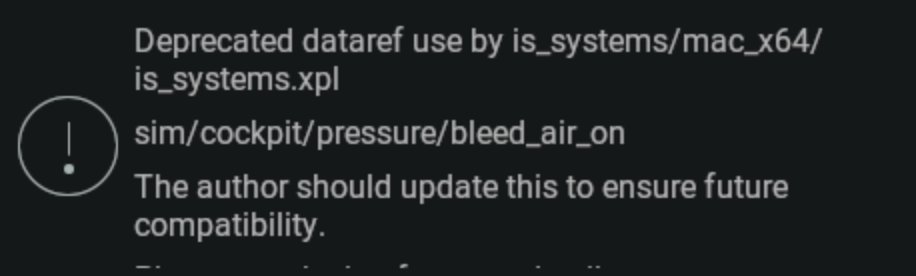
This relates to air temperature in Kelvin in or around the cabin, presumably.
-
They’re already running the last stable version. This is unrelated.
-
-
No, nothing is generated by text to speech. There are no plans for improvements to this.
-
Yes, we're aware.
-
The 'terrain, terrain' warning in this aircraft sounds like it is spoken by some text to speech engine. It sounds a bit odd, though I can't say what the real deal sounds like either, so I'm just guessing here. Just wondering what the situation was and if it can be improved. (Yes I know you can just not fly near terrain).
-
I'm guessing TorqueSim is aware of this. Will it be fixed in the next release?
-
I can cope with it, but that's good news about the update. It periodically crashed under the same circumstances with older versions anyway, just not as much.
-
Fully agree, no feedback, nothing in discord either, a tiny little message would reassure us all By sheer luck, just for once I did not have the check for beta’s activated Maybe change the title of this message ‘Do Not upgrade to XP 12.4.1b2’
-
Use the last stable version of X-Plane. An update on the CL650 is being worked on that will fix this problem.





