All Activity
- Today
-
 uros joined the community
 -
 minhdan joined the community
 -
 Gianluca Bussano joined the community
 -
XP12.4 in the Applications Folder (Mac), don't use Steam (obviously). The sim runs perfectly except for the dark panel, no impact visible from the turning of the panel lighting controls.
-
 mlb406 joined the community
 -
 Nancy_Eleanor joined the community
 -
 sekulovski_ joined the community
 -
-
 r37116 joined the community
 -
Hi- I've tried reinstalling twice with no luck. Other aircraft load and run find. But, when I try to load the SR22/SR20 torquesim aircraft, it launches me into the aircraft then freezes and crashes 10 seconds later. I updated my 4600 RTX driver and reinstalled plugins. I’m on Steam X-Plane 12 and the TorqueSim SR22 version 2.1.1 crashes consistently on load or shortly after load. I have already: reinstalled the aircraft twice from X-Aviation confirmed other aircraft work fine confirmed the default Laminar SR22 works fine isolated the problem specifically to the TorqueSim SR22 My logs repeatedly show: a warning that sr_systems.xpl is calling X-Plane SDK functions before the simulation is fully loaded a threading violation by Cirrus SR22 by TorqueSim and RealSimGear Relevant log details: WARNING: A plugin has called X-Plane SDK functions before the simulation was fully loaded ... PLUGIN: ... sr_systems.xpl Threading violation calling XPLMGetDatad ... Violation by Cirrus SR22 by TorqueSim and RealSimGear Aircraft version shown in log: SR22 GP - Version 2.1.1 Built on: Sep 21 2024 The SR22 torquesim ran fine before. Is there a hotfix or updated build? Any help appreciated! Attached is the log. Log.txt
-
 sfsfsfsdfsf joined the community
 - Yesterday
-
 Arjun joined the community
 -
Hi, do you guys have a timeline on the update? I'm curious if I should buy the steam version so I can go back to 12.4.0.
-
 trainplaneguy joined the community
 -
Thanks lawson-stone, good to know. What version of x-plane are you running? Where is it installed? Are you using Steam? I purchased x-plane through Steam, so the software is in the Program Files (x86) folder structure under Steamapps. I saw above a reference to not installing x-plane in the Program Files directory, so I'm looking for any solution.
-
 I recently purchased (Order# 151449) Take Command TorqueSim Citation CJ525 V. 1.1.0 on 3/31/20, and after installing the software on my PC I experienced a loss of use, i.e., of the Honeycomb Bravo Throttles. I made many attempts at generic mapping of the throttles, and even Custom Command. Nothing worked!!!. Nothing! I even uninstalled and reinstalled the app, but to no avail. I am NOT seeking a refund. I just want to fix the problem after spending $85.00, because I really like the plane and the level of detail and high fidelity built into the aircraft. I need your help. Thank you. Thomas
 - Last week
-
https://support.x-aviation.com/knowledgebase.php?article=7
-
My SR22 Keeps crashing. - Tried re-install and that did not work. - All other airplanes work fine. - Disabling the x-aviation activation plugin prevents the airplane from crashing. - Attaching log.txt Log.txt
-
I just wanted to chime in here that I'm having no problems at all with the plane loading, flying, and doing everything correctly with the single exception of having the darkest instrument lighting of any XP12 plane that I have, by far. I have the knobs all the way up, and still the instruments are unreadable unless I zoom in. But as for loading, flying, navigating, etc. it works flawlessly.
-
 Bright and bumpy day for a circuitous flight up the Mid-Atlantic.
 -
It may not be new, but it doesn't change the economics of it at all. The realities are what they are. If I used VR I'd probably feel the same. Unfortunate that we'll lose you, but I understand.
-
Stating that the lack of VR support is due to it being a 'small sub-niche' is disappointing and dismissive. By that logic, the needs of VR users aren't a priority for X-Aviation developers, yet we are still expected to pay full price—in this case, $84.95—for products that don't fully support our hardware. VR is no longer a 'new' technology; it is a standard in modern flight simulation and should be treated as a core requirement, not an afterthought. If a product isn't built with VR in mind, it should be clearly labeled as incompatible. Until VR support and timely updates become a priority, I can no longer justify supporting X-Aviation. Produsts I purchased over the years: Take Command!: Hot Start TBM 900 (still waiting on the XP 12 update for years) Take Command!: TorqueSim CitationJet 525 TOGA Simulations MU-2 Marquise v2 Take Command!: RealSimGear DA40NG Take Command!: SR22 G1000 Series Take Command!: SR20 Entegra RSG G5 Instruments RealSimGear G500 Avionics Suite SkyMaxx Pro v5 Icarus Simulations: Key West – KEYW FS Global Real Weather Real Weather Connector SkyMaxx Pro v4 SoundMaxx
-
Is there any update on this? With X-plane 12.4.1 the Sundowner still does not load.
-

Xplane 12 is CTD upon latest Xplane update (3/31/26)
Cameron replied to Mbolton1's topic in Crash To Desktop
It's not worth doing. Laminar can instruct you on how to downgrade if you contact them. We hope to have an update out on our end within the next week or two. -

Xplane 12 is CTD upon latest Xplane update (3/31/26)
LexLufix replied to Mbolton1's topic in Crash To Desktop
Thanks for the info, @Pils and @Cameron. Can you estimate how long this will take? Days/weeks/months? I’m wondering whether it’s worth spending $60 on Steam to install the previous version (12.4.0) of X-Plane and transfer all my settings. Unfortunately, for once, I didn’t back up my X-Plane folder before installing the last minor update -
I saw your previous post when you posted it, but I assumed you were just letting us know. Did you check the link I posted in the post above yours? It's a temporary solution, until libradio gets an update. Wrong forum. We're not IXEG. Here's where you can submit bug reports for the IXEG 737. https://forums.x-pilot.com/forums/forum/202-bug-reports/
-

Challenger 650 not found with the new xplane 12 version
Goran_M replied to mati2124's topic in General Discussion
V1.9 was just released to testers yesterday. -
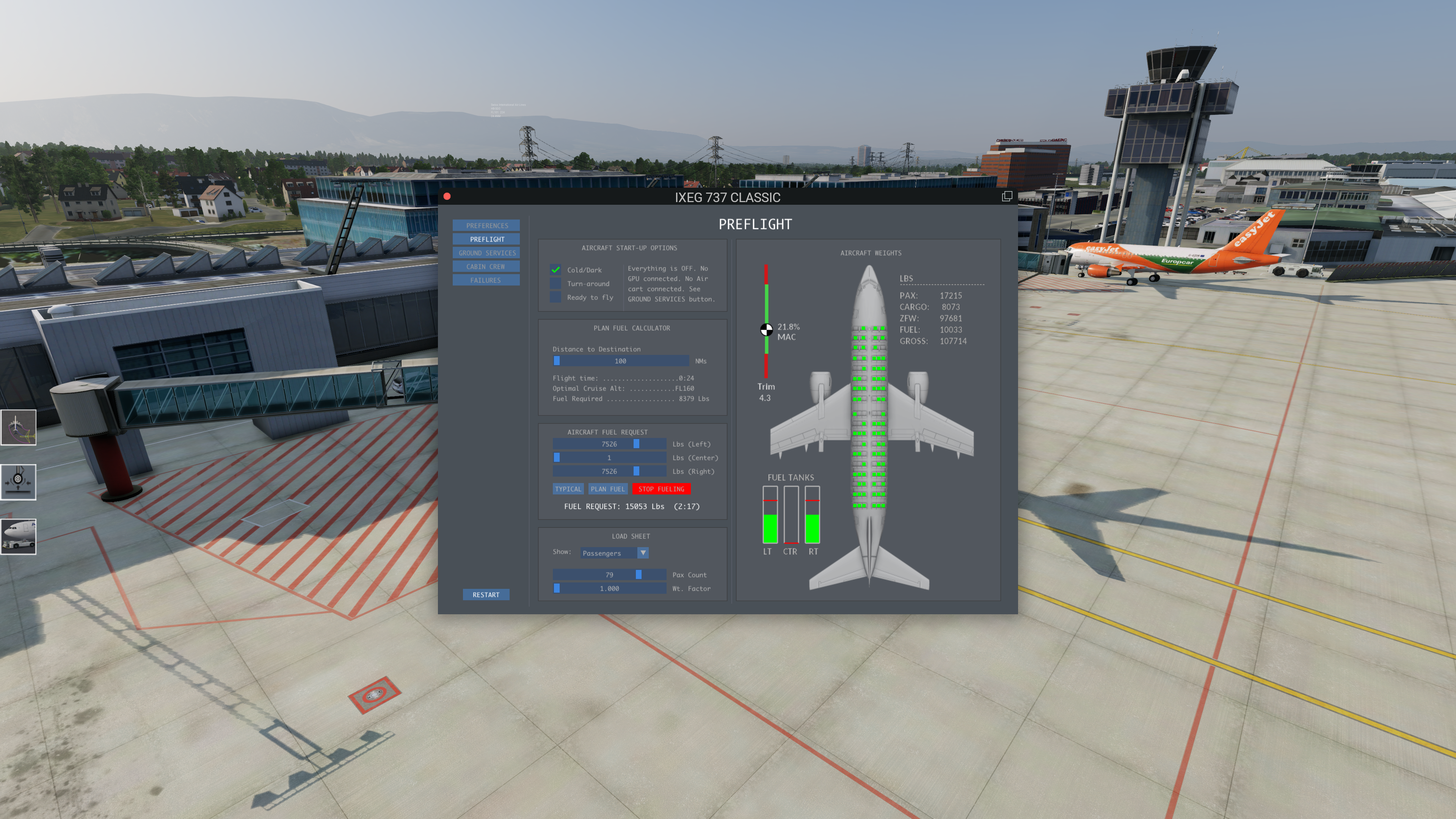
Having a sililar issue with X-Plane 12.4.0, not a CTD but Fueling stops and can not proceed before IXEG was working fine, now Fueling is not possible Screen shoot attachted, show red flag on fueling after start Full LOG attached as well, meybe this helps Log.txt
-

How to change the white, green, red speed tape?
JaredDotDev replied to bodote's topic in G5 Instruments
Hi @Coop Would you be willing to make a `g5_airspeed.png` for the Bonanza A36? It would be much appreciated =)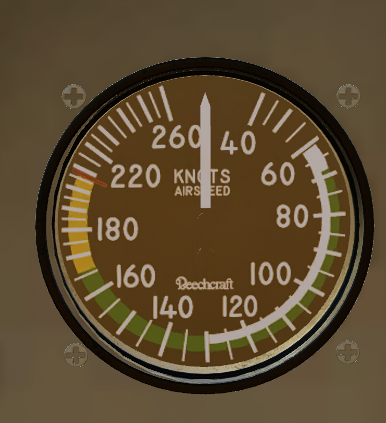
-
 I update xplane 12 to version 12.4.1 and Challenger 650 stopped to working. I hope they update to it.
 -

Problems using X-Camera with the Hotstart Challenger
Damon W replied to CumulonimbusZ's topic in Technical Support
I have the same problem. Can you tell me what the "option" is to turn off when loading? I don't see it. Thanks! -
This is what I get at then end of my Log.txt text file Threading violation calling XPLMRegisterFlightLoopCallback (C:\Users\Administrator\builds\eiafPmXpN\0\x-plane\design\SDK\COMMON\xplanesdk\Src\XPLM\XPLMProcessing.cpp:44) Violation by libradio by Saso Kiselkov (skiselkov.libradio)
-
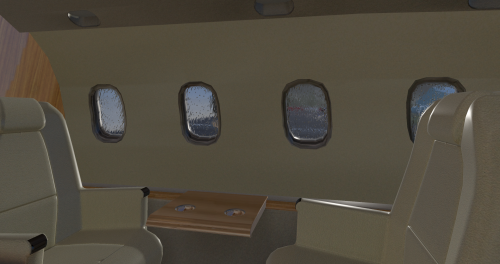 Good afternoon! This has flown like a charm in X Plane 11. Is there a possibility that you could create a compatibility patch for this to be flown in X Plane 12? Have a wonderful day! Best Regards
 -

Xplane 12 is CTD upon latest Xplane update (3/31/26)
Pils replied to Mbolton1's topic in Crash To Desktop
Thanks. We know. A beta to fix will be out soon. (See numerous other threads.) -
Xplane update deployed today - 3/31/26 causes immediate CTD. Re-installing, and plugin probes turned up nothing. ALL other planes in my X-Plane installation load fine. Just thought you should know. Masonb