All Activity
- Today
-
https://support.x-aviation.com/knowledgebase.php?article=7
-
 jjovin joined the community
 -
My SR22 Keeps crashing. - Tried re-install and that did not work. - All other airplanes work fine. - Disabling the x-aviation activation plugin prevents the airplane from crashing. - Attaching log.txt Log.txt
-
I just wanted to chime in here that I'm having no problems at all with the plane loading, flying, and doing everything correctly with the single exception of having the darkest instrument lighting of any XP12 plane that I have, by far. I have the knobs all the way up, and still the instruments are unreadable unless I zoom in. But as for loading, flying, navigating, etc. it works flawlessly.
-
 Bright and bumpy day for a circuitous flight up the Mid-Atlantic.
 -
 PC_SixtyFour joined the community
 -
 eliabe152 joined the community
 -
It may not be new, but it doesn't change the economics of it at all. The realities are what they are. If I used VR I'd probably feel the same. Unfortunate that we'll lose you, but I understand.
-
Stating that the lack of VR support is due to it being a 'small sub-niche' is disappointing and dismissive. By that logic, the needs of VR users aren't a priority for X-Aviation developers, yet we are still expected to pay full price—in this case, $84.95—for products that don't fully support our hardware. VR is no longer a 'new' technology; it is a standard in modern flight simulation and should be treated as a core requirement, not an afterthought. If a product isn't built with VR in mind, it should be clearly labeled as incompatible. Until VR support and timely updates become a priority, I can no longer justify supporting X-Aviation. Produsts I purchased over the years: Take Command!: Hot Start TBM 900 (still waiting on the XP 12 update for years) Take Command!: TorqueSim CitationJet 525 TOGA Simulations MU-2 Marquise v2 Take Command!: RealSimGear DA40NG Take Command!: SR22 G1000 Series Take Command!: SR20 Entegra RSG G5 Instruments RealSimGear G500 Avionics Suite SkyMaxx Pro v5 Icarus Simulations: Key West – KEYW FS Global Real Weather Real Weather Connector SkyMaxx Pro v4 SoundMaxx
-
 CBSundownerPilot joined the community
 -
Is there any update on this? With X-plane 12.4.1 the Sundowner still does not load.
-
 David_ashl joined the community
 -
 Nosaj joined the community
 - Yesterday
-
 Drmeddenrasen joined the community
 -
 amc joined the community
 -
 Coltpiner2 joined the community
 -

Xplane 12 is CTD upon latest Xplane update (3/31/26)
Cameron replied to Mbolton1's topic in Crash To Desktop
It's not worth doing. Laminar can instruct you on how to downgrade if you contact them. We hope to have an update out on our end within the next week or two. -

Xplane 12 is CTD upon latest Xplane update (3/31/26)
LexLufix replied to Mbolton1's topic in Crash To Desktop
Thanks for the info, @Pils and @Cameron. Can you estimate how long this will take? Days/weeks/months? I’m wondering whether it’s worth spending $60 on Steam to install the previous version (12.4.0) of X-Plane and transfer all my settings. Unfortunately, for once, I didn’t back up my X-Plane folder before installing the last minor update -
I saw your previous post when you posted it, but I assumed you were just letting us know. Did you check the link I posted in the post above yours? It's a temporary solution, until libradio gets an update. Wrong forum. We're not IXEG. Here's where you can submit bug reports for the IXEG 737. https://forums.x-pilot.com/forums/forum/202-bug-reports/
-

Challenger 650 not found with the new xplane 12 version
Goran_M replied to mati2124's topic in General Discussion
V1.9 was just released to testers yesterday. -
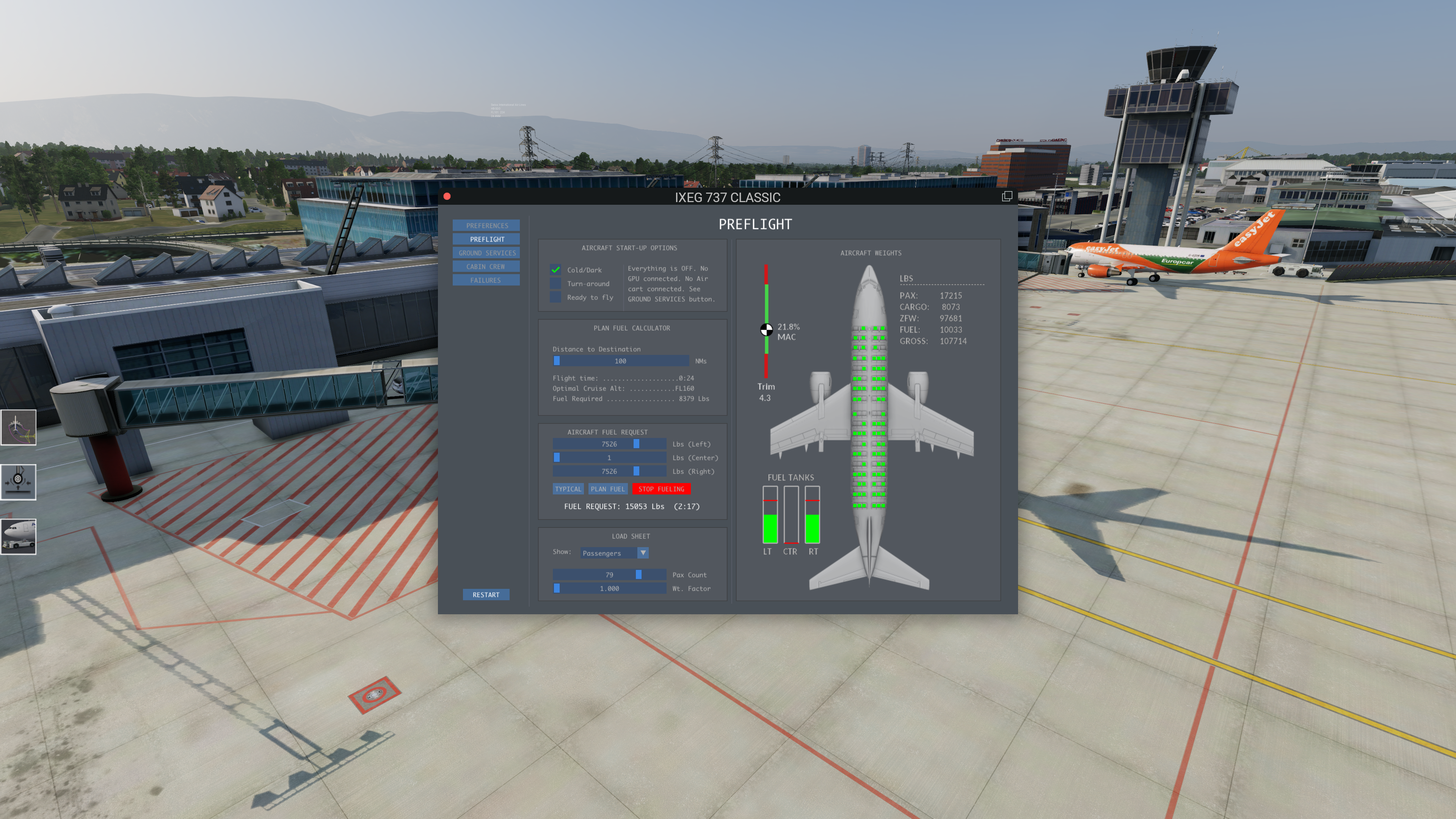
Having a sililar issue with X-Plane 12.4.0, not a CTD but Fueling stops and can not proceed before IXEG was working fine, now Fueling is not possible Screen shoot attachted, show red flag on fueling after start Full LOG attached as well, meybe this helps Log.txt
-

How to change the white, green, red speed tape?
JaredDotDev replied to bodote's topic in G5 Instruments
Hi @Coop Would you be willing to make a `g5_airspeed.png` for the Bonanza A36? It would be much appreciated =)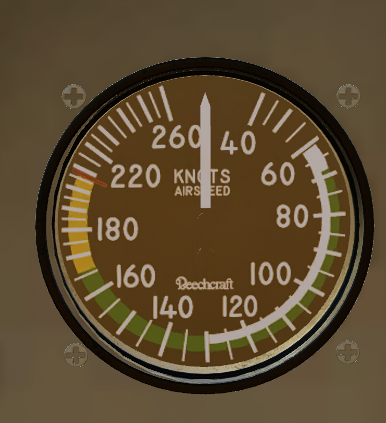
-
 I update xplane 12 to version 12.4.1 and Challenger 650 stopped to working. I hope they update to it.
 - Last week
-

Problems using X-Camera with the Hotstart Challenger
Damon W replied to CumulonimbusZ's topic in Technical Support
I have the same problem. Can you tell me what the "option" is to turn off when loading? I don't see it. Thanks! -
This is what I get at then end of my Log.txt text file Threading violation calling XPLMRegisterFlightLoopCallback (C:\Users\Administrator\builds\eiafPmXpN\0\x-plane\design\SDK\COMMON\xplanesdk\Src\XPLM\XPLMProcessing.cpp:44) Violation by libradio by Saso Kiselkov (skiselkov.libradio)
-
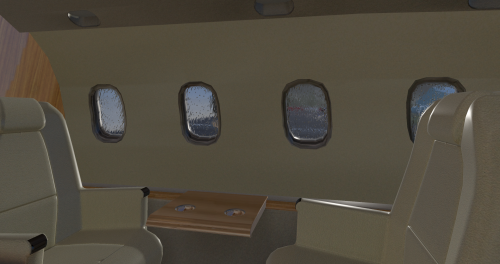 Good afternoon! This has flown like a charm in X Plane 11. Is there a possibility that you could create a compatibility patch for this to be flown in X Plane 12? Have a wonderful day! Best Regards
 -

Xplane 12 is CTD upon latest Xplane update (3/31/26)
Pils replied to Mbolton1's topic in Crash To Desktop
Thanks. We know. A beta to fix will be out soon. (See numerous other threads.) -
Xplane update deployed today - 3/31/26 causes immediate CTD. Re-installing, and plugin probes turned up nothing. ALL other planes in my X-Plane installation load fine. Just thought you should know. Masonb
-
Not a priority, no. It's a pretty small sub niche section of the market with hardware that none of the developers I know even have.
-
Challenger 650 is not compatible with X-Plane 12.4.1
Pils replied to alstr's topic in Crash To Desktop
-
I have noticed that there is no response to VR issues. Is VR even a concern when it comes to support with aircrafts sold on the X-Aviation site?
-
Every time I load a flight I get a CTD with 'threading violation' in the log. 2026-03-31 13:55:31 CL650[libsvs.c:4912]: libsvs(SVC): utilizing background rendering via IOSurface Threading violation calling XPLMGetDatai (/Users/administrator/.gitlab-runner/builds/5iac3Er_D/0/x-plane/design/SDK/COMMON/xplanesdk/Src/XPLM/XPLMDataAccess.cpp:327) Violation by Challenger 650 by Hot Start (hotstart.challenger650) 2026-03-31 13:55:31 CL650[except.c:120]: Caught SIGABORT: abort (0x1a049d5b0) Backtrace is: 2 libsystem_platform.dylib 0x00000001a04e1764 _sigtramp + 56 3 libsystem_pthread.dylib 0x00000001a04d7888 pthread_kill + 296 4 libsystem_c.dylib 0x00000001a03dc850 abort + 124 5 XPLM 0x000000012aba52c4 _Z26__XPLMValidateThreadSafetyPKcS0_i + 536 6 XPLM 0x000000012ab938ac XPLMGetDatai + 56 7 systems.xpl 0x000000037117028c wfETC1_DecodeImage + 130948 8 systems.xpl 0x0000000370ed55b4 XPluginReceiveMessage + 4031316 9 systems.xpl 0x0000000370edbed0 XPluginReceiveMessage + 4058224 10 systems.xpl 0x00000003711a6e78 wfETC1_DecodeImage + 355184 11 systems.xpl 0x00000003711a3840 wfETC1_DecodeImage + 341304 12 libsystem_pthread.dylib 0x00000001a04d7c08 _pthread_start + 136 13 libsystem_pthread.dylib 0x00000001a04d2ba8 thread_start + 8 --=={This application has crashed!}==-- In the X-Plane release notes it acknowledges that the Challenger 650 is not compatible: https://www.x-plane.com/kb/x-plane-12-4-1-release-notes/
-
Hi, I have a variety of noob questions relating to ATS I was hoping someone could shed some light on to help me further understand this wonderful aircraft. 1. I've encountered a few scenarios, usually on approach, where ATS fails and I can't reconnect it. I want to better understand the reasons for this. I'm assuming it's because the aircraft can no longer maintain the speed selected, or because of some manual intervention. How can I rectify it? 2. I also want to clarify the colour of the speed on the PFD. Is this correct; Pink - ATS active and following speed in VNAV setup; Blue with ATS illuminated - speed set at number dialled in by speed knob; Blue with ATS not illuminated - ATS disengaged, power set by throttle position. Sometimes I'm not sure whether ATS is active or not. 3. What is the meaning of the throttle sliders that appear in the bottom right hand corner of the screen, indicating that they should be moved to the position shown? 4. Sometimes when climbing out with a heavy fuel load the speed plateaus at around 200kts and then starts to fall backwards. ATS fails here also as the aircraft appears to be climbing too steeply to meet the speed asked of it (presumably partly answering my first question). I usually set speed to 231 before takeoff then after the packs transition engage VNAV climb at 250 kts. What is the best procedure here? (I am sure the real world detail is much more complex than can be distilled here but a general overview is helpful). Thanks.
-
That is what I thought. Since I created a new airframe it has actually stopped. So the old airframe must have become weirdly corrupt or something.