



Goran_M
-
Posts
5,658 -
Joined
-
Days Won
235
Content Type
Profiles
Forums
Latest X-Plane & Community News
Events
Downloads
Store
Everything posted by Goran_M
-
Gotta look a little harder, gents. Found these two within 3 minutes. http://www.eflightmanuals.com/ITEM_EFM/SITEM_EFM.asp?cID=3333 https://www.esscoaircraft.com/c-6483-saab-aircraft.aspx Free versions below...but then again, you get what you pay for. http://www.smartcockpit.com/plane/SAAB/SAAB-340.html
-
Your dx value is far, far too low. Like, ridiculously low. Your values are not snapping from 0 to 4000. They are going in 100 ft increments. They're just going too fast for you to see. The dx value is the distance travelled, in pixels, across the screen, for the values to go from 0 to 4000. In this case, 33% the distance of 1 pixel. You're going from 0 to 4000 in LESS THAN 1 PIXEL. The drag needs to be the pixel distance. So for a high resolution screen, say 4096 pixels across, a good number would be about 2500 for the dx value, depending on the speed you're looking for. This would allow you to go from 0 to 4000 by dragging across about half the screen. The lower the number, the faster the values change due to the shorter distance required for the drag travel. Want it to go slower, INCREASE the dx value. Also, change your exp to at least 1. This will make it a linear drag, regardless of drag speed. Hope this made sense. It's getting late and I've been unwrapping and texturing for the last 16 hours.
-
We've been dedicating a lot of time to Citation development, and it's an aircraft we really want to finish ASAP. Because of this, I've found it quite difficult to find spare time to work on the Sundowner, but I can definitely say it WILL be done. If I had to give you a definite completion date, I can safely say it will be done before the end of year. Earlier than that? Probably.
-
I'm not going to have anyone post anything negative or derogatory about X-Aviation, it's staff, or it's developers in our forums. This is a work in progress forum for the Citation. Not a rant forum. And to answer your question, will I sell the Citation at the org? Zero chance of that happening. And it's not a vendetta. The reason is simple. Nicolas does not respect XA or it's developers. If a publisher does not respect me, then he cannot respect my work. I could never sell on a site under those circumstances.
-
Not just yet. I'm adding a lot more detail (3D mesh and texture) than what was previously shown. When I'm happy with what I have, I'll post a series of screenshots.
-
Coding is a lot of fun? Then you're not doing it right!
-
 The upper disc is the heading you want to go. (Adjustable) The lower disc is a directional gyro. (Not adjustable)
 -
The tutorial is based on REX Airlines procedures. When I say "don't touch the Power Levers when turning CTOT off", that refers to initial climb out. The Power Levers are set to approximately 15% less than CTOT power. That setting of the Power Levers doubles as your climb out power setting. Once clear of the airports air space, make adjustments as necessary.
-
We thought of that while it was in development, but what we find useful for particular keys, others may not find useful. Ultimately, it's all down to personal preference. What views the customer wants with what particular keys.
-
You won't regret the decision.
-
Sorry to read that you are having compatibility issues. X-Aviation did try and make it very clear, by way of images, that this add on is only available for X-Plane 10 and is only 64 bit. The reason it is 64 bit only is because there were a number of files that needed replacing within Gizmo, and also going by user feedback when we were on the cusp of going 64 bit, the vast majority of our customers were asking "When is the DC-3 going to be 64 bit?" The only thing I suggest, from LES's end, is to contact X-Aviation directly and ask what your options are, as they are the ones publishing it. Apart from that, there really is nothing we, as developers, can do.
-
Too hard to say. We're hitting the realism pretty hard on this one. Because of this, it's almost impossible to determine anything.
-
Not likely. We have a pretty full add-on plate for the next few years.
-
It looks like Gizmo is not running. Can you post your GizmoLog.txt and Log.txt files (found in your X-Plane root folder.)
-
There are 2 recommended methods to get power to the Power Levers. 1. You need to assign Throttle 1 and Throttle 2 in the joystick settings to your hardware. 2. The Power levers have manipulators attached to them so you can click and drag each lever individually or both together (center manipulator) with the mouse.
-
What exactly is your point? That the Saab we made doesn't have an FMS and it should, or you are just pointing out that the Saab in the video has an FMS? To answer the second part of your post, Jim and I can recognize an FMS. However, after recognizing it, I will refer you to the first part of my post. What exactly is your point?
-
FYI, at least 1 airline in the US is using our Saab 340A for their pilots flight training.
-
At Sydney Airport at least, REX Airlines don't park nose to gate (from what I have seen). They park parallel to the gate.
-
Glad you're enjoying it. Feel free to leave a review on the X-Aviation website.
-
We are working very hard to make it as accurate and comprehensive as possible, and we think everyone who has the chance to fly it, will be more than pleased with the fidelity.
-
C23 Sundowner Problems
Goran_M replied to WIPilot's topic in Beechcraft Sundowner C23 (no longer in use)
http://forums.x-pilot.com/topic/7799-interest-check-duchess-c23-sundowner-update/#entry84380 There's a lot going on in the LES "offices" at the moment...things I can't discuss. But I've finished the new exterior mesh of the C23 and the flight model is about half done. I'm working on it, just no timeline yet. I can look into wrapping up the flight model and issuing it as an update, but I'll have to discuss that with Cameron. -
Sending more than 1 support ticket pushes your support request to the bottom of the list each time you send one. That's why you haven't heard back from them. Just send 1 ticket and you will be attended to.
-
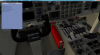
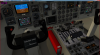
Hover your mouse over the User Preferences in the Gizmo sidebar to the right, and left click. You'll see this pop up. Put a check mark in the boxes of your choice. Use scroll wheel for more accurate selection of heading or course. Adjust heading and you will see your heading change in the top left.
-
Depends on weight, temperature, wind, baro pressure, climb mode, engine power setting, etc... The higher you go, the less torque the engines put out at the original PL setting. So feel free to increase Power by adjusting the Power Levers as you climb. Just keep an eye on your torque gauge.


