



Bulva
-
Posts
193 -
Joined
-
Last visited
-
Days Won
3
Content Type
Profiles
Forums
Latest X-Plane & Community News
Events
Downloads
Store
Everything posted by Bulva
-
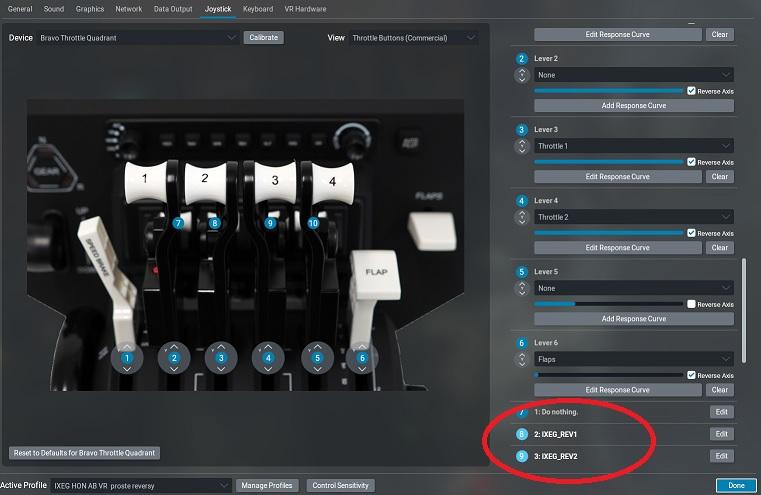
@Pils I also missed the reverse lever animation in XP11 when I used the default "hold thrust reverse at max #1; / #2" command. If you use the FlyWithLua plugins, you might want to take a look at this tiny lua script of mine that adds a bit of animation for the reverse levers. You just need to assign commands to your hardware: - IXEG_REV1 - IXEG_REV2 (for individual engines). I use this script with my Bravo until professional IXEG animation comes out ;-) TB_IXEG_REV.zip
-
Indicator/panel visablity in daylight with panel light off
Bulva replied to AngelOfAttack's topic in Bug Reports
...can I ask for a corrected file??? -
Take Command!: IXEG 737 Classic Plus v1.5.1 Update Released!
Bulva replied to Cameron's topic in General Discussion
Thank you very much for another much needed update ;-) Personally, I would especially like to thank you for the command to connect/disconnect the GPU ;-) PS. Is there a /dataref command (for IXEG) for "a single" downward movement of the LANDING GEAR lever??? The standard XP commands (Gear Up/Dn) only allow you to move the landing gear lever to the two extreme positions, and I would like to be able (using the /dataref command) to lower the lever from the UP position to the OFF position. -
-
And I will be asking (ad nauseum) for the /dataref command to connect/disconnect the GPU. When using VR, going through several menu windows is tiring and kills immersion. It's probably not a very complicated request
-
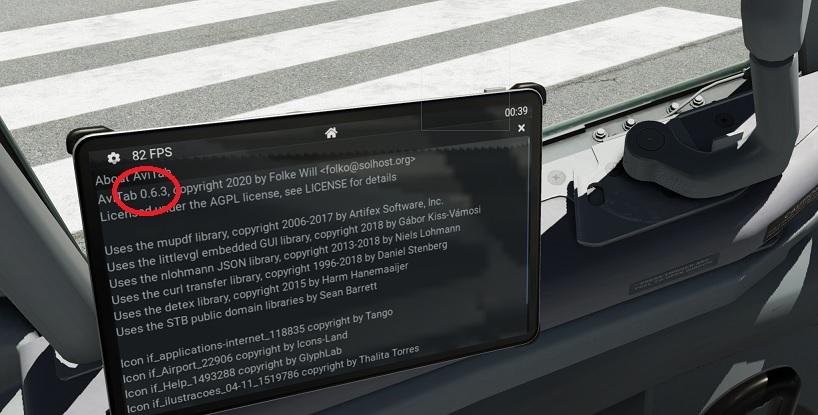
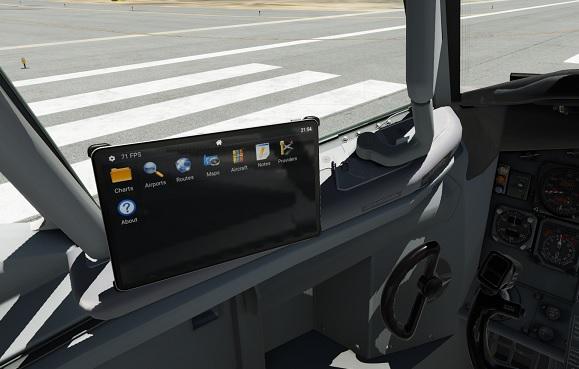
I use AviTab-0.5.1 - and it works without any problems... [EDIT] I just downloaded and tried v.0.6.3 and also no problems. Some local conflict must be occurring on your system...
-
-
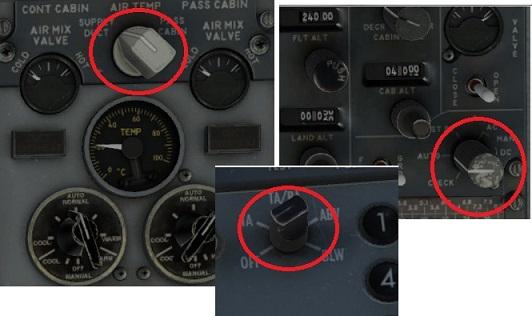
@berilojr - I just tried your vr file with my Rift S. Thank you very much for your work - almost everything works very well. However, I couldn't turn on a few knobs (of course I'm not talking about the wipers ) ): ... and the movement of some knobs is very slow - especially the knobs for adjusting the brightness of the cockpit lighting and the NAV1/2 setting. Perhaps it's specific to my Rift S, if it works perfectly for you. Anyway, I took the liberty (I hope, you won't be angry) to modify your vr file for the needs of my Rift S and I'm posting it here just in case. Now is working beautifully for me now, so thank you again for sharing Your work. ;-) B733_vrconfig.txt
-
...... and very, very, very I'm still asking for the command to connect/disconnect the GPU (without going through the menu window system) PS. this request obviously does not apply to VR
-
Of course ;-) , I tried to use the B733_vrconfig.txt file from XP11, but it didn't work properly -> the knobs on the overhead panel didn't work at all. (possibly because it wasn't the original 733_vrconfig.txt file from XP11, but modified by me - although I don't think that's what's causing many of the knobs not working in XP12)
-
A few comments/requests regarding VR mode: - why is there no B733_vrconfig.txt file??? - very imprecise use of rotary knobs with VR controllers (someone has already written about this) - can't you integrate the aircraft service menu as an element of AviTab? - a huge request to add a command (dataref) so that you can activate/deactivate the GPU connection using the assigned button. I already asked for this in the XP11 model, because when using VR, going through several menu windows is very inconvenient and kills immersion. - why some knobs (I keep writing about using VR controllers) are operated by turning the controllers, and some by sideways (linear) movements. In the XP11 version, the VR mode was very good (99%), all rotary knobs required hand rotation (intuitive behavior), and the sensitivity could be individually adjusted in the B733_vrconfig.txt file I hope that the aspect of using VR controllers in this wonderful aircraft will improve quickly and significantly, because currently it is more of a struggle than a pleasure (using VR controllers). It was really good in IXEG733 in XP11 and I don't know why this aspect broke in XP12.
-
IXEG 737 Classic Plus - Releasing Friday, September 15th!
Bulva replied to Cameron's topic in General Discussion
Oh ;-) Sorry for my impatience, but IXEG737 is my favorite plane and I always wait for updates ;-) I have already received an email with the code, and the plane is already being installed. Thank you very, very, very much for your help. -
IXEG 737 Classic Plus - Releasing Friday, September 15th!
Bulva replied to Cameron's topic in General Discussion
What is the waiting period for a response from Support ??? -
IXEG 737 Classic Plus - Releasing Friday, September 15th!
Bulva replied to Cameron's topic in General Discussion
You are not alone. Send information to X-Aviation support. I did that, but I don't know when I will get any help. -
This is not a problem, you just need to read the information: http://togasim.com/ixeg_15_whatsnew/
-
IXEG 737 Classic Plus - Releasing Friday, September 15th!
Bulva replied to Cameron's topic in General Discussion
...that's what I did... -
IXEG 737 Classic Plus - Releasing Friday, September 15th!
Bulva replied to Cameron's topic in General Discussion
...and I never... ;-( -
IXEG 737 Classic Plus - Releasing Friday, September 15th!
Bulva replied to Cameron's topic in General Discussion
I have notifications turned on and I don't have any email.

-
IXEG 737 Classic Plus - Releasing Friday, September 15th!
Bulva replied to Cameron's topic in General Discussion
None of these 3 things... ;-( -
IXEG 737 Classic Plus - Releasing Friday, September 15th!
Bulva replied to Cameron's topic in General Discussion
I also still don't have a discount code... -
IXEG 737 Classic Plus - Releasing Friday, September 15th!
Bulva replied to Cameron's topic in General Discussion
OK. And what should I do now to receive the discount code??? I have nothing in my mailbox (as I expected) ... -
IXEG 737 Classic Plus - Releasing Friday, September 15th!
Bulva replied to Cameron's topic in General Discussion
.. everyone is probably waiting for @Litjan return, because opening the doors in the cabin is now so realistic that only a real pilot can open them That's why the premiere is probably delayed -
IXEG 737 Classic Plus - Releasing Friday, September 15th!
Bulva replied to Cameron's topic in General Discussion
...I don't think I ever got any email. What should I do then ??? -
IXEG 737 Classic Plus - Releasing Friday, September 15th!
Bulva replied to Cameron's topic in General Discussion
Isn't today September 15 ??? It's already 6 p.m. here ;-) -
IXEG 737 Classic Plus - Releasing Friday, September 15th!
Bulva replied to Cameron's topic in General Discussion
As I wrote earlier, I will buy the update for this really small amount of money on the first day, treating it as an expression of my great gratitude for the effort and the opportunity to enjoy this wonderful plane in XP12. Even though I still only use XP11 and it will probably be a long time before I switch to XP12. This symbolic fee is a thank you for the work of the Creators and an encouragement for their further updates. ;-)

