Leaderboard



Popular Content
Showing content with the highest reputation since 10/28/2025 in Files
-
Version 1.3
127 downloads
This mod allows you to add pods on HotStart's Challenger. Some are fictional, some not. This is an early release, please do not hesitate if things are not working as it should. The readme file should be enough to install this properly. Are included: LocalEye (fictional) - the little sibling of the GlobalEye platform MVX - the pods used by Finnish Border Guard SLAR9000 - the pods used by Danish Air Force Artemis -the pods used by US Army Enjoy!6 points -
5 points
-

Version 1.0.0
54 downloads
This is a livery for the CIS Navajo Chieftain PA-31, inspired by D-ILCA. To install, extract the zip file into the "liveries" folder. If you enjoy my work, consider supporting me on Patreon to cover some of the horrendous Adobe-costs ;). You can find 8K versions of most of the liveries there.4 points -
Version 1.0.0
50 downloads
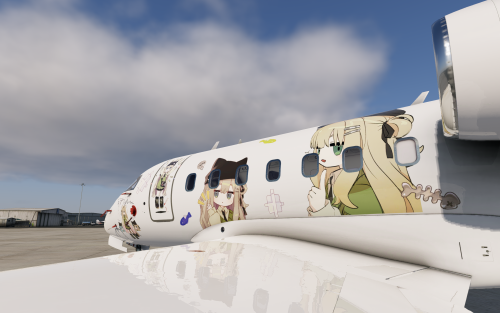
Disclaimer / Preface This livery is not 100% originally created by me. I redesigned and rearranged the decals on the fuselage, and all decals used were sourced from publicly available materials online. This livery was created purely out of my appreciation for the character and is shared online for non-commercial purposes. If this work infringes upon any rights, please feel free to contact me and I will remove it immediately. I really love Kipfel’s character design and felt that she deserved to be brought into the world of X-Plane, so I created this livery. I’m not particularly skilled at design, so there may be details that don’t appeal to everyone — I hope you don’t mind❤️ Kipfel (Japanese: キプフェル) is a catgirl virtual avatar designed for VRChat, created by the modeler かめ山 (kameyama) under their original 3D model circle 「もち山金魚」 (MOCHIYAMA KINGYO). Kipfel is a laid-back catgirl who loves eating fish-shaped cookies. Her name is derived from a pastry called Kipferl, a crescent-shaped baked good whose form resembles Kipfel’s tail.4 points -
Version 1.0.0 + Internal
49 downloads
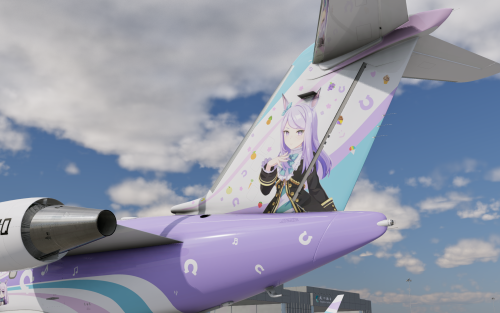
Copyright Cygames and relevant artists. Non-Profit, Do not sell. UmaMusume is a famous anime based on real racing horse stories.3 points -
Version 1.0.0
46 downloads
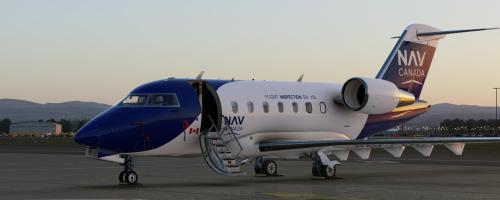
Do not hesitate if you find glitches. Enjoy !3 points -
Version 2.0
36 downloads
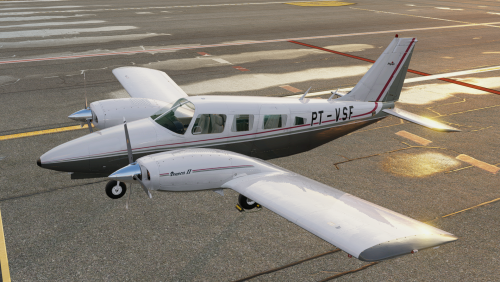
Hello everyone, I'm here to leave this contribution for the community. I don't have experience with Photoshop, so I learned the basics and made this aircraft. Sorry! There aren't many Brazilian liveries for this one.3 points -
Version 1.0.0
85 downloads
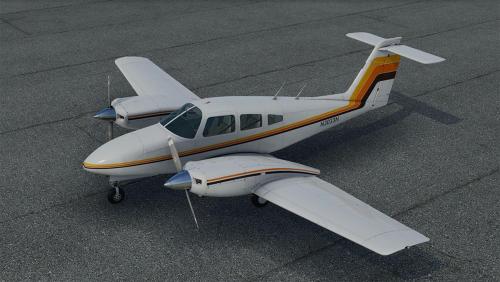
This is a 4K-livery for the CIS Piper Seminole PA44, inspired by https://www.jetphotos.com/photo/11421029 To install, extract the zip file into the "liveries" folder. If you enjoy my work, consider supporting me on Patreon to cover some of the horrendous Adobe-costs ;).2 points -
Version 1.0.0
123 downloads
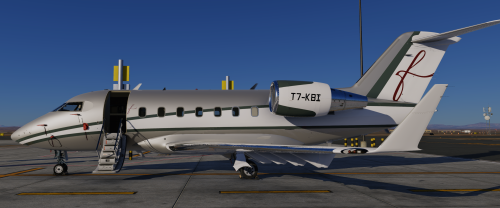
This livery is inspired by the real Challenger 605 T7-KBI operated by FalconLuxe at OMDW. This one is my first livery to be uploaded so feel free to point out any issues in my dms on Discord "#beriev_be200"2 points -
Version 0.0.1-beta.7
44 downloads
About This File About N1 Calculator This is a simple Fly With LUA script to read the N1 Alt/Temp data for the Torquesim CJ525 from .csv files and display the current max N1 value in a window for the current conditions and flight mode. It also reads and displays the recommended Climb Speeds for either Standard or Cruise climb when Climb in mode. Additionally there are options to display the N1 value on the Memo display and the Climb speed using the ASI bug for a more natural in-cockpit experience. The latest version of the code will always be available from it's Github Repository under "Releases" Prerequisites FlyWithLua plugin must be installed and working correctly - plugin was developed using FWL v2.8.10 on Windows 11. (The plugin should be be compatible with the Mac and Linux versions of the CJ525 and FWL but I'm unable to test and confirm that myself.) Installing N1 Calculator Extract the contents of the Zip file into the \plugins\FlyWithLua\Scripts folder including the CJ525_data folder (these are the .csv data files read by the plugin) Using N1 Calculator The plugin window should be automatically displayed when you start a flight in the CJ525. You can Change the Flight mode between Take-Off, Climb, Cruise and Go-Around using the List Box at the top and use the checkboxes to specify if engine Anti-Ice is on or off and whether to send the data to the In-cockpit Memo. When in Climb mode the window also shows the recommended Climb speed for the Altitude as well as a checkboxes to specify whether to send the Climb Speed to the ASI bug and select Cruise Climb. Note - when the Set Memo Display is set this prevents manual setting of the Memo fields so the checkbox should be disabled if the Memo are to be used for anything else. Similarly when the Set ASI Bug is set and the calculator is in climb mode the ASI Bug cannot be manually set. (it can be manually set in other modes even if the checkbox was set during Climb mode)2 points -
Version 1.0.0
33 downloads
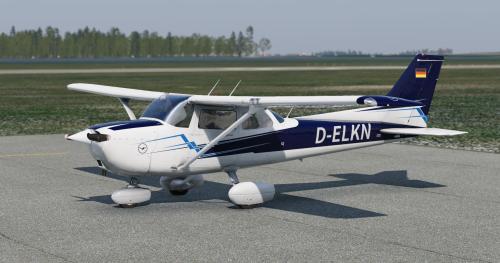
This is a livery for the default C172, inspired by D-ELKN. This also works if you have the REP, of course. To install, extract the zip file into the "liveries" folder. If you enjoy my work, consider supporting me on Patreon (8K versions are available there as well) to cover some of the horrendous Adobe-costs ;).2 points -
Version 1.0.0
8 downloads
I made regional routes between 63 airports on United States. The 158 routes, charts of all the airfields, FMS flight plans, and support information, are on the RRR file. The description is on my YouTube channel (this page don't allow to embed the link. Search on YouTube: Rolo Bach Sim Flights)2 points -
Version 1.0.0
28 downloads
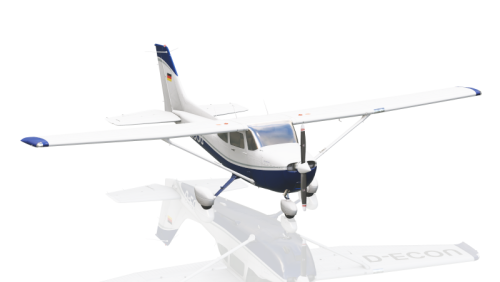
This is a livery for the default C172, inspired by D-ECOU. This also works if you have the REP, of course. To install, extract the zip file into the "liveries" folder. If you enjoy my work, consider supporting me on Patreon (8K versions are available there as well) to cover some of the horrendous Adobe-costs ;).2 points -
Version 1.0.0
157 downloads
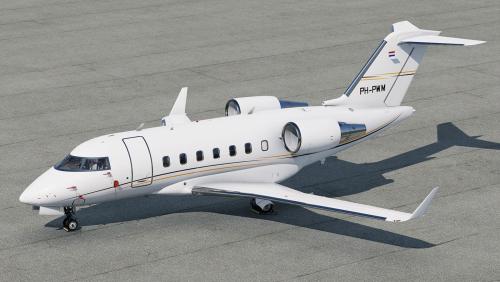
This is a livery for the Hot Start Challenger 650, inspired by PH-HWM. To install, extract the zip file into the "liveries" folder. You can supply your own registration, PH-HWM is not printed on the cowlings. If you enjoy my work, consider supporting me on Patreon to cover some of the horrendous Adobe-costs ;). You can find 8K versions of the liveries there.2 points -

Version 1.0.0
53 downloads
This is an 8K-livery for the TorqueSim CJ525 To install, extract the zip file into the "liveries" folder. This also works without the winglets, the extra file just gets ignored. If you enjoy my work, consider supporting me on Patreon to cover some of the horrendous Adobe-costs ;).2 points -
Version 1.0.0
128 downloads
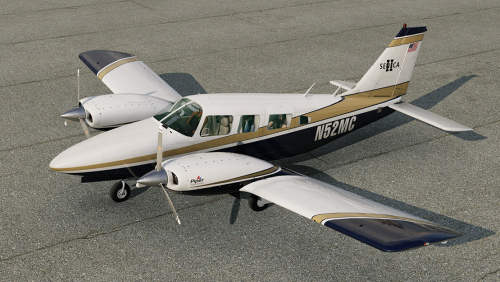
This is a livery for the CIS Seneca II To install, extract the zip file into the "liveries" folder. If you enjoy my work, consider supporting me on Patreon to cover some of the horrendous Adobe-costs ;). You can find 8K versions of the liveries there.2 points -
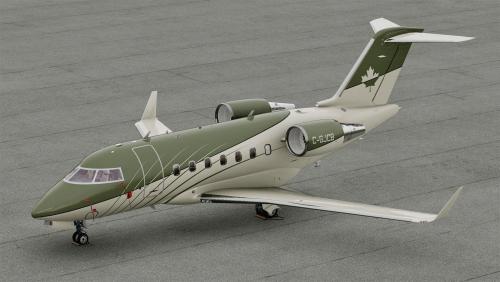
Version 1.0.0
248 downloads
This is a livery for the Hot Start Challenger 650. To install, extract the zip file into the "liveries" folder. You can supply your own registration, C-GJCB is not printed on the cowlings. If you enjoy my work, consider supporting me on Patreon to cover some of the horrendous Adobe-costs ;). You can find 8K versions of the liveries there.2 points -
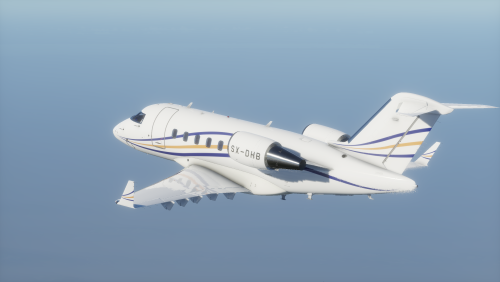
Version 1.0.0
162 downloads
Livery recreating SX-DHB, a Challenger 605 currently flown by the greek operator GainJet Aviation.2 points -
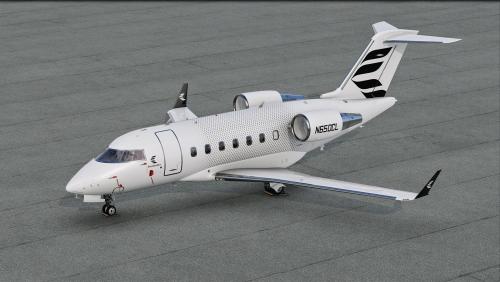
Version 1.0.0
375 downloads
This is a livery for the Hot Start Challenger 650, inspired by the house livery displayed on Bombardier's website right now. To install, extract the zip file into the "liveries" folder. You can supply your own registration, N650CL is not printed on the cowlings. If you enjoy my work, consider supporting me on Patreon to cover some of the horrendous Adobe-costs ;).2 points -
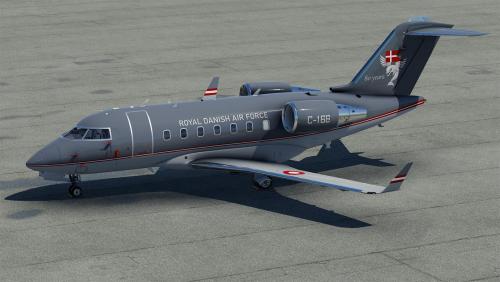
Version 1.0.0
138 downloads
This is a livery for the Hot Start Challenger 650, inspired by https://www.jetphotos.com/registration/C-168 To install, extract the zip file into the "liveries" folder. You can supply your own registration,C-168 is not printed on the cowlings. I don't have the emblem for the squadron, but it would probably look too pixelated next to the door anyway.2 points -
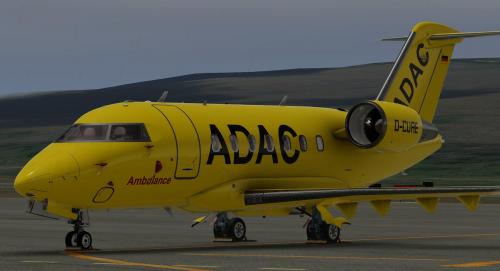
Version 1.0.0
63 downloads
Enjoy !2 points -
Version 1.0.3
80 downloads
Landing Monitor XP12 – Version 1.0.3 Landing Monitor XP12 is a complete landing-analysis tool for X-Plane 12, designed to provide detailed touchdown, flare and rollout feedback after every flight. The plugin records the final approach from approximately 50 ft radio altitude, analyses the pilot’s longitudinal control input, detects the pre-flare and flare phases, identifies the landing runway, measures centerline performance and calculates a detailed Landing Score. It is intended for flight-simulation analysis and training. Main Features Real-Time Flight Data A configurable compact HUD displays: Total, longitudinal, lateral and vertical acceleration Maximum total acceleration IAS, TAS and groundspeed Pitch, roll, angle of attack and crab angle Thrust, drag, lift and aircraft weight Lift-to-weight and thrust-to-drag ratios Landing Monitor status Current script version Every item can be enabled or disabled independently. Detailed Touchdown Analysis After landing, the plugin records and displays: Landing rate Peak G Vertical impact energy Touchdown IAS and groundspeed Pitch, roll and angle of attack Crab angle Heading and track error Headwind and crosswind components Bounce count Runway and airport identification Distance from the runway threshold Signed centerline deviation in metres and feet Landing Score and Landing Quality Peak G is captured during the first 0.75 seconds following initial contact. Relative Flare and Pre-Flare Detection Version 1.0.3 introduces a fully relative flare-detection system based only on the filtered longitudinal joystick-deflection curve. The algorithm does not require a fixed joystick percentage and does not use pitch, vertical speed or angle of attack to validate the flare. FLARE is selected from the first ascending control-input phase reaching more than 80% of the maximum filtered joystick deflection recorded during that landing. PRE-FLARE is selected from the last earlier ascending phase reaching more than 50% of the same maximum. A relative slope check refines the effective beginning of the flare and prevents a long, nearly flat control-input section from placing the marker too early. This relative method allows the detector to adapt to aircraft requiring very different control-input amplitudes. Flare & Rollout Analysis Graphs The analysis window provides synchronized graphs for: Vertical speed to touchdown Filtered longitudinal joystick deflection Aircraft pitch Radio altitude Lateral deviation during rollout The graphs include clearly identified: PRE-FLARE marker FLARE marker TOUCHDOWN marker Airport and runway Detection thresholds and phase information Vertical speed and joystick data stop at touchdown, while pitch and radio-altimeter data continue for two additional seconds. Rollout deviation continues until 30 kt or until a runway exit is detected. Accurate Runway Selection The runway database respects the priority order defined in scenery_packs.ini. For each airport, the first enabled scenery providing physical runway data is retained, while lower-priority duplicate definitions are ignored. At touchdown, the plugin uses a geographic runway index and performs exact geometry calculations on no more than 24 nearby candidates. This avoids scanning the complete global runway database during landing and helps ensure that custom-airport geometry is used correctly. Revised Landing Score The Version 1.0.3 Landing Score is based on four categories: Centerline deviation: 30 points Flare or pre-flare score distance: 25 points Wind-aware crab angle: 20 points Peak G: 25 points Full centerline credit is awarded inside ±1 metre. The accepted crab-angle range changes according to the crosswind component: Crosswind below 5 kt: ±1° Crosswind from 5 to 15 kt: ±2° Crosswind above 15 kt: ±3° Landing Quality is based on Peak G rather than vertical speed. Landing rate remains displayed and logged but does not affect the score. Automatic Post-Landing Display When enabled, applying at least 50% parking brake after a finalized landing automatically opens: Landing Monitor Flare & Rollout Analysis The trigger reads two parking-brake DataRefs, stores the detected state and retries the deferred window-opening request until both windows are confirmed. The automatic display can be disabled in Settings without disabling monitoring, scoring, graph recording or CSV export. Independent Windows and Persistent Settings Three windows are controlled independently: Compact Real-Time HUD Landing Monitor Flare & Rollout Analysis All windows remain closed when X-Plane or FlyWithLua starts. Monitoring continues in the background. Display choices, HUD position, custom coordinates, CSV separator and the automatic parking-brake option are saved between sessions. Automatic CSV Logging Each completed landing is automatically saved to a per-aircraft CSV file. Version 1.0.3 uses: LandingLog_v9_<separator>_<aircraft>.csv The log includes touchdown data, runway and wind information, flare and pre-flare measurements, score-distance information, Peak-G-based Landing Quality and the final Landing Score. Requirements X-Plane 12 FlyWithLua NG A supported 64-bit operating system Write permission in the FlyWithLua Scripts folder Installation Close X-Plane 12. Copy: LandingMonitorFlareAnalysis_XP12_v1.0.3.lua into: X-Plane 12/Resources/plugins/FlyWithLua/Scripts/ Remove or archive previous Landing Monitor Lua versions. Start X-Plane. Open the FlyWithLua menu to access the Landing Monitor windows, settings and commands. When updating from an older version, the runway cache may be rebuilt automatically. Rebuild the runway database manually after changing scenery_packs.ini or installing a new airport scenery. What Is New in Version 1.0.3 New relative FLARE and PRE-FLARE detection Filtered joystick-deflection analysis Complete approach history retained below approximately 50 ft Effective flare-onset refinement using relative slope PRE-FLARE measurements and score-distance calculation Scenery-priority runway selection Version 2 runway cache Geographic runway index and limited local candidate search Peak-G-based Landing Quality Revised Landing Score Wind-aware crab-angle tolerance Full centerline credit inside ±1 metre Simplified filtered-joystick graph Script-version labels in all main windows Improved parking-brake automatic window opening Updated LandingLog_v9 CSV format Important Notice Landing Monitor XP12 is a flight-simulation analysis tool. It is not certified avionics and must not be used for real-world flight operations, aircraft maintenance or regulatory compliance.1 point -
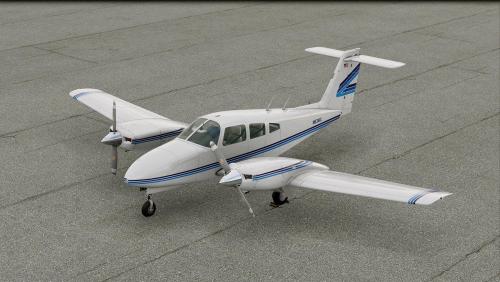
Version 1.0.0
75 downloads
This is a 4K-livery for the CIS Piper Seminole PA44, inspired by https://www.flightaware.com/photos/view/5955446-95ea0f812192917462e6a0a2a2ad9f3b0cf5cd28 To install, extract the zip file into the "liveries" folder. If you enjoy my work, consider supporting me on Patreon to cover some of the horrendous Adobe-costs ;).1 point -
Version 1.0.1 HF2
8 downloads
VATSIM Real Data v1.0 is a compact X-Plane 12 plugin that displays live VATSIM and xPilot information directly inside the simulator, including radio status, nearby frequencies and the 10 closest aircraft. Full description VATSIM Real Data v1.0 adds a compact, customizable VATSIM information window to X-Plane 12. The plugin integrates with xPilot and displays your current connection status, callsign, nearby traffic, COM frequencies, microphone activity, SELCAL information and live VATSIM feed status. It also shows the five nearest VATSIM ATC frequencies and the ten closest aircraft, with useful flight and proximity information presented in a single readable table. Main features xPilot connection status and callsign TX and RX indicators COM1 and COM2 frequencies Active station callsigns Microphone level meter SELCAL status Five nearest VATSIM ATC frequencies Ten nearest VATSIM aircraft Aircraft callsign and type Departure and destination airports Bearing and horizontal distance Relative altitude Ground speed and altitude Reported COM1 frequency Automatic window resizing Fully configurable display from the X-Plane plugin menu Automatic settings saving Compact opaque interface designed for cockpit use Traffic proximity colors Nearby aircraft are color-coded using horizontal and vertical separation: Red: less than 3 NM and less than 1,000 ft vertical separation Amber: less than 6 NM and less than 2,000 ft vertical separation Green: all other traffic This feature is intended as a situational-awareness aid only. It is not a certified TCAS system. Customization Display options can be changed directly from: Plugins > VATSIM Real Data Sections, aircraft columns, aircraft count and frequency count can be enabled or disabled without restarting X-Plane. The window automatically adjusts its size and saves the selected settings. Installation Copy the complete folder: VatsimDataWindow into: X-Plane 12\Resources\plugins\ The final structure should be: X-Plane 12\Resources\plugins\VatsimDataWindow\64\win.xpl Restart X-Plane after installation. Requirements X-Plane 12 Windows 64-bit xPilot Internet connection for live VATSIM data Disclaimer VATSIM Real Data is an independent community plugin. It is not affiliated with, endorsed by or officially supported by VATSIM, xPilot or Laminar Research.1 point -

Version 1.0.0
28 downloads
This is a livery for the CIS Navajo Chieftain PA-31, inspired by PH-ITC. To install, extract the zip file into the "liveries" folder. If you enjoy my work, consider supporting me on Patreon to cover some of the horrendous Adobe-costs ;). You can find 8K versions of most of the liveries there.1 point -

Version 1.0.0
21 downloads
This is a livery for the CIS Navajo Chieftain PA-31, inspired by PH-OTH. To install, extract the zip file into the "liveries" folder. If you enjoy my work, consider supporting me on Patreon to cover some of the horrendous Adobe-costs ;). You can find 8K versions of most of the liveries there.1 point -
![More information about "[JAL Livery] IXEG 737-300"](https://forums.x-pilot.com/screenshots/monthly_2026_07/SINGNITURE.thumb.jpg.621d7067467e41c2e95ba166e7bae7e8.jpg)
Version 1.0.0
9 downloads
I’d been looking for a JAL livery for the IXEG 737-300 for a long time, but since I couldn’t find one, I decided to make my own! It may not be 100% accurate to the real aircraft, and there may be a few differences, but I hope you enjoy it! This package includes two versions, so feel free to use whichever one you prefer. Included files: JAL WEAR – A slightly weathered livery inspired by an older aircraft with some signs of wear. JAL SUPER CLEAN – A clean, factory-fresh livery inspired by a brand-new aircraft.1 point -

Version 1.0.0
177 downloads
hi, this is x-plane 9's piper PA46 malibu converted for x plane 11 it includes: 5 liveries with a white one to make your own a fully working 3D cockpit a pretty detailed cabin hope you enjoy1 point -
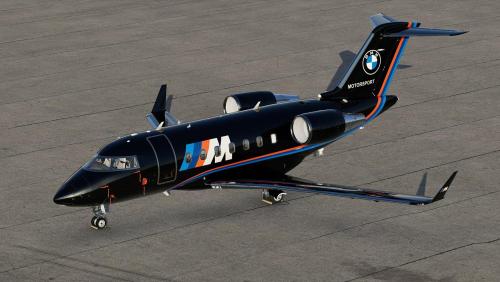
Version 1.0.0
54 downloads
This is a fictional livery for the Hot Start Challenger 650, inspired by Edelweiss from the Hot Start Discord. To install, extract the zip file into the "liveries" folder. You can supply your own registration. If you enjoy my work, consider supporting me on Patreon to cover some of the horrendous Adobe-costs ;). You can find 8K versions of the liveries there.1 point -
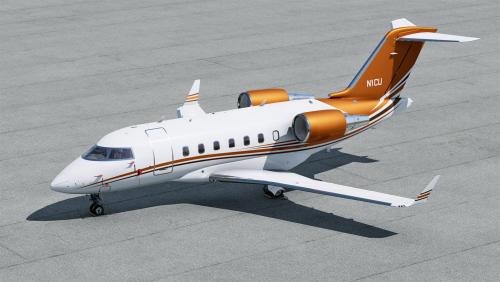
Version 1.0.0
246 downloads
This is a livery for the Hot Start Challenger 650, inspired by N1CU. To install, extract the zip file into the "liveries" folder. You can supply your own registration, N1CU is not printed on the cowlings. If you enjoy my work, consider supporting me on Patreon to cover some of the horrendous Adobe-costs ;).1 point -

Version 1.0.0
41 downloads
This is a livery for the Airfoillabs KingAir 350. To install, extract the zip file into the "liveries" folder. If you enjoy my work, consider supporting me on Patreon to cover some of the horrendous Adobe-costs ;). You can find 8K versions of most of the liveries there.1 point -
Version 1.0.0
100 downloads
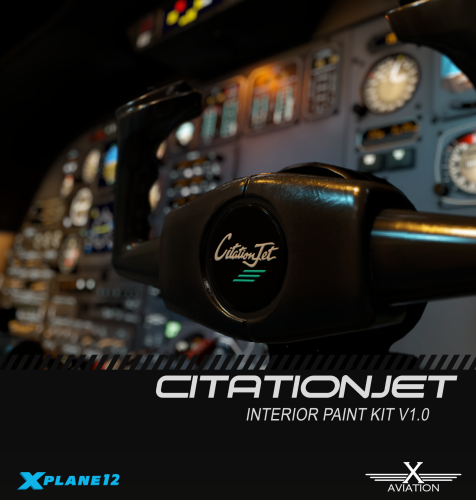
This is the official interior paint kit for the Take Command! TorqueSim CitationJet 525. Included are Affinity Photo, Substance Painter, and Photoshop files. Terms of use: You are free to use these files in nearly any way you like. You can create, share, modify, or post them on forums without any limitations. However, you are not allowed to charge money for any textures created using these files without written permission from TorqueSim, nor are you permitted to sell this paintkit. If there are any questions, please visit the forums at forums.x-pilot.com or our discord.1 point -

Version 1.0.0
4 downloads
C-GGFR Canadian gulfstream G550 its a work in progress so there is some bugs with the livery happy flying.1 point -
Version 1.0.0
13 downloads
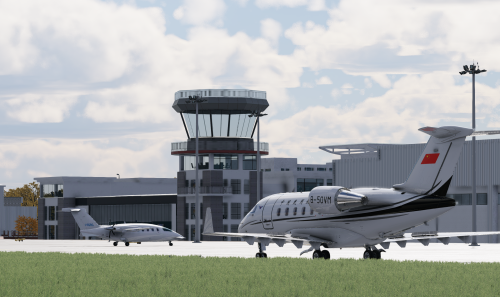
A CAAC livery for CL650 by HotStart1 point -
Version 1.0.0
43 downloads
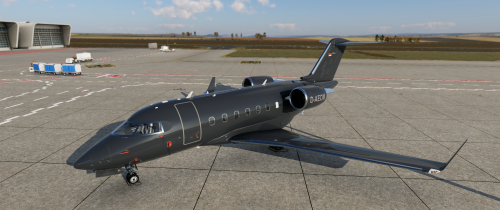
This is a replica of the livery of the D-AEOM aircraft. The registration is freely selectable. A corresponding configuration and font file is included. https://www.jetphotos.com/registration/D-AEOM1 point -
Version 1.0.0
490 downloads
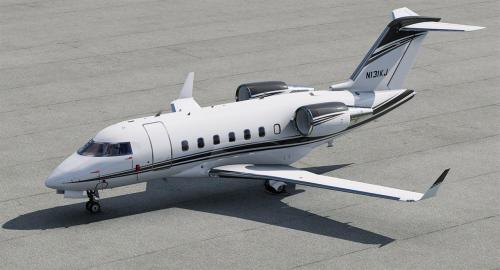
This is a livery for the Hot Start Challenger 650. To install, extract the zip file into the "liveries" folder. You can supply your own registration, N131KJ is not printed on the cowlings. If you enjoy my work, consider supporting me on Patreon to cover some of the horrendous Adobe-costs ;). You can find 8K versions of the liveries there.1 point -

Version 1.1.2
1,394 downloads
Based on real world CL605 9H-VFE operated by VistaJet. I had to take some creative liberties with the cheatline as it did not fit 100% on the model as per the real airframe and I couldn't get the line to intersect the nose, cabin door, overwing exit and APU area closely to the real airframe without it - I hope the end result is ok! The registration CANNOT be changed due to limitation of this airframe having a wing registration so I opted not to use the built-in registration feature and painted the registration on the livery itself. NOTE: Painted for XP12's new lighting engine - NOT tested in XP11. Appearance may be unsatisfactory in XP11 Features: Beautiful custom PBR silver paint effect Adjusted AO layers Adjusted exterior labels Not to be distributed or copied without explicit permission.1 point -
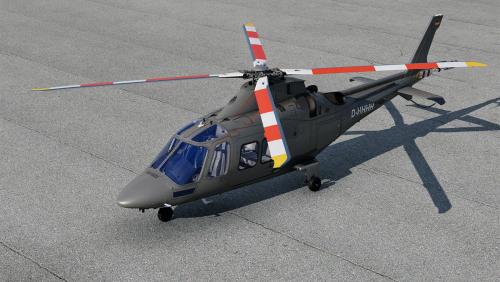
Version 1.0.0
34 downloads
This is a livery for the X-Trident AW109, inspired by D-HHHH. To install, extract the zip file into the "liveries" folder. This livery is in 4K. If you enjoy my work, consider supporting me on Patreon to cover some of the horrendous Adobe-costs ;).1 point -
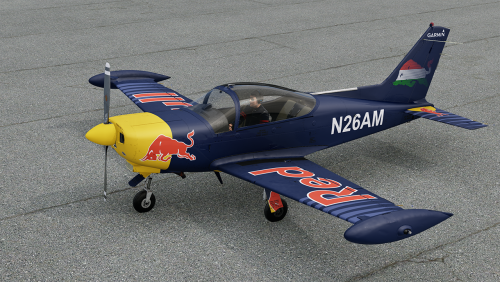
Version 1.0.0
31 downloads
This is a livery for the JRollon SF260D, inspired by the Red Bull Racing liveries like N26AM. The livery is baked in here, so if you wanted to use the supplied texture, you'd need to "delete" the supplied part of the texture. This livery is in 4K. If you enjoy my work, consider supporting me on Patreon to cover some of the horrendous Adobe-costs ;).1 point -
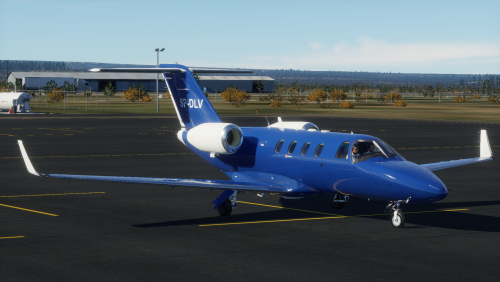
Version 1.0.1
54 downloads
This is a livery for the TorqueSim CitationJet 525, based on SP-DLV a Citation 525 owned by Bartolini Air. The Registration is baked, so its not possible to change the registration. To install simple extract the SP-DLV 1.0.0.zip into the "liveries" folder. Enjoy!1 point -
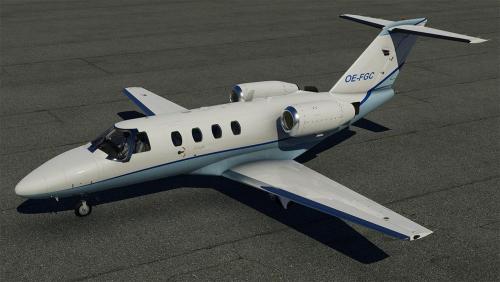
Version 1.0.0
110 downloads
This is a livery for the TorqueSim CJ525, inspired by https://www.jetphotos.com/registration/OE-FGC To install, extract the zip file into the "liveries" folder. You can change the registration using the TorqueSim tooling.1 point -
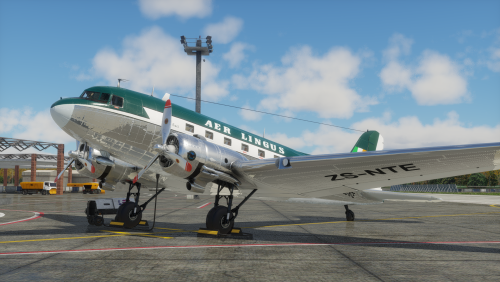
Version 1.0.0
37 downloads
Aer Lingus ZS-NTE1 point -
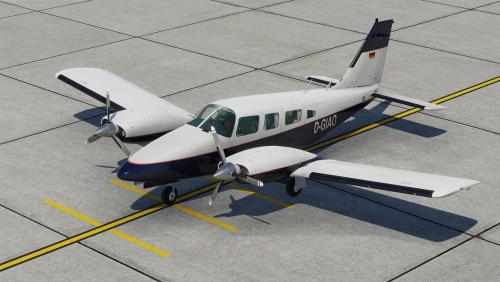
Version 1.0.0
88 downloads
This livery is inspired by D-GIAO: https://www.jetphotos.com/registration/D-GIAO Hope you enjoy it! Consider saying Hi at https://twitch.tv/pilotdeviation1 point -
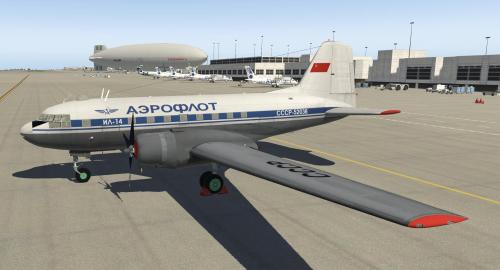
Version 11.0.2
1,815 downloads
This is a conversion from v9.60 to v11.41 of the Ilyushin IL-14 made by Andrey Kozyaruk (Felis, felisleopard@gmail.com) and Alexaner Babichev (Asso). This plane has a fully functional 3D cockpit, interiors, static elements, working doors and complex avionics. It comes with 7 additional liveries and the paintkit. The original plane has been released as freeware to the public domain. Here follows the text of the original license file that comes with the plane where there is no restriction to update the plane to the latest release of X-Plane: This pack contains model IL14P for X-Plane9.30 simulator This model is freeware and can be distribute by any way with notice auothor's name Comonents in directories /plugins/ и /Custom Avionics/ are free and ditributes under the GPL license and can be used in every way you want, in case of all autority and licks are reserved. See for plugin updates on http://code.google.com/p/sasl/ Autor of model, phisics and gauges - Andrey Kozyaruk (Felis) felisleopard@gmail.com Autor of plugin and its standard components - Alexaner Babichev (Asso) Enjoy.1 point -

Version 1.0.0
88 downloads
The Piper PA-34 Seneca is a twin-engined light aircraft, produced in the United States by Piper Aircraft. It has been in non-continuous production since 1971.[4][5][6] The Seneca is primarily used for personal and business flying.[1] This Piper PA-34 200T CPT_Iceman_PA34_Seneca_II MOD for XP-12 can be gotten at: Seneca II – JetStream FS It is a great MOD! Special thanks to Diogo Alencar for the permit to use his PT-VGR livery. Refinishing of the classic twin-engine Seneca II in the colors of the PT-VGR (this one is originally a Seneca III, as we do not have this model for the Xplane, the II is the one that most resembles). Classic painting by Piper, of this twin engine that was a sales success in Brazil.1 point -
Version 1.20b
589 downloads
ACF Mesh Tools for Linux, Windows and MacOsX ACF Mesh Tools allows you to edit and modify the plane's meshes from the ACF file. Be aware: those tools are not made to edit the OBJ8 files as they work only with the ACF file format. HOW ACF MESH TOOLS WORKS Let's take as example the default Laminar's Cessna 172, a great model very well done (aestetically and internally). We know that in Plane Maker the fuselage is made out of cross-sections: ...and those cross-sections creates a mesh: Those meshes, made out of cross-sections, are the ones that PlaneMaker uses as model for the plane and X-Plane uses for its physics calculations. Before v.8 that meshes were used as visual and physics model. Now, in most cases, this meshes are hidded from view and X-Planes uses a dedicated file, in OBJ8 proprietary format, for the visual rendering. Using the tool 'acf_mesh_extract', the meshes inside the ACF are saved in a standard Wavefront OBJ file, that can be edited with Blender or with any other software that supports the format. Once converted, the mesh can be modified: Then the edited mesh is converted back in ACF format, using 'acf_mesh_insert', and the resulting ACF file can be loaded in Plane Maker: Everything shown here was entirely done automatically with a conversion script. Except moving the points to alter the shape, no additional task has been done in Blender. I'm using Blender, but this method can be used with any 3D software. A PRACTICAL EXAMPLE This is a quick reshaping that I've done on the fuselage of B-377 Stratoscruser made by Kauffmann. I've found that the hidden fuselage doesn't match the shape of the plane model, the visual one, as we can see in Plane Maker and in the version imported in Blender: (the wireframe in black, the unselected one, is the OBJ8 mesh for this plane; the selected object is the fuselage mesh from the ACF file) After a quick reshaping, I've managed to make che ACF mesh match the shape of the OBJ8; then and I've reimported it back in the ACF file: Loading the resulting ACF file in PlaneMaker we see that the cross-sections have changed from this: to this: THE TOOLS In the zip file you'll get: acf_mesh_extract acf_mesh_insert Launch those commands without options to get an help page. acf_mesh_extract extracts all the meshes from the ACF file and converts them in a single (wavefront) OBJ file with multiple objects. You can import this file in any 3D software that supports the format, and alter the meshes as you wish. You can not delete or add points nor change in any way the topology; you are just limited to move points. You'll find that some objects, like the engine's nacelles, are not in their final position; that is because PM positions them with a translation value. You can not move those objects to their final positions, otherwise when you'll reimport them back in the ACF file, it won't work; You are allowed to delete objects that you don't need. Some objects, although they can be modified and reimported in the ACF file, once this one is opened in Plane Maker are reset to their original shape; this applies to those parts, such the wings, that are made out of airfoils. You can not alter the UV informations of the vertices, as they are used to store the ACF's topology informations and they are needed later to reinsert the meshes back in the original file. Make sure that your 3D sofware exports the UV informations, without altering them. acf_mesh_insert allows to reinsert the modified meshes back in the original ACF file. It can be used only with meshes converted with 'acf_mesh_extract'. You can not overwrite the original ACF file; this command will save the output in a different file. Your original ACF file is always preserved. Inserting the meshes does not alter in any way the informations of other parts present in the file. You don't need to reinsert all the meshes; you can insert only the ones you have modified. DEVELOPMENT This tools are under active development and their functionalities may change in the future. The primary development platform is Linux. Special thanks to @xraydelta1 for compiling the Mac version. Feedbacks, reports, suggestions or ideas are strongly welcomed: feel free to send me a message with your thoughts. X-Pilot's forum is the primary and sole forum for support, announcements and new releases. PLEASE DO NOT REDISTRIBUTE THIS TOOLS THROUGH OTHERS FORUMS OR PLATFORMS1 point -
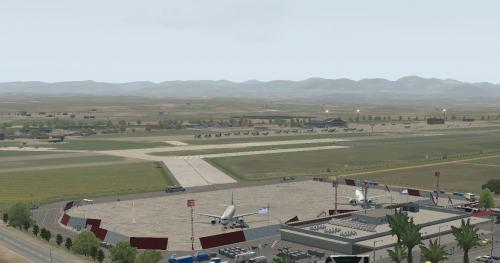
Version 2.0.0
67 downloads
LGKL V2.0.0 Final changes Welcome to the Airport LGKL Civil Aviation and Airbase in Kalamata located south of the Peloponnese (Greece region of Messina). You will enjoy the flight between the mountain and the sea over the fields of olive trees. Good flight ! Version compatible with X-Plane 11.50 I recommend using Ortho4XP. +37+021 +36+021 +37+022 +36+022 Library required: https://forums.x-plane.org/index.php?/forums/topic/90776-master-list-of-libraries/ - GT_Librairy - SAM - JB_Library - PP_Library - R2_Library - OpenSceneryX - CDB_library - MisterX - The_Handy_Objects_Library - ruscenery - ORBX_library - x_prefab_library - Last Version of "simHeaven" https://simheaven.com/simdownloads/x-europe-4/ NAPS_Library https://dl.dropboxusercontent.com/s/ndoxkzqlhz5clxz/NAPS_library_v7.2.zip?dl=01 point -
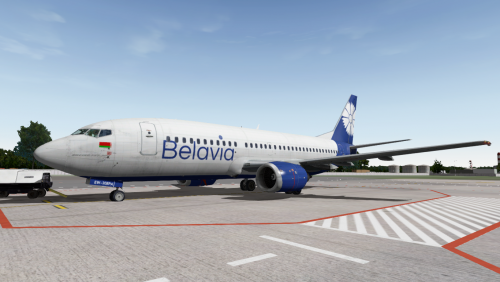
Version 1.0.1
694 downloads
My first repaint here, and also for the IXEG 733. It's fictional repaint of new Belavia color scheme, I hope you'll like it1 point -
Version 1.0.0
331 downloads
//IMPORTANT - DO NOT reupoload or distribute on any other site without my permission. - The Text-To-Speech (TTS) voice is a payware voice and is not meant for commercial sale - This sound pack is for your personal use only //Installation -Locate your Boeing 777 aircraft folder in X-Plane/Aircraft/Heavy Metal -Place the contents of this archive within the 777 directory (ensure that the folder you copy us titled 'sounds')1 point -
Version 1.0
66 downloads
Hi there, My first upload to X-Pilot so I hope you like it. I made this livery for the amazing Piper Pa-11 Cub Special located here at X-Pilot in the files section. WORKS WITH BOTH V9 and 10. It's loosely based on a plane I saw on airliners.net. Anyway, have fun and happy flying. Installation: Simply unzip the folder and place the entire unzipped folder into your Piper PA-11 Cub Special "liveries" folder.1 point