All Activity
- Today
-

Take Command: CitationJet 525 v1.1.0 Update Released!
GolfCharlieTango replied to Cameron's topic in CitationJet 525
2 other very minor things I noticed. - When you turn the avionics switch on, you hear the "minimums" call out. Not sure if that's normal. - Passenger briefing volume is extremely low, almost nothing. I've tried all sound sliders, and the volume slide control on the left console, nothing helps -
Take Command: CitationJet 525 v1.1.0 Update Released!
GolfCharlieTango replied to Cameron's topic in CitationJet 525
The above fix worked like a charm, thanks! -
Hi Jabari, Thanks for the report. We're looking into this. To diagnose the crash properly, we need a complete Log.txt from the session where the crash occurred. The one posted appears to be a partial capture. To get a clean log: 1. Start X-Plane 2. Load the Beech Sundowner C23 G5 3. Attempt to load a new flight until the crash occurs 4. Immediately after the crash (or on restart), grab Log.txt from your X-Plane root folder before loading anything else Please either attach it directly to this thread or paste it in full. The more complete the log, the faster we can track this down. Thanks for your patience.
-

Take Command: CitationJet 525 v1.1.0 Update Released!
Altimutater replied to Cameron's topic in CitationJet 525
There's a bug with the Direct-To buttons for the GTNX units in v1.1.0. Discord user Slartibart has found the fix: > `GTNXi` needs to be replaced by `GTNXI` in the file `objects/525_CLICKABLES.obj` > Looks like the commands, eg `TDS/GTNXI/DTO_1`, are case-sensitive. Pending an official update, this can be fixed by the user. Back up the file first, then open it with any good text editor e.g. Notepad++, then find and replace GTNXi with GTNXI. Any problems, replace your modified .obj with the backup and try again before asking for official support. -
 ramazan joined the community
 -
 greg5tv joined the community
 -
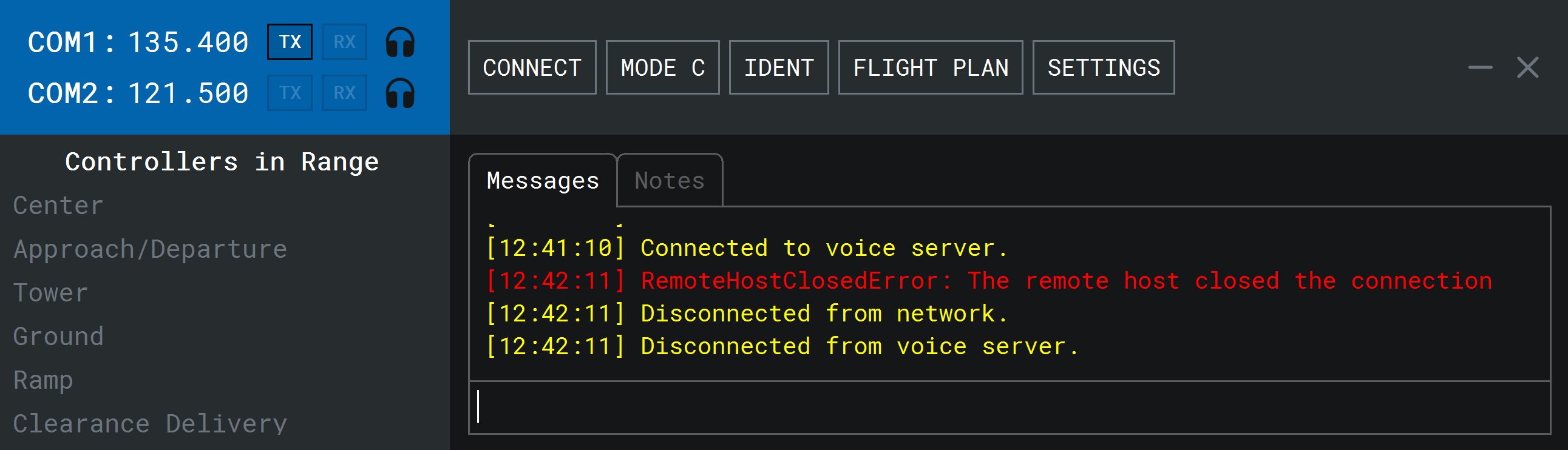
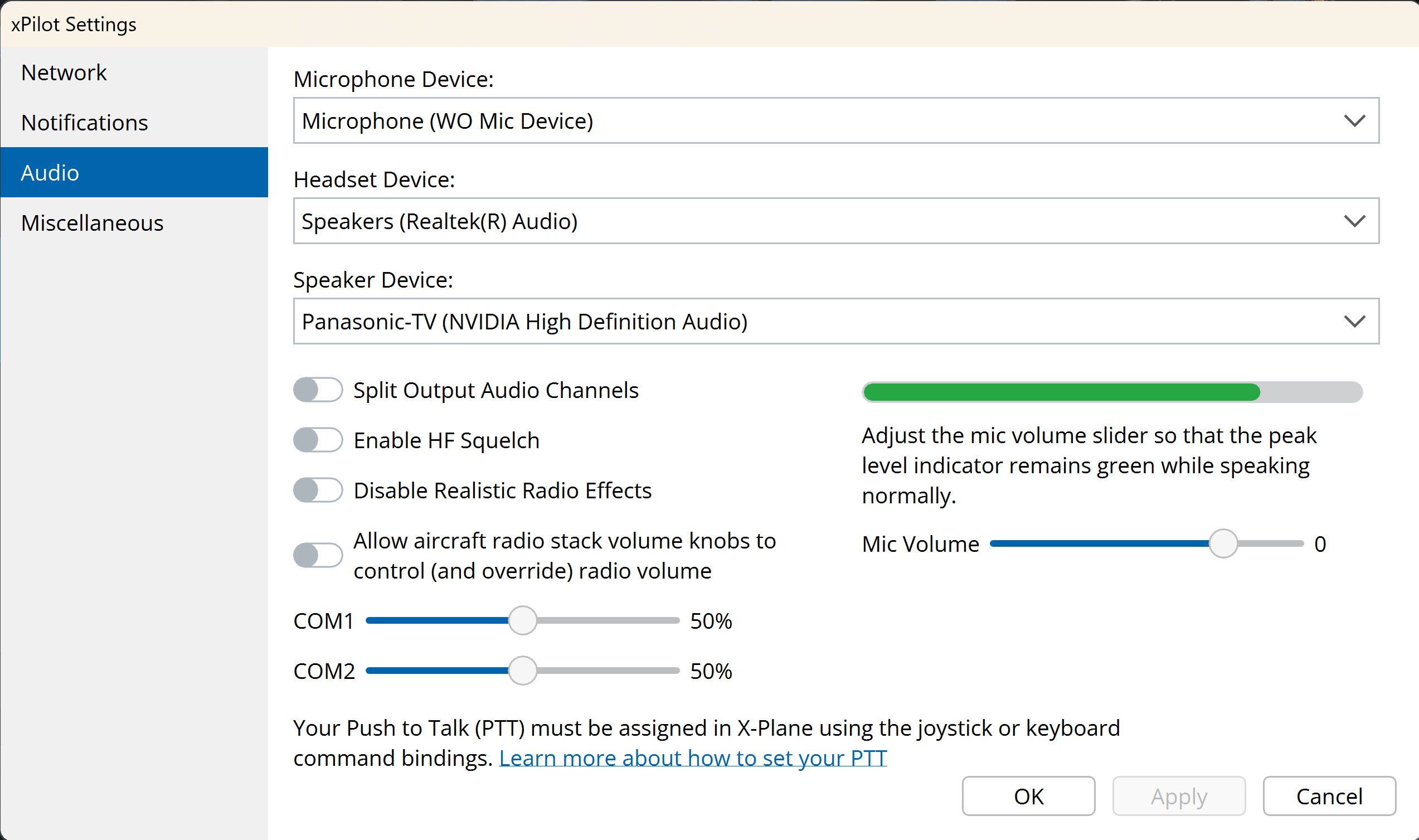
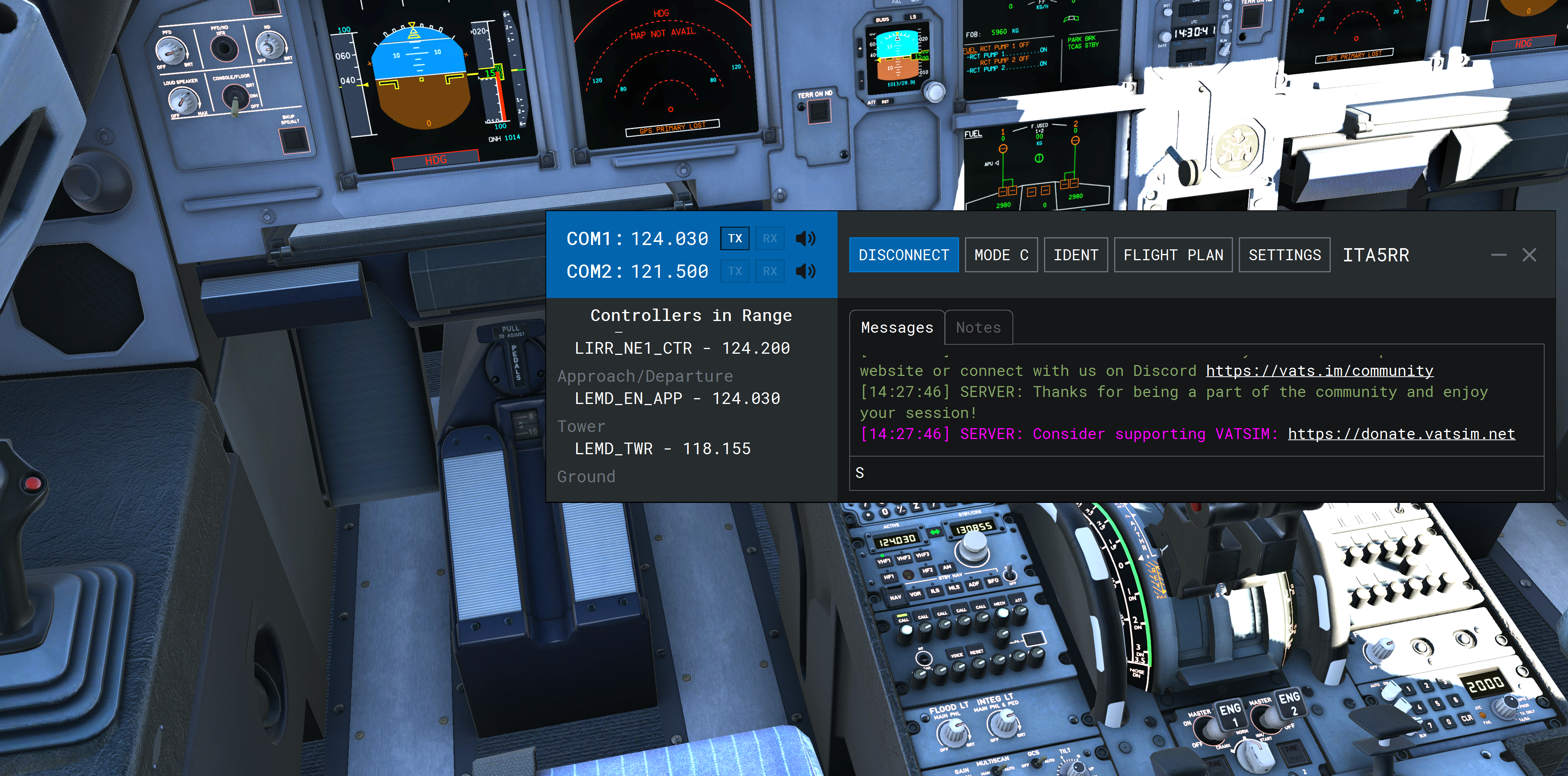
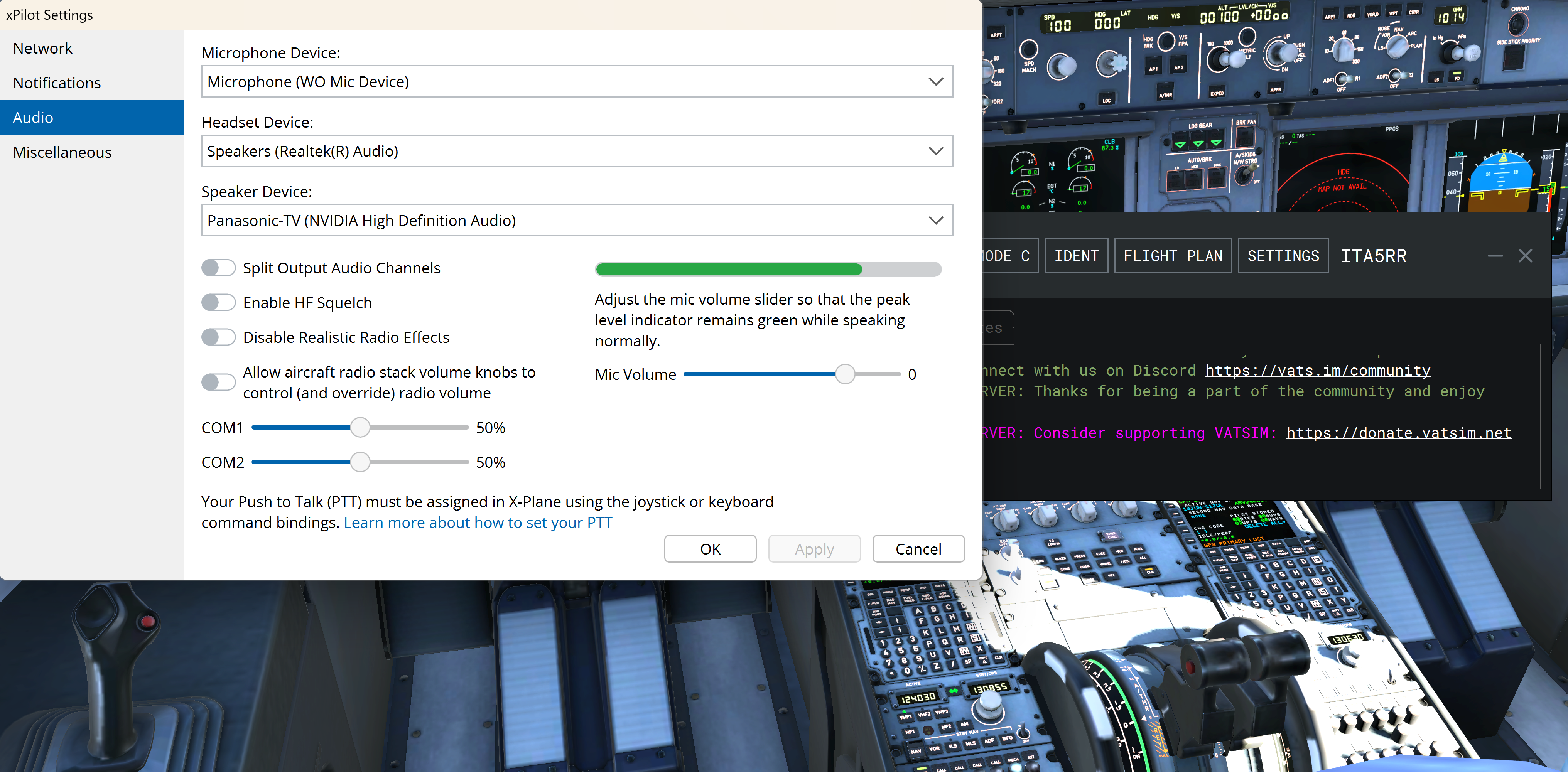
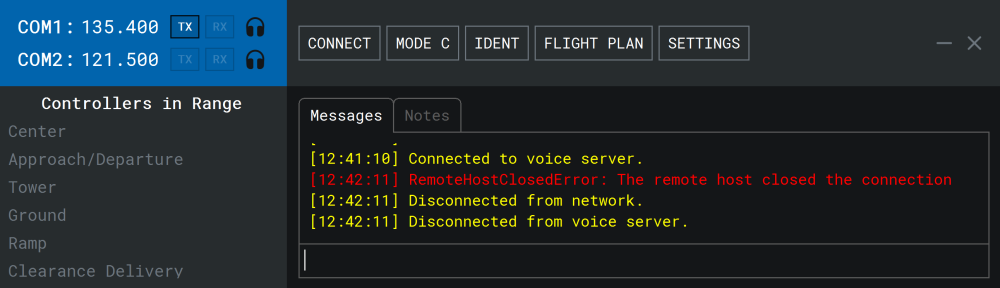
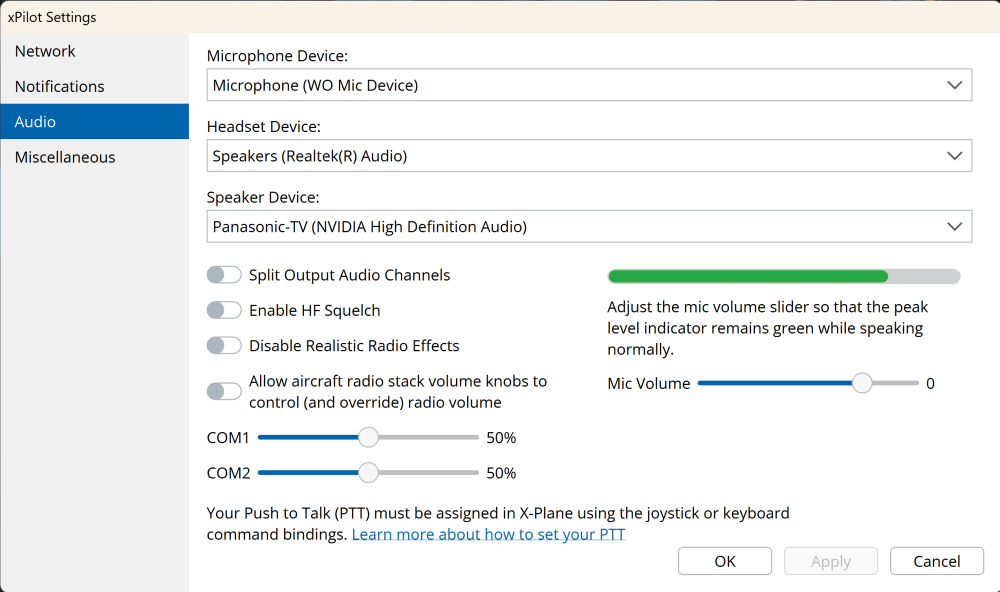
my rx is not working ,conneted to server properly ,connected to voice ,radio tunning pannel is on and volume up.i restarted /reinstall xpilot and xplane 12.4 several time .i tried everything but still not working still cant here atc .help plz
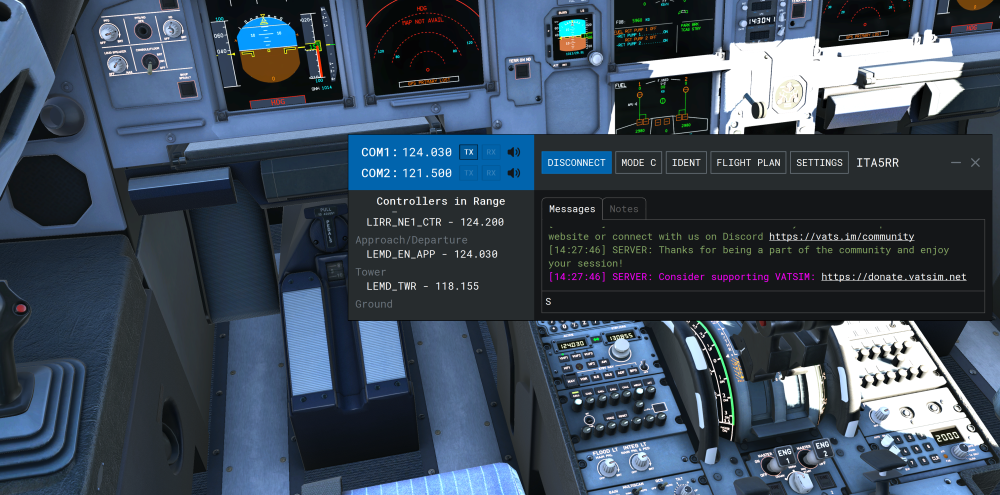
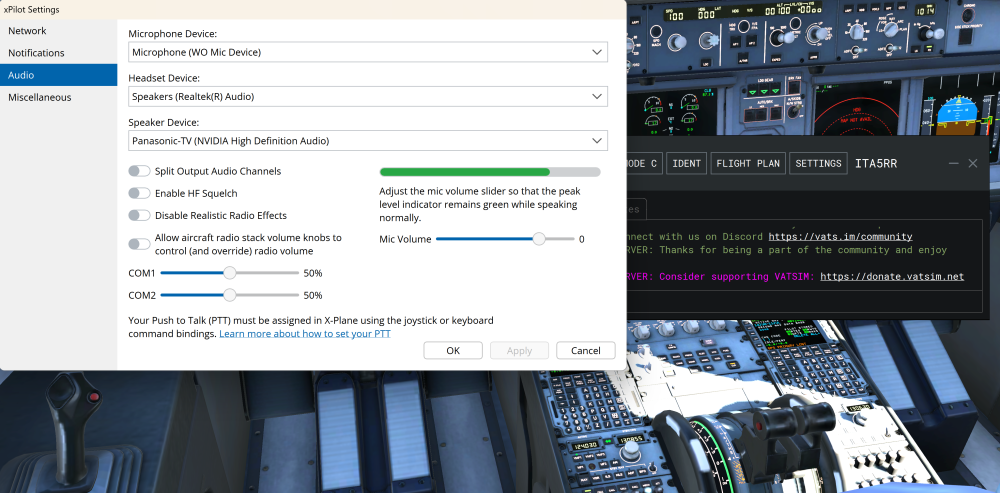
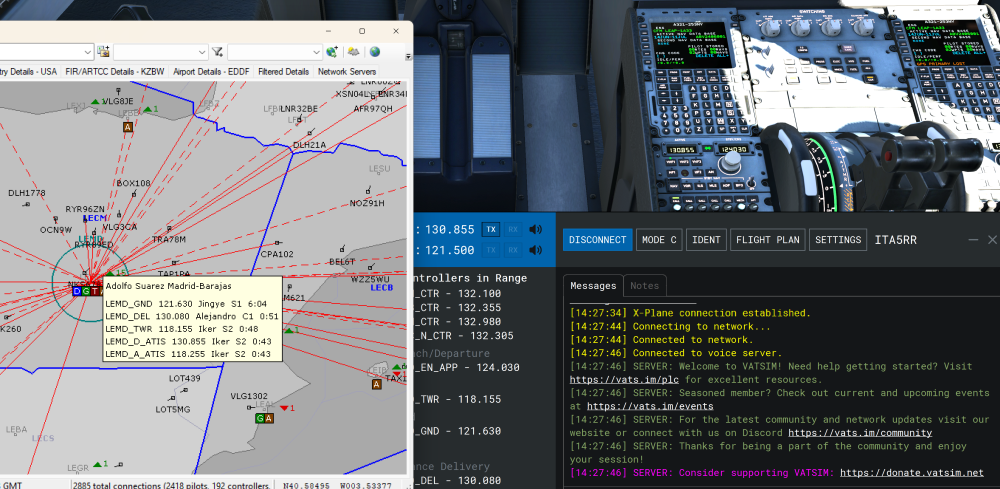
-
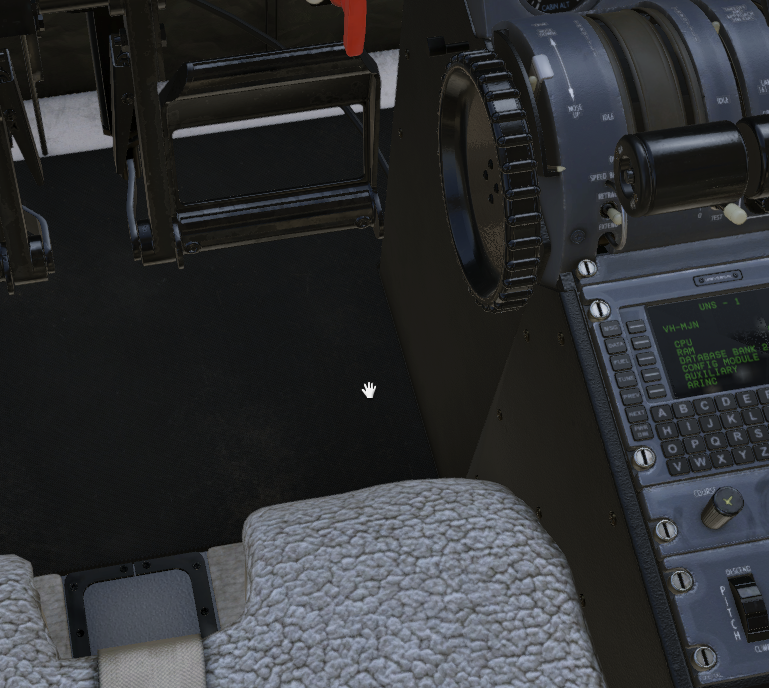
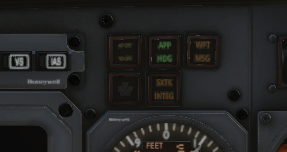
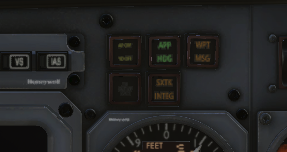
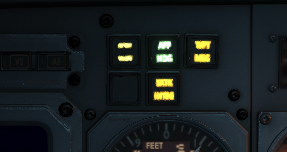
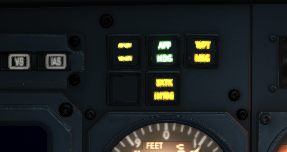
Very happy with v1.1 especially that you folks got it out the door on the same day XP12.4 went live! I was not expecting that. Having lots of fun with the weather radar. Got a couple of bugs/questions beyond the scope of community fixes... ## Label lighting The white label text or label backgrounds go black at night and remain unlit, e.g. registration placard chronometer labelling SET INDEX, STD, BARO, PULL TO CAGE etc on main panel knobs - but not TEST or the markings on the EFIS panel knobs... what's different there? RADAR ALT failure flag - is white in daylight, black at night INOP sticker on the wings indirect light switch cabin door exterior, perhaps most noticeably the START DISG button has the opposite problem where it transforms into a lit white square at night when the panel lighting is on OEM radio panel buttons are backlit with battery off (click to enlarge) There are probably more - if you shine the torch on the cockpit at nighttime the affected areas kinda glow black in a way that'd be interesting to physicists ## Engine Start buttons When I start the first engine, the start button lights up (becomes a lit white square), and extinguishes at about 40% N2 or thereabouts. When I start the second engine, both start buttons light up. This occurs with panel lights on or off, starting either engine first, in day or night. This might be correct behaviour or it might be a bug and only the operating starter button should be lit? ## Garbled PA briefing The PA briefing messages sometimes play at high speed and pitch - I've had it happen twice with the DESC message after WELC, SAFE and T/O play successfully. (Often I skip CRZ because we're still climbing when I reach TOD...) ## Engine total hours animation wrong I think this was already raised somewhere but the animation for the roller counters is wrong, and the counters move while the engines are shut down ## Engine covers It's possible to reach through the wall of the aircraft and put the engine covers on (or try to) midflight, for instance while misclicking on the reading light switch for the rear seats The engines still windmill when the covers are on On a tangent... it's also possible to reach through the cockpit floor to place/remove the nosewheel chock: ## Door latches I hesitate to raise this one because I really like the work that's gone into the cabin door and its lock, but a bit of additional logic would be icing on a very nice cake here! you can click to lock the door while it's closing and before it shuts, and this successfully locks the door if you click quickly on the door handle, the handle jerks towards Open or Lock then back to Stow, but the pins and indicator flags keep moving under their own steam and the door successfully locks or unlocks not checked in v1.1 but in v1.0.3 you could unlock and open the door with the plane pressurised which is usually physically impossible? Cake icing: the pins and telltale flags should be pushed by the door handle, i.e. only move as far as the door handle can be seen to move, so you need to click and hold to move the handle the full distance to lock/unlock the door trying to lock the door before it's shut should result in the pins striking the door jamb and/or the aircraft exterior, preventing the door from closing and the Door Closed indicator from aligning It's quite fun for the player to have the chance of mishandling the door, ignoring the annunciator and then wondering why they can't pressurise... so please don't simply deactivate the door handle manipulators until the door is shut ## W&B UI This is a feature request more than a bug: Dragging the sliders to set the weight in each seat gets tedious. Could you provide a tickbox for each seat - unticked is 0lb, ticked is whatever the slider was set to - or provide buttons to set the slider to 0lb and 170lb? Can you provide a text input box or additional slider to set the total fuel amount? I don't know why/if I'd need to specify different amounts for each tank - usually I just want say 1600lb and I need to drag each slider to as close to 800lb as I can manage Is there a correct way to specify we're using the toilet as a passenger/crew seat... or do I just split their weight between the two rearmost seats ## UNS-1 Is there any way the UNS-1, when it's popped out in a separate window and has keyboard focus, can detect I've made a mouseclick somewhere other than on its popout and yield its keyboard focus? This would be really helpful as I keep not realising it's still got keyboard focus. ## Annunciators The AP/FMS annunciators are hard to read in daylight because they're quite dim. The panel lighting NIGHT DIM switch makes a small difference but just to the AP OFF/YD OFF annunciator as far as I can tell While at night, they are hard to read because they bleed together: (These are cropped screenshots of how they appear at normal viewing distances... 80° FOV at 2560x1440) Same applies to the DME annuciators - I can't find a way to test the AP OUT OF TRIM annunciator! Thanks to everyone for this fantastic plane!
-
[v1.0.3] Flap lever and throttle gates sounds fix
Altimutater replied to Altimutater's topic in CitationJet 525
As of v1.1 the flap lever sounds are fixed! The throttle cutoff gate sounds have been reworked - they sound different in each direction which is great. But it's still based on command activation rather than control movement so will need to rework this fix -
Yesterday the 5-Blade Version won't Feather for me. Today it does. When changing the Versions, the Sim sometimes needs a Restart.
-
 65dsafd15 joined the community
 -
 zyz joined the community
 -
Support for this airplane has been lacking, but I'll try... I just installed X-Plane 12.4.0. It crashed when loading a new flight. I uninstalled / reinstalled it, same result. Relevant logs... 2026-02-20 22:30:29 G5[Main.cpp:217]: XPLMEnable 2026-02-20 22:30:29 G5[Main.cpp:239]: D:\Program Files/X-Plane 12/Aircraft/X-Aviation/Beech Sundowner C23 v2/plugins/G5/ 2026-02-20 22:30:29 G5[Main.cpp:240]: D:\Program Files/X-Plane 12/Aircraft/X-Aviation/Beech Sundowner C23 v2 2026-02-20 22:30:29 G5[Main.cpp:245]: Create MTUL 2026-02-20 22:30:29 G5[Main.cpp:250]: Settings and Failures 2026-02-20 22:30:29 G5[config.cpp:207]: Created Configuration: g5.cfg with path D:\Program Files\X-Plane 12\Aircraft\X-Aviation\Beech Sundowner C23 v2\g5.cfg 2026-02-20 22:30:29 G5[config.cpp:76]: Error Getting Data - added: g5_baro_selection 2026-02-20 22:30:29 G5[config.cpp:76]: Error Getting Data - added: g5_sky_pointer 2026-02-20 22:30:29 G5[config.cpp:76]: Error Getting Data - added: g5_auto_find_1024_displays 2026-02-20 22:30:29 G5[helpers.c:1207]: Error writing D:\Program Files\X-Plane 12\Aircraft\X-Aviation\Beech Sundowner C23 v2\g5.cfg: ReplaceFile failed: Access is denied. 2026-02-20 22:30:29 G5[Main.cpp:255]: Init Freetype 2026-02-20 22:30:29 G5[Main.cpp:258]: G5 Init 2026-02-20 22:30:29 G5[g5.hpp:1931]: Starting G5 Drawing Callback Process 2026-02-20 22:30:29 G5[g5.hpp:1937]: Loading Part 1 Complete 2026-02-20 22:30:29 G5[g5.hpp:49]: Loading G5 Images: 2026-02-20 22:30:29 G5[g5.hpp:95]: End Loading G5 Images: 2026-02-20 22:30:29 G5[g5.hpp:1944]: Set Uploader 2026-02-20 22:30:29 G5[g5.hpp:1952]: Loading Part 2 Complete 2026-02-20 22:30:29 G5[g5.hpp:1959]: Ended Loading G5 Drawing Callback Process 2026-02-20 22:30:29 G5[Main.cpp:261]: G5 Popup Init 2026-02-20 22:30:29 G5[popupSystem.cpp:631]: Init G5 Popup (B) No Bezel 2026-02-20 22:30:29 G5[popupSystem.cpp:631]: Init G5 Popup (A) No Bezel 2026-02-20 22:30:29 G5[popupSystem.cpp:631]: Init G5 Popup (B) 2026-02-20 22:30:29 G5[popupSystem.cpp:631]: Init G5 Popup (A) 2026-02-20 22:30:29 G5[popupSystem.cpp:631]: Init G5 Popup (A) No Bezel Duplicate 2026-02-20 22:30:29 G5[popupSystem.cpp:631]: Init G5 Popup (B) No Bezel Duplicate 2026-02-20 22:30:29 G5[Main.cpp:323]: RA 2026-02-20 22:30:29 G5[Main.cpp:326]: XPLMEnable Complete 2026-02-20 22:30:29 OpenGPWS[xplane.c:288]: OpenGPWS enabling 2026-02-20 22:30:29 OpenGPWS[xplane.c:332]: OpenGPWS successful 2026-02-20 22:30:29 [LES C23 Systems]: [datarefs.cpp:62]: Aircraft Path: Aircraft/X-Aviation/Beech Sundowner C23 v2/LES_Sundowner_G5.acf 2026-02-20 22:30:29 [LES C23 Systems]: [datarefs.cpp:73]: Aicraft Type: LES_Sundowner_G5.acf 2026-02-20 22:30:29 [LES C23 Systems]: [datarefs.cpp:85]: Aicraft Type (int): 5 2026-02-20 22:30:29 [LES C23 Systems]: [datarefs.cpp:90]: Aircraft Folder: Aircraft/X-Aviation/Beech Sundowner C23 v2 2026-02-20 22:30:29 [LES C23 Systems]: [datarefs.cpp:93]: Aircraft Folder with slash: Aircraft/X-Aviation/Beech Sundowner C23 v2/ 2026-02-20 22:30:29 [LES C23 Systems]: [datarefs.cpp:39]: Aircraft Path: Aircraft/X-Aviation/Beech Sundowner C23 v2/LES_Sundowner_G5.acf 2026-02-20 22:30:29 [LES C23 Systems]: [datarefs.cpp:120]: G5 plugin found! 2026-02-20 22:30:29 [LES C23 Systems]: [datarefs.cpp:129]: G500 plugin found! 2026-02-20 22:30:29 libradio.plugin(v0.5)[libradio_plugin.c:195]: opengpws_intf_init 0:00:18.559 D/OBJ: CPU Geometry: 22689 (99.53%) 22689 (99.53%) "Aircraft/X-Aviation/Beech Sundowner C23 v2/objects/cockpit_objs/LES_Sundowner_cockpit_G5.obj" Threading violation calling XPLMRegisterFlightLoopCallback (C:\Users\Administrator\builds\eiafPmXpN\0\x-plane\design\SDK\COMMON\xplanesdk\Src\XPLM\XPLMProcessing.cpp:44) Violation by libradio by Saso Kiselkov (skiselkov.libradio - D:\Program Files\X-Plane 12\Aircraft\X-Aviation\Beech Sundowner C23 v2\plugins\libradio.plugin\win_x64\libradio.plugin.xpl)
-
 jg21 joined the community
 -
I bought the Honeycomb Bravo Lite. I like it better than the Airbus throttle quadrant I had, but the flap issue is still there. I really wanted to get their DC-3, but I'm going to pass based on lack of support.
-
is this where i put it or?
-
it says this

-
 yunior joined the community
 -
where could I find that?
-
They’ll need the log file from XP
-
 bob412312 joined the community
 -
So I just got the plane and when I load in and I try to click main menu it doesn't work. It won't pop up. I have reinstalled the airplane and everything. can someone help?
- Yesterday
-
 PeerHoffmannhatlaune joined the community
 -
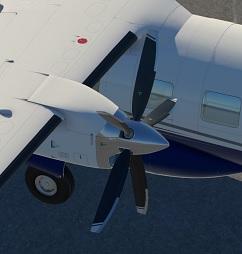
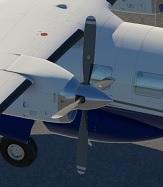
I'm using the 4-Blade Version. I made a mistake in my previous post (I've now corrected it). Using Emergency Stop: - 4-Blade Version - it works fine (i.e., the propeller feathers) - 5-Blade Version - it works fine for me too I tested it with XP11 and XP12.
-
And did it Feather on Emergency Stop? Mine did not. Only the 4-Blade Version did.
-
I use 4-Blade Version ;-)
-
Looks like the 5-Blade Version has a Bug. It never Feathered. Not on normal Shutdown and not with the Emergency Stop.
-
As rosseloh said, you can still choose the Payload from the Standard Menu when you choose your Plane for the Flight. Click on the Customize Button below the Airplanes Icon. That's the Way for many X-Plane Airplanes. The MU-2's Preference is for a Quick and Dirty Fuel Fill up at the Moment.
- Last week
-
You can still set the payload using the standard X-Plane weight and balance menu, but it doesn't have payload stations mapped so it's just "payload" with no actual differentiation between types or location in the cabin (and thus effect on CG).
-
Thanks for responding. I've never seen anything like this before that an aircraft can't set a payload. Could you please @meierzwo elaborate what's the "Customize Function"? this aircraft is not brand new to lack such a "default" feature
-

Take Command: CitationJet 525 v1.1.0 Update Released!
Rando replied to Cameron's topic in CitationJet 525
I noticed that VR issues were not addressed such as the sizing of the cockpit. "I also can't seem to sit up in the cockpit without my head sticking out the ceiling or the window. It is as if the cockpit is not sized correctly," when flying in VR. Will this VR issues be addressed or is there a workaround? -
Payload is Fuel only at the Moment. No PAX or Baggage. You can fill the Outer, Inner and Main Tank from the Pref Menu. But only Full. For other Fuel Loads than Full, you have to use the Customize Function were you choose your Plane. For Development Status, tkyler has just updated the Status: