All Activity
- Past hour
-
The missing key is related to the plugin I told you earlier. Everything else is just a warning. No big deal.
-
 Dubai is widely known for its rapidly expanding business environment and strong international presence. Companies from different parts of the world operate in the city, creating thousands of employment opportunities across multiple industries. As businesses continue to grow, the need for effective workforce management increases. This growing demand has made HR Jobs in Dubai an attractive career option for individuals interested in working within professional corporate environments. Professionals working in HR Jobs in Dubai contribute to maintaining organized and productive workplaces. They help companies manage employee information, coordinate hiring activities, and support internal HR processes that ensure smooth communication between staff and management. Their work plays a significant role in keeping organizations structured and efficient. Another reason why HR Jobs in Dubai are gaining popularity is the city's diverse professional landscape. Dubai hosts businesses in sectors such as tourism, aviation, healthcare, construction, technology, and retail. Each industry requires dedicated HR teams to support employees and maintain professional work environments. This diversity provides HR professionals with opportunities to gain experience in different sectors. Working in HR Jobs in Dubai also allows individuals to experience a global workplace culture. Since employees come from many different countries, HR professionals learn how to manage multicultural teams and promote workplace harmony. This exposure helps individuals develop strong communication and organizational abilities. With ongoing economic development and new business investments, HR Jobs in Dubai continue to offer stable career opportunities and professional growth for those who want to build a future in human resources. FAQs Q1: Why are HR Jobs in Dubai important for companies? They help organizations manage employees and maintain structured workplace systems. Q2: Are HR Jobs in Dubai available for fresh graduates? Yes, many companies offer junior HR positions for individuals starting their careers. Q3: Which industries offer HR Jobs in Dubai? Industries like hospitality, finance, technology, healthcare, and retail frequently hire HR professionals. Q4: What qualifications are helpful for HR Jobs in Dubai? Education in human resources, business management, or administration is often preferred. Q5: Can HR Jobs in Dubai lead to long-term career growth? Yes, professionals can progress to senior HR roles with experience and professional development.
.jpg(2).jpeg.c495ab7cb3beb09dbc40406d00c328b9.jpeg)
-
hrjobsinduba joined the community
- Today
-
After checking my Log.txt, I also noticed a few warnings related to the DA40NG plugin and sound configuration. For example, the log shows: WARNING: A plugin has called X-Plane SDK functions before the simulation was fully loaded PLUGIN: rsg_da40ng.xpl There are also FMOD sound warnings such as: snd error in file DA40NG.snd (around line 744) invalid command trigger Additionally, I saw warnings like: Warning: unknown line BEGIN_SOUND_ATTACHMENT I’m not sure if these are related to the missing ignition key issue, but they appear every time the aircraft is loaded.
-
Oh no Thank you for telling me what the issue is. Have to see, how to workaround it. At least we know what the issue is.
-
 YYC5652 joined the community
 -
This plugin is likely causing issues: Loaded: D:\Xplane12/X-Plane 12/Resources/plugins/GndHandling/
-
A lot of errors in the log! Log.txt
-
If it were possible, I would insist on a refund. I uninstalled and restored this mod a lot of times. After uninstalling, it works for some time. One day i start it and key is not there, and its not working. Sorry guys, this sucks. I have a lot of aircraft, i had never ever any issues, some are updated 3-4 years ago and still working like charm. Thats simply bad. Not going to buy any other aircraft from this dev. Sorry. This is the 4th or 5th time i uninstall it...
-
 fcgdfsaae joined the community
 -
 jjjjsk joined the community
 -
 airbus234567890 joined the community
 - Yesterday
-
 doomdoom joined the community
 -
 Wisesamster11. joined the community
 -
 Alex3d joined the community
 -
 alexey3k joined the community
 -
 Bikingdad57 joined the community
 -
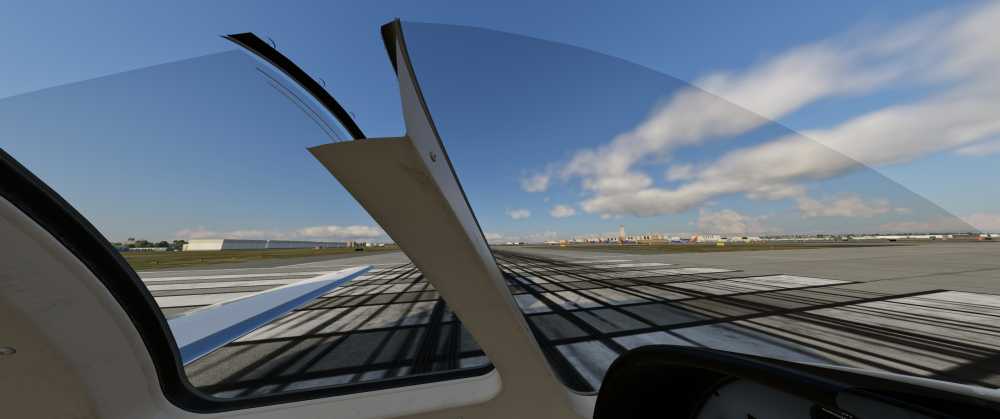
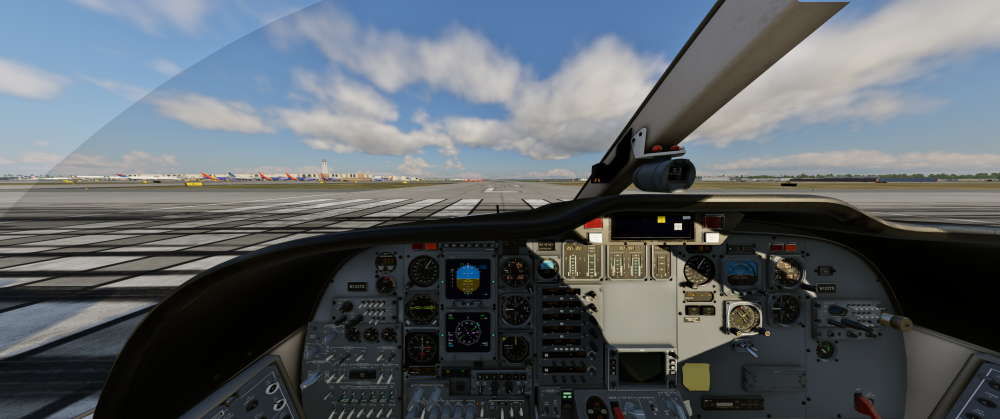
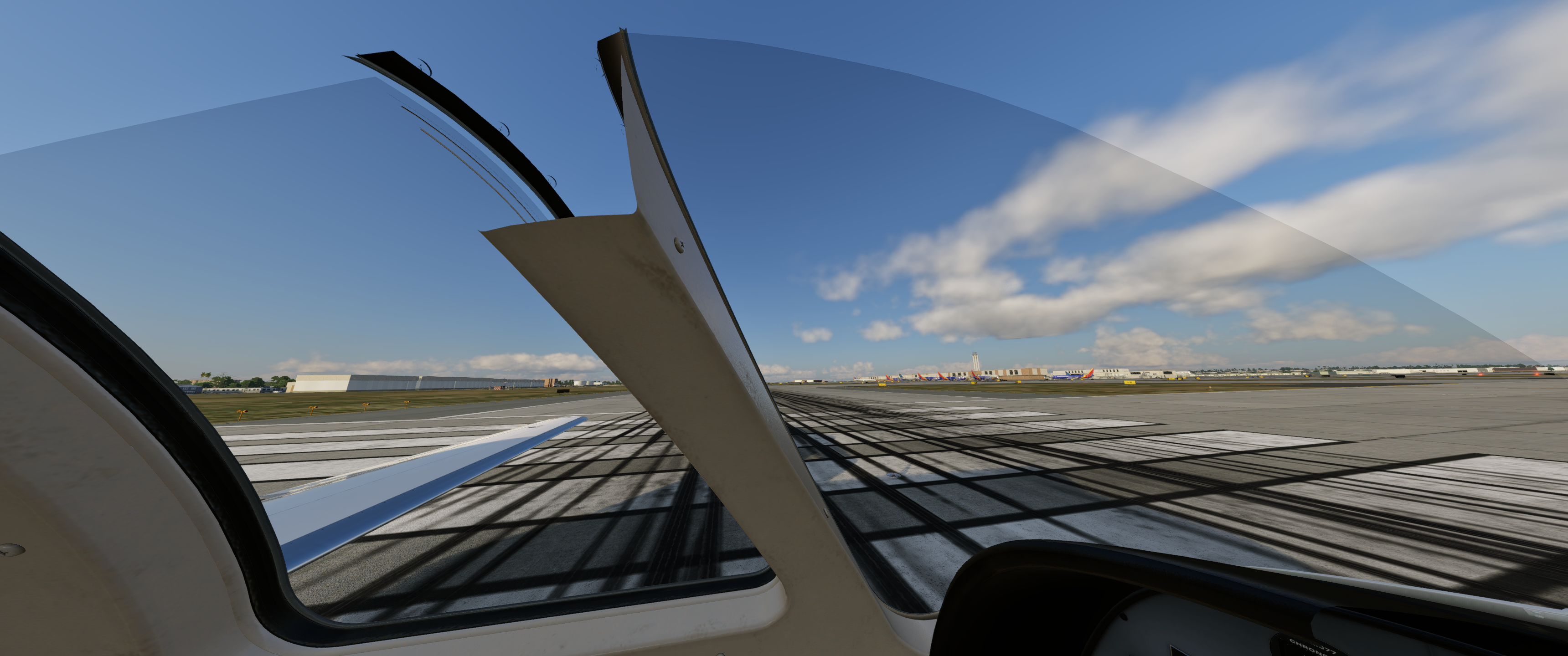
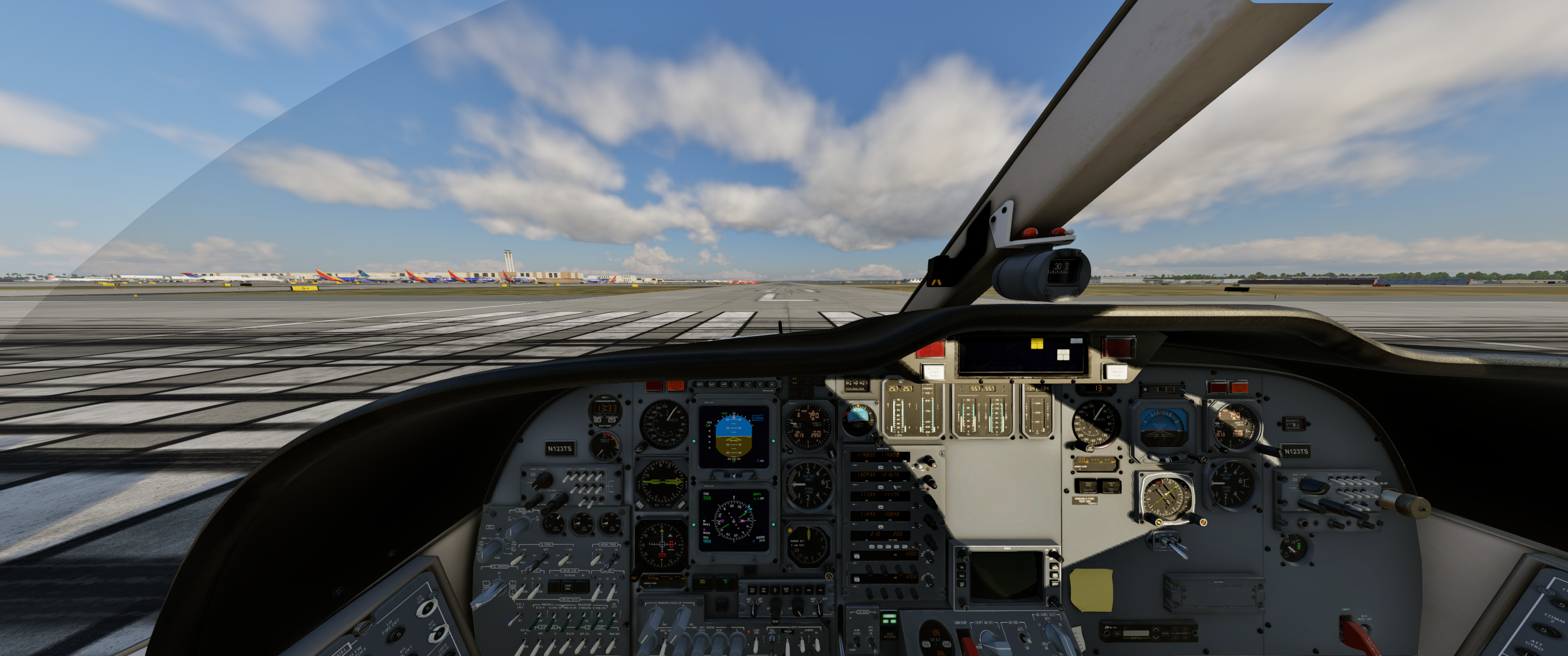
Hi, I am using X-Camera and noticed that the views go through the aircraft and do not look acceptable. This happens only with this aircraft and X-Camera. Unfortunately, X-Camera seems to be the only application that works with TrackIR vs. using the X-Plane views. This is very annoying and it distorts the views. I tried to adjust, recalibrate, and then readjust the views several times but this is the result. I am using a 34-inch monitor, not sure the monitor has anything to do with this b/c no other aircraft has this bizarre behavior. Thoughts?
- Last week
-
The fact it’s 15° (ISA temp) makes me believe it’s not simulated, as you suspected.
-
Hi all, Late adopter to the Challenger 650 here and really enjoying it so far. I did notice something that really makes me wonder if I have something turned off. All the temperature simulations are working great in the study panels. Except for the ones on the batteries. They seem to be stuck at 15.0°C. I realize there’s a lot of thermal mass in these batteries, but I actually abused the airplane by soaking it in -60°C and also starting the APU several times in a row. Both the main and the API battery stayed at a solid 15.0°C throughout. Is battery temperature not simulated right now or is there something on my end? Thanks in advance and kind regards
-
Another weird issue.. All power is off but the Red tail lights remain on and show double.
.thumb.png.24cdc55ce94174360f70981fc666c515.png)
-
Not working for me.
-
Hi team, It's been a while since a response in this forum.. I have the latest version of the BN-2B and have found that the Headset doesn't work. Any one else with that issue.. Note I'm in the latest version of XP12.4.0 and is applicable with all the BN series.
-
That's great to hear. You guys are doing an amazing job.
-
OK, thanks for information. Would love to see it as improvement in the future.
-

IXEG 737 Classic for X-Plane 12 Announcement
mjrhealth replied to Cameron's topic in General Discussion
His last on this was 7 months ago, unless you found a later one -
To the people that is too anxious: As former developer of biological simulations, I can tell that the computer programer can´t answer nothing about dates, because himself ignore when the work will be ready to release. Unexpected problems and new improvements are items that can alter the schedule. I prefer a developer that delay the release to set the best product possible, than other that release a program undone to catch the money early. Be patient, I'm sure that the CL650 will have the best weather radar.
-
The installer is designed in a way to be as least intrusive as possible, so no registration keys or configs. What dictates that prompt being shown is if the installer detects Gizmo being installed at all. Why it can't search and see it on your setup is beyond me at the moment.
-
It's a fair observation as I am a software engineer. I am equally as stumped with this one. The installer is able to see Gizmo to the extent of being able to delete it but without the prompt. I've recorded a video of the installation process. The part I don't show is the license check for obvious security reasons. GIzmo is deleted almost immediately. The rest of the video is largely boring as it shows the rest of the install but I wanted to leave it there to show that no additional steps were being performed. This video was recorded with the TorqueSim CitationJet 525 1.1.0 Windows installer. Does this installer retain configuration files or registry keys that might bypass the option or are there possibly some edge cases baked into the code that would short-circuit the logic around displaying the prompt?
-
I have just had several people on Windows test this. All of these people confirm the dialog appears. You are also the first person I have ever had mention this doesn't work in over a year of this being implemented, so I'm not really sure what's unique to your system to prevent it. Perhaps some kind of unique casing paths, or anything else I'm not considering. It would not shock me considering you're in tune enough to fixate on the profiler in X-Plane.
- Earlier
-
Please, take a look at this:
-
-
Correct... It crashes before the cockpit loads.
-

No Sound and Stuck Fuel Tank Selector
lawson-stone replied to lawson-stone's topic in Beechcraft Sundowner C23 v2
That did it. All's well now. I still am not a fan of needing to run Rosetta, but I do love this airplane and your sim is fun to fly, so I will wait eagerly for the update. For now, I'm happy and glad things are working. Thank you for hanging in there with me and resolving the issue. -

No Sound and Stuck Fuel Tank Selector
Goran_M replied to lawson-stone's topic in Beechcraft Sundowner C23 v2
@lawson-stone No reason to feel bad. There is another forum post in here that is directly related to this, that I have spent the last few hours diagnosing. The crash is caused by the libradio.plugin that ships with the aircraft. It makes a threading call that X-Plane 12.4 now strictly enforces, and the sim kills it on the spot. (I'm assuming this began after one of the last few 12.4 updates?) To fix the crash: 1. Navigate to your C23 installation folder: X-Plane 12/Aircraft/X-Aviation/Beech Sundowner C23 v2/plugins/ 2. Remove the libradio.plugin folder entirely and store it somewhere completely outside of the X-Pane folder. That should get you past the crash. Once you're loaded in and flying, let me know if the sound and fuel selector issues persist. Those may be separate problems I'm already tracking. This will be addressed properly in the next update so you won't have to do this manually going forward.




.png.f9ed3b91f25e5ee8eecee8302e340f73.png)