All Activity
- Past hour
-

Cessna 525 No landing gear or operative switches
danieleg replied to buffewo's topic in CitationJet 525
Thanks sir, it work - Today
-

Cessna 525 No landing gear or operative switches
Cameron replied to buffewo's topic in CitationJet 525
This plugin is causing your issue: C:\Program Files (x86)/Steam/steamapps/common/X-Plane 12/Resources/plugins/GndHandling/ -
danieleg changed their profile photo
-
Cessna 525 No landing gear or operative switches
danieleg replied to buffewo's topic in CitationJet 525
Hi, same problem here, read all post and follow the video tutorial but nothing, here is my log. I've nothing in quarantine and x-aviation plug in it's in ther folder, not deleted. no landing gear no throttle moving no avionics Suggestions? Thanks Daniele Log.txt -
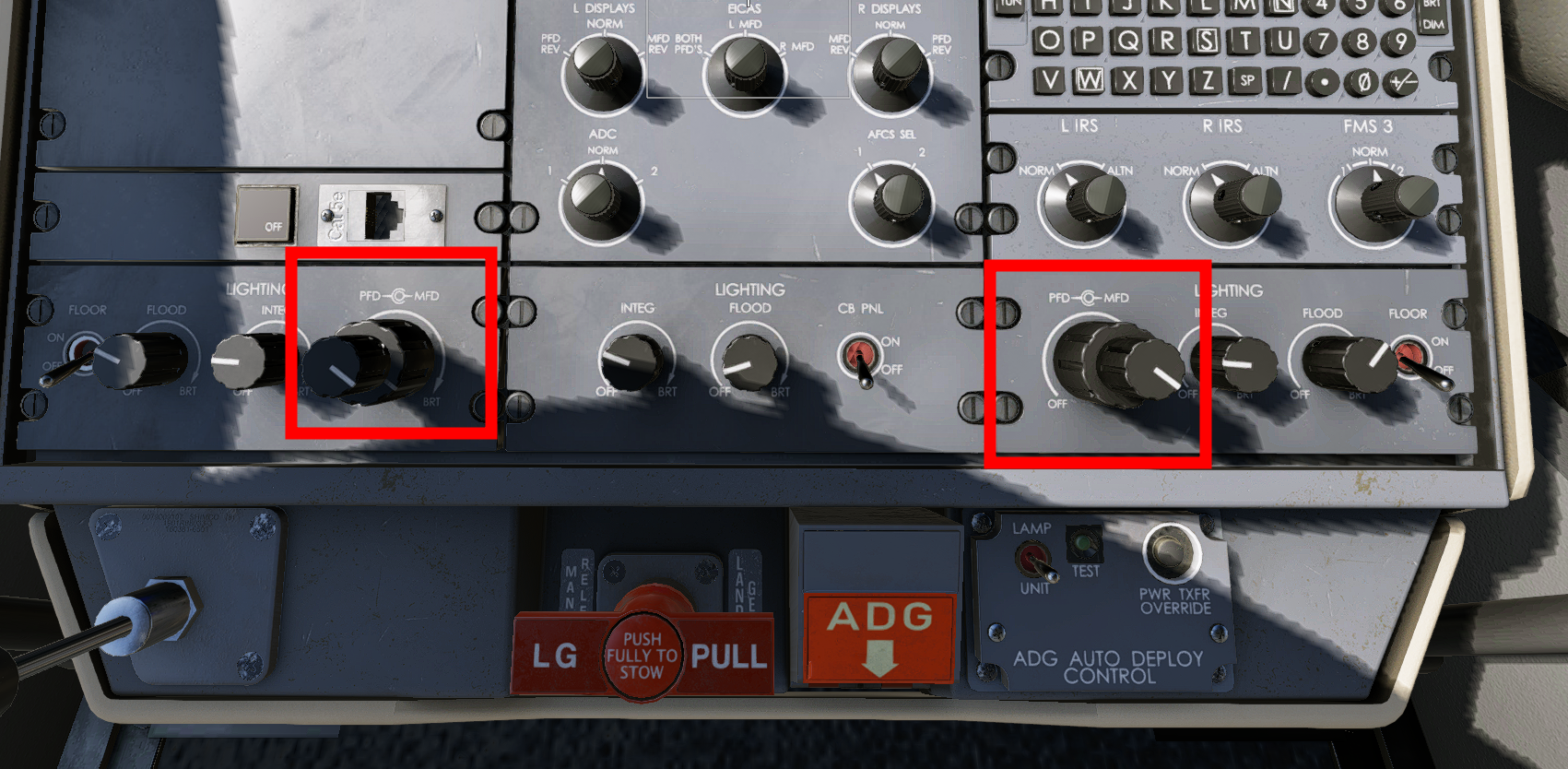
It seems to me to be quite a complex matter, and then there are the constant beta changes that undo some of the work – it must be incredibly annoying! It's a shame there's absolutely no headroom left since the brightness sliders are already at 100%. Perhaps a little more brightness will be possible when X-Plane 12 is finalized!
-
 nontapatc joined the community
 -
 IainW joined the community
 -

C525 + TDS GTN750Xi -- Flt Director twitching
Pixel of Life replied to airforce2's topic in CitationJet 525
I'm also seeing the same behavior. -
I'm not sure what happened. After I rebooted my computer, the reverse starting working. We'll see when I restart my PC tomorrow. Thanks for your interest in helping.
-
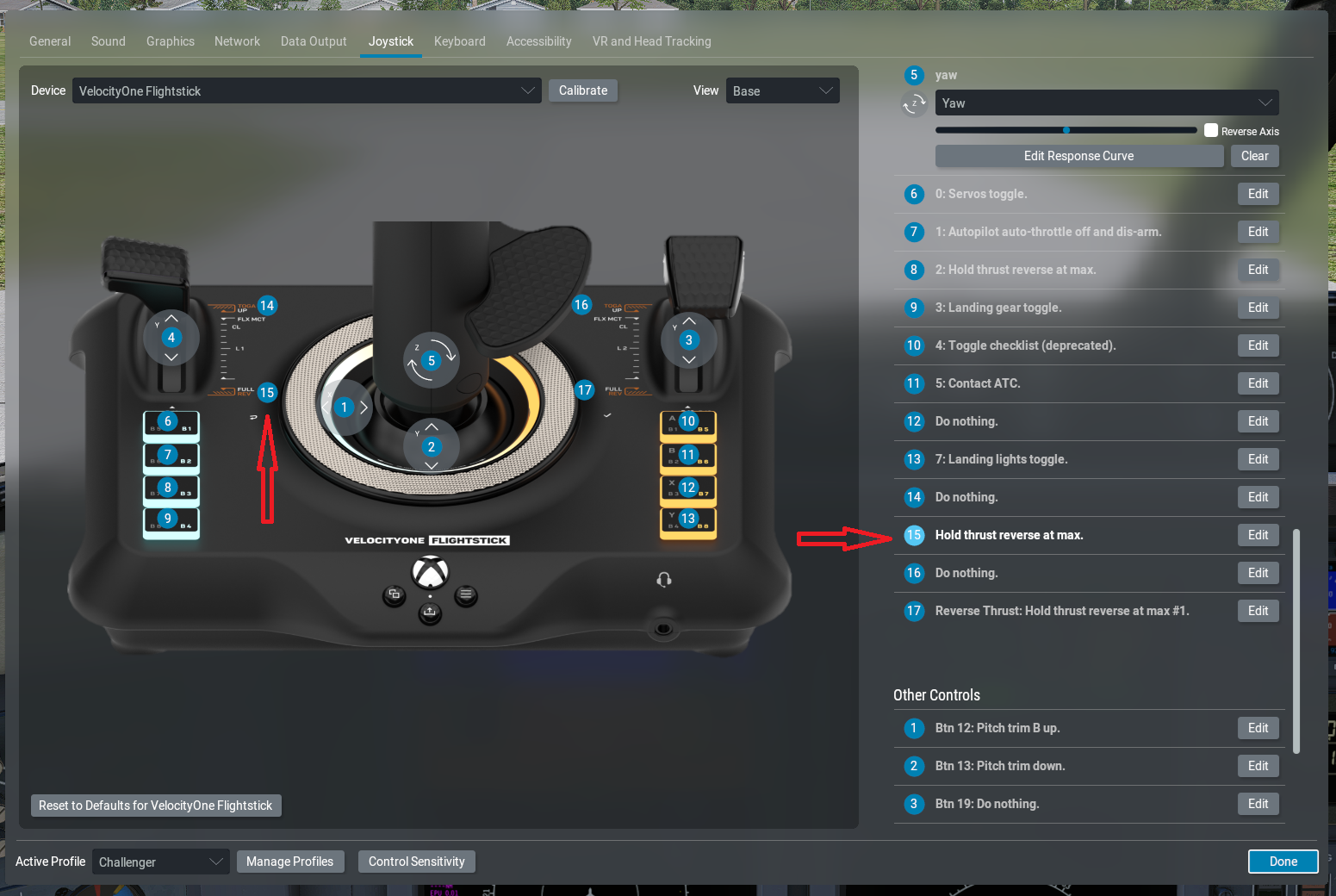
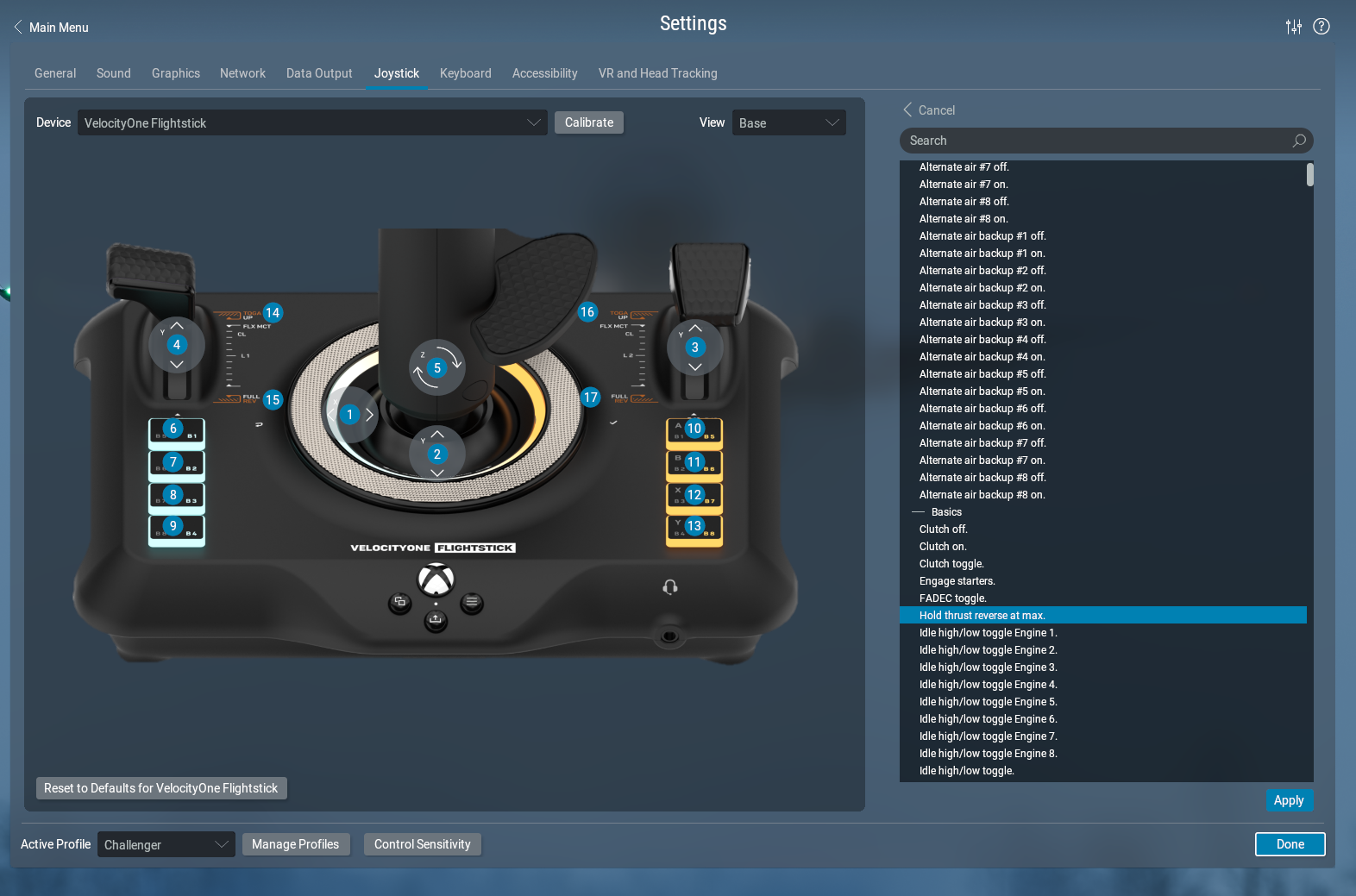
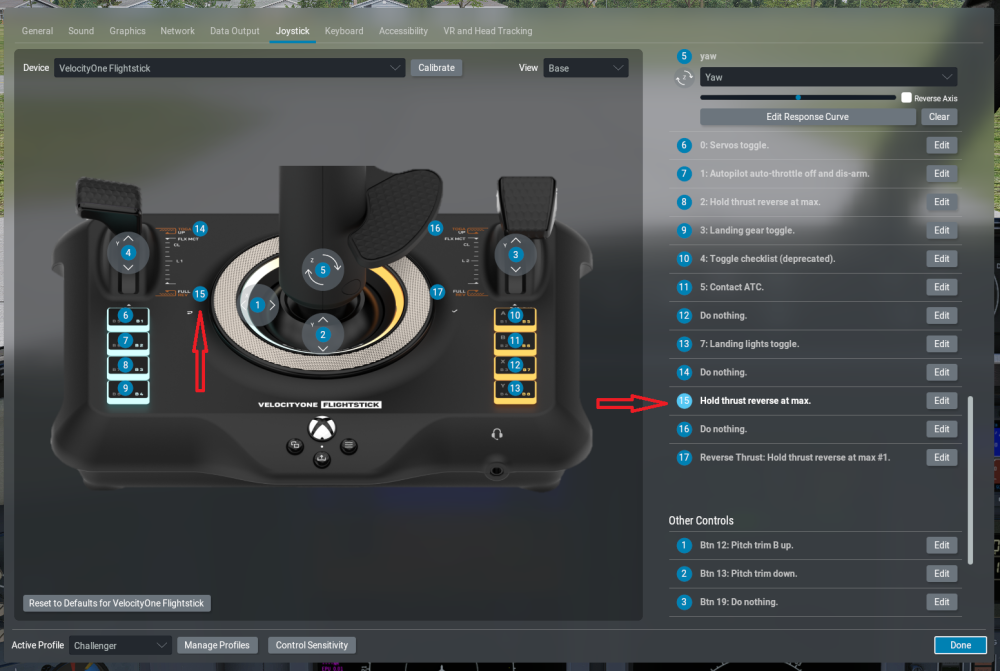
Heres another screenshot of what I have selected
- Yesterday
-
Standby on the Log text file...... Log-2026-04-23-1531.txt
-
-
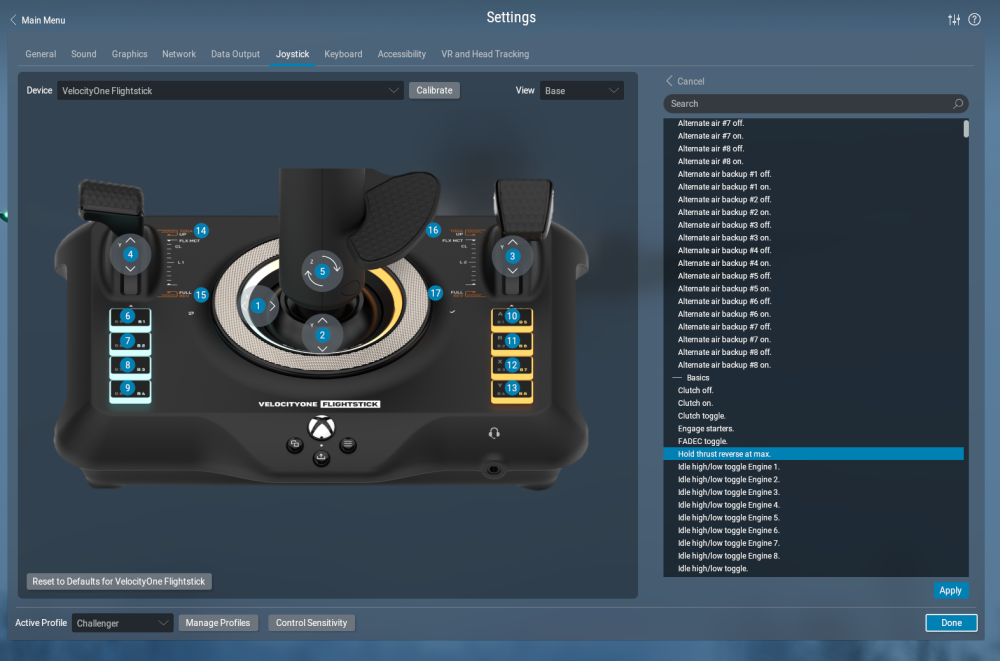
Can you provide screenshots of the joystick configuration in X-Plane? And your Log.txt? Please.
-
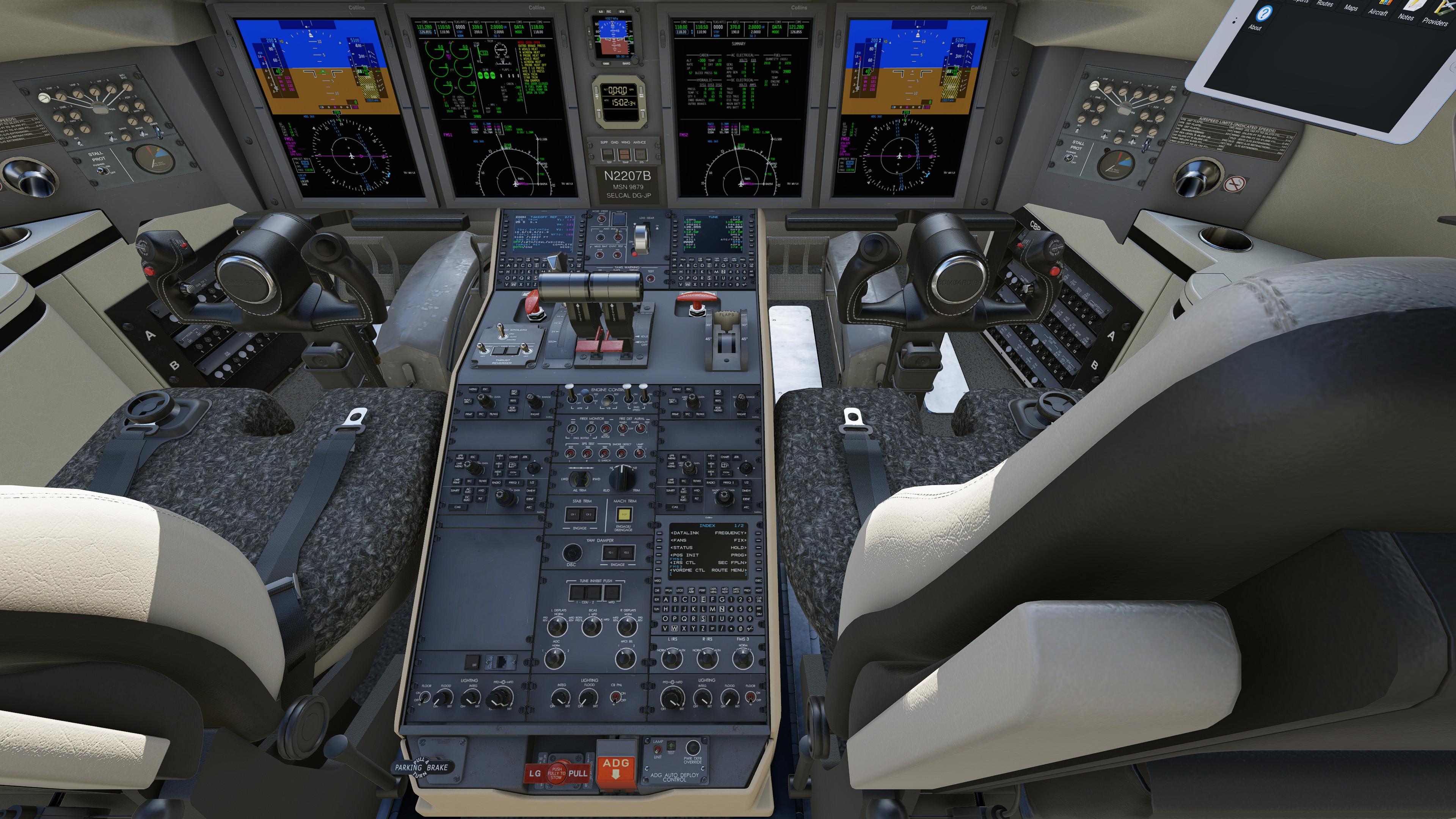
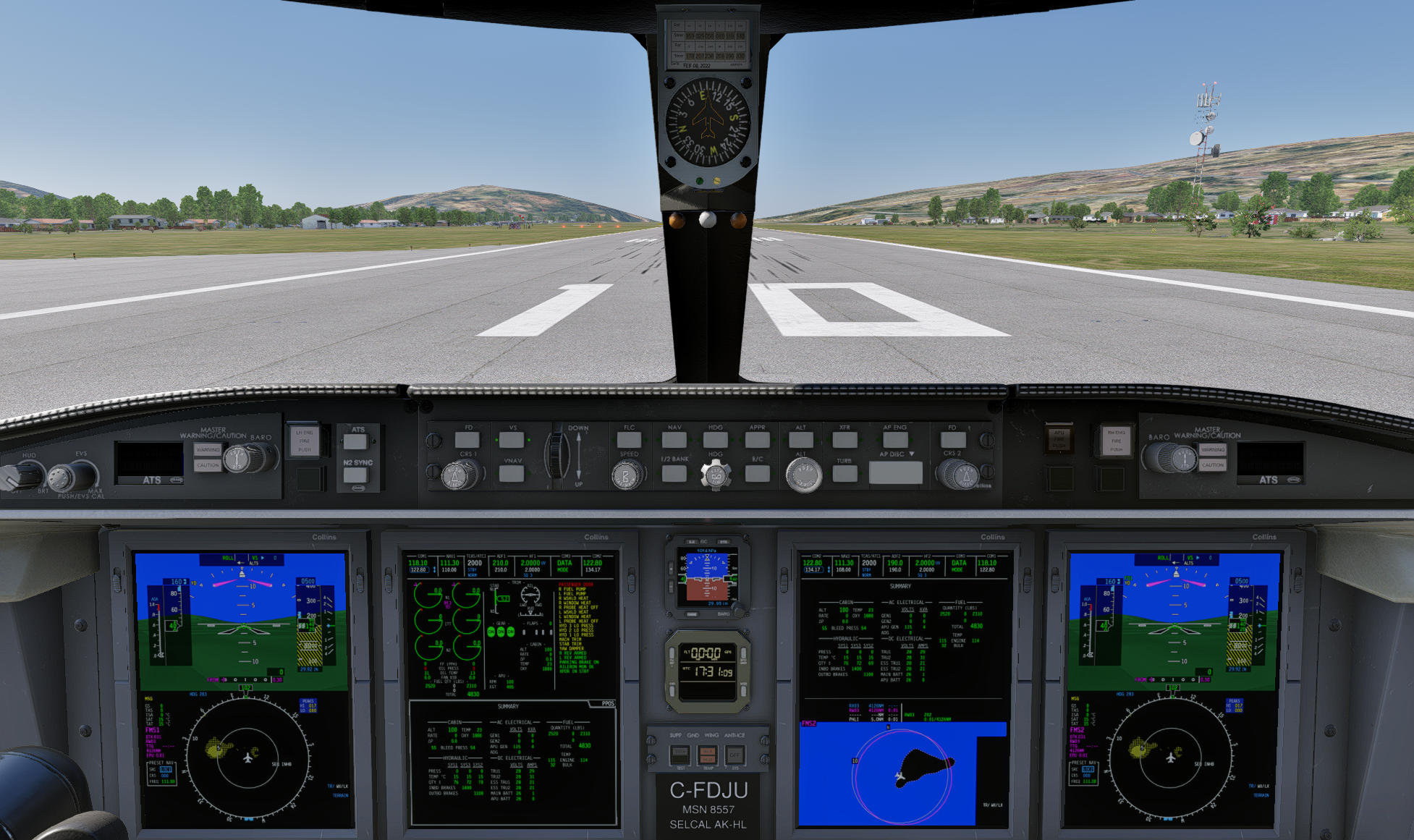
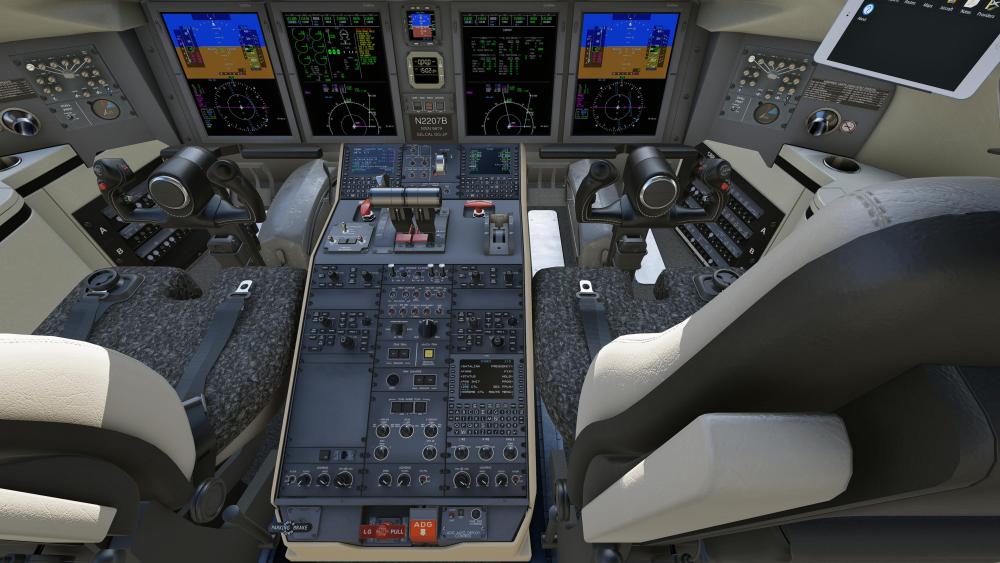
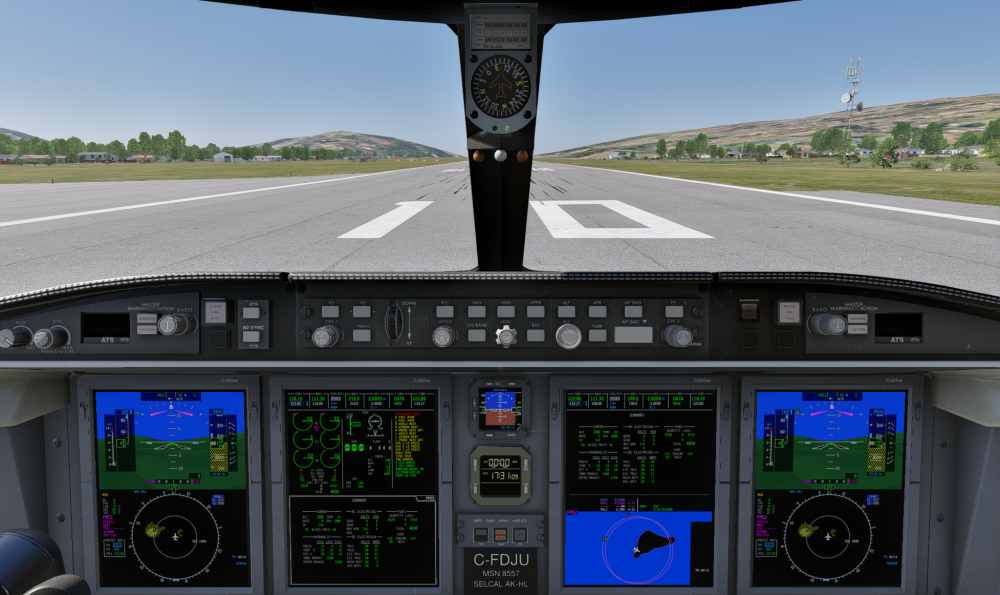
Perhaps you were just used to how it looked prior, but that was not correct. We had the brightness tuned about right a while ago, but then X-Plane 12.3 changed how its tonemapper worked and made the displays appear completely blown-out. It's still not perfect, but at least now we're closer to reality. I still had to set the screens to 1200 nits in X-Plane's lighting definitions, which is about double what they really should be, but if I made them exactly right, you wouldn't be able to see them in daylight at all. X-Plane doesn't correctly approximate the ambient darkening that a large glareshield does (because it doesn't have a raytraced lighting model), so it does kind of a "meh" job when it comes to displays.
-
I'm using a Velocity One Flightstick. In the previous version of this CL650 reverse thrust could be selected by bringing throttle on the Joystick back into the detent, and then thrust would come up to max. On the previous version it worked fine, but not the updated one. I've been in the settings for this Joystick and felt I had the right option selected. The reversers unlock, but no thrust. Any ideas?
-
 Flash1013 joined the community
 -
That's really not any brighter, and that's for a plane that costs over 30 million dollars! Okay, I guess we'll have to live with it. But by the way, it's a really great add-on, great job! Thanks for the quick reply.
-
@cloudfreak1 Yep, that's what the screens really look like on a bright, sunny day. The previous version had the screens way too blown out compared to the real thing. Now it's about right.

-
sometime it is more dark
-
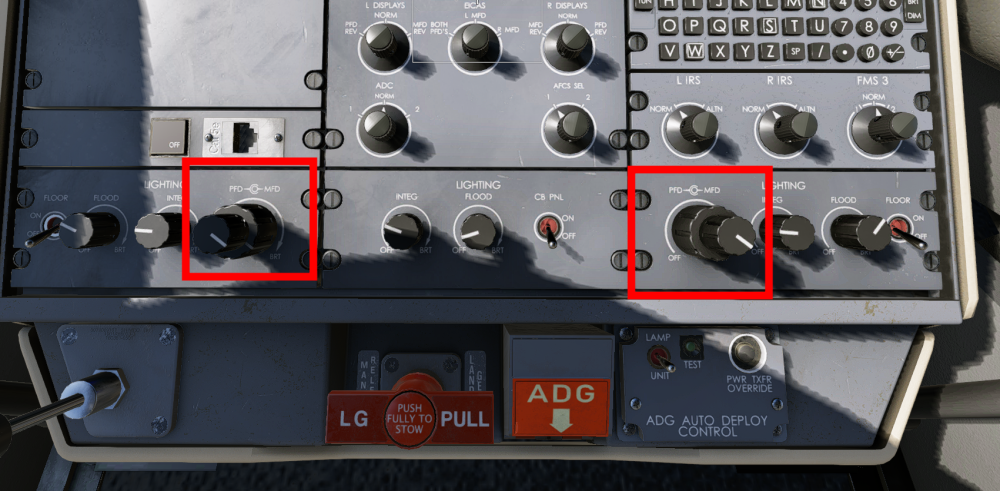
For the record, this is what they should look like. That's with the brightness turned up all the way in the middle of a very bright day.
-
Did you try adjusting the brightness? Show a screenshot of what you see.
-
the brightness of the PFD & MFD is very dark in v1.9 imho ,is it possible to adjust it a little bit brighter in the next update?
-
 grux joined the community
 -
 Hmm, I can't confirm this Behavior. Two short Flights, one with the 4 Blade GNS and one with the 5 Blade GNS. XP12.4.2-r2 AP did work as expected. HDG Mode, ALT Mode, NAV Mode with and without GPS, ILS Approach, all did work. My Startup from Cold and Dark, no GPU connected: Battery Switch ON Inverter Switch to MAIN Position Battery Isolation Normal Avionics OFF AP SBY Switch Light Green but no Action yet because Avionics OFF Initiate Engines Startup Sequence with all the needed Stuff. After Engines Start, Generators ON and Avionics ON. AP SBY Switch Check -> All AP Lights ON. Before Take Off -> No AP Mode selected, only Heading Bug and Target Altitude set. Flight Plan loaded. If there is one. After Take Off and reaching the Altitude and best Speed for Climb and AP Activation: - select HDG (stays green) - select ALTSEL (green) - select IAS (green) AP ON Yaw Damper ON If a Flight Plan is active - Garmin CDI to GPS, AP NAV Mode enabled, GPSS Roll Steering Switch (GPSS HDG) to ON. And the Moo is happy following the Magenta Line. So, no AP Mode selected while on the Ground, only in the AIR. That did work since I purchased the Moo and with all XP12 Version since the first Release. Betas included. Did you check your (new made) Joystick Profile for the AP Settings? I use the Honeycomb Alpha and Bravo Devices with the Original Plugin and a simple Plugin Profile only for the Lights and the Rotators. The AP Switches are Standard XP References and I can use both, the Buttons on the Bravo and the Buttons in the Cockpit.
 -
 Azer joined the community
 -
 Hi everyone, After a thorough investigation into the FSTramp crash on X-Plane 12.4.x (versions 12.4.0, 12.4.1, and 12.4.2), I was able to pinpoint the exact technical cause and identify the specific DataRefs that need to be updated. I'm sharing this here hoping that a developer in the community might use this information to create an unofficial patch. The problem X-Plane 12.4.x renamed several DataRefs that FSTramp was relying on. When the plugin calls XPLMFindDataRef() using the old names, the return value is NULL. FSTramp then attempts to read data via a null handle, which triggers a Popup abort — the simulator freezes at the loading screen. This was confirmed by analyzing the Log.txt and cross-referencing it with the official DataRefs.txt from X-Plane 12.4.1, where all four DataRefs are explicitly marked as REPLACED. The 4 DataRefs that need to be fixed # Old DataRef (broken) New DataRef (correct) 1 sim/flightmodel2/controls/flap_handle_deploy_ratio sim/cockpit2/controls/flap_system_deploy_ratio 2 sim/weather/temperature_ambient_c sim/weather/aircraft/temperature_ambient_deg_c 3 sim/weather/wind_speed_kt sim/weather/aircraft/wind_now_speed_msc (now in m/s) 4 sim/weather/wind_direction_degt sim/weather/aircraft/wind_now_direction_degt Note on DataRef #3: the unit changed from knots (kt) to meters per second (m/s). A conversion factor may be needed in the code: 1 kt ≈ 0.514 m/s. Developer status Helge Schroeder, the developer of FSTramp, has announced that at 69 years old he is retiring from development and support. The plugin has become freeware indefinitely, with the serial key distributed publicly. The official website fstramp.com is already offline. Any fix would therefore need to come from the community. FSTrampXP.xpl is a compiled binary (64-bit Windows DLL), so a fix would require either access to the original source code for recompilation, or a developer with experience in PE64 binary reverse engineering. Temporary workaround Until a patch is available, the only solution is to keep FSTrampXP.xpl out of the Resources/plugins/ folder when running X-Plane 12.4.x. I hope this information is useful for any developer willing to take on the challenge of creating a community fix. If anyone has access to the source code or has experience with X-Plane plugin binary patching, please speak up in this thread. Happy flying everyone! Florencio Mello +55 11 968635225 Whats App florencio.mello@outlook.com
 -

MFD, PFD, both dark on Battery power. APU won't start
Gobysky replied to Gobysky's topic in Technical Support
Well, I finally found the issue. At least one of the issues that corrected all of the above problems I mentioned. I was chasing something complex in the software or set up but I never found it until I looked around in the menu system and refreshed the X Aviation License and that corrected everything, which really surprised me that the simulator would behave like that without any warning popup . But now I have other issues that I have to work on. After I get everything corrected to the way it was in the last version, I’ll be VERY reluctant to update. It’s a nightmare. -
 Methanoid joined the community
 -
Which products specifically?
- Last week
-
 sjj_flying joined the community
 -
danieleg joined the community
-

MFD, PFD, both dark on Battery power. APU won't start
Pils replied to Gobysky's topic in Technical Support
Probably. It’s called Log.txt. -
Take Command! Hot Start Challenger 650 v1.9 Update Released!
Pils replied to Cameron's topic in Technical Support
Some parts of airframe saved states can always be reset during upgrades due to incompatibilities. This is unavoidable. But the upgrade itself doesn’t delete anything. -
 jrsaez82 changed their profile photo
 -
Hi again, Thanks for the detailed reply, I really appreciate it. That makes sense, and it also matches what I have been seeing on my side: the issue appears to be strongly tied to electrical source / bus behavior rather than to autopilot usage itself. In my testing, HDG will not latch on battery power only, it can latch with GPU power, and it drops again when GPU power is removed, so your explanation about newer electrical / amp-flow criteria in X-Plane sounds very plausible. Thanks again for confirming that this is something worth investigating. I bought the aircraft four days ago, and I’m really disappointed not to be able to fly it (unless it’s in manual mode, which is tricky for flights longer than 20 minutes). I’ll keep an eye on future announcements and I’m happy to provide any additional test details if that helps when you come back to the MU-2.