All Activity
- Past hour
-
 Verified user can get a 40 off TℰℳU Coupon code using the code ((“acw854145 ”)). This TℰℳU $100 Off code is specifically for new and existing customers both and can be redeemed to receive a $100 discount on your purchase. Our exclusive TℰℳU Coupon code offers a flat 40 off your purchase, plus an additional 30% discount on top of that. You can slash prices by up to $100 as a new TℰℳU customer using code ((“acw854145 ”)). Existing users can enjoy 40 off their next haul with this code. But that’s not all! With our TℰℳU Coupon codes for 2026, you can get up to 90% discount on select items and clearance sales. Whether you’re a new customer or an existing shopper, our TℰℳU codes provide extra discounts tailored just for you. Save up to 30% with these current TℰℳU Coupons ["^"acw854145 "^"] for February 2026. The latest TℰℳU Coupon codes at here. New users at TℰℳU receive a $100 discount on orders over $100 Use the code ((“acw854145 ”)) during checkout to get TℰℳU Coupon $100 Off For New Users. You can save $100 Off your first order with the Coupon code available for a limited time only. TℰℳU 90% Off promo code ((“acw854145 ”)) will save you $100 on your order. To get a discount, click on the item to purchase and enter the code. Yes, TℰℳU offers $100 Off Coupon code “acw854145 ” for first time users. You
 -
cfcgfgfxfxd joined the community
- Today
-
A lot of errors in the log! Log.txt
-
this solution works, but the exact same issue comes back after few days/weeks. I restored it, flew it 2-3 times. 1-2 weeks later not working. Bruh
-
If it were possible, I would insist on a refund. I uninstalled and restored this mod a lot of times. After uninstalling, it works for some time. One day i start it and key is not there, and its not working. Sorry guys, this sucks. I have a lot of aircraft, i had never ever any issues, some are updated 3-4 years ago and still working like charm. Thats simply bad. Not going to buy any other aircraft from this dev. Sorry. This is the 4th or 5th time i uninstall it...
-
 fcgdfsaae joined the community
 -
 jjjjsk joined the community
 -
 airbus234567890 joined the community
 - Yesterday
-
 doomdoom joined the community
 -
 Wisesamster11. joined the community
 -
 Alex3d joined the community
 -
 alexey3k joined the community
 -
 Bikingdad57 joined the community
 -
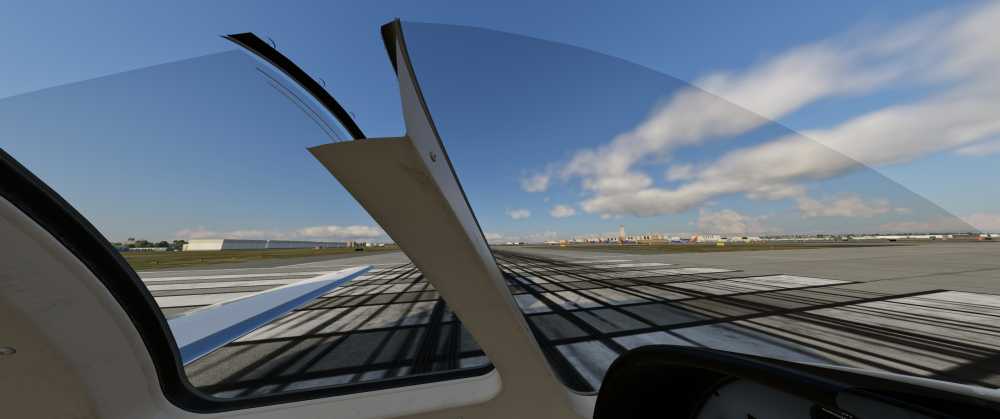
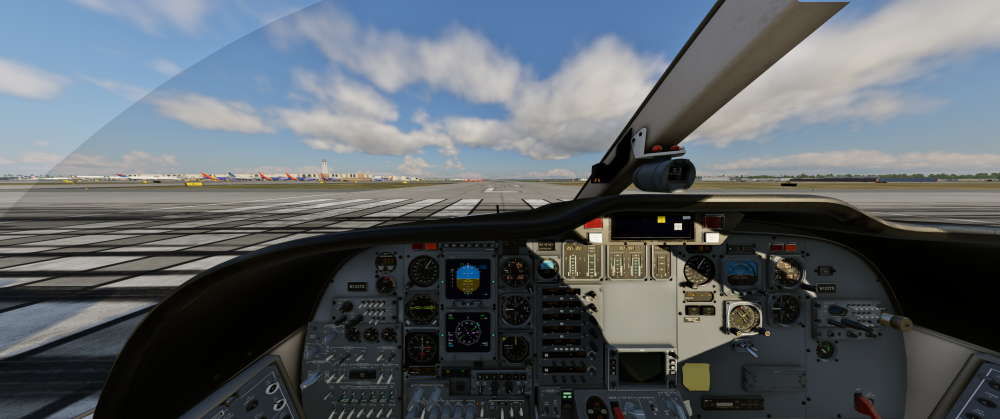
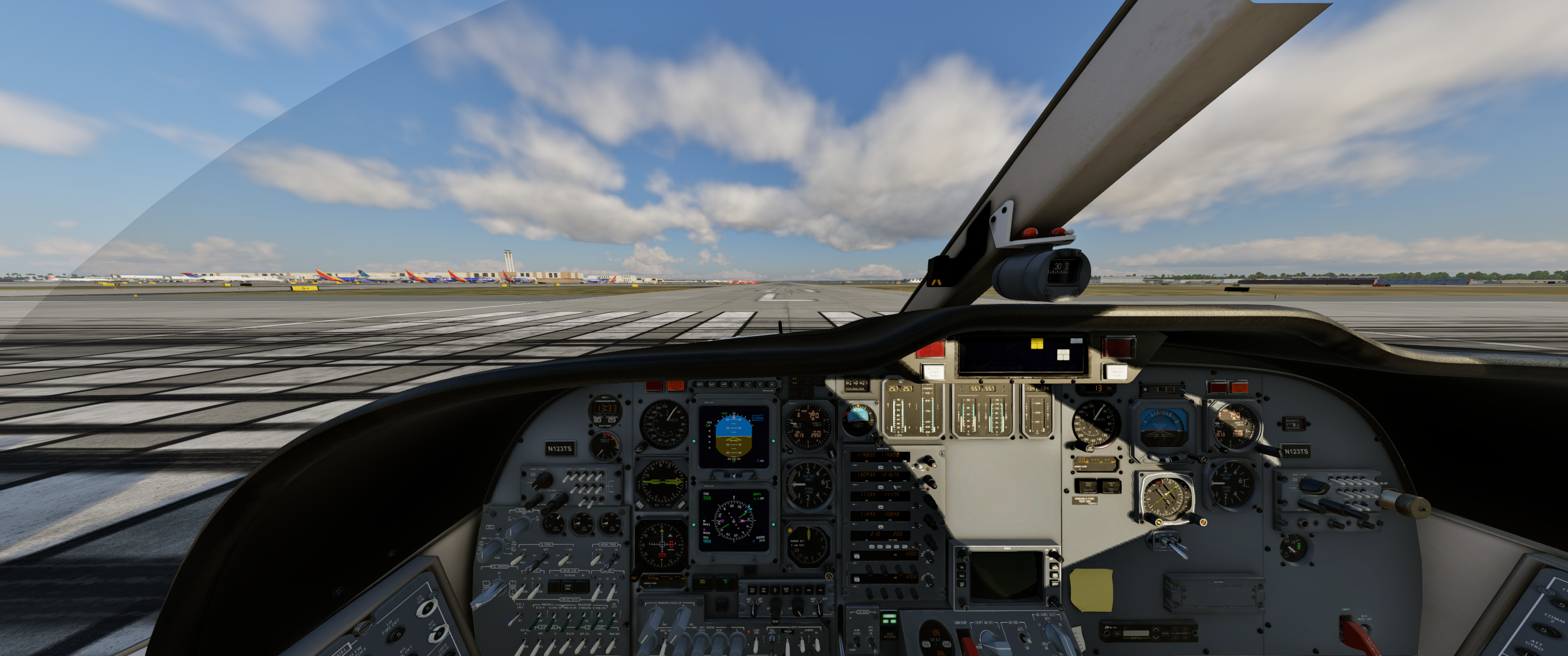
Hi, I am using X-Camera and noticed that the views go through the aircraft and do not look acceptable. This happens only with this aircraft and X-Camera. Unfortunately, X-Camera seems to be the only application that works with TrackIR vs. using the X-Plane views. This is very annoying and it distorts the views. I tried to adjust, recalibrate, and then readjust the views several times but this is the result. I am using a 34-inch monitor, not sure the monitor has anything to do with this b/c no other aircraft has this bizarre behavior. Thoughts?
- Last week
-
 moondoggy joined the community
 -
The fact it’s 15° (ISA temp) makes me believe it’s not simulated, as you suspected.
-
Hi all, Late adopter to the Challenger 650 here and really enjoying it so far. I did notice something that really makes me wonder if I have something turned off. All the temperature simulations are working great in the study panels. Except for the ones on the batteries. They seem to be stuck at 15.0°C. I realize there’s a lot of thermal mass in these batteries, but I actually abused the airplane by soaking it in -60°C and also starting the APU several times in a row. Both the main and the API battery stayed at a solid 15.0°C throughout. Is battery temperature not simulated right now or is there something on my end? Thanks in advance and kind regards
-
Another weird issue.. All power is off but the Red tail lights remain on and show double.
.thumb.png.24cdc55ce94174360f70981fc666c515.png)
-
Not working for me.
-
Hi team, It's been a while since a response in this forum.. I have the latest version of the BN-2B and have found that the Headset doesn't work. Any one else with that issue.. Note I'm in the latest version of XP12.4.0 and is applicable with all the BN series.
-
That's great to hear. You guys are doing an amazing job.
-
OK, thanks for information. Would love to see it as improvement in the future.
-

IXEG 737 Classic for X-Plane 12 Announcement
mjrhealth replied to Cameron's topic in General Discussion
His last on this was 7 months ago, unless you found a later one -
To the people that is too anxious: As former developer of biological simulations, I can tell that the computer programer can´t answer nothing about dates, because himself ignore when the work will be ready to release. Unexpected problems and new improvements are items that can alter the schedule. I prefer a developer that delay the release to set the best product possible, than other that release a program undone to catch the money early. Be patient, I'm sure that the CL650 will have the best weather radar.
-
The installer is designed in a way to be as least intrusive as possible, so no registration keys or configs. What dictates that prompt being shown is if the installer detects Gizmo being installed at all. Why it can't search and see it on your setup is beyond me at the moment.
-
It's a fair observation as I am a software engineer. I am equally as stumped with this one. The installer is able to see Gizmo to the extent of being able to delete it but without the prompt. I've recorded a video of the installation process. The part I don't show is the license check for obvious security reasons. GIzmo is deleted almost immediately. The rest of the video is largely boring as it shows the rest of the install but I wanted to leave it there to show that no additional steps were being performed. This video was recorded with the TorqueSim CitationJet 525 1.1.0 Windows installer. Does this installer retain configuration files or registry keys that might bypass the option or are there possibly some edge cases baked into the code that would short-circuit the logic around displaying the prompt?
-
I have just had several people on Windows test this. All of these people confirm the dialog appears. You are also the first person I have ever had mention this doesn't work in over a year of this being implemented, so I'm not really sure what's unique to your system to prevent it. Perhaps some kind of unique casing paths, or anything else I'm not considering. It would not shock me considering you're in tune enough to fixate on the profiler in X-Plane.
-
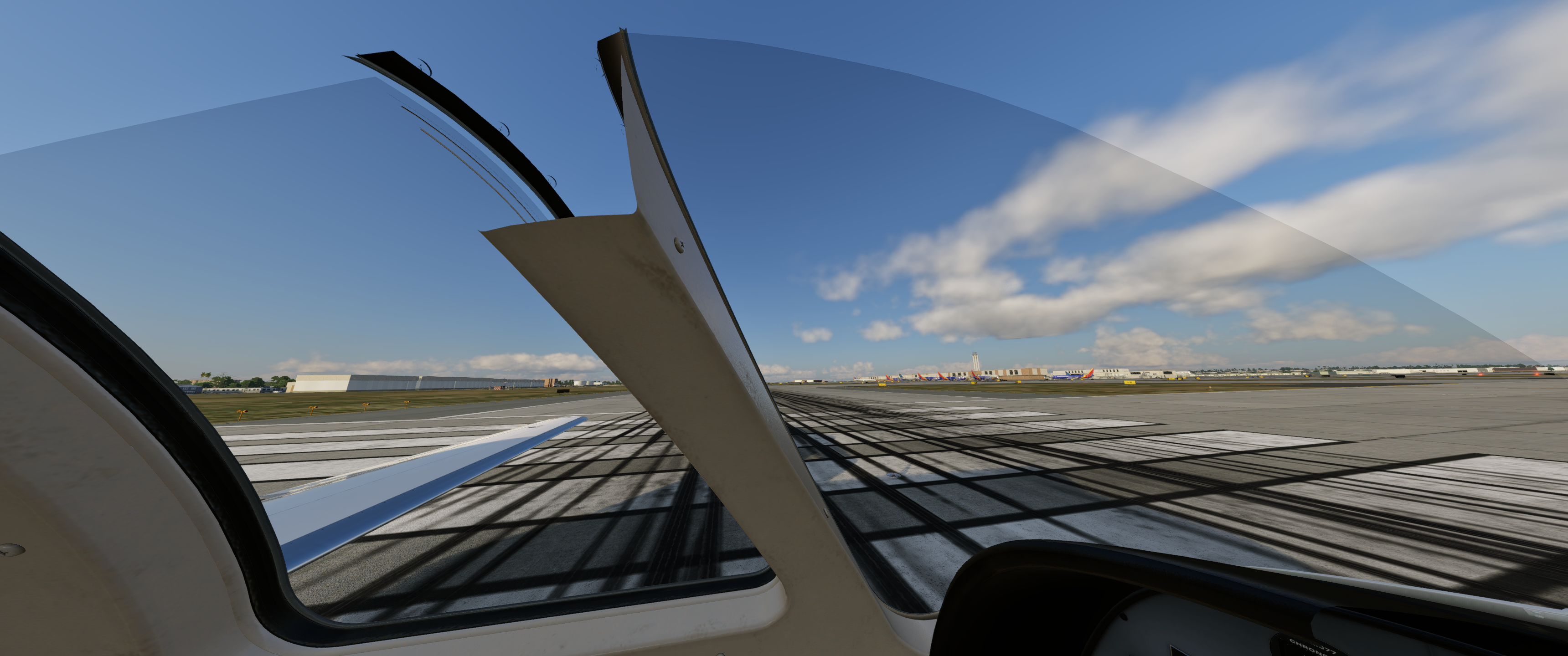
Please, take a look at this:
- Earlier
-
-
Correct... It crashes before the cockpit loads.
-

No Sound and Stuck Fuel Tank Selector
lawson-stone replied to lawson-stone's topic in Beechcraft Sundowner C23 v2
That did it. All's well now. I still am not a fan of needing to run Rosetta, but I do love this airplane and your sim is fun to fly, so I will wait eagerly for the update. For now, I'm happy and glad things are working. Thank you for hanging in there with me and resolving the issue. -

No Sound and Stuck Fuel Tank Selector
Goran_M replied to lawson-stone's topic in Beechcraft Sundowner C23 v2
@lawson-stone No reason to feel bad. There is another forum post in here that is directly related to this, that I have spent the last few hours diagnosing. The crash is caused by the libradio.plugin that ships with the aircraft. It makes a threading call that X-Plane 12.4 now strictly enforces, and the sim kills it on the spot. (I'm assuming this began after one of the last few 12.4 updates?) To fix the crash: 1. Navigate to your C23 installation folder: X-Plane 12/Aircraft/X-Aviation/Beech Sundowner C23 v2/plugins/ 2. Remove the libradio.plugin folder entirely and store it somewhere completely outside of the X-Pane folder. That should get you past the crash. Once you're loaded in and flying, let me know if the sound and fuel selector issues persist. Those may be separate problems I'm already tracking. This will be addressed properly in the next update so you won't have to do this manually going forward. -
No Sound and Stuck Fuel Tank Selector
lawson-stone replied to lawson-stone's topic in Beechcraft Sundowner C23 v2
Here's a fresh log.txt I feel badly about the amount of time this is requiring. Thank you for the effort and support.I Log.txt -
@Jabari Can you confirm or deny that you get a crash on loading the aircraft. That it doesn't even get to the cockpit. This may be a 12.4 issue that we need to look at and work around.
-
Hi Cameron, thanks for getting back to me. Somebody in the HotStart Discord mentioned this, but this isn't the case on Windows - at least not for the installer that I downloaded for the TorqueSim CitationJet 525. That explicitly removes Gizmo without any prompt. I double and triple checked to make sure I wasn't haphazardly clicking "Next". Is there another installer that I should be using?




.png.f9ed3b91f25e5ee8eecee8302e340f73.png)