Altimutater
-
Posts
42 -
Joined
-
Last visited
-
Days Won
1
Content Type
Profiles
Forums
Latest X-Plane & Community News
Events
Downloads
Store
Everything posted by Altimutater
-
I was also stuck on this... found the solution! You can send "con" (constant) values to the MIDI controls (I think that's the right terminology) - same cc values as for reading the encoders i.e. 1-8 and 51-58 0 is all left LEDs lit, 64 is centre LED lit, 127 is all right LEDs lit, and if you give values greater than 127 it loops round e.g. 128 = 0 mapping_out [ # Layer A, first encoder, light all the left LEDs { ch = 11, cc = 1, type = "con", data_2 = 0 }, # Layer A, fourth encoder, light half the left LEDs { ch = 11, cc = 4, type = "con", data_2 = 31 }, # Layer B, second encoder, light just the top LED { ch = 11, cc = 52, type = "con", data_2 = 64 }, # Layer B, eight encoder, light all the right LEDs { ch = 11, cc = 58, type = "con", data_2 = 127 }, ] No doubt they could also be driven by dataref values...
-
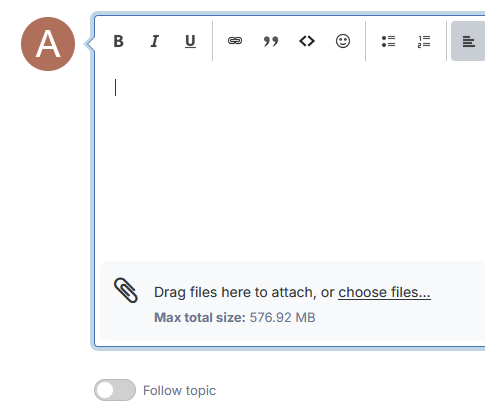
OK, on a phone it's "Add Files", just under where you draft your replies. On PC it's "Drag file here to attach, or choose files..." which will open a dialog box. One way or the other if you can use that to add the entire Log.txt to the post then that would help understand what's gone wrong But it's not impossible this forum is configured to prevent new members from uploading files as a safeguard against harassment, so you might not have that option yet!
-
Can you click "Add Files" when replying to this thread (or is that something you can't do immediately after registering)? What kind of display setup have you got? And do other planes work? It sounds like you might have some elaborate multi-monitor setup, if so, try dialling it down to a single-monitor X-Plane setup and if that doesn't work, try single-monitor in your OS.
-
Take Command: CitationJet 525 v1.1.0 Update Released!
Altimutater replied to Cameron's topic in CitationJet 525
I'm ready to believe the "Minimums" callout is a feature of the radalt, not any of the Gucci RNAV upgrades, and it does play that callout on self-test... however if so the self-test takes place instantly and that's a bit immersion-breaking for me. Two ways to fix it: Turn the radalt bug all the way down/counterclockwise, as it's the radalt needle finding itself suddenly below the bug that triggers the callout Back up and edit fmod/CJ525.snd with a good text editor, search for "minimum", you'll find a block of five lines relating to this callout. Put a # at the start of all five lines to comment them out. This disables the callout completely though (but perhaps the aircraft owner didn't specify this option) The third way is to use some fmod-fu to make the callout activate when on the approach or when testing the radalt by moving the bug, but not on power-on, but that is beyond the scope of _this_ thread -
Take Command: CitationJet 525 v1.1.0 Update Released!
Altimutater replied to Cameron's topic in CitationJet 525
There's a bug with the Direct-To buttons for the GTNX units in v1.1.0. Discord user Slartibart has found the fix: > `GTNXi` needs to be replaced by `GTNXI` in the file `objects/525_CLICKABLES.obj` > Looks like the commands, eg `TDS/GTNXI/DTO_1`, are case-sensitive. Pending an official update, this can be fixed by the user. Back up the file first, then open it with any good text editor e.g. Notepad++, then find and replace GTNXi with GTNXI. Any problems, replace your modified .obj with the backup and try again before asking for official support. -
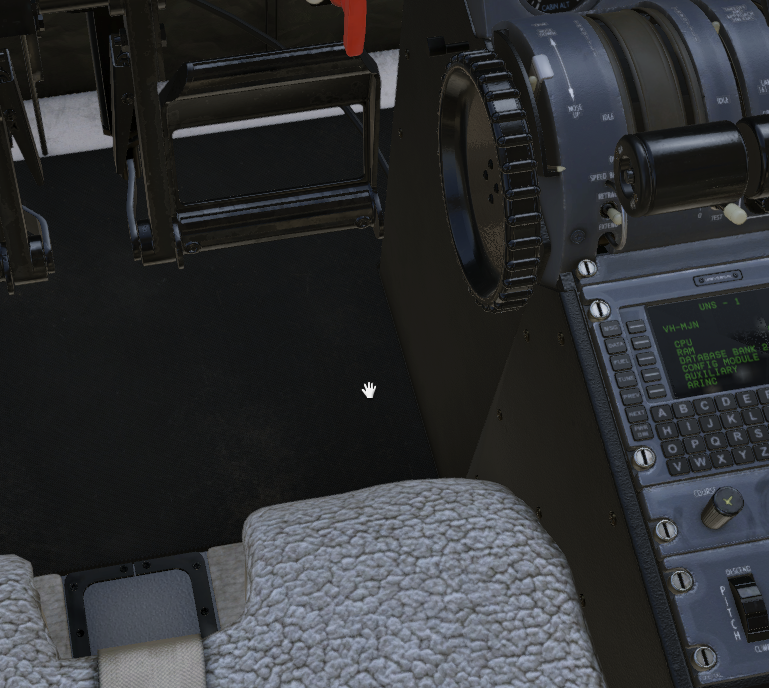
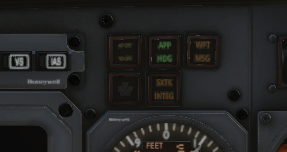
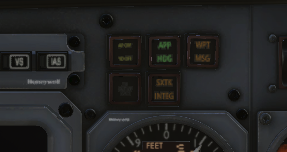
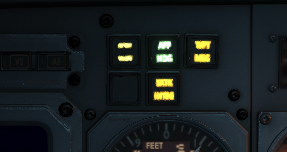
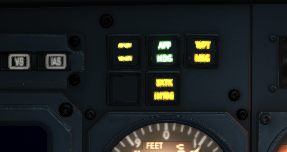
Very happy with v1.1 especially that you folks got it out the door on the same day XP12.4 went live! I was not expecting that. Having lots of fun with the weather radar. Got a couple of bugs/questions beyond the scope of community fixes... ## Label lighting The white label text or label backgrounds go black at night and remain unlit, e.g. registration placard chronometer labelling SET INDEX, STD, BARO, PULL TO CAGE etc on main panel knobs - but not TEST or the markings on the EFIS panel knobs... what's different there? RADAR ALT failure flag - is white in daylight, black at night INOP sticker on the wings indirect light switch cabin door exterior, perhaps most noticeably the START DISG button has the opposite problem where it transforms into a lit white square at night when the panel lighting is on OEM radio panel buttons are backlit with battery off (click to enlarge) There are probably more - if you shine the torch on the cockpit at nighttime the affected areas kinda glow black in a way that'd be interesting to physicists ## Engine Start buttons When I start the first engine, the start button lights up (becomes a lit white square), and extinguishes at about 40% N2 or thereabouts. When I start the second engine, both start buttons light up. This occurs with panel lights on or off, starting either engine first, in day or night. This might be correct behaviour or it might be a bug and only the operating starter button should be lit? ## Garbled PA briefing The PA briefing messages sometimes play at high speed and pitch - I've had it happen twice with the DESC message after WELC, SAFE and T/O play successfully. (Often I skip CRZ because we're still climbing when I reach TOD...) ## Engine total hours animation wrong I think this was already raised somewhere but the animation for the roller counters is wrong, and the counters move while the engines are shut down ## Engine covers It's possible to reach through the wall of the aircraft and put the engine covers on (or try to) midflight, for instance while misclicking on the reading light switch for the rear seats The engines still windmill when the covers are on On a tangent... it's also possible to reach through the cockpit floor to place/remove the nosewheel chock: ## Door latches I hesitate to raise this one because I really like the work that's gone into the cabin door and its lock, but a bit of additional logic would be icing on a very nice cake here! you can click to lock the door while it's closing and before it shuts, and this successfully locks the door if you click quickly on the door handle, the handle jerks towards Open or Lock then back to Stow, but the pins and indicator flags keep moving under their own steam and the door successfully locks or unlocks not checked in v1.1 but in v1.0.3 you could unlock and open the door with the plane pressurised which is usually physically impossible? Cake icing: the pins and telltale flags should be pushed by the door handle, i.e. only move as far as the door handle can be seen to move, so you need to click and hold to move the handle the full distance to lock/unlock the door trying to lock the door before it's shut should result in the pins striking the door jamb and/or the aircraft exterior, preventing the door from closing and the Door Closed indicator from aligning It's quite fun for the player to have the chance of mishandling the door, ignoring the annunciator and then wondering why they can't pressurise... so please don't simply deactivate the door handle manipulators until the door is shut ## W&B UI This is a feature request more than a bug: Dragging the sliders to set the weight in each seat gets tedious. Could you provide a tickbox for each seat - unticked is 0lb, ticked is whatever the slider was set to - or provide buttons to set the slider to 0lb and 170lb? Can you provide a text input box or additional slider to set the total fuel amount? I don't know why/if I'd need to specify different amounts for each tank - usually I just want say 1600lb and I need to drag each slider to as close to 800lb as I can manage Is there a correct way to specify we're using the toilet as a passenger/crew seat... or do I just split their weight between the two rearmost seats ## UNS-1 Is there any way the UNS-1, when it's popped out in a separate window and has keyboard focus, can detect I've made a mouseclick somewhere other than on its popout and yield its keyboard focus? This would be really helpful as I keep not realising it's still got keyboard focus. ## Annunciators The AP/FMS annunciators are hard to read in daylight because they're quite dim. The panel lighting NIGHT DIM switch makes a small difference but just to the AP OFF/YD OFF annunciator as far as I can tell While at night, they are hard to read because they bleed together: (These are cropped screenshots of how they appear at normal viewing distances... 80° FOV at 2560x1440) Same applies to the DME annuciators - I can't find a way to test the AP OUT OF TRIM annunciator! Thanks to everyone for this fantastic plane!
-
[v1.0.3] Flap lever and throttle gates sounds fix
Altimutater replied to Altimutater's topic in CitationJet 525
As of v1.1 the flap lever sounds are fixed! The throttle cutoff gate sounds have been reworked - they sound different in each direction which is great. But it's still based on command activation rather than control movement so will need to rework this fix -
Current status and updates planned?
Altimutater replied to imemyself's topic in Mitsubishi Marquise MU-2 v2
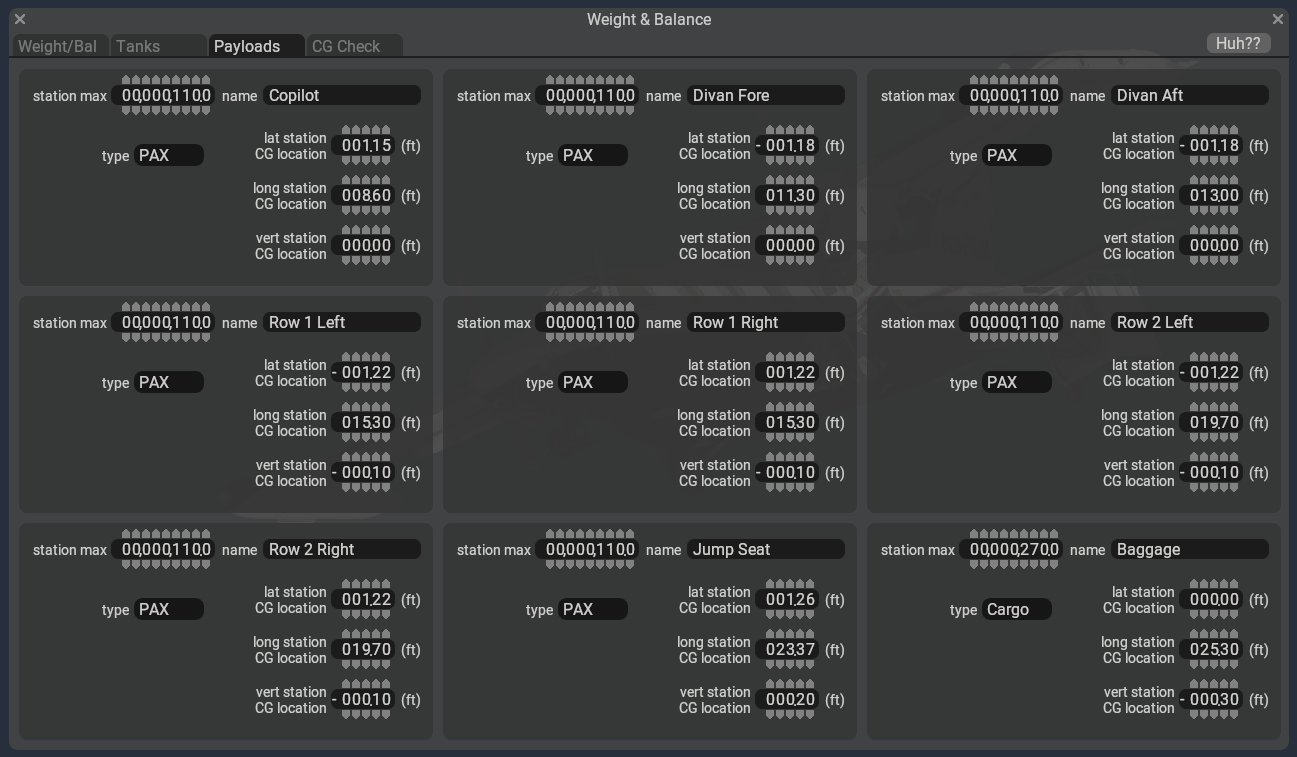
I can't find the source any more, but I adjusted my MU-2 payload settings in Planemaker some time ago according to what someone posted on these forums. This is what my payload settings are now, and I don't think I've made subsequent changes, so take this with a pinch of salt, make suitable backups, and good luck!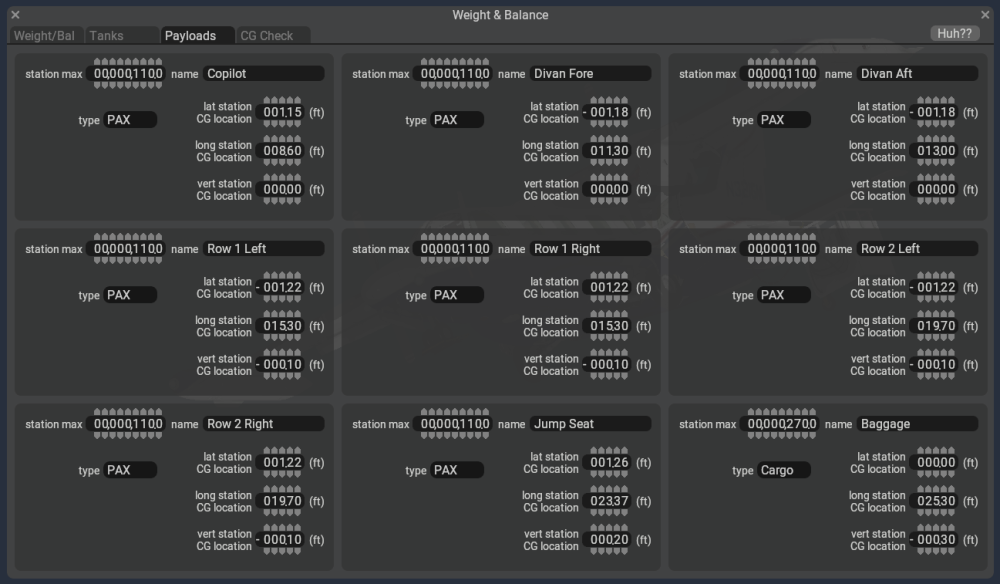
-
Challenger 650 Aircraft Flight Manuals
Altimutater reviewed Anthony615's file in Hot Start Challenger 650
-
as of v2.0.2: "Toggle brakes maximum" always works to set and release the parking brake. - if you have the "Wheelbrake" axis assigned, it is the only thing which will control the brakes - differential braking is not possible - otherwise, if you have "Rudder Controls Differential Braking" enabled, it will control differential braking - any rudder input will proportionately brake that wheel, and the "sensitivity" scales the proportion. 1 means full left rudder = 25% left brake, 4 means 100% left brake. The "Hold left/right brake" commands won't work and nor will the left/right brake axises as Goran's said. "Hold brakes regular/maximum" will work but with a gradual fade-in over a second or two. "Toggle brakes regular effort" works normally and instantly. - with "Rudder Controls Differential Braking" disabled you can use left/right brake axises and also the "Hold left/right brake" commands, but they also have the gradual fade-in effect. It took a frustrating hour or so to figure it all out but now I (no toe brakes, normally a single wheelbrake axis on the stick) am very happy with the "Rudder controls..." setup and looking forward to slinging four tonnes of cargo and appreciating the ortho scenery
-
As of v1.0.3 the C525 will play the flap lever and throttle cutoff gate sounds even if the controls can't move, for example pressing "Flaps Up" when the flaps are already up or trying to move the throttles from cutoff to idle with the control lock engaged. Someone on Discord found out it's a really simple fix - they're all fmod sounds, and the triggers are defined in [C525]/fmod/CJ525.snd, which is a text file. We can change the triggers from the command being activated to the control actually moving. Find your C525 aircraft folder, and the fmod subfolder within it Make a copy of CJ525.snd, save it as CJ525.sndbak Edit CJ525.snd with a text editor Search for `EVENT_NAME /Buttons/Flaps_UP` - you'll find two "Sound Attachments" for triggering the flaps up and flaps down sound effects. They're linked directly to the flaps up / flaps down commands Change the two attachments to the following - making the trigger be the flap handle dataref changing: BEGIN_SOUND_ATTACHMENT EVENT_NAME /Buttons/Flaps_UP VEH_XYZ 0.0513 0.67952 -3.5634 EVENT_START_COND DELTA=afm/cj/controls/flaps < 0 END_SOUND_ATTACHMENT BEGIN_SOUND_ATTACHMENT EVENT_NAME /Buttons/Flaps_DN VEH_XYZ 0.0513 0.67952 -3.5634 EVENT_START_COND DELTA=afm/cj/controls/flaps > 0 END_SOUND_ATTACHMENT Likewise search for `EVENT_NAME /Controls/Throttle_gate_L` to find the four attachments for the throttle cutoff gates Change the four attachments to this - which filters on both the dataref changing and the control lock being disengaged: BEGIN_SOUND_ATTACHMENT EVENT_NAME /Controls/Throttle_gate_L VEH_XYZ -0.02 0.00 -3.6948 EVENT_START_COND DELTA=afm/cj/controls/l_cutoff > 0 EVENT_START_COND afm/cj/f/levers/control_lock == 0 END_SOUND_ATTACHMENT BEGIN_SOUND_ATTACHMENT EVENT_NAME /Controls/Throttle_gate_R VEH_XYZ -0.02 0.00 -3.6948 EVENT_START_COND DELTA=afm/cj/controls/l_cutoff < 0 EVENT_START_COND afm/cj/f/levers/control_lock == 0 END_SOUND_ATTACHMENT BEGIN_SOUND_ATTACHMENT EVENT_NAME /Controls/Throttle_gate_L VEH_XYZ -0.02 0.00 -3.6948 EVENT_START_COND DELTA=afm/cj/controls/r_cutoff > 0 EVENT_START_COND afm/cj/f/levers/control_lock == 0 END_SOUND_ATTACHMENT BEGIN_SOUND_ATTACHMENT EVENT_NAME /Controls/Throttle_gate_R VEH_XYZ -0.02 0.00 -3.6948 EVENT_START_COND DELTA=afm/cj/controls/r_cutoff < 0 EVENT_START_COND afm/cj/f/levers/control_lock == 0 END_SOUND_ATTACHMENT Any issues, replace your modified CJ525.snd and with the backup you made... but there shouldn't be issues I'll update the thread title when v1.1 comes out, either to show it's fixed or show it applies to v1.1 also.
-
Coop updated the changelog yesterday - this is fixed in v1.1, which is currently in testing... so hopefully will be in our hands quite soon! https://c.leco.mp/EoWMWWqLdRbZfU
-
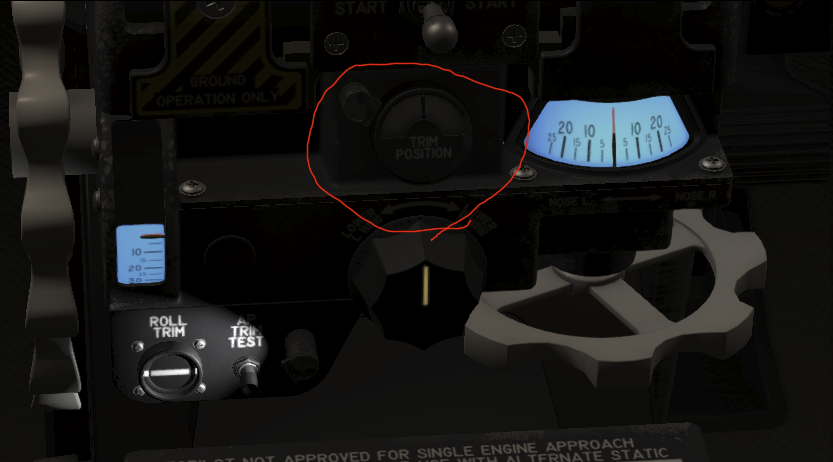
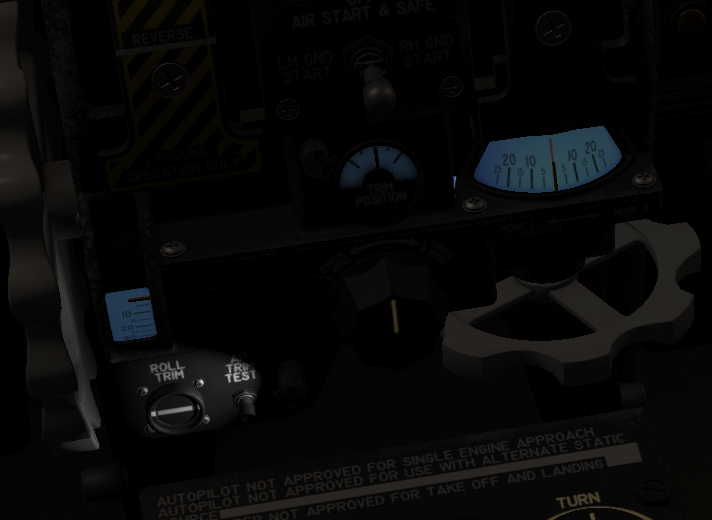
Found a blown bulb for the roll trim position! As a crude bodge I've patched the lit texture to use the same blue luminescent background as the other two trim gauges: To apply this bodge yourself, using paint.net: accept X-Aviation/TOGASim/Tom/Cameron won't support modded aircraft go to [X-Plane]/Aircraft/X-Aviation/MU-2/objects/Cockpit_Common_1 save a backup copy of Cockpit_Common_1_LIT.dds edit Cockpit_Common_1_LIT.dds in paint.net paste the PNG in the attached zip over the top check it overlays the unlit gauge exactly (it should!) save and overwrite Cockpit_Common_1_LIT.dds with these setting: BCT (Linear, DXT5) Generate Mip Maps (Bicubic seems to be fine, not sure if there's a more correct option) roll trim patch.zip
-
I wanted to bind a joystick button to the GA button on the throttles, but it's a dataref - no bother, I can add a command to operate it. But in the process of looking for it, I noticed the autopilot disconnect button manipulator on the copilot yoke is mapped to a command that doesn't exist - xscenery/mu2b60/disconnect_servos. The button on the pilot yoke is mapped to sim/autopilot/servos_off_any and works fine!
-
Good news and bad news - I did get the KLN90B to integrate with the MU-2's autopilot and instruments successfully - the only changes required are in the KLN90B's code. (It needs to override the nav needles and steer the NAV1 deflection, distance, and RMI needle when you toggle NAV-GPS to GPS on the MD41 panel, basically.) Bad news is, although I am using Git to track my changes to the KLN90B as installed in my MU-2... despite my intentions the commit with the functional changes to the code are mixed into a huge amount of automatic formatting correction... so I can't cleanly make a pull request to the official KLN90B repo and get these changes upstream. It's not a seamless integration either - you need to manually adjust the HSI OBS needle to the new track at each waypoint, with precise timing. Say you're flying 090° from A to B and the next track is 120° from B to C. Around 1NM from waypoint B, the GPS ticks over to the next leg and shows you're slightly to the right of the track from B to C. The needle deflects left, so the autopilot turns you left - and then to the right as you reach the BC track. This is probably realistic behaviour but I've not combed the manuals to check!
-
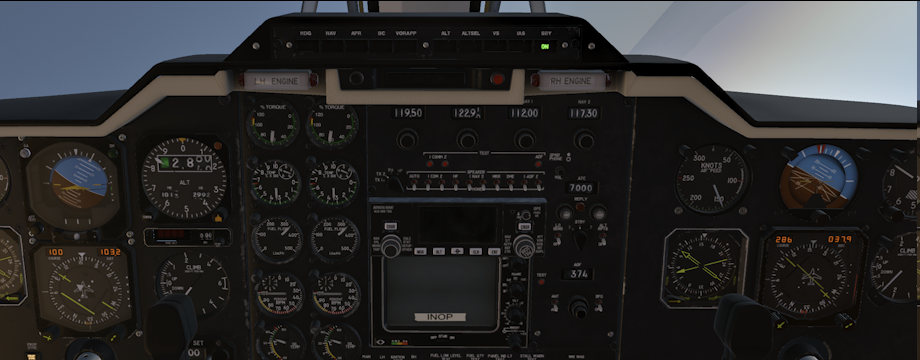
Found a rather substantial minor snag today... the pilot artificial horizon failed (random X-Plane failure). But this failed the copilot artificial horizon too! This is the OEM cockpit. Enter flight Engage autopilot Fail the pilot's artificial horizon Both artificial horizons freeze in position, and neither show a failure flag Autopilot keeps flying the plane and quite quickly put you somewhere you'd rather not be Expected behaviour: Pilot and copilot horizons are independent When one fails, the failure flag is shown (always, or in 99% of cases - are there ways a horizon can fail and still see itself as healthy?) If the pilot's horizon failure flag is shown, the autopilot will disconnect loudly Using the AP turn knob before failing the horizon was interesting - the nose dropped, speed rose, at about 300kts a stick puller activated and did a half loop - here we're about to continue the loop and drop into the Atlantic
-
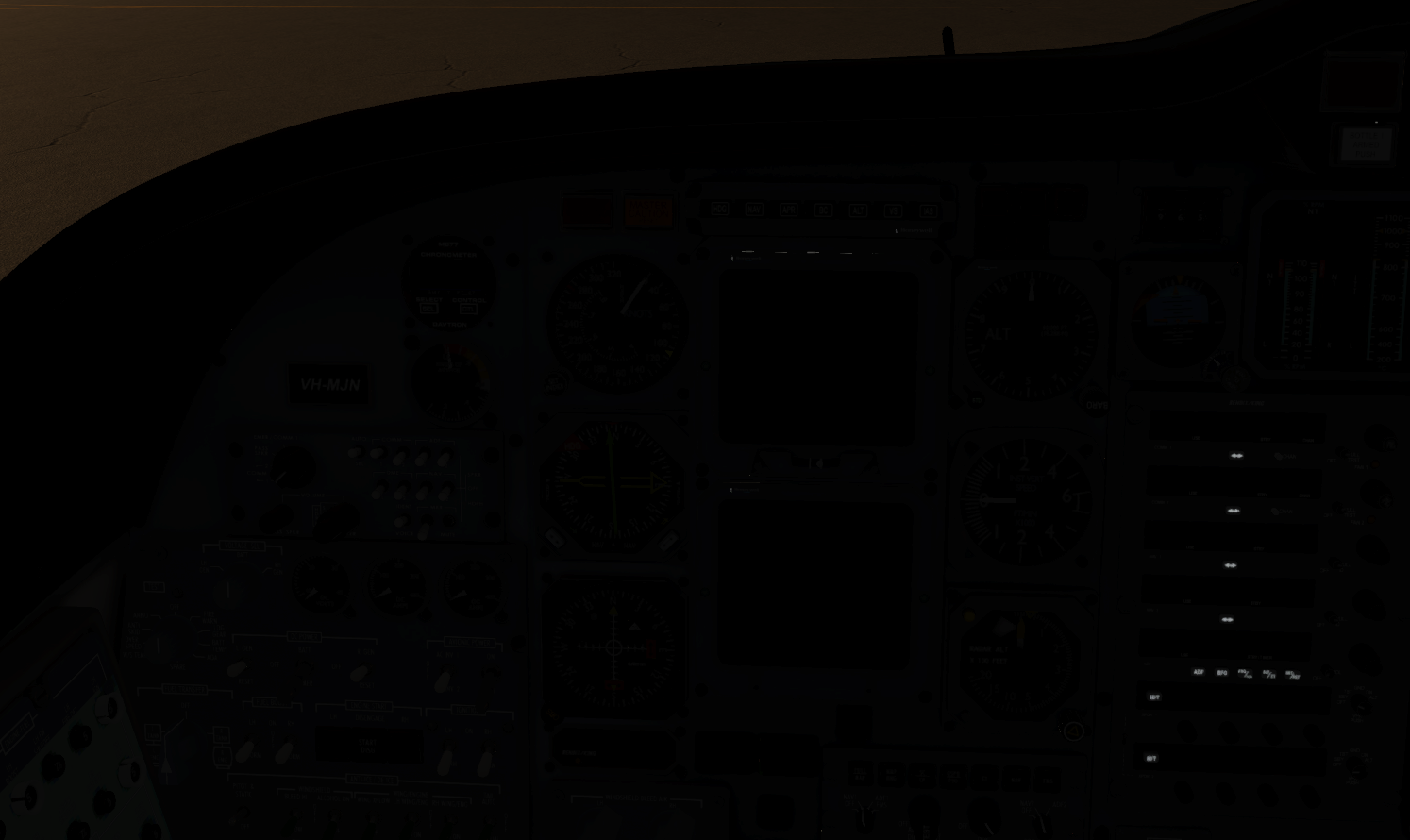
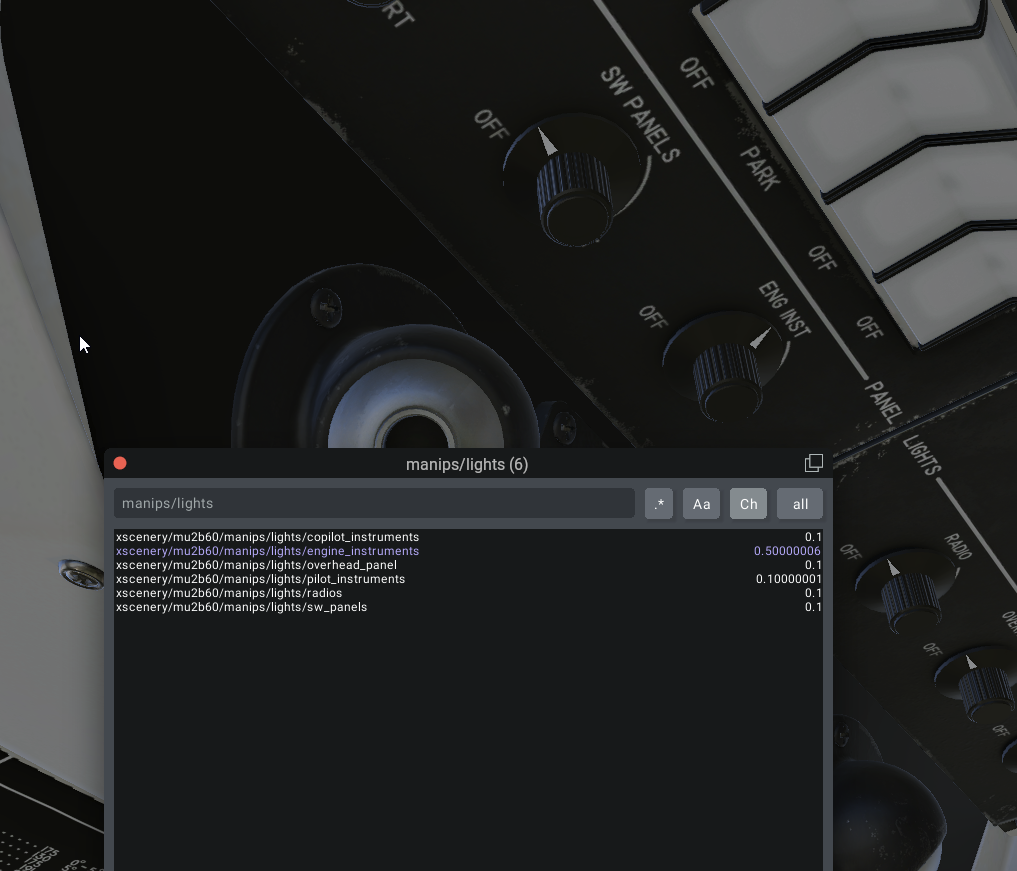
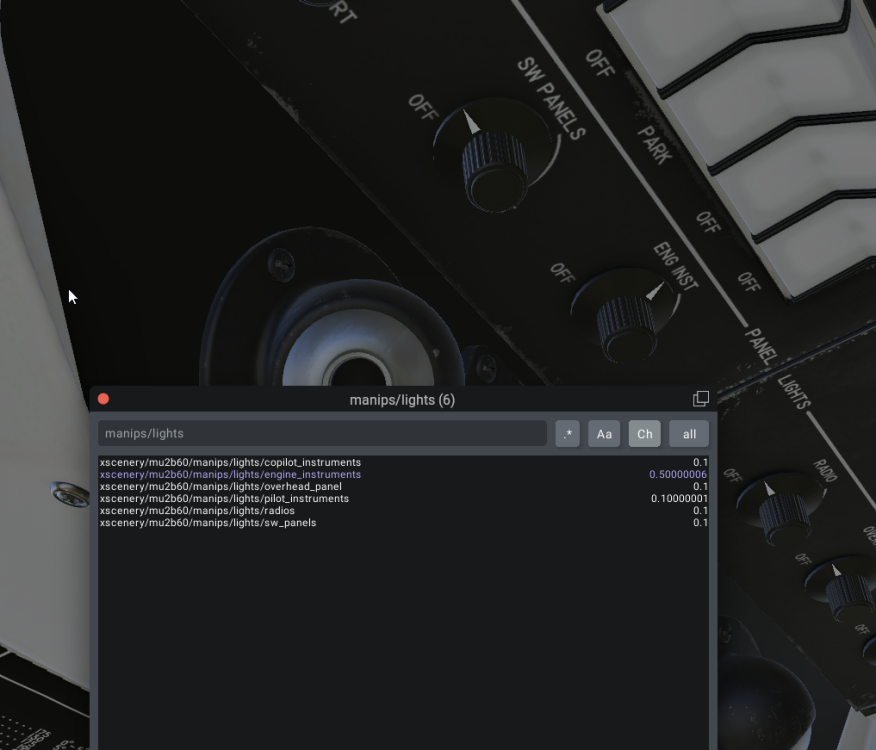
Hiya. I think these are the ones you're after? xscenery/mu2b60/manips/lights/copilot_instruments xscenery/mu2b60/manips/lights/engine_instruments xscenery/mu2b60/manips/lights/overhead_panel xscenery/mu2b60/manips/lights/pilot_instruments xscenery/mu2b60/manips/lights/radios xscenery/mu2b60/manips/lights/sw_panels They're all float datarefs - no commands. In X-Plane (unless something radically changes in the future), you're almost guaranteed to be able to find the dataref/command for everything you can interact with using the mouse. The things you can click/drag are "manipulators" in X-Plane dev parlance, and they'll all be listed in plain-ish text in one (and no more than one per aircraft variant) .obj file. It's not quite as simple as that to find them, but it's nearly that simple! This openness is one of the best things about X-Plane as it's reasonably possible for the end-user to make their own customisations and extensions and workarounds independently - something I probably do more than most.
-
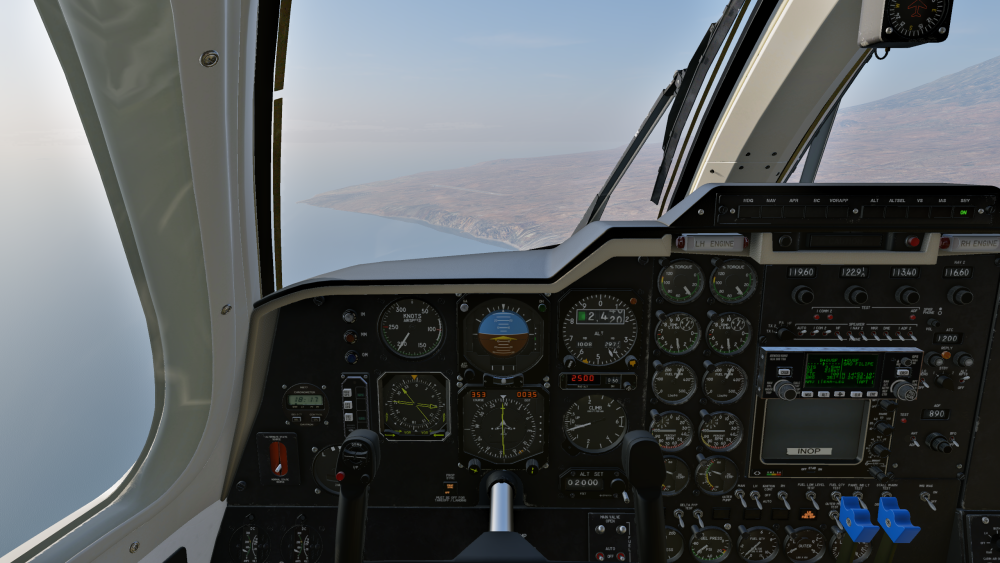
Wandering from Brazil to Cape Verde... a little marginal on fuel... I got a VKB STECS throttle for use with DCS, but the detents and the heft of it make it marvellous for the MU-2 also.
-
I've not figured this out yet but it's a problem I want to solve. Possibly it'd be a mod to the KLN90B, possibly to the MU-2, possibly some bridging plugin work would be needed, possibly all three... fact is I don't have my head round how X-Plane's default autopilot works nor how much of it the MU-2 uses. I'm glad you were able to get it working!
-
I'll double-check what my min cruise preset gives me - I thought it was 98% but it might be 96%. If it happens again I'll inch up the RPM and see if that helps!
-
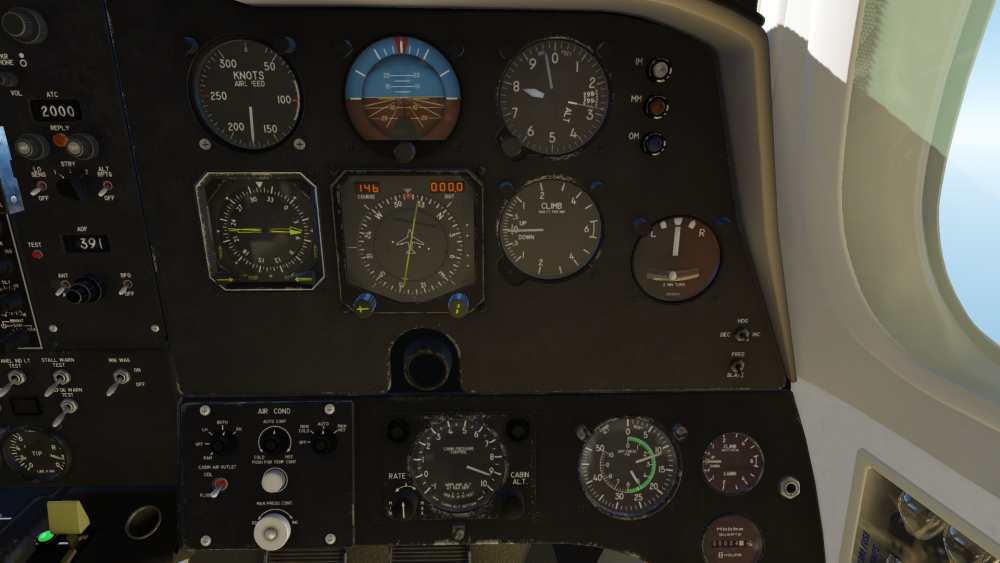
Hi folks, Can I get some guidance on this - I'm cruising at FL280, I've selected a cabin alt of ~9500ft to match, air sources are set to Both, but the cabin alt is stable at 11,000ft? Man Press Cont doesn't change the cabin pressure no matter where I put it, and I've returned it to approx its centre position. Is there anything I'm missing here?
-
N937BB Livery for MU2, Version 2.0 by TOGA Simulations.
Altimutater commented on tkyler's file in General Aviation
 This is now my favourite MU-2 livery. Thanks!
 -
Ah thanks - just needs a reinstall then?
-
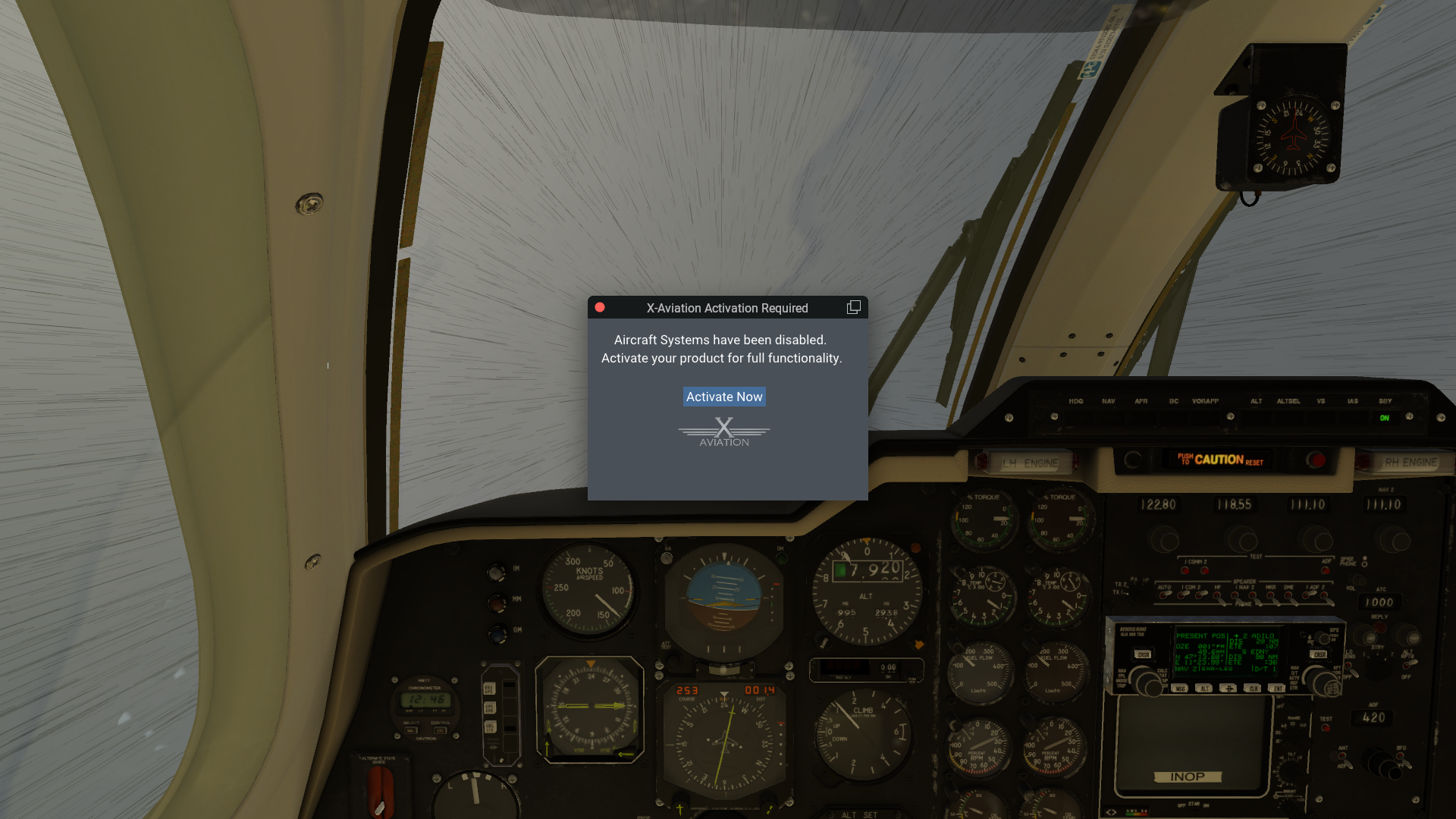
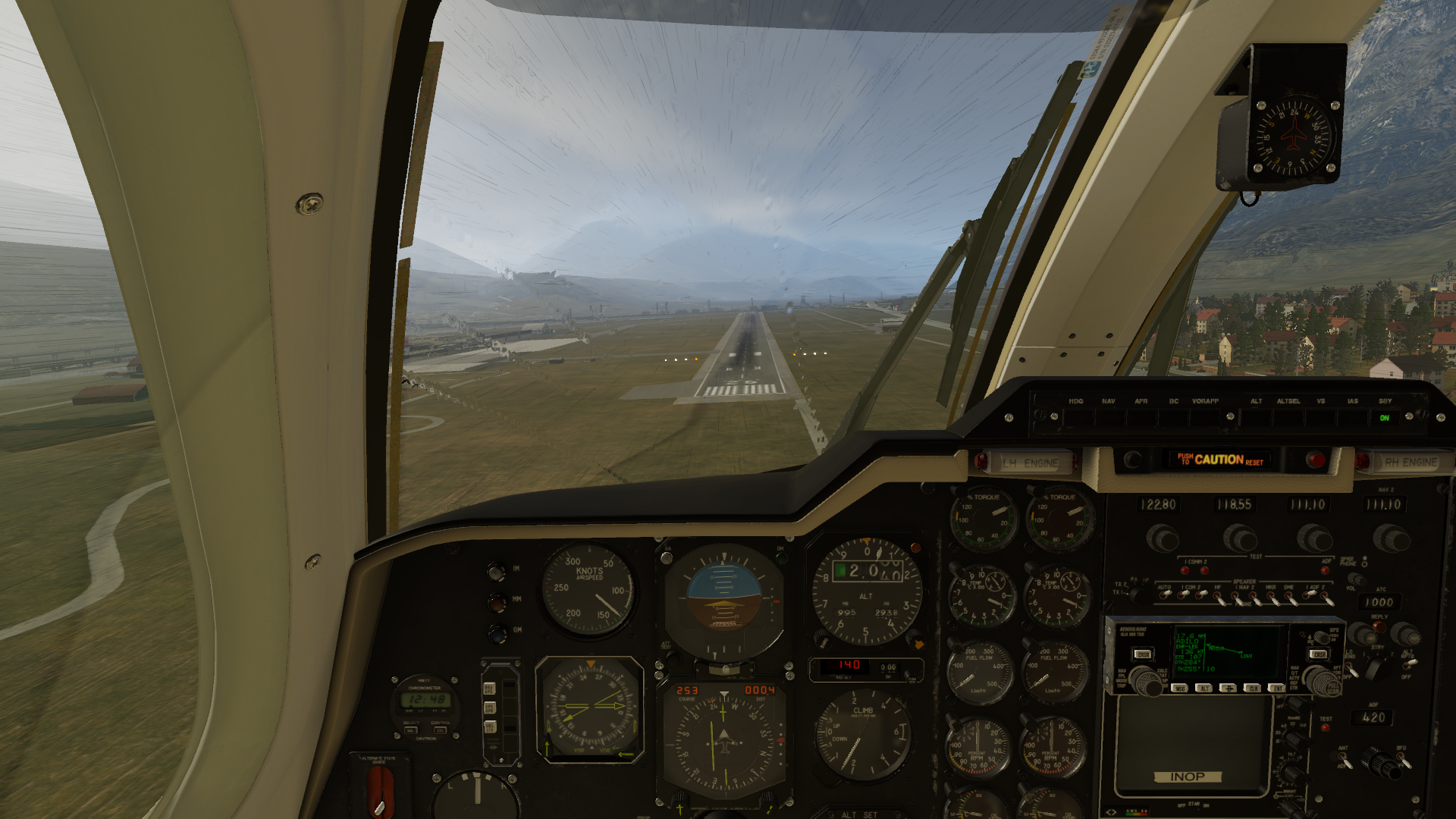
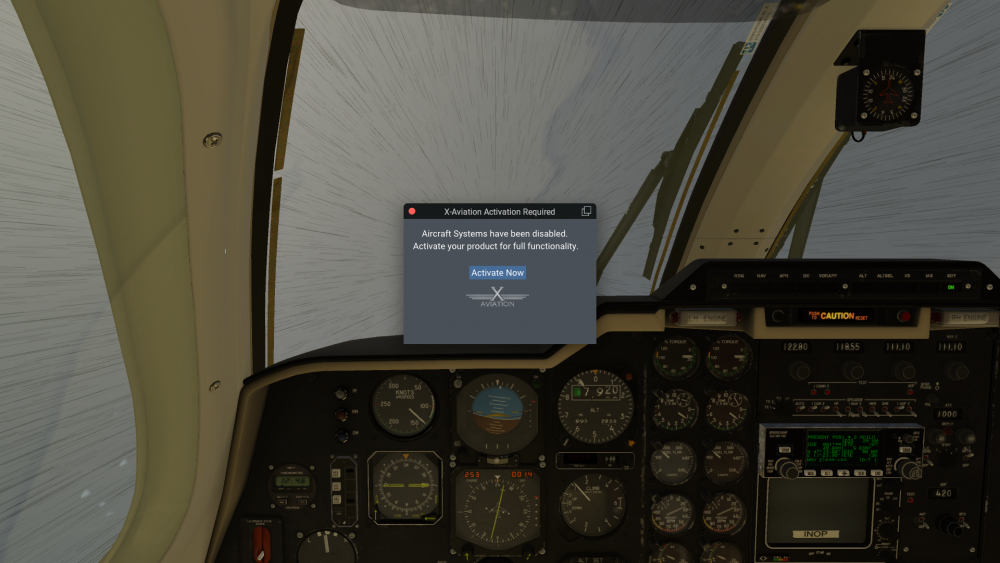
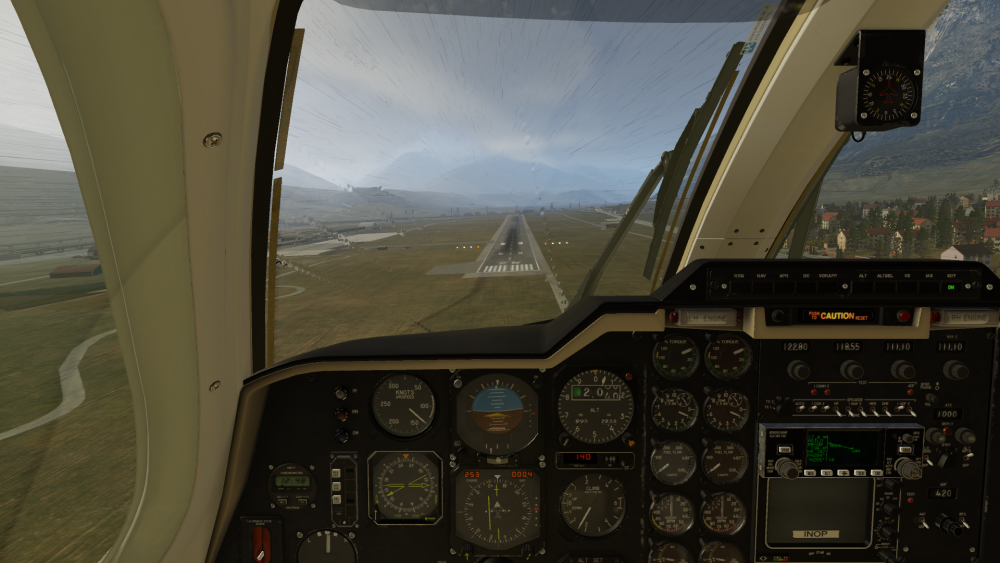
I occasionally get an "Activation Required" notice, along with engine shutdown, usually just when I'm reaching top of climb. It's happened three times since I switched to Gizmo version 23 as described here: https://blog.x-plugins.com/2023/02/gizmo64-version-23.html How do I check if the aircraft is activated, before I start the flight? Having the flight end abruptly because Gizmo has decided it's not activated today, with no warning, while flying on Vatsim, is extremely frustrating. I wouldn't mind (well, I would mind, but not as much) if Gizmo still randomly deactivates the aircraft from time to time, but I can check this and reload the aircraft until it's happy, before I've invested 20-30 minutes into a flight. This was the first flight of the day. Started XP12, set up a flight out of LOWI. Load MU-2. Since switching to Gizmo 23 the console comes up with a warning that a URL for a Sportys competition has 404'd, I don't know what that's about. The silver lining here is the SID involves flying up the valley, turning around, and overflying the airfield in the other direction, so when the alert came up and my fuel dropped to zero, I was able to deadstick back into LOWI, which was pretty satisfying. I've now changed the X-Activation Preferences. It had "Automatically Update License", strict TLS, and a 10-second timeout. I've now enabled the licence update notification, deselected strict TLS, and set a 60-second timeout to accommodate any server network issues. Obviously I really enjoy flying the MU-2 - there's nothing really like it for X-Plane - and I'm hoping to keep flying it for a good while yet!

-
Flying into a small French airfield for an FSEconomy contract... turns out they're shut at night and have no runway lighting, except for a PAPI the airfield manager forgot to switch off (Still landed safely and mostly gracefully, though)