Goran_M
-
Posts
5,646 -
Joined
-
Days Won
231
Content Type
Profiles
Forums
Latest X-Plane & Community News
Events
Downloads
Store
Everything posted by Goran_M
-
Very nice. Keep up the good work. Goran
-
The DC-3 uses Gizmo 11 for various systems...particularly, the engine ignition system. Gizmo is not 64 bit yet, however, Ben Russell has been working very hard to get the next version of Gizmo to 64 bit compatibility. If you start the DC-3 under 64 bit X Plane half the systems and gauges won't work. There is no timeline as to when Gizmo will be ready, seeing as the latest X Plane beta is primarily for developers to start working to bring their plug ins up to 64 bit. For now, select the 32 bit X Plane icon if you want to fly the DC-3.
-
That's the plan. But no guarantees just yet.
-
60 000 polygons for a whole plane??? My OCD would go absolutely off the scale! Edit: Just an FYI, most FSX models these days are exceeding, on average, 300 000 polygons in total
-
Zach Cameron has posted the same screenshot on X-Aviations Facebook page. Should be able to see it there. http://www.facebook.com/XAviation?fref=ts
-
This bug was specifically for XP10.
-
Still too early to say when it will be ready. But it will definitely be soon. We're all working very long hours to have it out as soon as possible.
-
I'll have a look and I'll get a new flight model to Cameron within the next 24 to 48 hours.
-
I just spoke to Tom Kyler, who made the default King Air, and he spoke to Ben Supniik about this icing issue, and they both confirmed it IS an X Plane bug and it has now gone higher up the chain to be addressed.
-
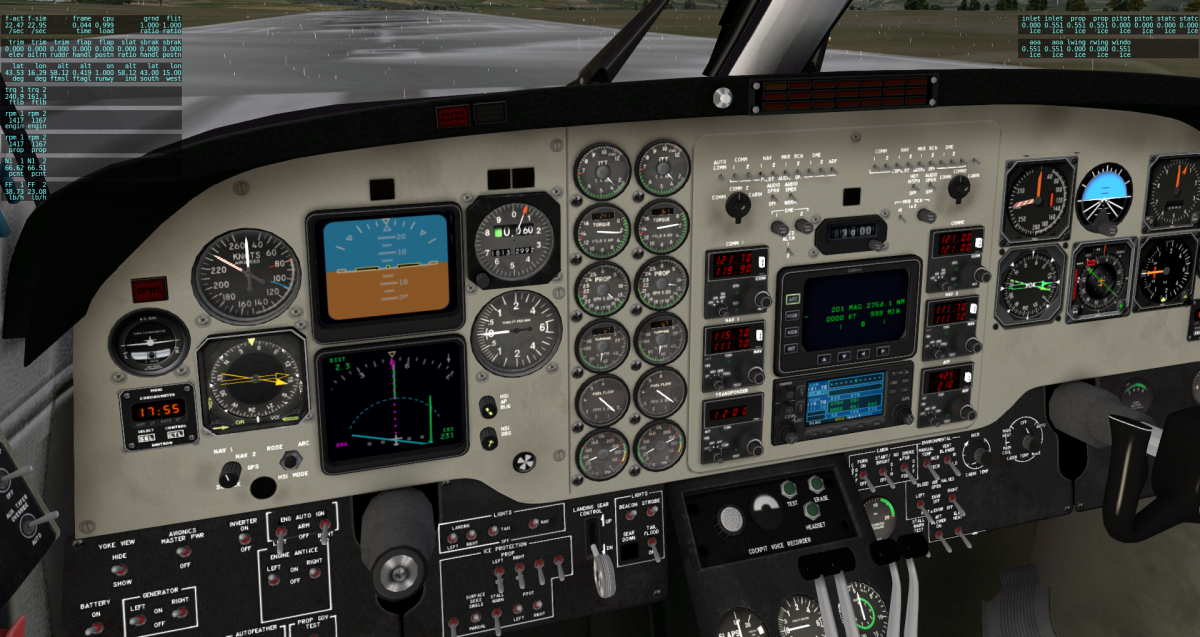
I've just had a very thorough look through the flight model and also some other aircraft. It appears to be an X Plane bug. I loaded up the default King Air, set temps to 12°F with heavy precipitation and turned on the Engine Anti Ice (INLET in the top right corner in the screenshot below). Left Engine works fine. Right Engine, icing continues to build up. Could I ask you to try another payware aircraft (Equipped with Anti Ice) and run the same icing tests. I tried it on the King Air because it;s an X Plane default aircraft, and if anything should work, it'll be a default aircraft. EDIT: Bug report has been sent to Laminar. I'll post back with any replies I get. Thanks for your patience. Goran
-
-
The "official" update is still being worked on and is not ready yet. But I will try to reproduce the problem and, if it isn't too complex, I will outline a series of steps for you to take to make adjustments in the flight model. Expect a post soon.
-
 The Avionics switch on this DC-3 is on the roof of the cockpit, right above the pilot.
 -
Don't be afraid to max the throttles for a takeoff. Max throttle is allowable for many aircraft for a short period. Usually 30 seconds to a minute. Once takeoff is achieved, that's the time to reduce to a reasonable climb power setting.
-
The update has not been released yet. I was just talking to Cameron about the update not more than an hour or 2 ago and I am going through what needs to be done. We're trying to juggle a few balls at the moment and the DC-3 update is one of the things at the top of our list. The only workaround I can suggest at the moment is to start the DC-3 with engines running and all avionics running. We will post details on the update very soon, when we have a more stable plan of events laid out.
-
It's possible to blow an engine even if the oil and engine temps are within limits. An overly high Manifold Pressure and/or Engine RPM that is sustained for too long can cause engine damage (Try revving your cars engine to an RPM in the red zone and watch how quickly the engine dies while all temps stay within normal limits) Make sure your Manifold Pressure is below the red zone.
-
Michael Adding reflections is not a matter of textures. The reflections are "shaders" which can only be coded.
-
We know about Number 1 and it has been fixed. It was a flight model adjustment that was changed between versions 9 and 10 of Planemaker. Number 2 is more an X Plane thing. It uses X Planes default engine start up logic. I guess we COULD code it to start in a way that would reflect more realism of the real DC-3, but it needs to be looked into. When you say "Many of the gauges don't read correctly", are you saying that it is just the engine RPM and VS or are there more. I'll have a look at the engine RPM and VS, but if there are more, could you please post them so I can have a look. I've had a look at the original 3D mesh and its animations, and all is animated accurately. I won't point the finger at X Plane yet until I do further checks. During researching this aircraft, I literally came across close to 100 different variants with a vast difference in panel layouts between many of them. I settled on one and that one had a VS indicator that went up to 6000 fpm. This could have been a retro fitted VS gauge taken from another aircraft. I honestly wouldn't know. All I could do is make this add on according to the variant I chose. I'll have a look at some other photos and see what I can find. If the VSI does show up to a 2000 fpm maximum climb rate, I'll talk to Theo about re-texturing it and I'll make the necessary changes to the movement of the needle.
-
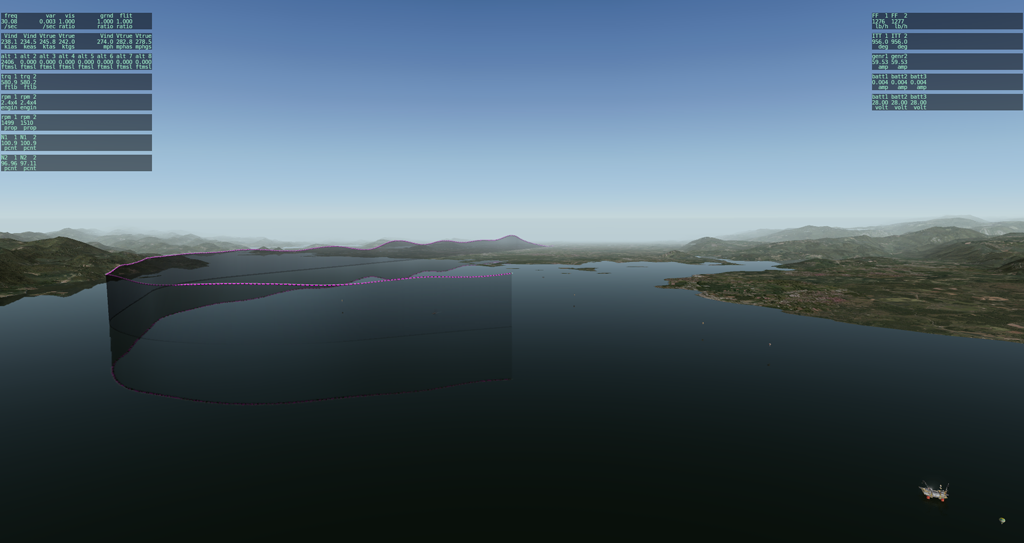
Screenshot below is of the Saab. On takeoff, and a few miles out, it doesn't have adjustments I made to compensate for turbulence (which is set at 3). Note the rough flight path just after takeoff. After I adjusted the flight model for turbulence, the ride is a lot smoother. IMO, it's not X Planes turbulence that is too strong. The adjustments need to be made in the flight model.
-
Sent you a PM
-
Prepar3d. EDIT: I almost forgot. How could anyone forget "The Worlds Most realistic Flight Simulator!" http://www.virtualpilot3d.com/
-
You said the 787 has been "rooted". "Rooted" down here means, broken beyond repair or, in the case of someone saying "I'm completely rooted", utterly exhausted.
-
I use the word "dump" more times than I care to remember. I tell Theo many times "We're dumping the original mesh and redoing it". "I want to dump your texture maps and you need to re-do them". I tell Jim "We might need to dump that section of code and you might have to re-code it" I thought you were "dumping" the 787 in favor of the Fokker.
-
Wow! Where did that come from??!! I didn't make one single personal attack on you. On the contrary, I was absolutely amazed at how fast you did the Fokker. If I didn't like you, wanted to launch a personal attack on you, or had a dispute, you would have known about it quite a while ago. I just mind my own business and try to get my work done. I'm actually one of the people giving you the benefit of the doubt and seeing what you come up with next after that Airbus fiasco.
-
Didn't you just get done on a month long rant about how bad Ramzzess is and how bad the 777 was?? *confused*