

Goran_M
-
Posts
5,658 -
Joined
-
Days Won
235
Content Type
Profiles
Forums
Latest X-Plane & Community News
Events
Downloads
Store
Everything posted by Goran_M
-
Can you remove all plugins except Gizmo and see if it does it again?
-
That's a weird one. One of the shortest log files I've ever seen. I have a task for you to try. Can you install another copy of X-Plane on to a different hard drive? No scenery. No other plug ins. Vanilla X-Plane and the TBM, and see if it works in there.
-
I think this MIGHT be something on Laminars end with only a select few systems. We're getting a small number of reports of this on the Saab as well, and we've been in touch with Laminar about it. In any case, please try again and post back.
-
The log.txt is the one we need to look at. (X-Plane root folder.)
-
I would try reinstalling it.
-
Glad you got it sorted. Neither of us have a multi monitor set up, but I asked another person who was helping me out with it. He couldn't replicate your problem and was trying different things. Thanks for posting back.
-
This is still being looked into and a possible fix is in the pipeline.
-
Can you post the log.txt file from the x-plane root folder
-
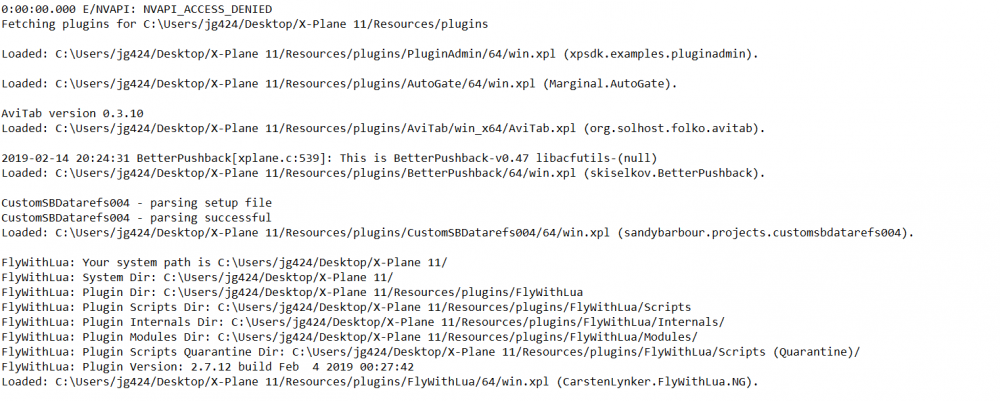
The sim is crashing when it’s trying to play a non existent wav file in flywithlua. Try removing flywithlua and see what happens.
-
This is a weird one. I think some people got around this by loading the default Cessna first. Then loading up the TBM. Can you try this and see if it works?
-
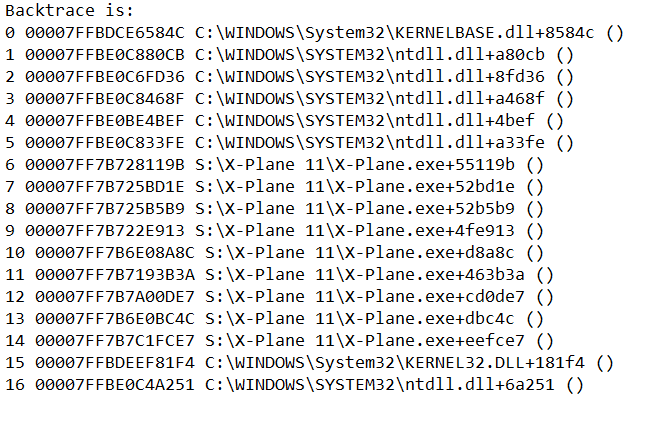
This is something in X-Plane crashing. If you note right before the crash, there are no references to the TBM. I suggest you send this off to Laminar and ask them to see if they can make sense of it.
-
You could always use left mouse clicks instead of scroll wheel.
-
It's implemented by default using X-Planes scroll wheel function. I suppose @skiselkov COULD disable it via code, but I'm not sure it'll happen.
-
Can you check if you have anything assigned to adjust your mixture? The power lever uses the mixture and throttle datarefs, and this is the likely cause.
-
Please post log.txt and make sure you don't have any external scripts running that can affect the Power Lever position.
-
Are you sure you removed all plugins?
-
The door is fixed, but as Cameron said, this was purely a bug fix. Cosmetic fixes are slated for the next update.
-
Not at this time, but it is planned for a future update.
-
Not sure what’s going on here. The log doesn’t even show x plane crashing. If just stopped. I think this is one for Laminar to look into.
-
Check your hardware/keyboard assignments. There is nothing in the TBM that should make it do that. If you have FlywithLUA, remove it and try again.
-
Thanks for your input, Michael! Best of luck on your type rating!
-
Not necessary. I got a new build for 11.32, and it's working. Just have to make sure it works on Mac and Linux and it'll ship.
-
Literally 30 minutes ago, Saso sent me a build to test. I have 3 X-Plane installations on my PC, and I tried the latest test build on 2 of them. Vanilla 11.32 and stable 11.31 with multiple aircraft and plugins installed. (My 3rd one is 11.30) The update works on 11.31, but it CTD's on 11.32 with no plugins installed. Unfortunately, this means a minor delay until he can figure out what is going on with 11.32. It's a very unusual crash, as the log doesn't report any errors. Everything loads fine, and then CTD. Like X-Plane is just saying "Nah, Not today. I'm tired!" Will keep you posted.
-
Cameron (X-Aviation owner) will also make a pinned post, including a changelog, here in the forums.