tkyler
-
Posts
2,827 -
Joined
-
Last visited
-
Days Won
620
Content Type
Profiles
Forums
Latest X-Plane & Community News
Events
Downloads
Store
Everything posted by tkyler
-
don't hold your breathe on this one! A configurable panel is practical when you have differing "presentatations" of a given configuration...however, each of the Moo variants have differing, underlying equipment options that must be set in the ACF file and are not quite suitable to reconfigure the panel dynamically in sim. I simply can't see the ROI. -tk
-
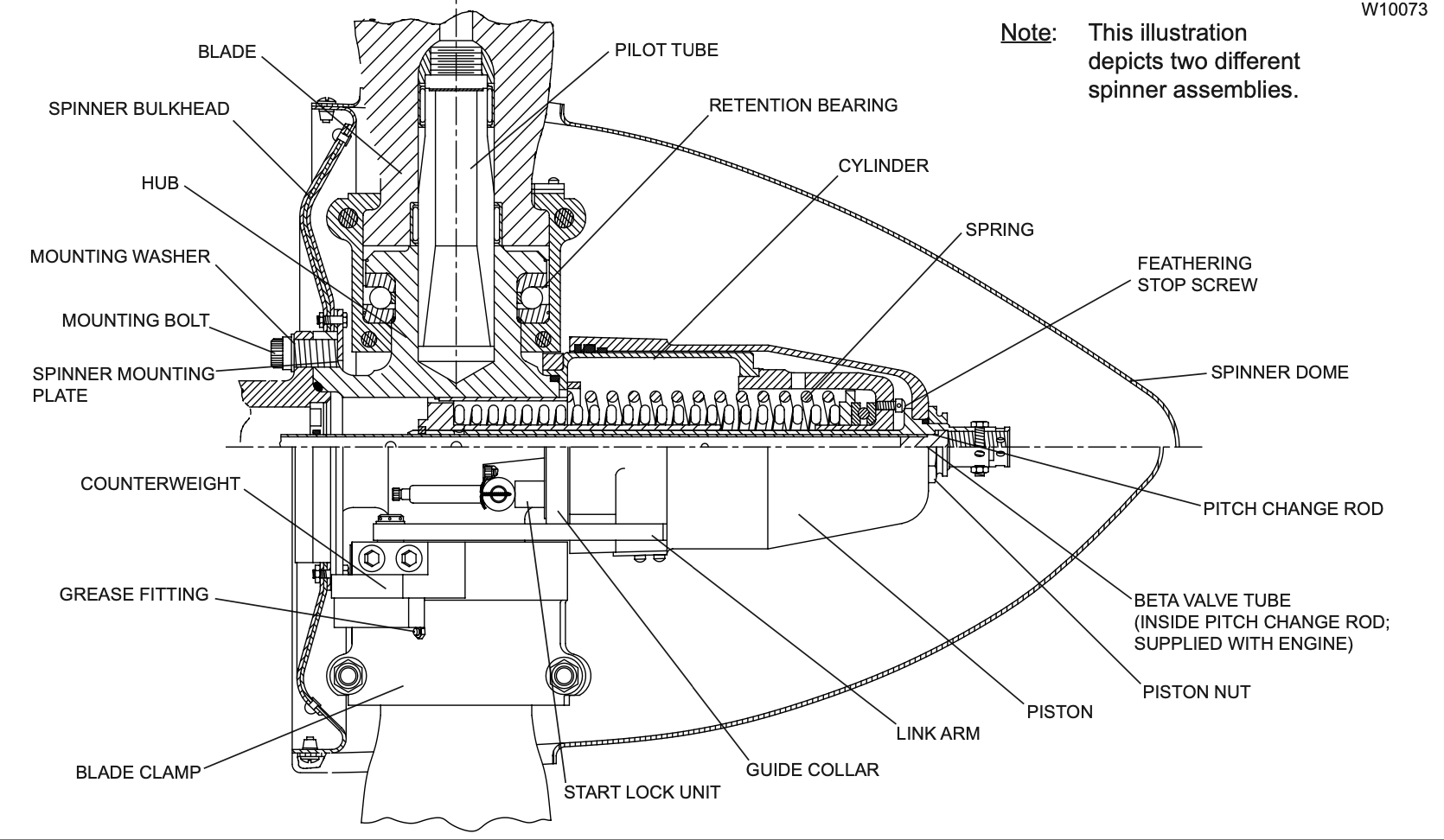
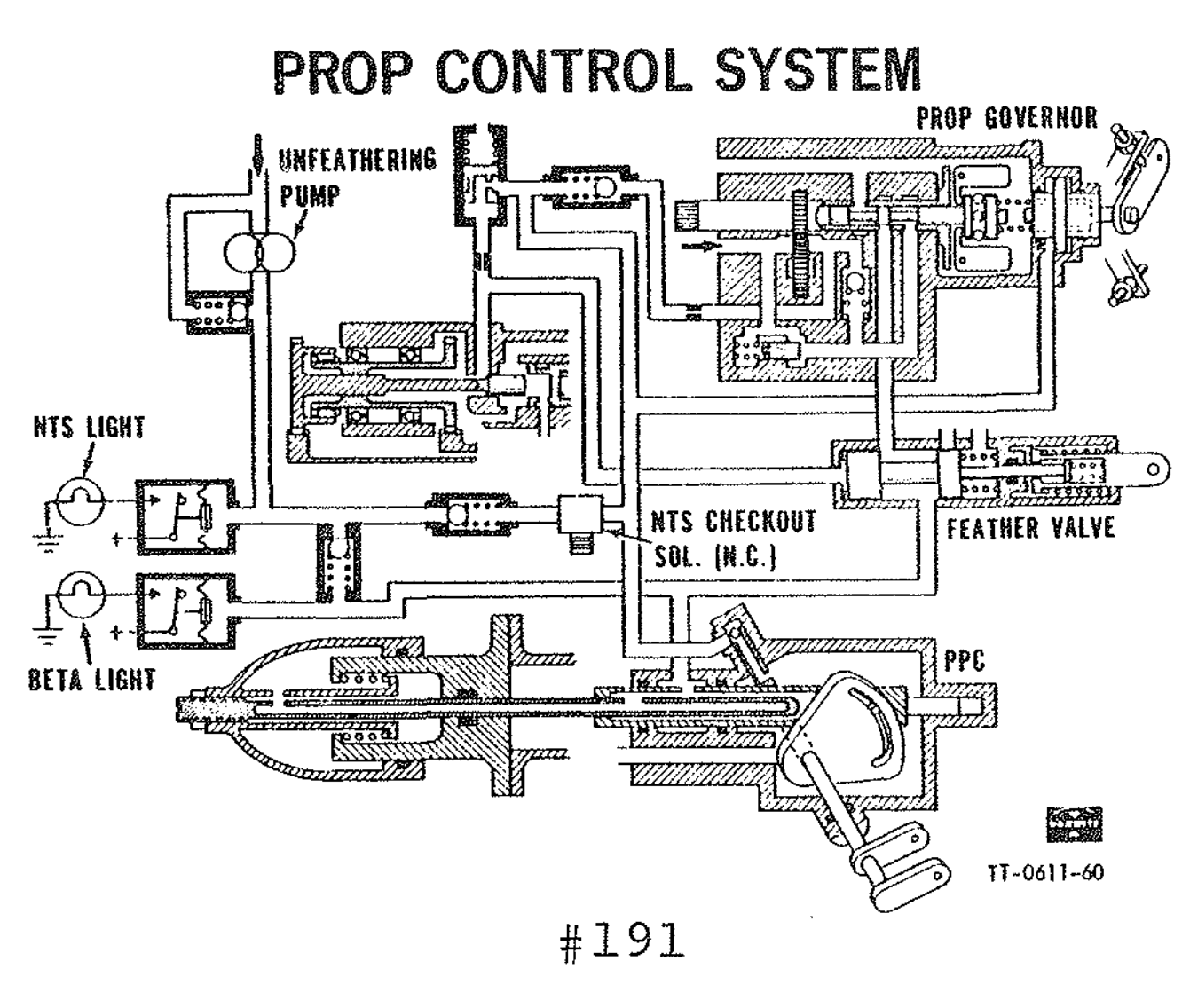
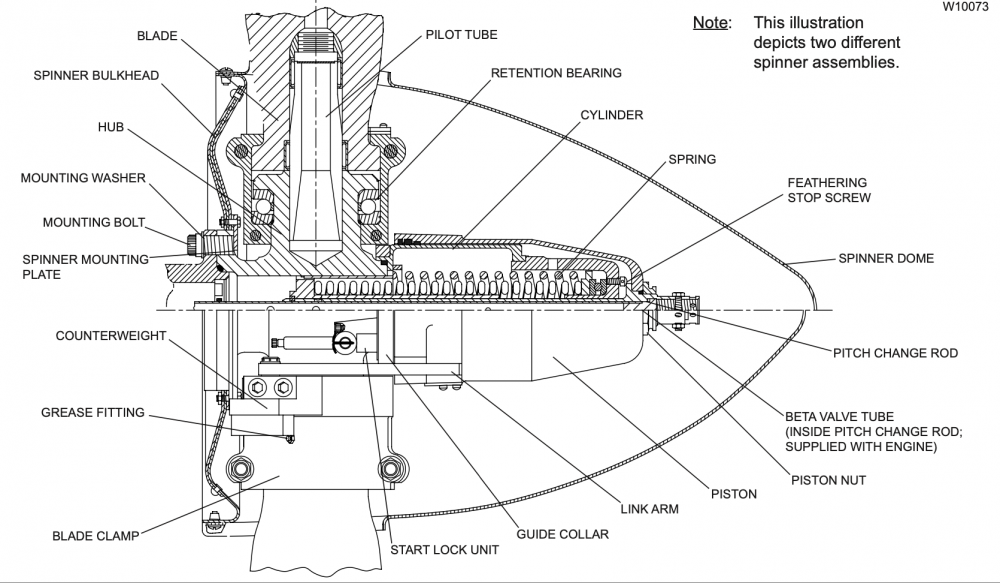
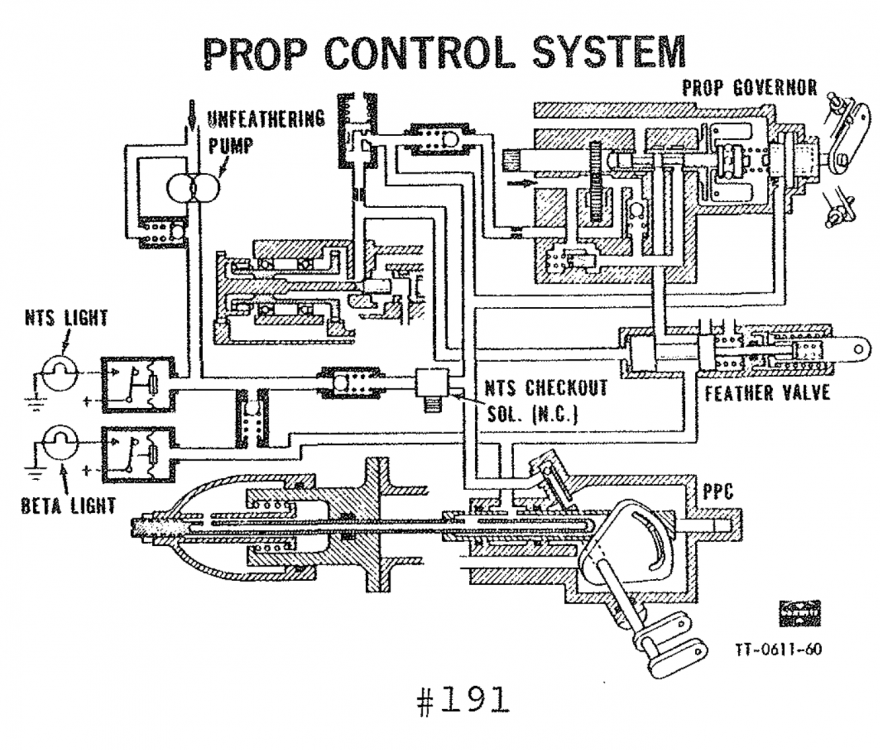
I don't think it was directly between V11 and V12...I think it got borked somewhere within the V12 run, in the last patch or two. Also I'm not not sure its on the PT-6 model. I think it could be as simple as Philipp's misunderstanding of the TPE BETA hydraulic circuits. This isn't a knock on Philipp, he's tasked with a large number of areas of development within X-Plane and so he can't sit around reading TPE and Hartzell manuals for hours on end like I do....plus he has to also deal with the PT-6. I print out section drawings and have to hand color the components and circuits to help me understand the design and behaviors....I mean, this stuff isn't always easy to interpret .
-
yes, a bug with X-Plane's TPE model for sure...they'll go into reverse eventually, but I've seen it take as long as 10 seconds, quite incorrect. It has been filed and there is some type of fix in the next X-Plane update, which rumor has will be released in a few days; however, until I test it, I'm not sure what the behavior will be. I had a short exchange with Philipp, the programmer of the TPE engine and given the limited exchange, I can't say for sure he understood and/or agreed with how I suggested it be modeled, so I'm not sure what to expect. The reverse should be darn near instantaneous with lever movement...this is due to the way the hydraulic circuit of the 'pitch sleeve' works. I've been waiting on this fix for a bit....fingers crossed. If not, I guarantee I'll be knocking on Laminar's door again. Philipp has actually done quite a good job of modeling this engine, it worked great in V11, but I believe he added a few more accurate features like NTS lockout etc. and somewhere in the last few patches, reverse in the TPE implementation got broke. I used to custom model this stuff myself, but I've known Philipp for a good many years and he's extremely capable and as Laminar adds more accurate engine behaviors, then the more custom behaviors I have to 'pull out' of my plugin code so they don't clash, but in doing so, I defer to their implementation in some areas. Now having worked with these guys in years past though, they're quite agreeable to suggestions and improvements and I fully expect we'll get this one ironed out.....and I do hope its in this next update from X-Plane. -tkyler
-

RXP units and HSI CDI (XP11.55)
tkyler replied to youretootall's topic in Mitsubishi Marquise MU-2 v2
@pm_pilot I'm sorry, I don't have much to offer here at the moment, may be someone else has experience with the RXP units? I provide the RXP 3D integration as a courtesy for RXP owners and have no real experience with operating these units. I can't speak as to how they interface with the default X-Plane GPS leg data. My 'tests' for GPSS behavior is to use the default GNS unit flight plans and if you were seeing this behavior with those default GNS units, I may have more to offer. If the exact same route and tracking behavior works with the default GNS units, but not with the RXP, we'd probably have to ping RXP support. I'd recommend trying the same route with those units as a baseline data point for the debugging effort. I do have a possible theory though. In ealier versions of X-Plane, you could enable GPSS and it would simply turn to track the magenta no matter the aircraft orientation relative to the path. Philipp from Laminar mentioned that he was going to implement more stringent "intercept" criteria for tracking GPS and it would not automatically capture the route at engagement in all cases. It could be such 'intercept criteria', either by X-Plane or the GTN simulations could be getting in the way...however, if you were heading in the general direction of your "direct to" waypoint at engagement, I wouldn't expect this to be a problem. What were the particulars of this setup? Departure airport? flight plan routing? waypoint? sequence etc...I'd be curious to see if this happens for all RXP users in the same scenario. -tkyler -
IXEG 737 Classic for X-Plane 12 Announcement
tkyler replied to Cameron's topic in General Discussion
I'd say things are definitely settling down for sure.....but you never know. I'm not expecting any sweeping changes. -tk -
In the past (long ago), it used to be that any mixture value below 0.5 would cut off the engine. This was Austin's simplified model for "low/high" idle in turboprops...but when that model was created, Austin did not really consider fixed shaft turboprops and was essentially working off of the PT-6 paradigm. Now that has been enhanced to be more flexible, but still the "mixture ratio" really represents the fuel reaching any engine and not necessarily the "mixture lever position"...so it is applicable in the "stochiometric" sense though not so much in the "typical nomenclature" sense. or maybe a broken simulator? If you did this in the same "flight session" without reloading the aircraft, then it wouldn't surprise me if it did not work. I myself have been very guilty of this during testing, forgetting to reload the aircraft and stuff not 'binding' causing me to chase phantom bugs. When a plane loads, a whole lot of initializations and "bindings" take place....and the only way to get a really clean "reloading" of an aircraft is to reload it via the developer menu, or restart x-Plane. The nominal way for us developers is to use the developer menu, but for end users, that's a bit odd and so many times, they just restart "the flight"...which does not always initialize everything properly in my experiences. (which is why the reload aircraft menu item was added I think). I will say I have not seen the "one engine won't start" bug in a long time. IIRC, it happend mostly when attempting to restart an engine after shutdown in the same flight session and every single variable that should be 'set' to indicate a running engine was set properly. It was/is enough for me to think X-Plane has an issue but in order to take that to Austin, it needs to be 100% repeatable and narrowed down to a smoking gun config, or else Austin won't really look at it because I control so much with a custom plugin...and when we do that, Laminar tends to "wipe their hands clean" of any issues. I won't lie, the Bravo hardware has been a major PITA for me. Here's the funny part....hardware setup has been a PITA for Honeycomb too....I spoke with the CEO at Oshkosh last year about it. This is exactly why they provide the profiles they do, in an attempt to alleviate the burden of a confusing setup from the end user, but in doing so, they end up providing "opinionated" configurations that cause issues with the Moo. -tkyler
-
Unable to change Nav Source GTN 750
tkyler replied to android772000's topic in Mitsubishi Marquise MU-2 v2
I note you mention both a 750 in the title, but a 530 ...and I do not provide a 750/530 panel combo, so I assume you've tried multiple flights/configs, which means settings could have been differing between flights. So...I'll just ramble here a bit in general in case you find a useful nugget of info. I am by no means a GTN750 expert, but IIRC, it still interfaces with default XPlane GPS behaviors. Also, The HSI does not display any GPS information, except for the CDI needle deflection when the GPS CDI button is set to 'GPS' and a GPS leg is active. So no course or range information related to a GPS waypoint/plan is displayed. The HSI only displays course/distance information from radio nav aids, i.e. VORs/ILSs. I'm not fully sure of your navigation config regarding the GPS/VLOC issue, so I'll just speak generally. This button only changes the CDI needle signal source on the HSI, and so won't do anything unless (in the case of VLOC mode) you are tuned to / receiving from a navaid....and (in the case of GPS mode), you have an active flight plan leg. I'm not sure if you were tuned to navaid when you tried the GPS/VLOC button, or had entered a flight plan in the GPS and were on an active leg. Either/or, the only thing you'd observe from pressing this button, assuming you were tuned into to a signal/active leg is the CDI needle on the HSI move a bit. Again, not knowing your full config, I couldn't say what's going on here, but I can say its not related to the GPS/VLOC button at all. This has zero bearing on the autopilot tracking and engagement. For practical purposes, only the GPSS button really changes the "SOURCE" signal the autopilot follows. I've never seen the autopilot not follow a GPS flight plan in GPSS mode when 1) AP is engaged, 2) a GPS flight plan leg is active and 3) the GPSS button is in GPSS mode. With these three items, the aircraft has always tracked the GPS flight plans for me. Not seeing the entirety of your cockpit and settings, I couldn't comment exactly what you were seeing. -tkyler -
Hi Medway, I have noticed that too. I expect to see tkyler at FS Expo 2023 this year and I'll hound him about fixing that! Its been driving me nuts too. -tkyler
-
Hardware Sensitivity Setting Recommendations
tkyler replied to joncoughlin's topic in Mitsubishi Marquise MU-2 v2
I assume you're referring to the hardware settings? I don't have any recommendations, its a bit subjective and differing folks like to adjust those for their feel and hardware. I myself prefer everything nice and linear, but that's just me. -tkyler -
IXEG 737 Classic for X-Plane 12 Announcement
tkyler replied to Cameron's topic in General Discussion
The "XP12 ported" version will not have this for the initial release. Its exactly that....ported for V12 'as it was in V11' but with the aforementioned extras, i.e. new 3D cabin/doors, wing flex and replacment GUI...but nothing else yet. Because we're putting in a few new items though.....I do think many folks might then wonder what else may be new for this XP12 compatible version and perceive it as a "next patch", but that is not the case yet, its been an enormous amount of work simply getting it to ported to work in XP12 reasonably well. After the initial release, then we'll start the 'patching process' to improve things in many areas. ...and we're looking forward to doing so. So if you want this feature in the initial 'XP12 compatibility' upgrade Bulva, then you should be worried......but if you're willing to wait a bit, then there is nothing to worry about -tk -
probably easier to synthesize as its most likely "electromagnetic interference" signal noise in the audio. Doesn't mean its not cool though. Can't say I ever heard anything like that in all the flights in the Moo I had. -tk
-
its definitnely loud. The motor sits right under the cockpit floor practically and turns the floor into a bit of an soundboard style amplifier. About 18 secs in, you can hear that oscillating motor sound. -tk
-
TOGA Simulations MU-2 Marquise v2
tkyler replied to Tomlinson's topic in Mitsubishi Marquise MU-2 v2
I'm sorry Owen, that does not tell me anything useful. I don't know if you tried it with the mouse or are just telling me what you told me in the first post. Can you take a screen recording of your problem possibly? This information is contained in the documentation under 'GPSS Operation' http://togasim.com/mu2docs/supplements/spz500.html -tkyler -
RXP units and HSI CDI (XP11.55)
tkyler replied to youretootall's topic in Mitsubishi Marquise MU-2 v2
Not very likely pm_pilot. "CDI mode" is only an indicating mode and has no input as to the flight path. I couldn't say what might have caused the path you observed without seeing all the autopilot settings and also the flight plan in the GPS. -tk -
IXEG 737 Classic for X-Plane 12 Announcement
tkyler replied to Cameron's topic in General Discussion
I'm unsure as of this very instant. There are some unknowns I need to get more info on, but am currently focused on the dev work atm so I haven't thought about it terribly much. Certainly we'll be working towards that native support asap and I expect I'll probably turn my attention to that in about a week or so as part of our final punchlist and QA work before deployment. -tkyler -
TOGA Simulations MU-2 Marquise v2
tkyler replied to Tomlinson's topic in Mitsubishi Marquise MU-2 v2
We'll need to approach this systematically. First test...disconnect all your hardware, no joysticks at all attached to your computer. Then try and start the Moo using the mouse on manipulators only...does that work? if not, what specifically is not working (i.e. the engines spool up, but don't ignite...RPMs never increase....etc...stuff like that). Then we can proceed to some systematic checks of your hardware config. -tkyler -
IXEG 737 Classic for X-Plane 12 Announcement
tkyler replied to Cameron's topic in General Discussion
Thx Saso...I saw it in the dataref list and set it to 1, but it was immediately set back to zero so I didn't realize if it worked or not...I wasn't paying attention to the lighting..just 'poking around'. Certainly if its beneficial during the act of changing a lighting setting, then we'll put it in asap. -tk -
IXEG 737 Classic for X-Plane 12 Announcement
tkyler replied to Cameron's topic in General Discussion
I have no idea what that is or what it does It doesn't seem to be a dataref I can change...or I can't seem to change it with DRE rather. is there a discussion somewhere on this dataref, what its for and why its desired to mess with? -tk -
Well without a doubt the condition levers play into the fuel flow so a hardware setup could come into play depending on its configuration...the condition lever ratio nees to be about 0.4 or higher for engines start. Not so much the propeller on the locks or unfeather, that really doesn't play into the 'ignition' process. One thing you could try is simply to unplug all hardware and use the keyboard and mouse to move all the levers and see if it starts normally that way....at the least it may be an additional data point. -tk
-
thx for the report. It seems I myself have come across this is the past, though have trouble repeating it...and in addition, have not seen this for quite some time....so I'm going to start by saying I don't think its "Just you".....but follow that on with "I'm not sure what causes it" either. Historically, its been really rare for me...only once or twice in hundreds and hundreds of starts during development. You mentioned start up then shutdown....and IIRC (cause its been a while since it happened)....it seems it was associated with engine shutdown and restart. This could be a Laminar bug. The key is to find a repeatable procedure that results in the same outcome every single time and I haven't been able to do that yet....but I will look at this again and try and repeat it. When it would happen.....and the reason I say it may be a Laminar bug....is all the datarefs I was monitoring indicated the engine SHOULD have been running...was receiving fuel, was ignited, etc, but it just wouldn't accelerate. If you can find an operational sequence where it happens every single time, I'd love to know and try and repeat it and take a look at it. -tkyler
-
Truth be told Bulva, I don't have a VR setup (used to, but not for a while)....BUT....will be getting a new one shortly, so yes, I do expect this aspect to be improved. I develop on a Mac and swapping back/forth to my Windows box is a bit of a pain atm, but I'm getting a KVM switch to make things more painless and this should make things much more palatable for developing for VR. -tk
-
N279MA Livery for MU2, Version 2.0 by TOGA Simulations View File This folder name is prefixed with an integer. It is not required, feel free to change the name; however, beginning with Version 2.2 of the MU2 (not out as of this posting), I (TOGA simulation) will be utilizing a system whereby you can name a livery folder with an integer prefix number, and in a text file, you will be able to associate a tail number with that folder prefix integer. In this way, the tail number in X-Plane an online networks will match the livery tail number. -tkyler Submitter tkyler Submitted 05/30/2023 Category General Aviation Livery For https://www.x-aviation.com/catalog/product_info.php/toga-simulations-marquise-p-226
-
- 1
-

-

Version 1.0.0
207 downloads
This folder name is prefixed with an integer. It is not required, feel free to change the name; however, beginning with Version 2.2 of the MU2 (not out as of this posting), I (TOGA simulation) will be utilizing a system whereby you can name a livery folder with an integer prefix number, and in a text file, you will be able to associate a tail number with that folder prefix integer. In this way, the tail number in X-Plane an online networks will match the livery tail number. -tkyler -
RXP units and HSI CDI (XP11.55)
tkyler replied to youretootall's topic in Mitsubishi Marquise MU-2 v2
noted and logged. not sure how that one got past me, but it did!.... Thx for reporting. -tk -
man, that's pretty cool! I'll get to performance at some point and will revisit this for sure (with your permission) -tkyler