Gobysky
-
Posts
21 -
Joined
-
Last visited
Content Type
Profiles
Forums
Latest X-Plane & Community News
Events
Downloads
Store
Everything posted by Gobysky
-
During climb or cruise which of course causes the autopilot to disconnect. Anyone know why? Doesn't happen all the time. Just periodically.
-
How do I correct that?
-
Take Command! Hot Start Challenger 650 v1.9 Update Released!
Gobysky replied to Cameron's topic in Technical Support
I find this thread an interesting and an informative read. The only question I have is X-plane 12 came out with a recent update and just would like to know about compatibility with the CL650, and where I can get such reports of when CL650 has been tweaked to conform with the update. I’ve run into nightmarish issues with incompatibility in the past and would like to avoid it. -
I'm not sure what happened. After I rebooted my computer, the reverse starting working. We'll see when I restart my PC tomorrow. Thanks for your interest in helping.
-
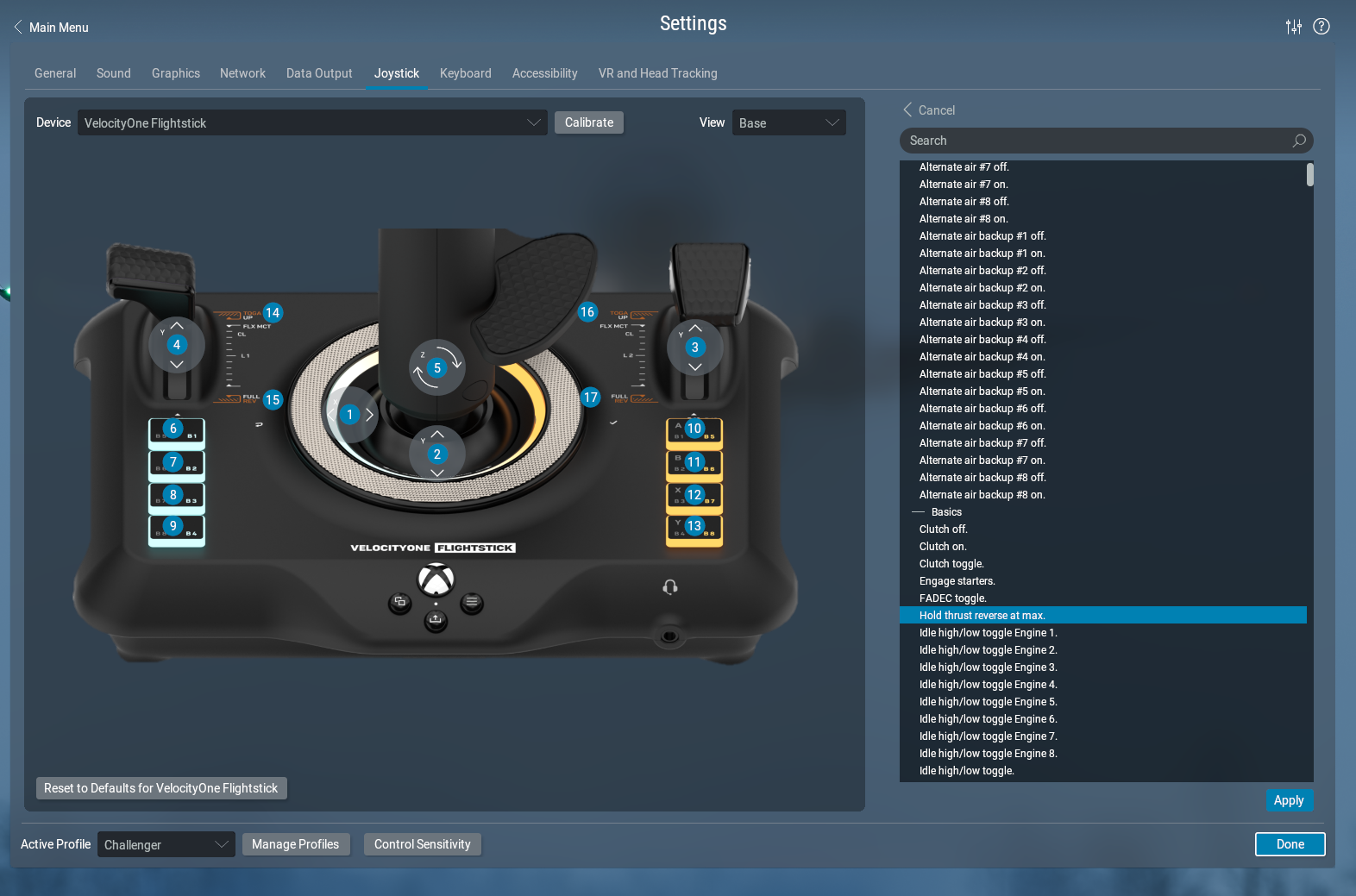
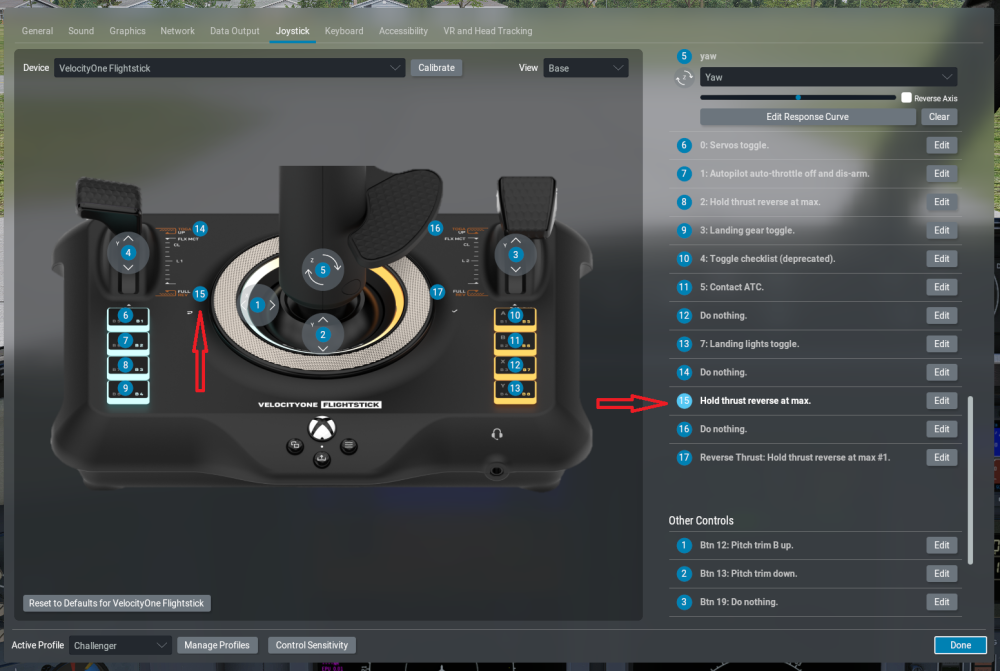
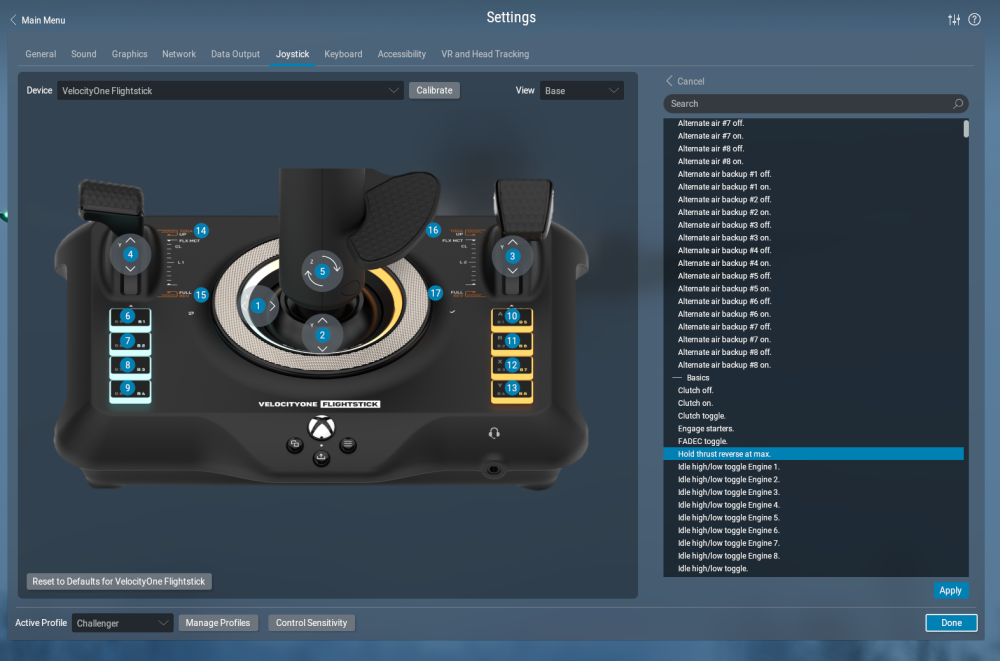
Heres another screenshot of what I have selected
-
Standby on the Log text file...... Log-2026-04-23-1531.txt
-
-
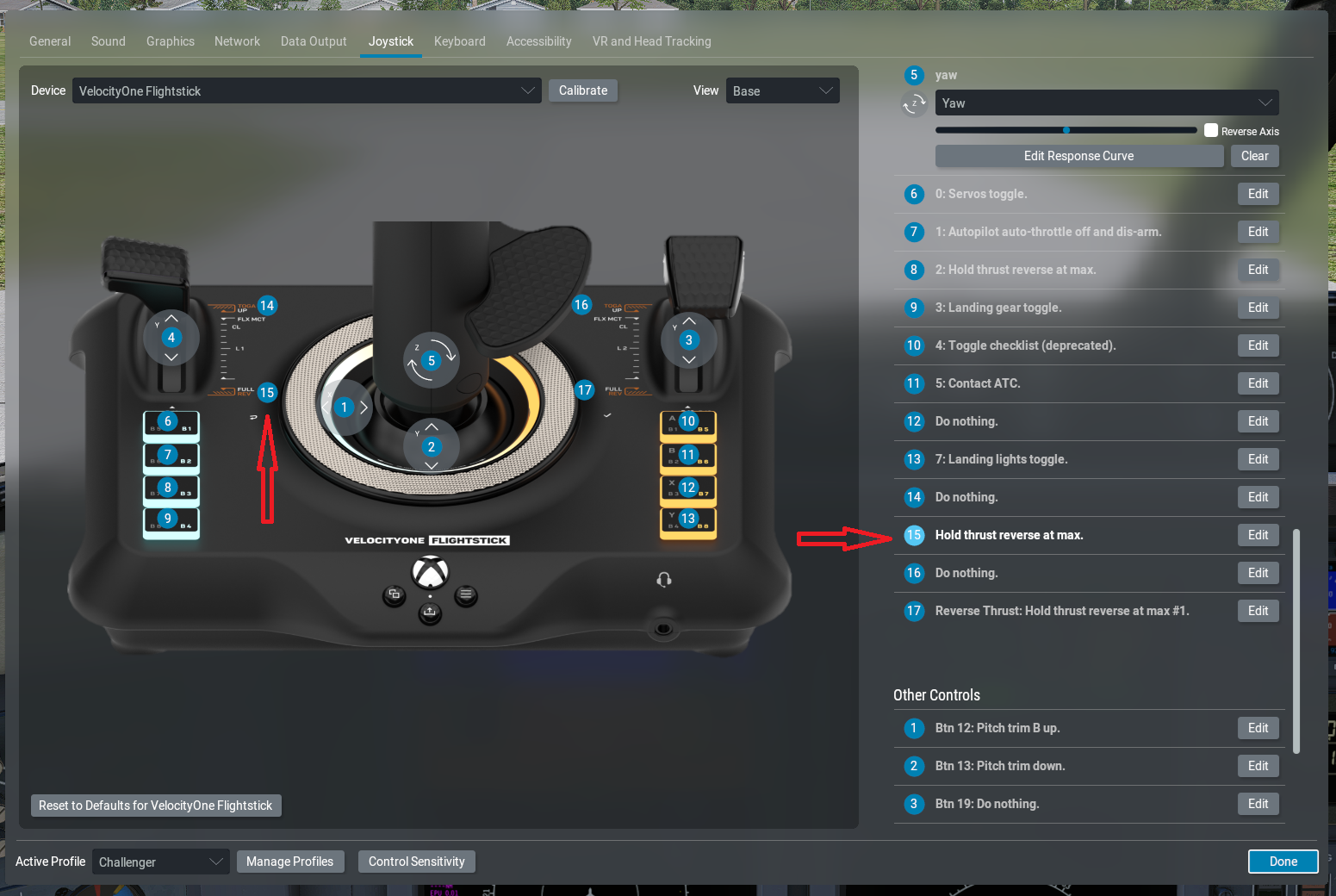
I'm using a Velocity One Flightstick. In the previous version of this CL650 reverse thrust could be selected by bringing throttle on the Joystick back into the detent, and then thrust would come up to max. On the previous version it worked fine, but not the updated one. I've been in the settings for this Joystick and felt I had the right option selected. The reversers unlock, but no thrust. Any ideas?
-
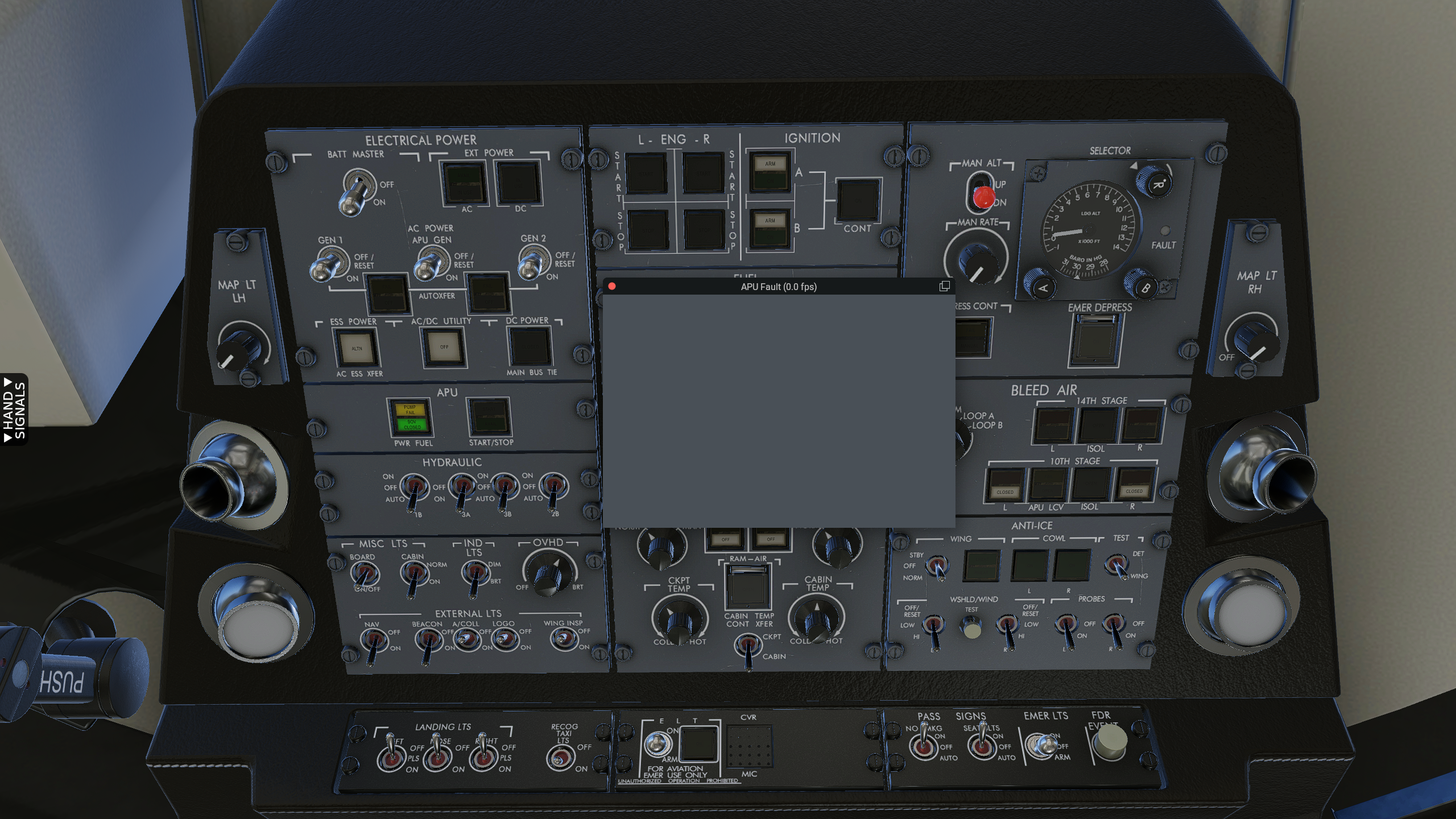
MFD, PFD, both dark on Battery power. APU won't start
Gobysky replied to Gobysky's topic in Technical Support
Well, I finally found the issue. At least one of the issues that corrected all of the above problems I mentioned. I was chasing something complex in the software or set up but I never found it until I looked around in the menu system and refreshed the X Aviation License and that corrected everything, which really surprised me that the simulator would behave like that without any warning popup . But now I have other issues that I have to work on. After I get everything corrected to the way it was in the last version, I’ll be VERY reluctant to update. It’s a nightmare. -
I've updated both X-Plane 12 and CL650 to the latest available. Now when I turn the battery on, the glass cockpit (MFD & PFD) does not come on. The APU won't start either. Also, when I use the camera by right clicking the mouse and move around, the image stops, stutters, then finally moves on. A myriad of issues with these updates. Don't know where to start. I've uninstalled, and reinstalled both X-plane and Cl650 twice now. No change. How do I find the log files that folks ask for? The one log file I saw is huge text file. Is that the one?
-
Taking off in Southern California area the autopilot flys through the selected altitude and holds about 300-400 high. It also oscillates on pitch at times. When I do the same climb profile in a midwestern area, all is normal. Very weird. Any ideas?
-
Ok thanks. So obvious yet easy to miss.
-
How do you refill the replentishment tank? My EFB won't come up.
-
I was able to use this system to refill the engine with oil, but haven’t been able to refill the replenishment reservoir. It says to the use the EFB, but that won’t activate. What is the best way to service the engine oil without accessing the EFB? The simulator is so accurate it won’t be long before this plane won’t be flyable unless I get this figured out.
-
Hot Start Challenger 650 a simulator with real software challenges
Gobysky replied to Gobysky's topic in Technical Support
I’ve been using a Dell G7 gaming laptop to run this simulation. Apparently it was too much for it since it overheated and damaged some internal components. My computer crashed and now I’m in the process of buying a new desktop gaming PC that’s more than enough to handle it. Thanks for your help. -
Hot Start Challenger 650 a simulator with real software challenges
Gobysky replied to Gobysky's topic in Technical Support
Ok, I’ll have to figure out how to capture the approach on video. The last approach I shot today captured the GS ok. Now I have to figure out what I did differently thanks -
Hot Start Challenger 650 a simulator with real software challenges
Gobysky replied to Gobysky's topic in Technical Support
Even though the learning curve on this simulator is steep, it’s well worth it once you get things figured out. Didn’t realize these circuit breaker were as functional as they are. Had a blank CDU when I tried to select flight plan, but soon realized one of the CB’s was popped. I’ve gotten the sim to the point of flying but when flying an RNAV LPV approach with both APPR & VNAV selected there’s no (white) GS nor capture. I would have to manually descend using the VS. Any idea’s? Thanks for the quick responses. -
Hot Start Challenger 650 a simulator with real software challenges
Gobysky replied to Gobysky's topic in Technical Support
OK, thanks, I’ll see what I can come up with after a while. Kind of busy these days. -
Well, I had high hopes for this software. Paid $124 for it expecting something glitch free but have found it beset with all kinds of issues. I have worked hours on this sim and about the time I get one problem fixed another one comes along. The last problem was both engines flamed out after takeoff for absolutely no reason unless of course it’s a software issue. I’m using X-plane 11, so maybe I should upgrade to X-Plane 12 with a faster computer. That would be my next option. Is the latest download more designed for X-Plane 12? I still like to give the software the benefit of the doubt so if anybody has any ideas on what might be causing these issues, I’m listening. In the meantime, I’m going to go back to my more dependable aircraft the Netavio CJ-4 for reviewing route procedures and the like. And by the way, this was a third of the cost. Thanks in advance. PS. I’ve edited this post several days after taking the time to learn this aircraft sim. Even though the learning curve is steep it’s probably THE BEST aircraft sim I’ve seen. It was well worth taking the time to learn it. I’m amazed how many things actually work, down to the circuit breakers. The developers have done a great job.
-
I finally fixed the issue on the start page of x-plane where you select the aircraft. I clicked on fix all faults and I was able to extinguish the APU fuel pump light which was preventing start. I’m amazed at all the systems detailed of this sim. It will take me awhile to get it to the point of taxing. The program crashed a couple of times and shut down, but that too is probably due to preferences set before aircraft boot up. (Guessing)
-
I'm using X-Plane 11 and just recently downloaded the 650 Sim. Paid more for this sim than any other sim I've purchased, so I'm not going to give up, yet. I'm able to turn the battery on but can't get the APU to start, no rotation, no nothing. Also when I select external power and ASU, the engine won't start either......... Any ideas on what may be causing this?