



Coop
-
Posts
1,692 -
Joined
-
Last visited
-
Days Won
67
Content Type
Profiles
Forums
Latest X-Plane & Community News
Events
Downloads
Store
Posts posted by Coop
-
-
Currently the shipping config files use the primary bus as the default. This was due to compatibility issues with RealityXP. We don't currently ship any TDS configs ourselves for the Islanders. The X-Plane avionics dataref is set by us based on the state of the switch & power to the bus, so if TDS can read that, then it should be good to use.
-
On 1/28/2026 at 1:25 PM, Yossarian1943 said:
PS Seems only to appear at night
Regards Marc
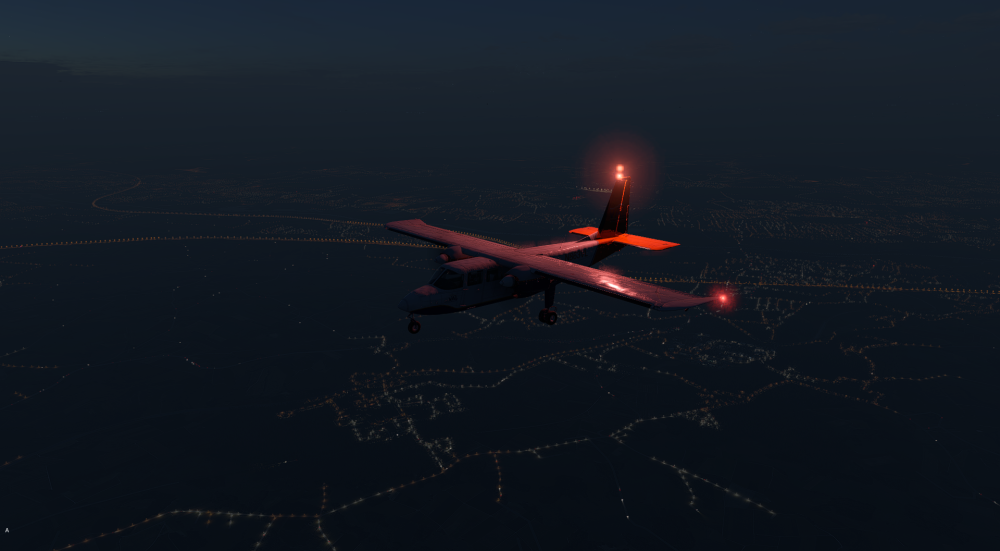
Thanks for the report, I've got this logged!
-
The Garmin G500 (note, not the newer Garmin G500 TXi, which is an entirely different piece of avionics) does not have any autopilot mode indicators. It'll show the flight director, but the mode indication is something that would be indicated separately. Commonly G500 avionics equipped aircraft would either use a remote autopilot annunciator panel (GI 285 or similar) or an autopilot head unit that contains one bundled (such as the GMC605) -- or non Garmin APs such as Bendix-King or similar that have their own either internal or external mode annunciators.
-
Yes, it's a 12.4 thing. We'll be doing new builds of nearly everything with due time for 12.4 to resolve some of these messages that X-Plane is throwing.
-
I've figured out the cause of this, this is a combination of datarefs not being written in libradio (this has been reported) and a bug in the X-Plane GNS530 when overrides are used for DME (to be filed with LR once we fix the libradio issue)
-
Yes, it will read what is installed with the standard X-Plane 12 format into X-Plane 12/Custom Data
-
Will be fixed with update 1.1.0, coming very soon.
-
Did you use up all your TKS fluid? It can be refilled in the SR22 menu.
-
LOP is a very fine line between being efficient and cooking the engine (there is a reason with the newer SR22T its highly discouraged to climb LOP and ROP is heavily used).
If CHTs are climbing, lean further and/or increase airspeed to increase cooling. When LOP you need to keep your eyes on the temps like a hawk.
-
In order to debug what is going on, we will need you to send us a copy of the X-Plane log.txt file. You can find a guide to get this file here:
-
You are running at 5fps. The physics engine requires your simulator to be running at least at 20fps, ideally 30+ fps. X-Plane in general requires >20fps to function properly.
-
@AIRBUXThat crash is within Gizmo, I'm not sure on the specifics on that error, but Gizmo is no longer required for the SR20 in X-Plane 12, you can remove that, though products that haven't been updated to use the new X-Aviation activator would no longer work.
-
It should be in the next update
-
Yep, these are engine failures due to substantial overtorque/temp
-
 1
1
-
-
No current timeline, but it's in the works, will likely be in the v1.1 update.
-
 1
1
-
-
This is a bug we have logged, should be addressed in the next update.
-
There are multiple cases that prevent the AP from engaging, make sure the roll knob is centered on the AP panel, as well as that the gyro is not in fast-erect mode. The cases are documented in the manual that prevent AP from being able to turn on.
-
It looks like the X-Aviation plugin isn't being found by X-Plane. Most likely a third-party antivirus software is quarantining it. Make sure to restore that plugin, and reinstall the aircraft if necessary.
-
On 9/1/2025 at 1:22 PM, buffewo said:
Latest iteration of the saga. The RXP GTN works when I remove the GTNXI plug in. That plugin is up to date. There is some inter-action between the two that is screwing things up.
Ah - yes you can't have both installed and have reliable actions from them.
-
On 8/22/2025 at 5:43 AM, EGT said:
Hi,
Apologies for the delay in replying. I have done some extensive tests, and the following are my observations.
Sounds:
* I checked my sliders in X-Plane - all maxed. I discovered my headset was set as system COMMUNICATION DEVICE, and not HEADPHONES. This seemed to make a minor difference in quality due to the max bitrate of the output.
* Nose gear RETRACT sound - this only plays ONCE! Once you have taken off and retracted the gear, it NEVER plays again unless you land, AND THE NOSEWHEEL TOUCHES THE GROUND. I'm assuming there is some air/ground logic tied to the nosegear, and for some reason the gear retract audio is dependent upon the aircraft having been on the ground. You can replicate this by flying around and just cycling the gear. Extension plays always; retraction only plays on the first retract cycle since being on the ground.
* AP disconnect sound is practically inaudible, even with headphone volume turned up and being deafened by the engine noise.
* Wind noise is extremely quiet if it is present. I flew at 300 kts and couldn't discern any difference in noise.
DME:
* DME speed and time display - this is bugged. It works as expected as long as the aircraft trajectory is in the 180 cone flying AWAY from the station. As soon as the aircraft has any closure rate with the station, the DME speed/time reads zero (e.g., flying directly towards the station still reads zero).
Flight Director/Autopilot:
* HDH mode - I checked real-world docs, and it should roll to wings level THEN hold whatever heading it is flying the moment it reaches wings level. It is NOT a simple wing-leveler; if the aircraft is disturbed after this point, it will roll back to the heading it was on. The bug is that it is capturing the heading at whatever moment ANY flight director or AP mode is engaged. This is the part that is not correct.
For the avoidance of doubt, the sequence of events for HDH mode is thus:
* HDH mode (e.g., all FD and AP modes DISABLED).
* Aircraft is flown with e.g., a 20 degree left bank
* AP is engaged.
* ALT HLD engages, and HDH becomes the active roll mode
* Aircraft at moment of activation is passing 210 degrees heading
* Aircraft should roll to wings level, at say 200 degrees heading
* HDH should enter heading-hold submode at wings-level on 200 degrees, and not any other heading that was present prior to this.
HDH mode should "forget" the heading it was on when the AP is disengaged. Upon being re-engaged, it will again roll wings level ONLY, and THEN hold whatever heading it is on at that moment.The roll knob will operate as it currently does as this is correct.
Confirmed working as you describe:
* GPU generator (seems the default setting of 800 A is already sufficient to prevent volt drop during start)
* Battery overheat
* Engine fan - I compared this to several videos on YT (yes, I'm aware of the problems of sound recording and YT compression), and it sounds very similar.
Thanks for the detailed reports, I've got these filed!
-
1
-
-
22 hours ago, Vapa00 said:
Now i have this same problem. Plane has worked just fine for many flights but not anymore. X-aviation plugin is working and showing that licence is activated. What now ?
The aircraft also has to reverify itself outside the main activation system. It will hold a cache for ~2 weeks, so if a conflicting plugin is reinstalled it wouldn't be obvious in that time period.
-
Not seeing anything obvious in the log, it could be something being a conflict with one of your other third party plugins. I'd recommend seeing if temporarily removing some of those resolves the issue.
-
Sounds like something might not be activating.
In order to debug what is going on, we will need you to send us a copy of the X-Plane log.txt file. You can find a guide to get this file here:
-
You can reset any saved popup locations by deleting "popups.cfg" in X-Plane 12/Aircraft/X-Aviation/ <citation 525> / plugins/cj_systems/settings.
-
1
-
GNS430 only shows "XPlane 12"
in Entegra SR22 Series
Posted
It appears you are using the X-Plane 12.4 beta. There will be an update coming with fixes for 12.4. The error message indicated is a warning that has no bearing on use of the product (just an old dataref being read by the plugin)
Regarding the GTN, on the screen freeze, that is likely an issue with RXP itself.
Regarding the GNS, do any of the other buttons work, or is still always just showing the GNS load screen?