
skiselkov
-
Posts
491 -
Joined
-
Last visited
-
Days Won
40
Content Type
Profiles
Forums
Latest X-Plane & Community News
Events
Downloads
Store
Everything posted by skiselkov
-
Your problem appears to be something different. According to the Log file, the simulator didn't even get to the first screen. I would suggest you reach out to Laminar with this, as none of our software appears to have been loaded on your system yet.
-
[Sloved]Wheelbrakes don´t work on the Key trigger
skiselkov replied to Marder1986's topic in TBM 900
Can you please verify that you don't have an axis under joysticks assigned to Left Toe Brake or Right Toe Brake? If the aircraft detects a brake axis, that disables key-based brakes. -
Fix verified. We'll just package it up and send it out.
-
I understand the issue here, so we should have this specific problem sorted quickly.
-
Folks, as promised, below is attached a CSL that's usable for showing other people's TBMs. Includes full animations on all flight controls, landing gear, lights. And it's PBRed to top it all off and highly framerate optimized. TBM900.zip
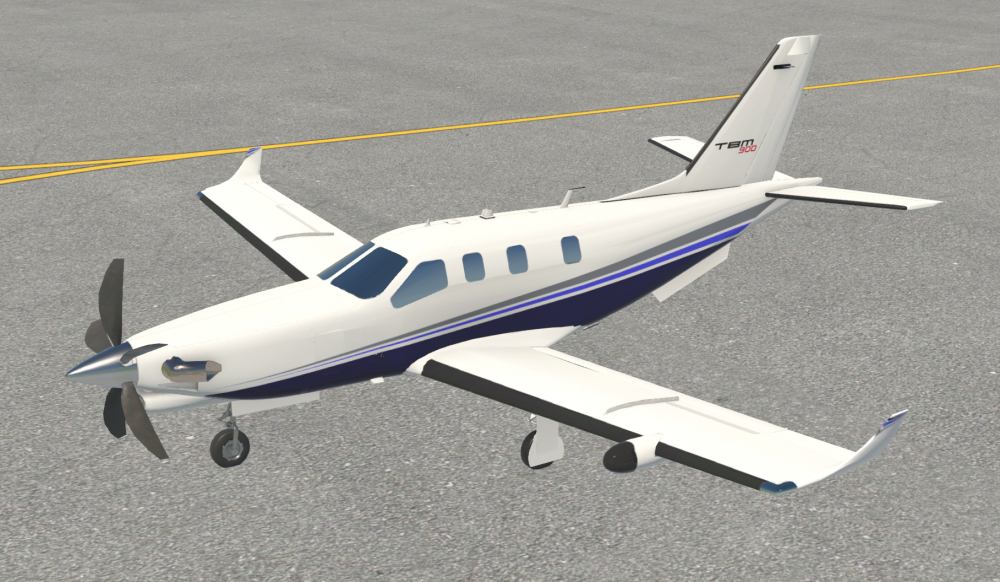
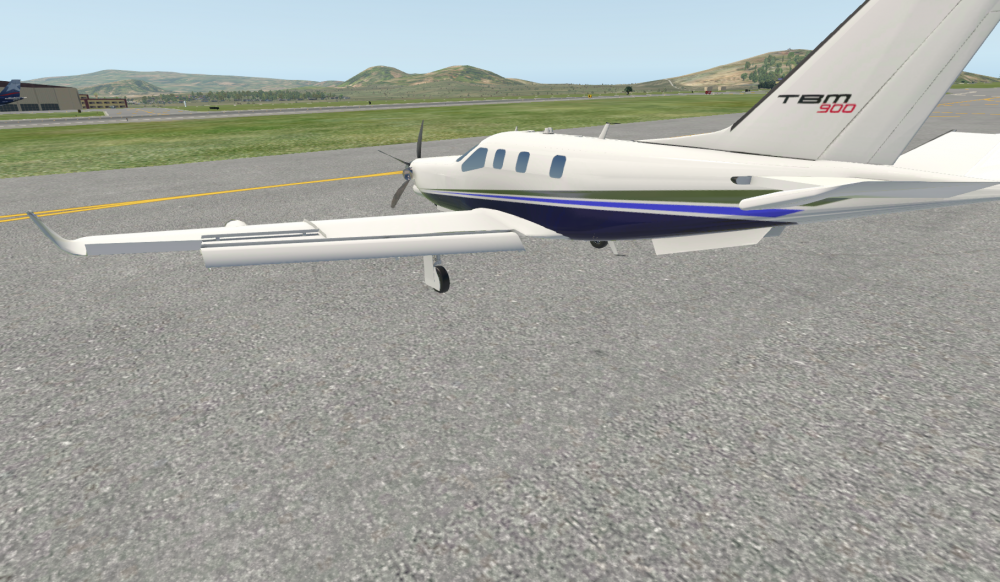
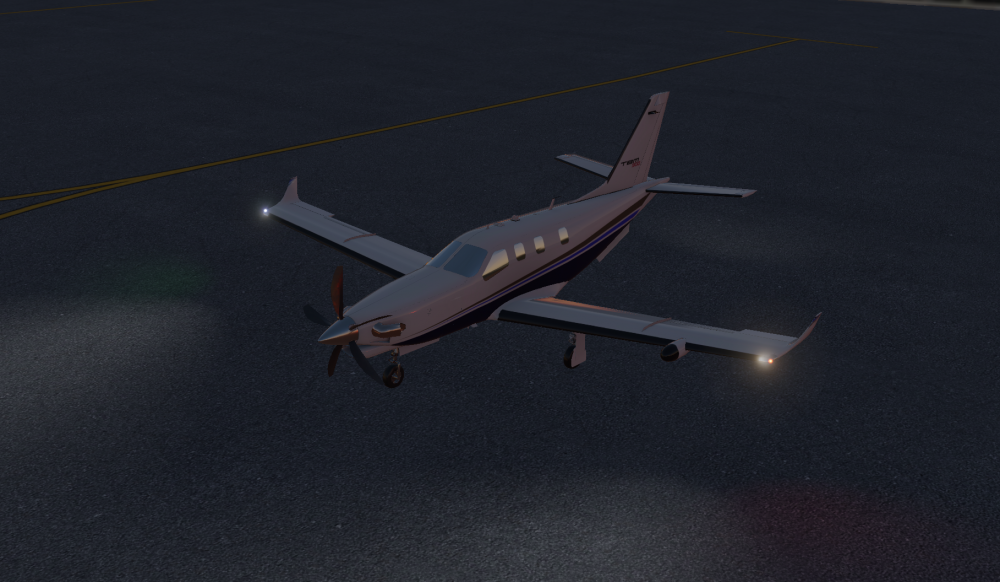
- 13 replies
-
- 13
-

-

-

-
TBM-900 Release Date Announcement & Previews!
skiselkov replied to Cameron's topic in Socata TBM-900
Yes, the VC yokes rotate approximately 80 degrees left & right for the roll axis. -
TBM-900 Release Date Announcement & Previews!
skiselkov replied to Cameron's topic in Socata TBM-900
Yes indeed, come by tonight's Twitch stream, we'll be showing it off. -
TBM-900 Release Date Announcement & Previews!
skiselkov replied to Cameron's topic in Socata TBM-900
Yes. -
TBM-900 Release Date Announcement & Previews!
skiselkov replied to Cameron's topic in Socata TBM-900
Video from second day: -
TBM-900 Release Date Announcement & Previews!
skiselkov replied to Cameron's topic in Socata TBM-900
Here you go: -
TBM-900 Release Date Announcement & Previews!
skiselkov replied to Cameron's topic in Socata TBM-900
While it is difficult to make exact estimates on framerates, an i7 4790K should be able to handle the aircraft avionics with ease. Most of the heavy lifting of the avionics rendering is shifted away to background threads, so even my piddly i5 4460 that I develop on was able to do a locked 60 fps while streaming yesterday. Of course, this was in an area with little scenery. I would say your performance will mostly be dictated by the scenery and your GPU horsepower, rather than being limited by the aircraft's systems code and CPU speed. -
TBM-900 Release Date Announcement & Previews!
skiselkov replied to Cameron's topic in Socata TBM-900
Yes you can, but if you specify what tweaks need to be made, we can try to build them in (if they don't conflict with anything else). -
We can't make any firm date commitments yet, but I can say there's definitely light at the end of this tunnel! We will update all the usual places (including our Discord channel) once we have more info on release date, pricing and overall availability.
-
I develop on Linux, so yes, it will support Linux, Mac and Windows.
-
I'm happy to assist others in writing one, but I don't plan on doing it myself. While I would consider shared-cockpit a core feature requirement for an airliner, the TBM is almost never flown multi-crew, so that puts the feature rather low on the priority list from a realism perspective. And a second reason is that the airplane runs tons of randomizing code that gives it the "organic" feel of every flight being different, every system responding a little different to inputs, etc. Replicating that between two nodes would be a major undertaking and I'm not really sure is even practically possible (at least to my requirement of stability & usability) by using smartcopilot's simple dataref syncing approach. I suspect it would take a much more integrated approach that would talk to the internals of the systems simulation directly.
-
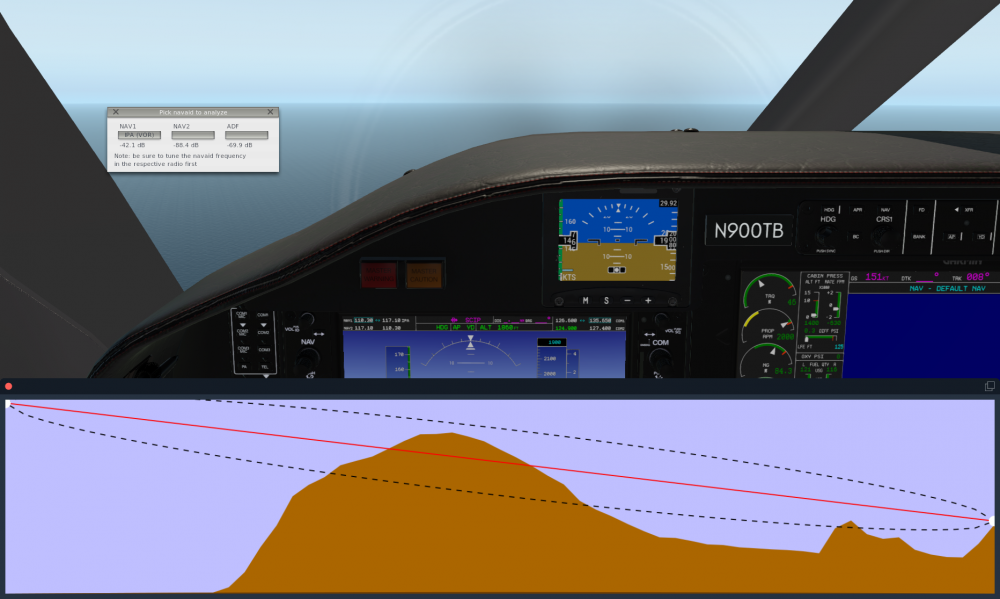
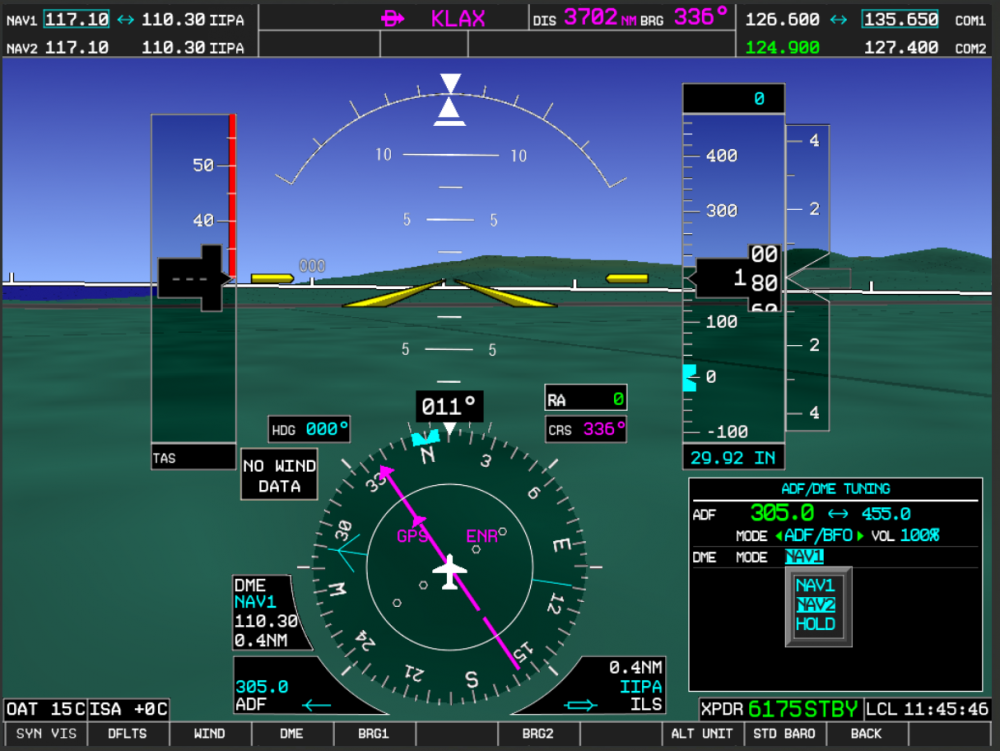
So as you fine folks may already know, in our usual style of going completely overboard on the level of detail, a few weeks back I've implemented a custom VHF radio signal propagation model. This means, NAV radios (VOR, LOC, GS and DME) are all simulating things such as terrain masking, terrain diffraction, tropospheric scattering, etc. The underlying computational model is based on the NTIA Irregular Terrain Model (ITM), an industry-standard model used for things like radio tower planning. The simulation includes a built-in analytics display that allows you to check the terrain profile being used by the radio model (please note, the image below isn't hand-painted, it updates in real time as you fly): What's recently new is that I re-implemented the ADF and standalone DME radios as well. So the entire radio complement in the TBM is as follows: Two VOR/LOC/DME radio. One ADF radio One standalone DME radio That involved re-implementing all course deviation needles and the DME tuning pages on the PFD. All features of the real G1000 are simulated, even some of the more odd ones: ADF, ANT, ADF/BFO and ANT/BFO reception modes. This is reflected in the audio ID portion, including the continuous tone you hear in BFO mode when no ADF signal is being received. All DME tuning modes simulated, so NAV1 slaved, NAV2 slaved and HOLD. Allows for flying the more bizarre approaches, such as NDB/DME. Intercom audio routing from the radios is properly implemented, so NAV1 & NAV2 buttons route the audio ID for the NAV1/2 VOR/LOC portion, the DME button routes the standalone DME radio audio (including 1250 Hz square-wave tone, instead of 1kHz sine wave) and the ADF radio routes the ADF radio audio (including proper tone & background noise behavior depending on reception mode).
-
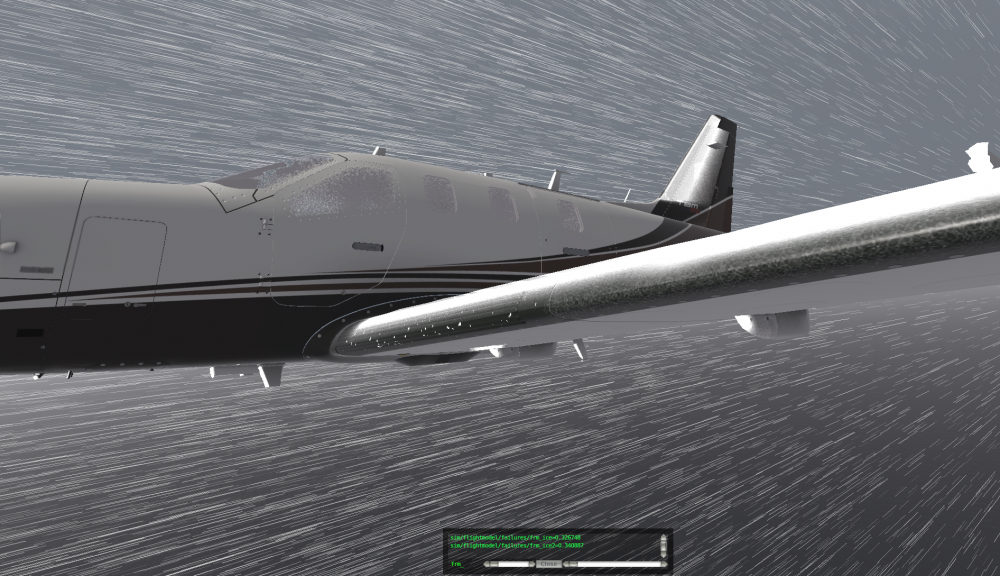
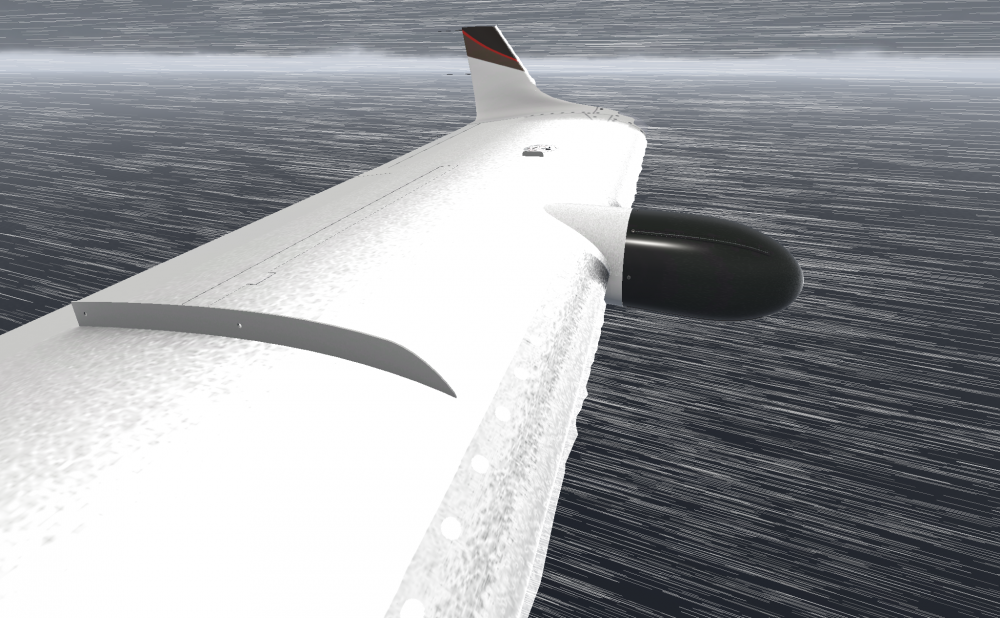
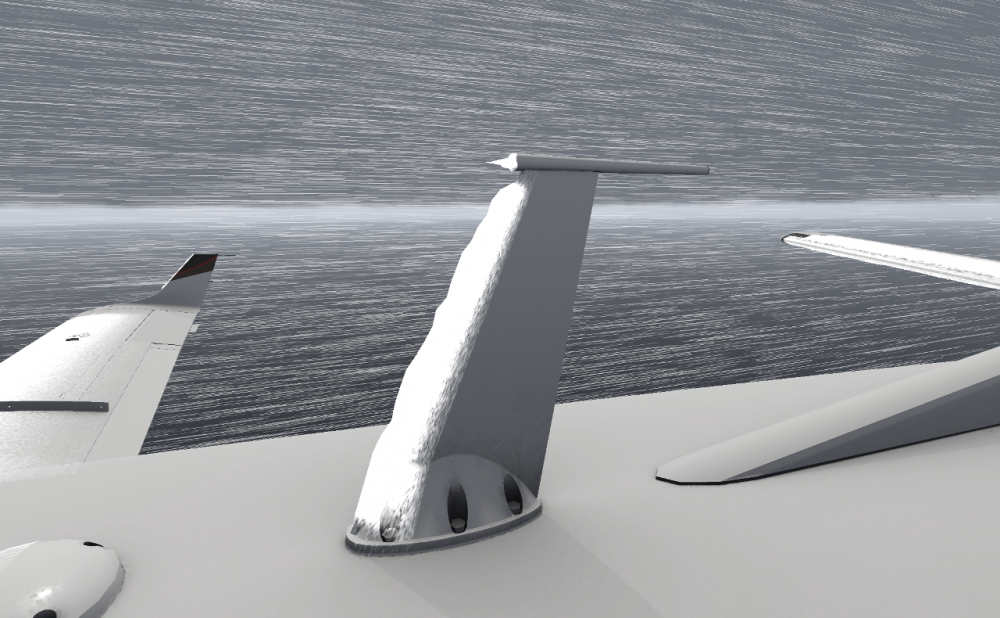
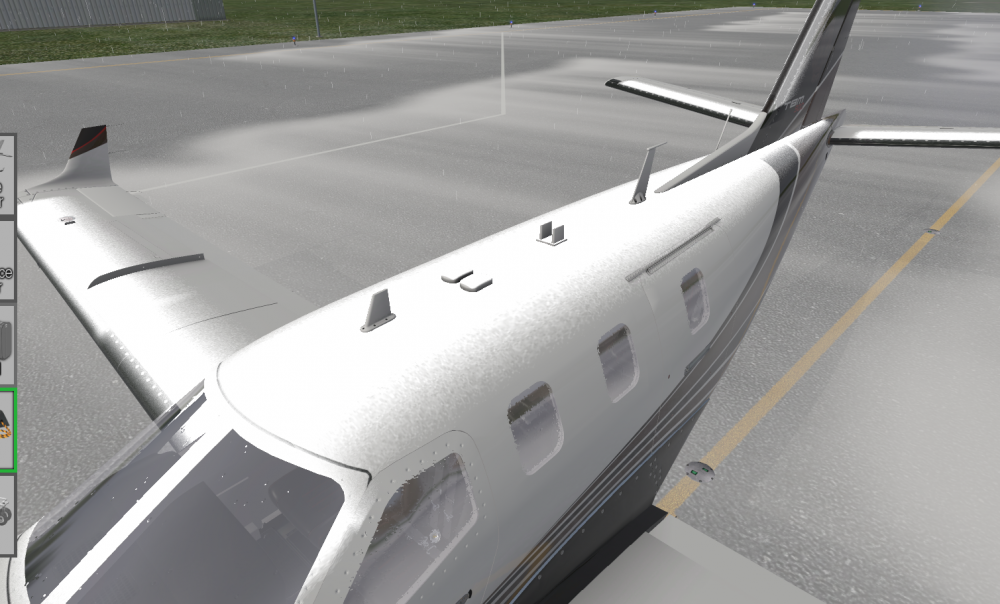
So we've been hard at work at implementing a custom icing simulation & rendition. Everything dynamic and done via shaders, of course. Depiction of severe icing encounter. Inboard boot just inflated, so inboard leading edge is flaky as the ice flew off in chunks. Notice the ice isn't just a surface effect, it appreciably increases the thickness of the wing, as there are several inches of packed ice in this image: The jagged leading edge in the following screenshot is due to ice crystal growth. This is what makes the wing stop behaving like a wing and instead gives it the refined aerodynamic qualities of a brick: Any exposed sharp edges and point-like structures are prime ice accumulation space: Including wing leading edges, strakes, exposed antenna housings and flap fairings: While stationary on the ground, ice also tends to accumulate on the fuselage:

- 49 replies
-
- 13
-
-
-
Are you on our Discord server? We post updates there every few days.
-
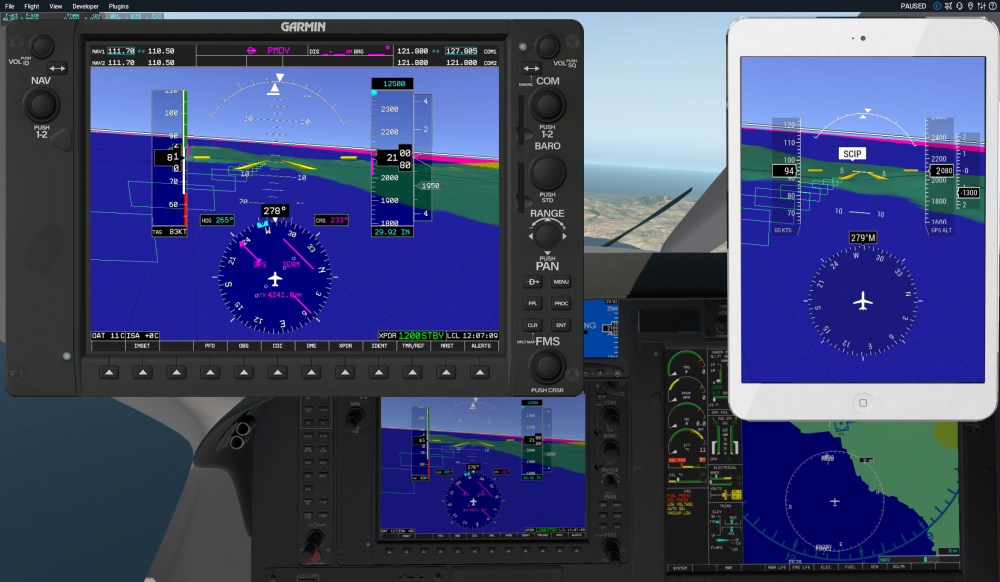
It might just be a bad screenshot. They're the exact same rendering code. See better shot below.
-
I'm not sure what you mean. The SVS in the G1000 is exactly the same code as is running on the tablet display. This is not an X-Plane stock feature, this is bespoke to our model.
-
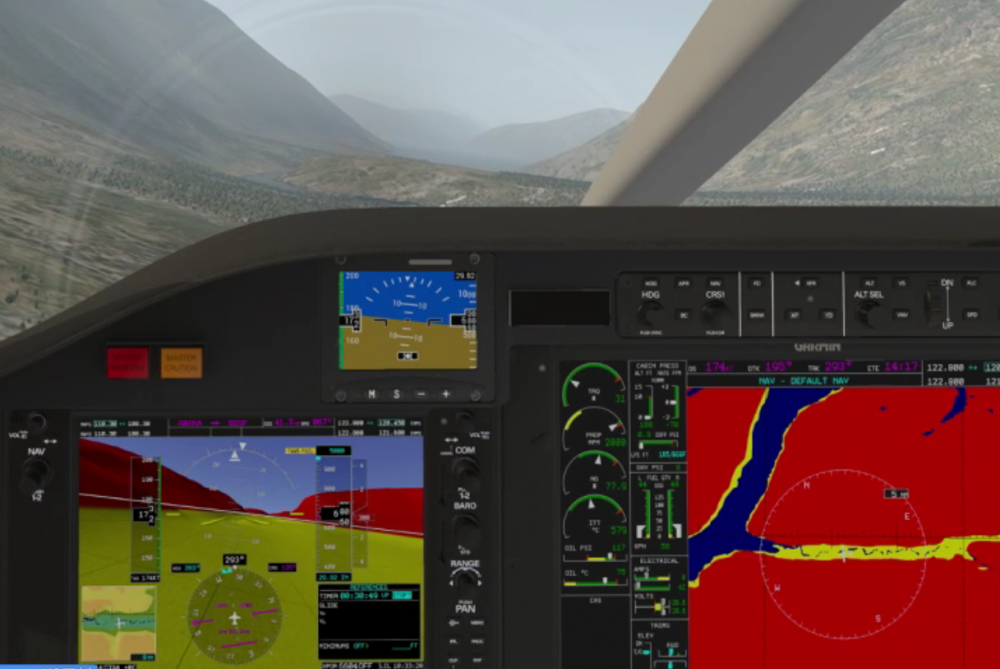
X-Plane 11.20 added an art control that lets me kill the background on the PFD. This has in turn allowed me to design a shader to pull some pixel removal tricks and finally sneak it under there:
-
Feature update for you good people. We've implemented the G1000 Emergency Descent Mode. That means no more setting up the simulator and walking away to take a nap. A brief demonstration: https://www.twitch.tv/videos/253395611?t=02h40m35s Now the avionics is watching for pilot alertness. The allowable time interval for pilot interaction is altitude dependent, but varies from 20 minutes at 15,000 ft down to around 8 minutes at FL310 (decreasing exponentially, so only about 10 minutes at FL250). If pilot inactivity is detected for the aforementioned period if time (no buttons pushed or knobs actuated on the G1000 avionics), the avionics will start a graduated process of alertness checks: First it issues an advisory CAS caution + one aural chime:"ARE YOU ALERT?". The pilot has one minute to respond by pushing any button or clearing the caution via the attention getters. After 1 minute passes and the pilot hasn't responded, the system issues a non-advisory caution saying "HYPOXIA ALERT". Non-advisory CAS cautions different from advisory ones in that the message stays blinking and the yellow "MASTER CAUTION" button stays illuminated. The pilot again has 1 minute to respond. Final call, the system issues an "AUTO DESCENT" master warning CAS message, illuminates the red MASTER WARNING button and a continuous aural chime is heard. If the pilot doesn't respond for one more minute, the red "EDM" AFCS mode is annunciated on the PFD, the autopilot preselects 15,000 ft altitude, switches to the FLC pitch mode to initiate a descent and selects maximum airspeed. On descent the engine will over-torque without the pilot making power adjustments, but the torque limiter can hold the engine at 108% safely for several hours, so it's a small price to pay for regaining consciousness. During descent, the system ignores pilot input. The only way to disable EDM mode at this point is to disengage the autopilot. Upon leveling off at 15,000 ft, the system resumes monitoring for pilot input for 4 minutes. If during those 4 minutes the pilot touches the avionics, EDM mode is canceled. If not, a second descent to 12,500 ft is initiated after the 4 minute timeout. The system now ignores pilot input and descends down to 12,500 ft remains there. At this point, the only way to disable EDM mode is to disengage the autopilot. That's all for now folks!
-
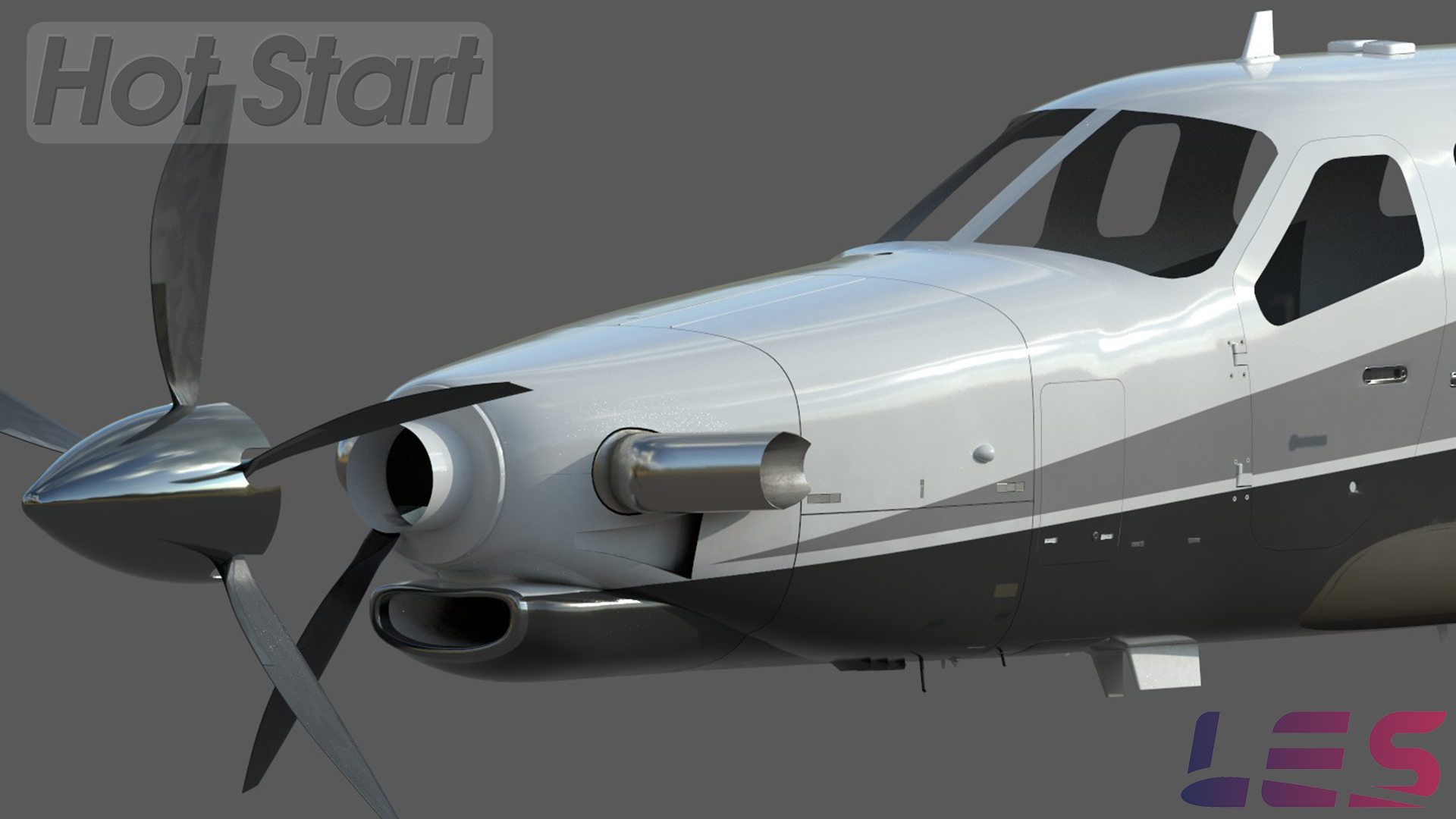
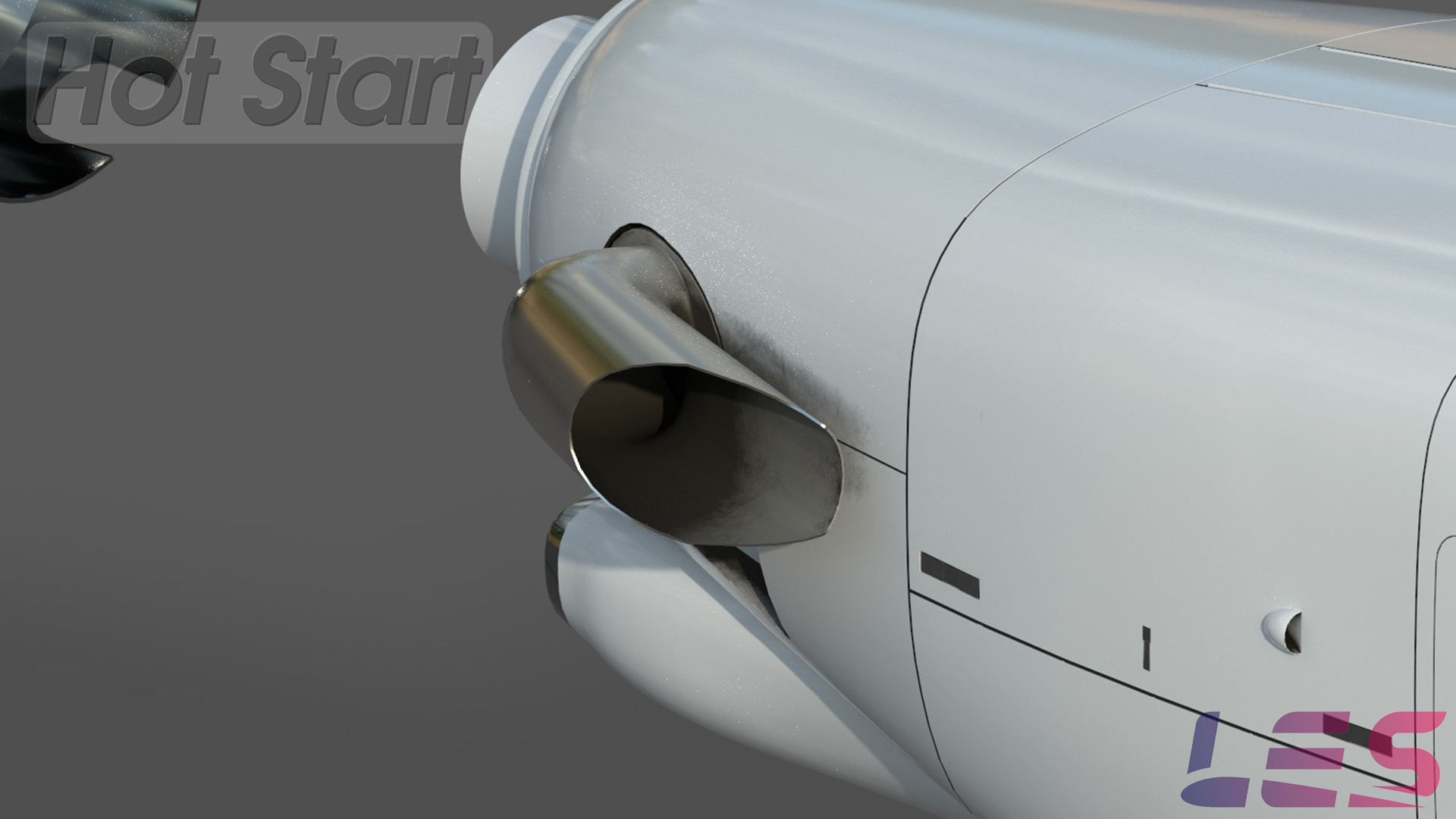
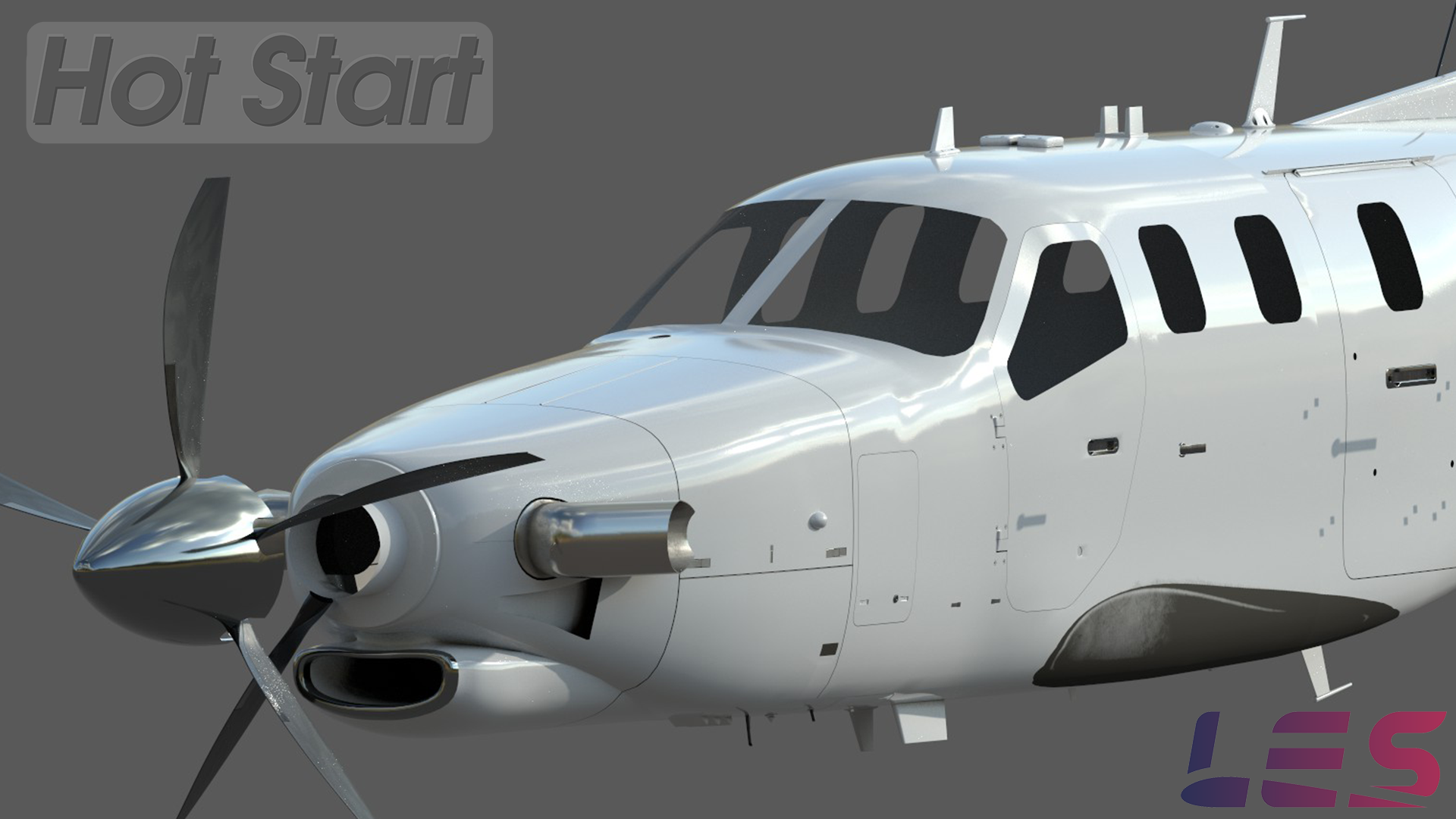
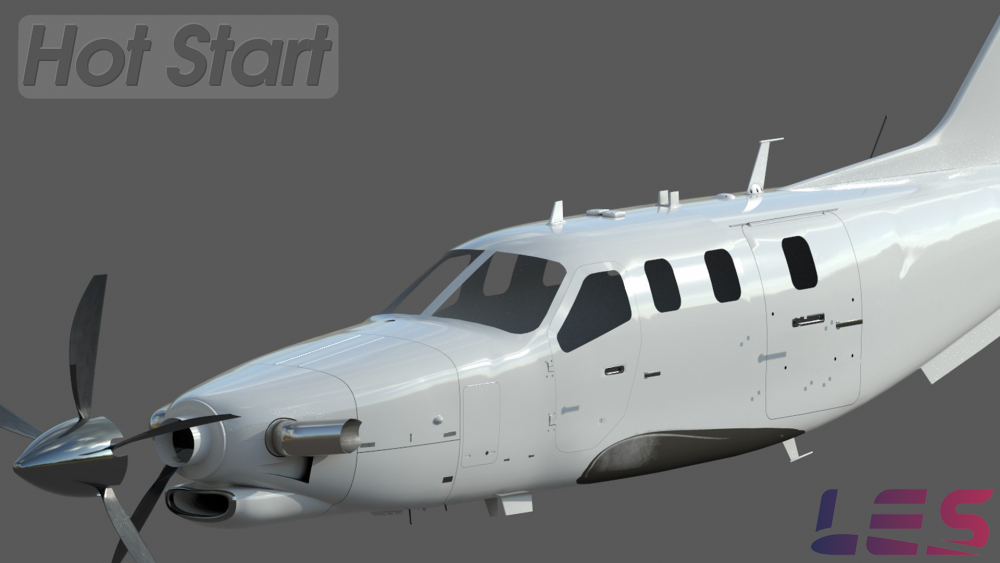
Ladies and Gents, our merciful @Goran_M has graced us with another batch of jaw-dropping renders of the work-in-progress fuselage. And I don't know about you, but I have to say I'm completely blown away!



-
Btw: to clear up the alphabet soup of the terrain awareness system in the G1000, you can read up on it in this manual: https://static.garmincdn.com/pumac/190-00709-04_0A_Web.pdf (although that one is for the TBM850, it's close enough to give you a reasonable idea). The TAWS alerts are described from page 427. We've implemented all of the alerts, although the availability of the Obstacle alerts depends on having a reliable obstacle database on hand (currently we only support this in the US, because the FAA provides a regularly updated, high-quality obstacle database free of charge).
-
The relative terrain elevation overlay is actually something I've been considering to implement, but since I saw it was being put into XP11.20, I didn't bother. But we do have a completely custom TAWS-B page which does the same relative terrain contouring coloring plus of course all the aural and visual annunciations of the real Garmin TAWS with all modes modeled (PDA, RTC, ITI, NCR, impact point prediction, etc.).