


About This File
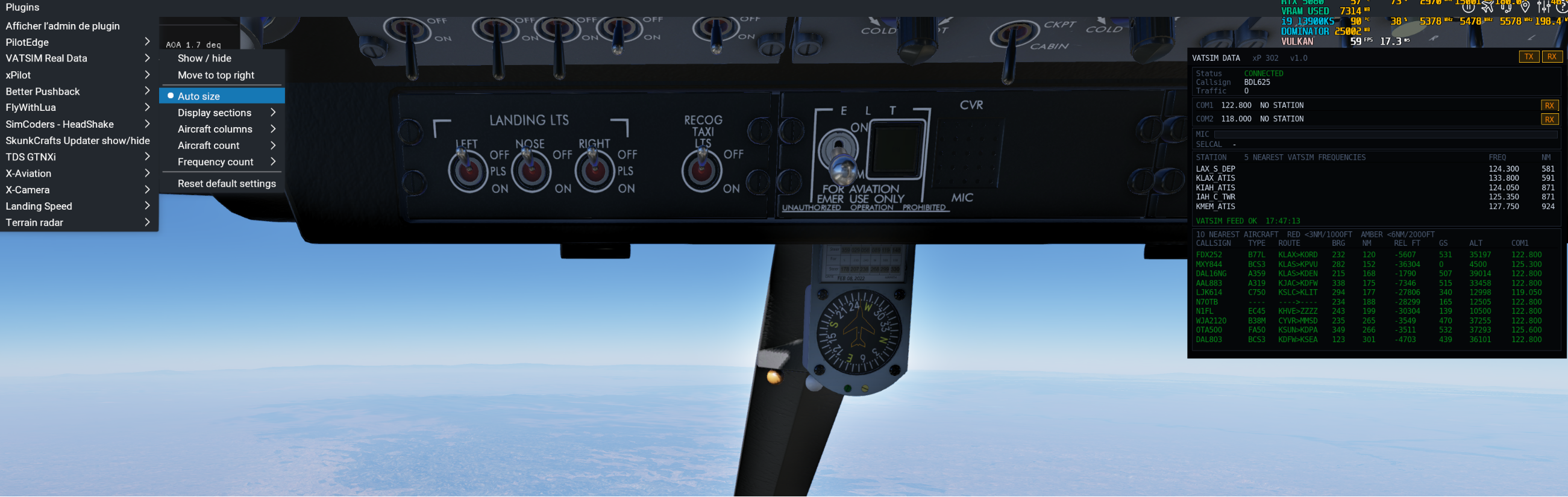
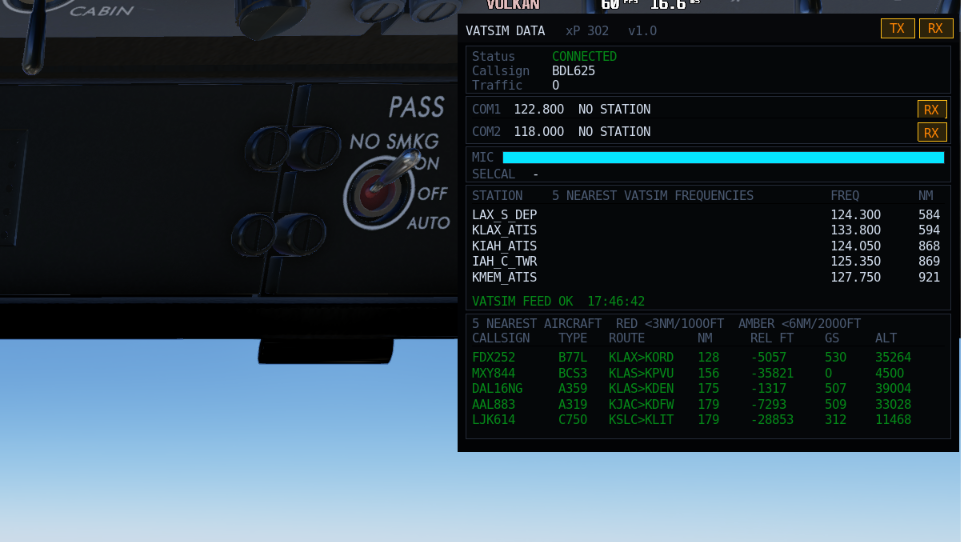
VATSIM Real Data v1.0 is a compact X-Plane 12 plugin that displays live VATSIM and xPilot information directly inside the simulator, including radio status, nearby frequencies and the 10 closest aircraft.
Full description
VATSIM Real Data v1.0 adds a compact, customizable VATSIM information window to X-Plane 12.
The plugin integrates with xPilot and displays your current connection status, callsign, nearby traffic, COM frequencies, microphone activity, SELCAL information and live VATSIM feed status.
It also shows the five nearest VATSIM ATC frequencies and the ten closest aircraft, with useful flight and proximity information presented in a single readable table.
Main features
- xPilot connection status and callsign
- TX and RX indicators
- COM1 and COM2 frequencies
- Active station callsigns
- Microphone level meter
- SELCAL status
- Five nearest VATSIM ATC frequencies
- Ten nearest VATSIM aircraft
- Aircraft callsign and type
- Departure and destination airports
- Bearing and horizontal distance
- Relative altitude
- Ground speed and altitude
- Reported COM1 frequency
- Automatic window resizing
- Fully configurable display from the X-Plane plugin menu
- Automatic settings saving
- Compact opaque interface designed for cockpit use
Traffic proximity colors
Nearby aircraft are color-coded using horizontal and vertical separation:
- Red: less than 3 NM and less than 1,000 ft vertical separation
- Amber: less than 6 NM and less than 2,000 ft vertical separation
- Green: all other traffic
This feature is intended as a situational-awareness aid only. It is not a certified TCAS system.
Customization
Display options can be changed directly from:
Plugins > VATSIM Real DataSections, aircraft columns, aircraft count and frequency count can be enabled or disabled without restarting X-Plane. The window automatically adjusts its size and saves the selected settings.
Installation
Copy the complete folder:
VatsimDataWindow
into:
X-Plane 12\Resources\plugins\
The final structure should be:
X-Plane 12\Resources\plugins\VatsimDataWindow\64\win.xpl
Restart X-Plane after installation.
Requirements
- X-Plane 12
- Windows 64-bit
- xPilot
- Internet connection for live VATSIM data
Disclaimer
VATSIM Real Data is an independent community plugin. It is not affiliated with, endorsed by or officially supported by VATSIM, xPilot or Laminar Research.
Edited by cmbaviator
What's New in Version 1.0.0 See changelog
Released
No changelog available for this version.
