alstr
-
Posts
58 -
Joined
-
Last visited
Content Type
Profiles
Forums
Latest X-Plane & Community News
Events
Downloads
Store
Everything posted by alstr
-
Yes I'm sure it's partly down to technique. Usually I use VS and FLC to manage the climb after takeoff but usually it still climbs quicker than it did in the first case. I just found it a bit odd, and it didn't happen any other time. I sped up the video 16x because no one wants to watch three videos that are nearly 10 minutes each, and I thought it gave the basic idea. But yes they could be better and it took me forever to upload it so next time I'll do something else. Attempt three, that is really the confusing one as like you say, it turned left despite definitely drawing a turn to the right, and the departure instructions explicitly say right turn: I don't know what the database explicitly says in this regard, but I would have expected it to enforce the above in the main. I think a left turn would be a significant deviation as flying over Addis Ababa city below FL160 is not permitted and the pattern is tightly regulated. But I'm just some dude flying a flight sim and neither a real-world ATC or pilot.
-
I've attached a video and the log file. haab.mp4 Log.txt
-
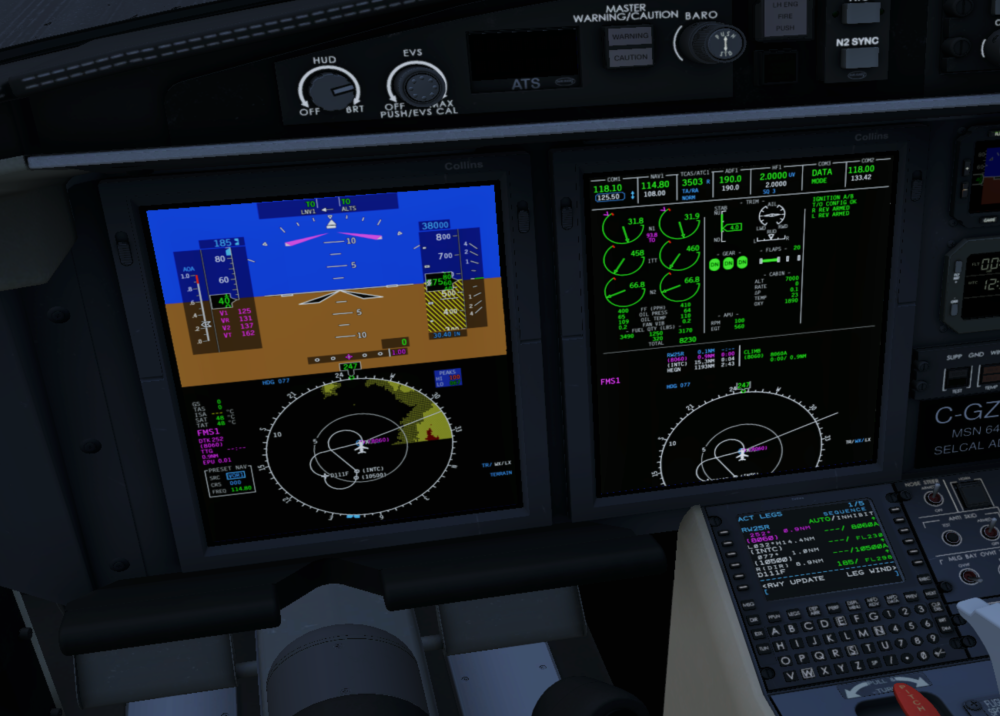
I have tried this SID 3 different times and got a different outcome every time. Here's how it was programmed in: I've included videos below of each attempt, the most pertinent probably being number 3, which reproduced what I described in the original post. (Edit: these videos seem to stream horribly, I'll try reuploading them shortly). Attempt 1: Aircraft generally seemed to follow the correct route as drawn on the chart, but climbed incredibly slowly for some reason, resulting in terrain and gear warnings, so I decided to restart. Closest to the one shown by @skiselkov. Attempt 2: Aircraft loosely followed the correct route, making the correct turns at the correct altitudes, but took some quite sharply, so deviated from the mapped route. Maybe that's okay, I'm not sure. Attempt 3: Here the aircraft turned in the opposite direction to that on the chart and the FMS, as I described in my original post. I didn't vary anything between the 3 attempts, other than tiny differences in my inputs and timings. Please excuse poor FPS and strict adherence to checklist while I was juggling a few things. Maybe I did something wrong, if so please let me know.
-
I just tried it again and it didn't crash. Maybe it's something else at play then.
-
I appreciate the time taken to answer. I've got a slightly better grasp of it now and will use your notes to refine further. Thanks again.
-
Yes, I had 185kt dialled in as the max speed and didn't exceed that. I can't explain why my flight differed then. I've not tried it again since but if I get chance I will.
-
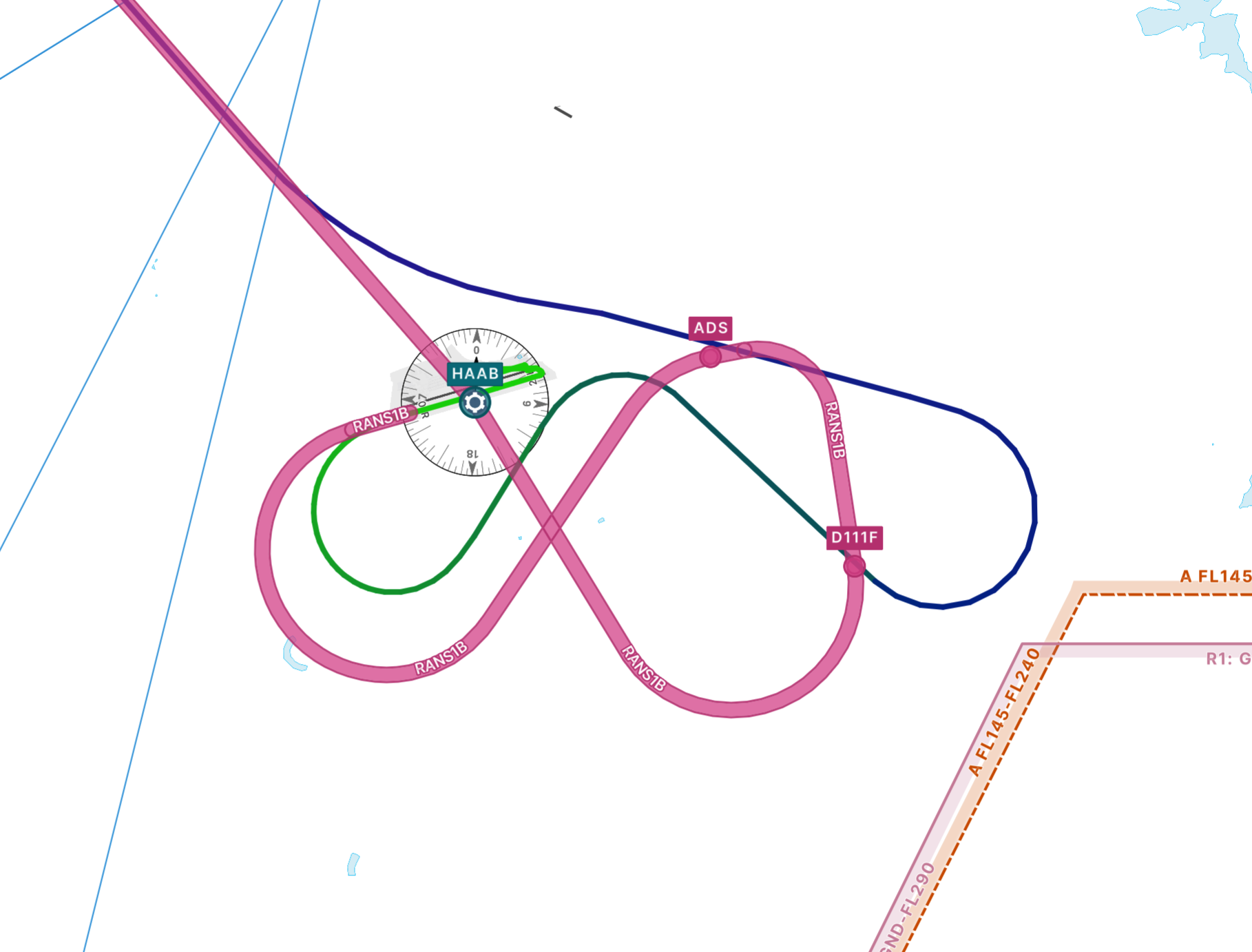
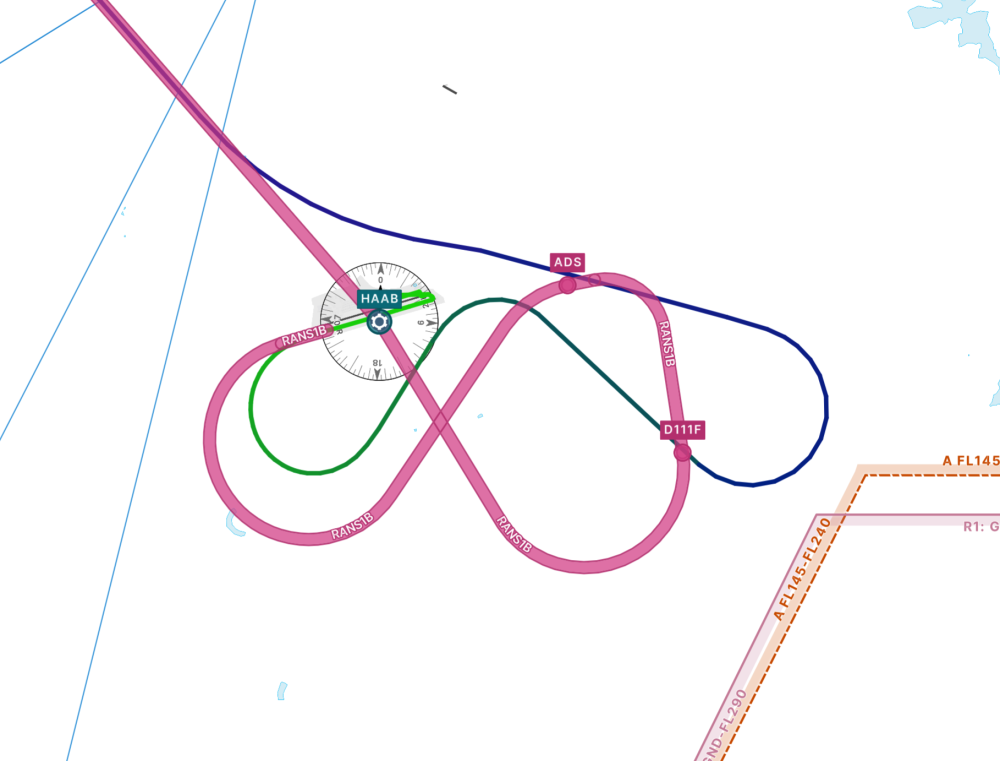
I was flying the RANS1B SID out of Addis Ababa/HAAB and after engaging the AP as usual shortly after takeoff I noticed the aircraft started deviating from the route. Here is the SID in pink and the route the aircraft took: The route was correctly loaded into the FMS and looked right on the display. It is quite a technical departure with numerous turns in quick succession and overlapping paths, so is this just a limitation of the flight computer? One to fly manually?
-
Does anyone have any recommendations for the yaw/pitch/roll response curves? The default X-Plane ones always felt slightly twitchy to me. I've tweaked them a little, but I'm not sure what I should be aiming for. I know there will be some variation for different joysticks but I was just wondering what others were using. Edit: maybe should have put this in Hardware, feel free to move.
-
I will get more info next time I get chance but it just crashes to desktop every time.
-
Is there a timescale on an update for this aircraft? It doesn't seem to work at all for me any more since the breaking X-Plane update.
-
I actually think this may have been the Terrain Radar plugin I have installed, as I have now noticed it on other aircraft. In which case, please disregard.
-
Thanks, haven't had it happen again so all good for now.
-
I didn't think so. I've had it happen a couple of other times. For the most part it seems okay.
-
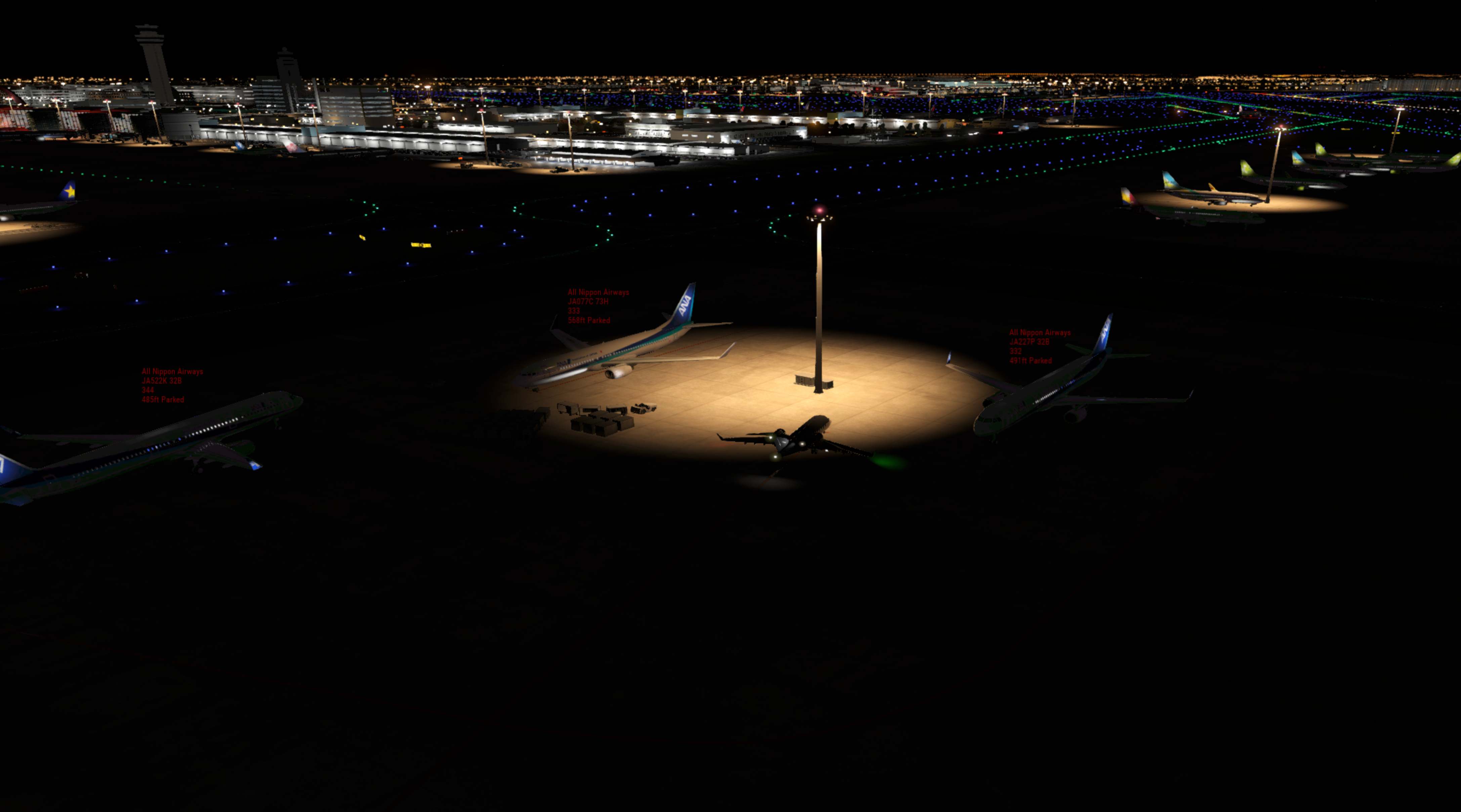
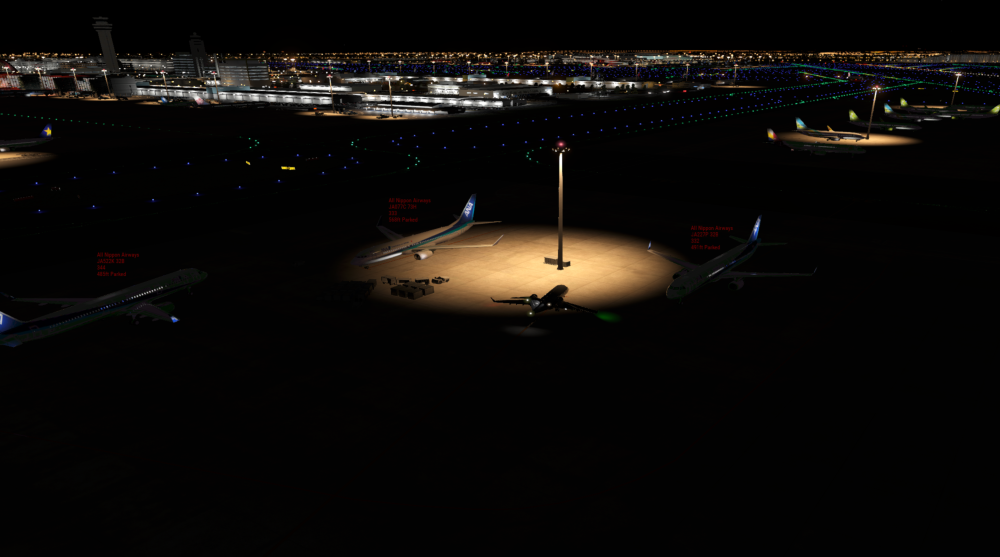
At the start of my latest flight from RJTT (using payware scenery), the fuel truck never arrived, despite requesting it at the EOB and again over the phone. I am wondering if it is an issue with the scenery stopping it from coming and/or AI aircraft nearby (Traffic Global)? I don't really remember it happening in the past, but it might have. In the end I used the refuel panel via the menu. Edit: Weirdly it showed up at the end of manual fuelling.
-
Okay, that's good I guess... but is there a way of resolving it if it happens again? I thought the door close switch wasn't engaged when trying to remove it.
-
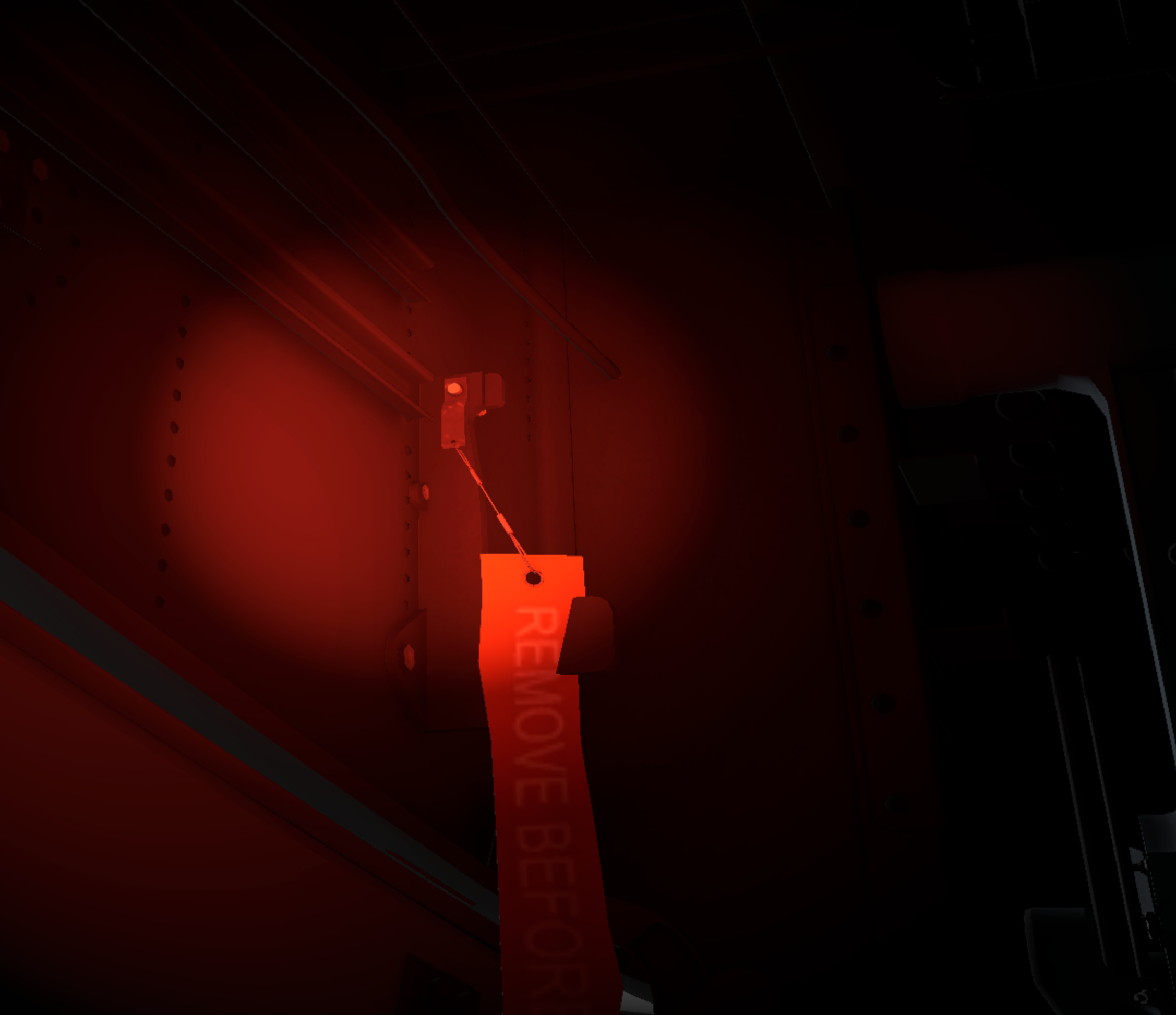
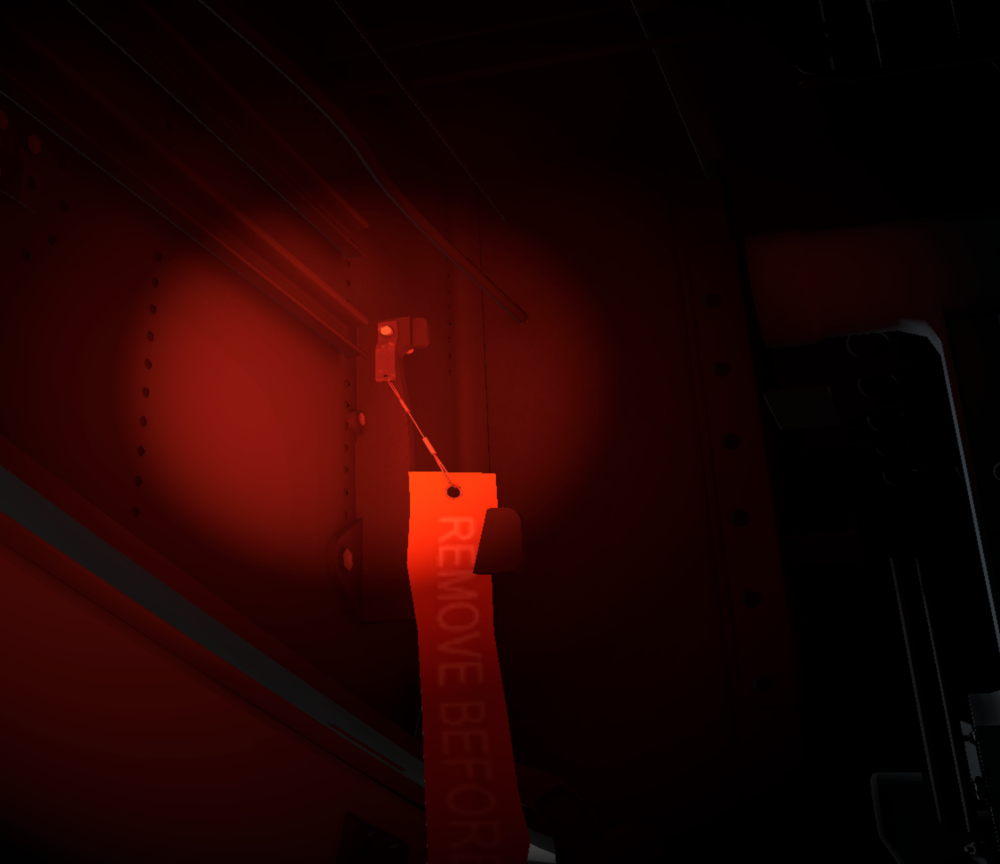
I've been enjoying the latest update for the last few days and just encountered my first real problem. It was impossible to remove one of the pins from the nose door area. I tried reloading the game and trying to modify the relevant dataref and it still wouldn't be removed. As I couldn't shut the nose door I therefore had to abandon the airframe and create a new one. It looks like it was clipping through the aircraft but don't know if that was the problem. It was the 'middle' one of the three in that area.
-
Man am I happy about this, thank you for the great work.
-
Is this how it is in real life? I find the relaxed tone at odds with the urgency of the situation, but that's just based off having heard the warnings in other aircraft. terrain.mp4
-
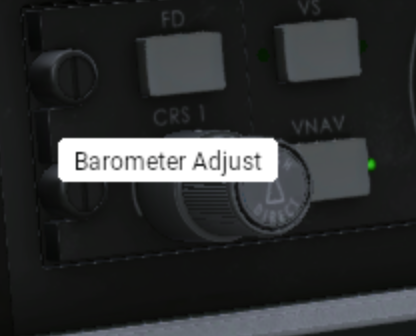
Having flown the Toliss A319 recently, which has no tooltips, I just want to say how much I appreciate the tooltips provided in the Challenger. I noticed this small error a while ago but have never reported it. Chances are you already know. If you hover the outer selector on the CRS knob it says barometer.
-
Every time I load a flight I get a CTD with 'threading violation' in the log. 2026-03-31 13:55:31 CL650[libsvs.c:4912]: libsvs(SVC): utilizing background rendering via IOSurface Threading violation calling XPLMGetDatai (/Users/administrator/.gitlab-runner/builds/5iac3Er_D/0/x-plane/design/SDK/COMMON/xplanesdk/Src/XPLM/XPLMDataAccess.cpp:327) Violation by Challenger 650 by Hot Start (hotstart.challenger650) 2026-03-31 13:55:31 CL650[except.c:120]: Caught SIGABORT: abort (0x1a049d5b0) Backtrace is: 2 libsystem_platform.dylib 0x00000001a04e1764 _sigtramp + 56 3 libsystem_pthread.dylib 0x00000001a04d7888 pthread_kill + 296 4 libsystem_c.dylib 0x00000001a03dc850 abort + 124 5 XPLM 0x000000012aba52c4 _Z26__XPLMValidateThreadSafetyPKcS0_i + 536 6 XPLM 0x000000012ab938ac XPLMGetDatai + 56 7 systems.xpl 0x000000037117028c wfETC1_DecodeImage + 130948 8 systems.xpl 0x0000000370ed55b4 XPluginReceiveMessage + 4031316 9 systems.xpl 0x0000000370edbed0 XPluginReceiveMessage + 4058224 10 systems.xpl 0x00000003711a6e78 wfETC1_DecodeImage + 355184 11 systems.xpl 0x00000003711a3840 wfETC1_DecodeImage + 341304 12 libsystem_pthread.dylib 0x00000001a04d7c08 _pthread_start + 136 13 libsystem_pthread.dylib 0x00000001a04d2ba8 thread_start + 8 --=={This application has crashed!}==-- In the X-Plane release notes it acknowledges that the Challenger 650 is not compatible: https://www.x-plane.com/kb/x-plane-12-4-1-release-notes/
- 1 reply
-
- 1
-

-
Hi, I have a variety of noob questions relating to ATS I was hoping someone could shed some light on to help me further understand this wonderful aircraft. 1. I've encountered a few scenarios, usually on approach, where ATS fails and I can't reconnect it. I want to better understand the reasons for this. I'm assuming it's because the aircraft can no longer maintain the speed selected, or because of some manual intervention. How can I rectify it? 2. I also want to clarify the colour of the speed on the PFD. Is this correct; Pink - ATS active and following speed in VNAV setup; Blue with ATS illuminated - speed set at number dialled in by speed knob; Blue with ATS not illuminated - ATS disengaged, power set by throttle position. Sometimes I'm not sure whether ATS is active or not. 3. What is the meaning of the throttle sliders that appear in the bottom right hand corner of the screen, indicating that they should be moved to the position shown? 4. Sometimes when climbing out with a heavy fuel load the speed plateaus at around 200kts and then starts to fall backwards. ATS fails here also as the aircraft appears to be climbing too steeply to meet the speed asked of it (presumably partly answering my first question). I usually set speed to 231 before takeoff then after the packs transition engage VNAV climb at 250 kts. What is the best procedure here? (I am sure the real world detail is much more complex than can be distilled here but a general overview is helpful). Thanks.
-
That is what I thought. Since I created a new airframe it has actually stopped. So the old airframe must have become weirdly corrupt or something.
-
The 'terrain, terrain' warning in this aircraft sounds like it is spoken by some text to speech engine. It sounds a bit odd, though I can't say what the real deal sounds like either, so I'm just guessing here. Just wondering what the situation was and if it can be improved. (Yes I know you can just not fly near terrain).
-
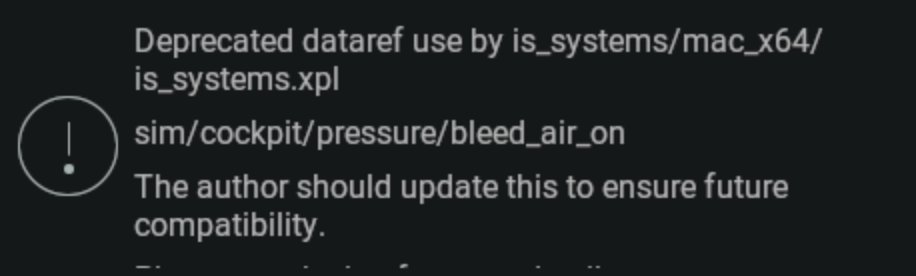
I'm guessing TorqueSim is aware of this. Will it be fixed in the next release?
-
I can cope with it, but that's good news about the update. It periodically crashed under the same circumstances with older versions anyway, just not as much.