
stevebiker
-
Posts
63 -
Joined
-
Last visited
Content Type
Profiles
Forums
Latest X-Plane & Community News
Events
Downloads
Store
Everything posted by stevebiker
-
Update for the Support Team (Log.txt attached): The activation loop continues even after removing the conflicting scenery plugins (like SASLFree). Looking at my attached Log.txt, Gizmo explicitly states: GK: Load license from disk.. GK: 404: license database / Empty license file. And later: GK: No valid auth token, manual login required. The file is written correctly during a flight session, but as soon as Windows restarts, the activation is lost again. I am running a modern AMD Ryzen 7 9800X3D system with standard Windows 11 security features enabled (Core Isolation / Memory Integrity). It appears that the 2021 build of Gizmo64 cannot reliably read or lock the machine ID under this modern Windows environment upon a fresh system boot, resulting in a perceived hardware mismatch every time the PC restarts. Since folder permissions are wide open ("Everyone" has full access) and no VPN is used, this is clearly a script-level issue with Machine ID binding. Please advise on how to proceed. Log.txt
-
Yesterday, after removing the FMCar plugin, everything worked perfectly! The RSG DA40NG came to life, and both the Islander and the MU-2 retained their activation. I thought the issue was solved. However, today the activation loop is back for all three aircraft! None of them retained their activation overnight. Since FMCar is gone, it feels like another plugin or a dynamic change in X-Plane's plugin loading order is causing the exact same conflict again. My Windows folder permissions are still wide open, and no VPN is active. It seems Gizmo is highly sensitive to the loading order of specific plugins on my system, causing it to lose the license authentication upon a fresh simulator launch. Any advice on how to force Gizmo to load first, or what else could mimic the FMCar conflict? Log.txt
-
And now, all of a sudden, the 2T Islander needs to be reactivated too! I don't find that very funny. It had already stayed activated yesterday! Something is seriously wrong with your activation system! I have lots of other aircraft—from Thandram Aerobask, Justflight, etc.—but they all work without any problems! And don't tell me, “But the Islander isn't activated!” Sure, after today's restart, it needs to be activated again! Log.txt
-
And now, after restarting X-Plane 12 with the MU-2, it's asking for activation again! Log.txt
-
Well, I did have that problem—that's what happened after I restarted X-Plane on this machine. Here's the log.txt file, after I launched and closed X-Plane. Log.txt
-
Thank you very much for your reply. Well, I removed the FM cars from the plugin folder. The RSG DA40NG is now working. The BN-2T Islanders is still activated, but I haven't been able to try it out yet. However, the MU-2 Marquise immediately asks to be reactivated after reloading and acts up as if by magic! Log.txt
-
Hi, After experiencing activation and aircraft launch issues with the MU-2 Marquise v2 and the RSG DA40NG, now the BN-2T Islander has been hit too! It was activated; this morning I was able to load the aircraft several times in the freshly restarted simulator without having to reactivate it. Now, in the afternoon, it’s suddenly asking for a new activation again! I’m at my wit’s end. Here’s the log.txt file from the running simulator, without a new activation. Thanks in advance for your help. Log.txt
-
Hello X-Aviation Support Team, I am experiencing a persistent activation issue and erratic behavior with the Mitsubishi MU-2 Marquise v2 in X-Plane. The Symptoms: Activation Loop: Every time I load the MU-2, the X-Aviation activation window appears. I fill in my credentials, the activation is confirmed as successful, but upon restarting X-Plane, the activation is completely lost and I have to activate it all over again. Erratic Cockpit Behavior (Poltergeist): As soon as I am in the cockpit, all switches, sun visors, and levers start moving rapidly and erratically on their own. I understand this is part of the custom script DRM panic mode when the activation fails. Troubleshooting already performed: Folder Permissions: My X-Plane installation is located on a dedicated, NTFS-formatted data SSD (not the C: drive). Folder ownership and full read/write permissions have been explicitly granted to "Everyone" to rule out Windows write-protection issues. Other X-Aviation Aircraft Work Perfectly: My X-Aviation BN-2T Islander retains its activation flawlessly after the folder permission fix. Only the MU-2 keeps losing it. No VPN: I do not use any VPN software or virtual network adapters that could alter my Machine ID. Correct Installer: I am using the official, up-to-date installer downloaded directly from my X-Aviation account. It seems like the MU-2 script is failing to properly write or read the license file, or it encounters a hardware ID mismatch upon every simulator restart, which triggers the erratic cockpit animations. Could you please look into my case or tell me which specific hardware component or log entry might be causing this loop? Thank you very much for your help! Log.txt
-
Hi, I reinstalled and activated the aircraft after a long time. But I still can't start it! I can't even turn on the avionics. Maybe the lights aren't working either! I'm just stuck. Here's my log.txt. Log.txt
-
Thank You very much.
-
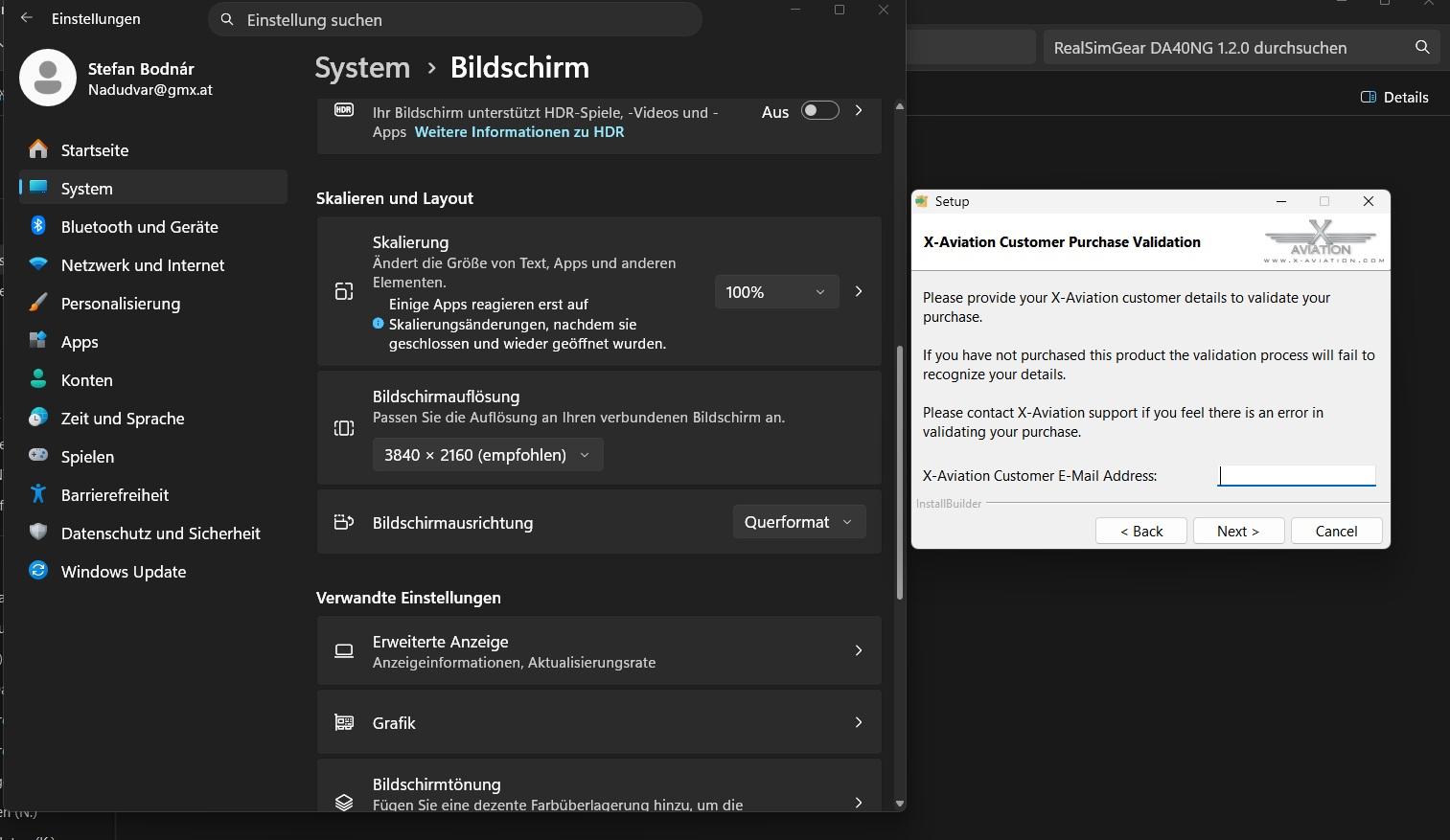
Hi Goran, Thank you very much for the detailed help. After changing the font size to 100%, I was able to see both input fields and complete the installation. The RSG DA40NG is recognized, and no activation is required in X-Plane. However, the assignments I set up on my Honeycomb Bravo Throttle are being ignored. Neither the battery switch works, nor can I turn on the avionics. Should I start a new thread about this?
-
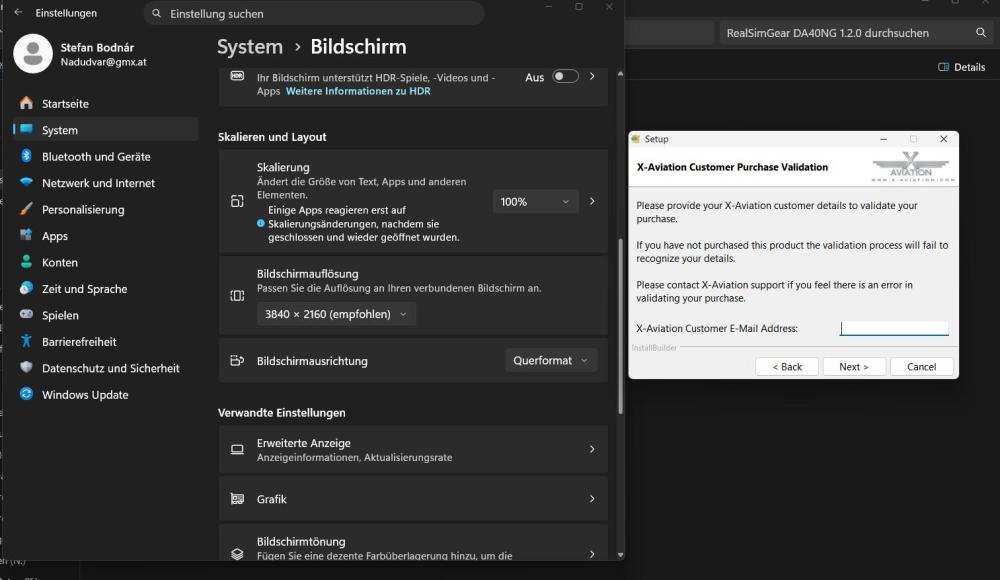
I did try! I wrote, “I tried all kinds of resolutions”! The password field doesn't appear.
-
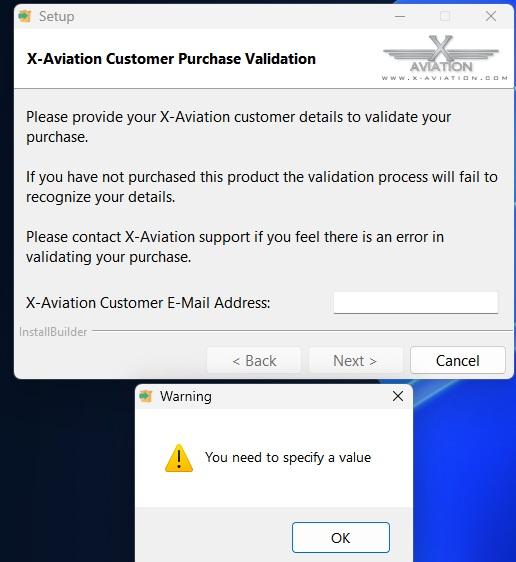
After taking a break, I wanted to install one of my X-Aviation aircraft, the DA 40NG. This can only be done using an installer. I can enter my email address there, but nothing else! As a result, I get an error message: “You need to specify a value!” What should I do now? I’ve tried every possible screen resolution, but no second input field appears! I’m stuck for now! I have at least four other products from X-Aviation. Stefan
-
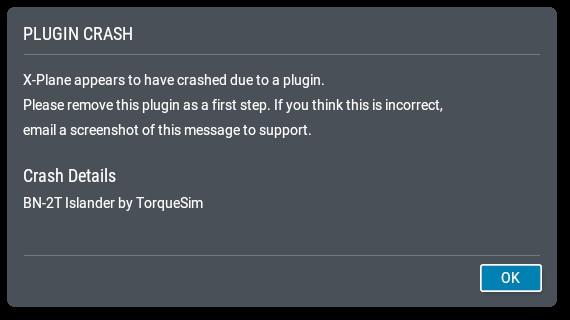
Hello, As stated in the title, as soon as the machine is loaded and I perform an action, X-Plane 12 crashes immediately. How can I fix this? It is also strange that X-Aviation does not offer support, but only a link to a forum! Thank you and best regards Stefan Edit: I uninstalled and reinstalled the machine. Now it works. Sorry for the fuss.
-
Short but important: Where are the manuals?! I've searched in vain. Apparently there are very comprehensive ones, but where?
-
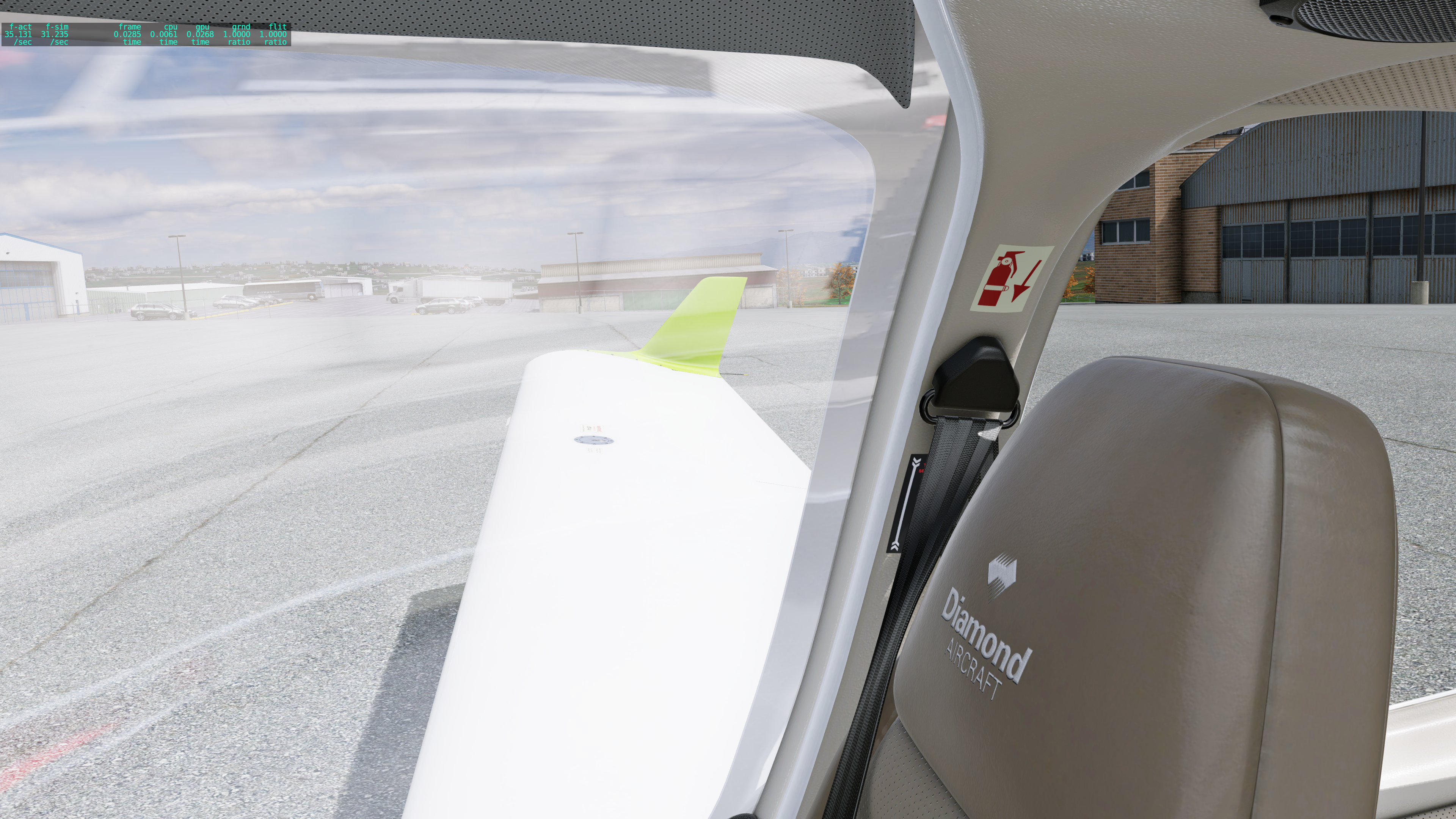
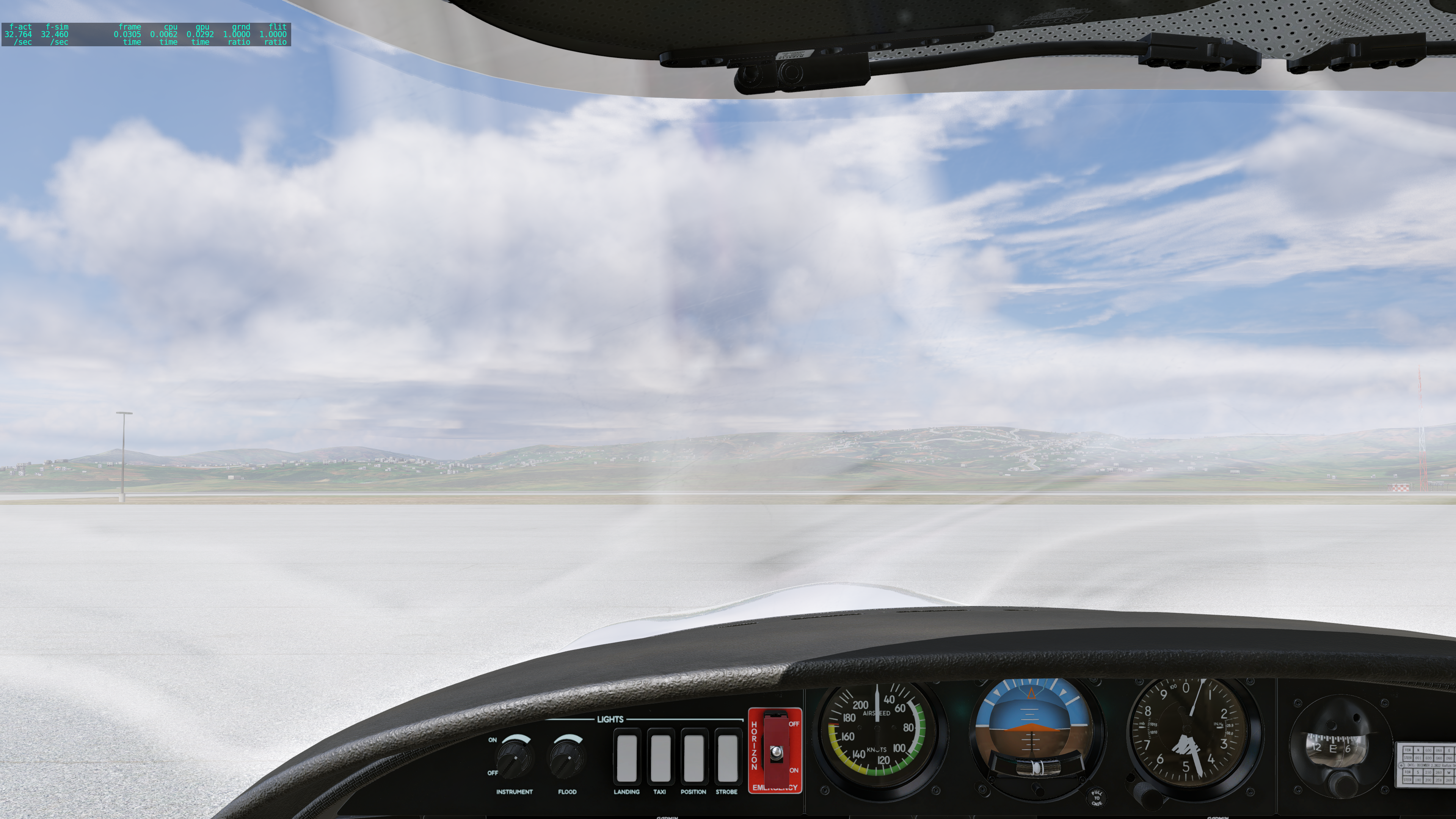
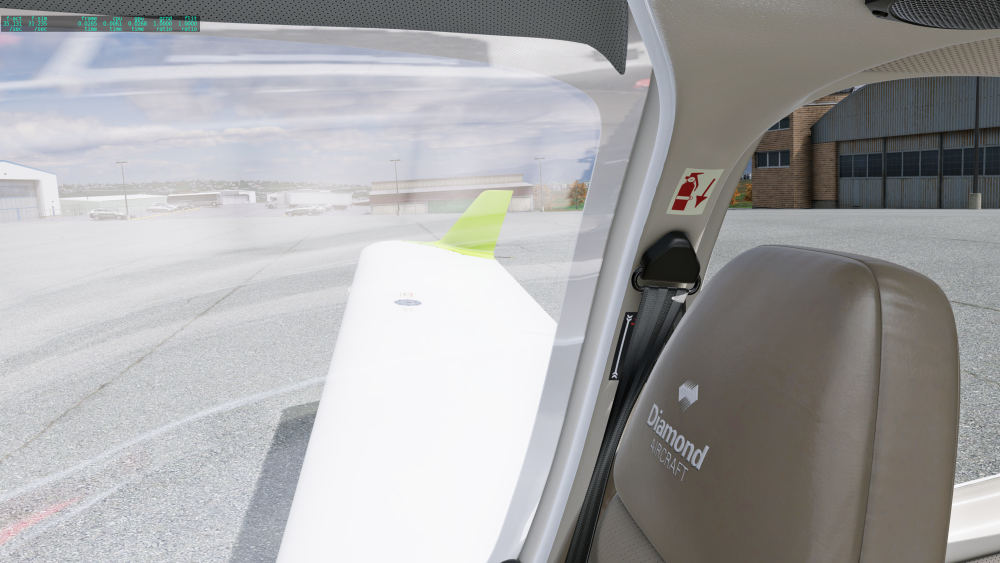
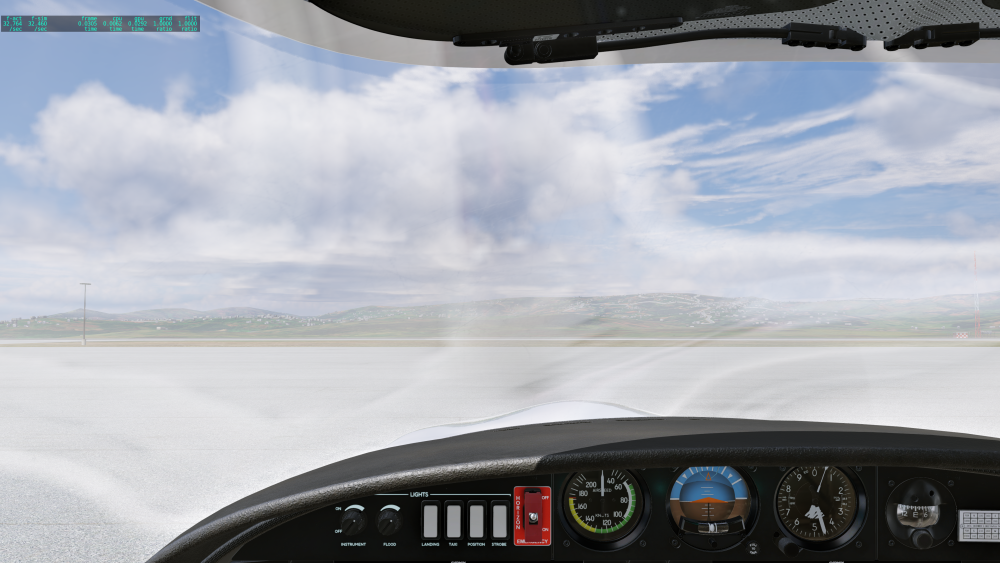
Hello, The aircraft is brand new, but I already regret spending the money! Immediately after setting it up, the cabin heating and defrosting cannot be operated. Even after recalibrating the pedals, the rudder still does not work! I would prefer to return the machine and get a refund. The interior also looks cheap; for the money, I'm used to much better! The missing functions are unacceptable. How can I fix this? Edit: Roll and pitch are also damaged! Edit 2: That was my mistake! Unfortunately, I started the wrong aircraft! With the correct aircraft and the appropriate joystick and throttle settings, it works perfectly. But one thing is absolutely impossible! The excessive reflections on the windscreen and plexiglass canopy cannot be turned off! You can't fly like this! I can't imagine that this corresponds to reality! No other aircraft in my fleet has such strong reflections! This absolutely must be changed. I can't fly the aircraft like this! I searched unsuccessfully for an option in the aircraft menu. Many other providers have solved this better, namely with reflections that can be turned off. Screenshots attached. It should be like the rear window! I found this: https://forums.x-pilot.com/forums/topic/42131-heavy-reflections/ It helps temporarily. Thank you for that.
-
Thank you very much! That was exactly it. I had deactivated the x-aviation plugin in xOrginizer and simply forgotten to reactivate it. Since I had problems with the x-aviation aircraft even before the new beta, none were installed. Now the aircraft is working again!
-
Hello, I have completely reinstalled and activated the machine. Unfortunately, it only works partially! I can move the switches, but the machine has no power and cannot be charged via the aircraft menu. The fuel selection is also faulty and always jumps back to the starting position! I don't know what to do. I am attaching the log.zxt file. Strangely enough, it's similar with the SR 22. But more on that in the relevant section of the forum. Log.txt
-
SR22 aircraft menu not working correctly
stevebiker replied to BillDougy's topic in G1000 SR22 Series
Apparently, I have the same problem. The batteries and tanks are empty. In the interface guide, I can't fill the batteries or tanks. Ground equipment and settings work, though. And I have no idea what Rosetta is! However, I use Windows as my operating system. -
BN-2T Islander mit G500 crasht x-plane12
stevebiker replied to stevebiker's topic in BN-2B Piston Islander
Thanks, it's done, I've uninstalled it. Unfortunately it didn't work perfectly either, I had to delete the aircraft directory in x-plane manually. -
BN-2T Islander mit G500 crasht x-plane12
stevebiker replied to stevebiker's topic in BN-2B Piston Islander
Thank you for your answer. Which button or lever did you assign this to? I have assigned the command to the throttle lever on my Bravo Throttle, the Bravo has its own lock, behind which is a separate area, to which I have assigned it, but unfortunately this does not work. Edit for Cameron: XA snow is not the addon! X-plane has crashed again. I think I will uninstall the aircraft and book it as a loss. The same goes for the TBM 900, which only works in X-plane11 and has not been updated since x-plane 12 has been around forever. -
BN-2T Islander mit G500 crasht x-plane12
stevebiker replied to stevebiker's topic in BN-2B Piston Islander
I have found the addon, it is XA snow, when I deactivate it, x-plane no longer crashes. However, all other planes do not react like this. I have a question about the Islander, since the manual is more than poor, I can't find a way to assign the reverse or beta function to my Bravo throttle quadrant by command. I have tried it with ‘beta’, also with ‘toggle thrust reversers’, without getting a reaction. Which command would make this possible? But I can't trigger this with the mouse either. So how does the reverse position work? -
BN-2T Islander mit G500 crasht x-plane12
stevebiker replied to stevebiker's topic in BN-2B Piston Islander
Thank you for your answer. I must have overlooked the third version of the aeroplane in the selection. And, I read your answer fully, but I don't know which addon it could be. I guess I'll have to go the long way round and disable all addons and reinstall them one by one to see which one is causing the error. -
BN-2T Islander mit G500 crasht x-plane12
stevebiker replied to stevebiker's topic in BN-2B Piston Islander
Thank you for your reply. To anticipate, I can only find one version on your website that is priced at $34.95! This is exactly the one I purchased. I have also purchased the Avionik G500. However, if you want to operate the machine without the purchased avionics, you will see a red notice that you have to purchase extra avionics. Anyway, at the moment x-plane crashes when I load the aircraft, so I can't use it at all. -
Hi, I have downloaded and installed both the BN-T2 Islander and the G500 avionics from x-Aviation. I activated both, but as soon as I activated the G500 avionics, x-plane12 crashed immediately! Even after a restart! What can I do? Please find attached my log.txt. Log.txt Incidentally, I find it quite brazen that the machine only works with the purchase of extra avionics! I bought the G500, compulsorily, but I don't have the RSG G%, so I can't even try out the 2nd version of the aircraft! That and the still pending update from TBM 900 to the x-plane 12 version make me doubt x-Avionik! I will think twice about buying anything from them!