



GolfCharlieTango
-
Posts
31 -
Joined
-
Last visited
Content Type
Profiles
Forums
Latest X-Plane & Community News
Events
Downloads
Store
Everything posted by GolfCharlieTango
-
SR22 G1000 v2.0.0 won't load ** RESOLVED **
GolfCharlieTango replied to GolfCharlieTango's topic in G1000 SR22 Series
This gets stranger. This morning I updated my mail XP instance to 12.05r1. Both SR22s now load fine. The temp XP install I did, I still can't get the SR22s to load (no issues, I'm going to delete this instance anyway). So for now, i think I'm set, but I have no idea what was wrong... -
SR22 G1000 v2.0.0 won't load ** RESOLVED **
GolfCharlieTango replied to GolfCharlieTango's topic in G1000 SR22 Series
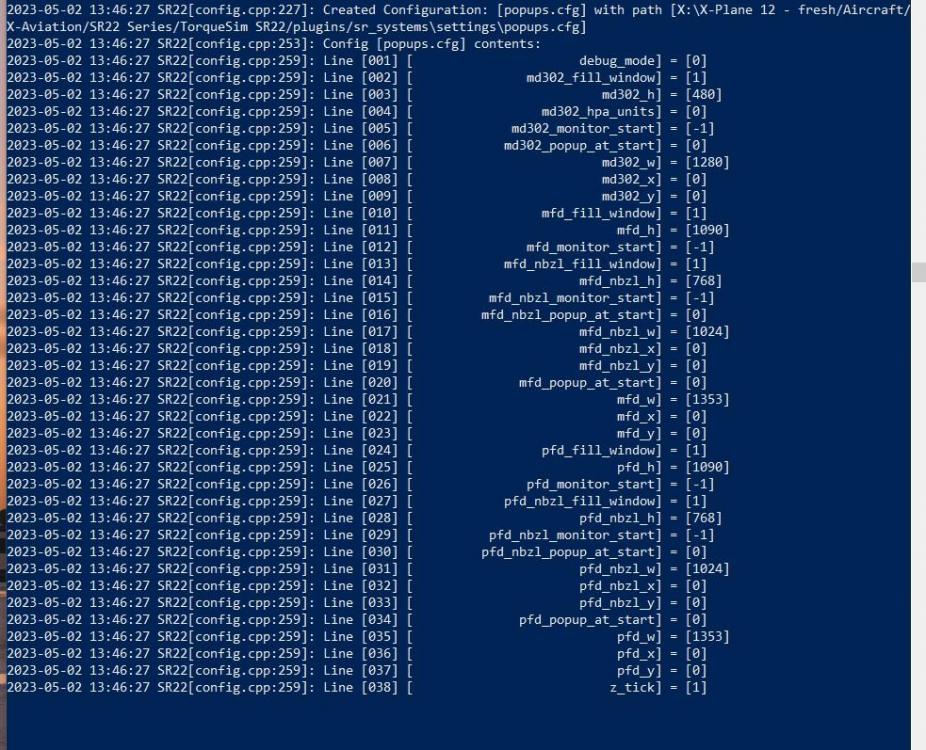
I just installed a fresh copy of XP-12, and installed the SR22. Same results. First boot of xplane, asked for my xaviation login, then plane seems to load. Shutdown xplane, and restarted, load of SR22 hangs xplane in the same spot.. I'm guessing no one else has this issue?
-
SR22 G1000 v2.0.0 won't load ** RESOLVED **
GolfCharlieTango replied to GolfCharlieTango's topic in G1000 SR22 Series
Thanks Coop. This time I tried a backup version of my XP12. I removed all plugins. See attached logs 1st log - initial install of SR22, it loaded, and activated. I didn't fly, but it was loaded. 2nd log - All I did was restart XP, and it hung as before, had to crash XP to get out. 3rd log - I set SVS to 0 and disable_mtuploader to 1. hung as before, had to crash XP again to get out. 1 XP12 log sr22 works no plugins initial 2.0.0 install.txt 2 XP12 log sr22 NOT work no plugins 1st restart pf XP.txt 3 XP12 log sr22 NOT work no plugins svs-0 disable_mtuploader-1.txt -
SR22 G1000 v2.0.0 won't load ** RESOLVED **
GolfCharlieTango replied to GolfCharlieTango's topic in G1000 SR22 Series
Loaded default cessna 172 1st, then loaded SR22. Made it a little further in the log.txt, but still hung. Installed on XP 11, and it loads fine. Logs attached. XP11 Log.txt XP 12 Log.txt -
Windows 10, XP 12.05b3. No Zink. I just installed the SR22 v2.0.0. SR22TN loaded once, but won't load since. SR22 and SR22TN both hang XP on load. I have to kill XP to free it up. Both always hang at line 38 in the log.txt. I only have a few plugins. I've disabled them all, with the same results. I've also reinstalled the SR22s with no change. I've also tried disabling SVS, with no change. Any ideas? log.txt attached. Thanks in advance, Gary Log.txt
-
Xplane 11.32R2, Have had all versions of the TBM, up to 1.1.9. Control stick (twist grip) ground steering is fine, much more controlable now, thanks! Occasionally I fly with just the mouse. Ground steering using just the mouse is almost non existent. Been this way since version 1.0 (got worse around 1.1.6) If I can get it to the runway, I can take off and land most of the time, using just the mouse. I see the mouse control box the on the screen, and have normal aileron movement, but maybe only 1% rudder and nosewheel. Works fine on all other planes. Are there any settings I can tweak to give me some more rudder/nosewheel control with the mouse, or am I limited to just using this plane with the control stick. Thanks for a great plane...
