



Gilandred
-
Posts
4 -
Joined
-
Last visited
Gilandred's Achievements




-
You can't use the vr mouse cursor to hold the key in the start position; it just springs right back to the left. I also could not find a way to "rotate" the start key using the VR controller (Quest 3). It highlights, but no way to twist it to the right. So how do you start the engine while in VR?
-
Warning box appears after X-plane 12 upgrade
Gilandred replied to OrcaFlight's topic in Entegra SR22 Series
Look a bit higher in the error message (attached). This dataref appears to be used by the aircraft, and now the aircraft no longer works because it is deprecated. Batteries won't turn on, nor can you use the load manager. I don't think this is a Laminar issue. EDIT: A reinstall of the aircraft appears to have fixed it. I still get the error message, but I'm able to use load manager and turn on battery power.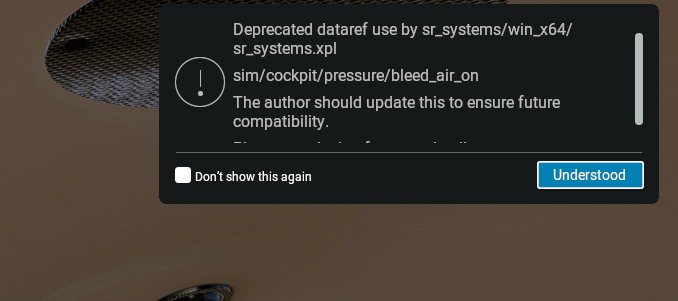
-
I select enable Avitab EFB option and it correctly displays on the left and right aircraft windows. However, while in VR, there is no way to click or select anything on the tablet, either with the mouse or the VR controller.
-
Hi. Everything appears to install correctly into the custom scenery folder of XP11, and KEYW is at the top of my scenery.ini file. Log and ini file attached. However, the default lego brick control tower and buildings are still showing in addition to the Icarus KEYW buildings/scenery. I don't have any other KEYW scenery installed. Please advise. Log.txt scenery_packs.ini